P
PrintablesNoemi

Om keychain
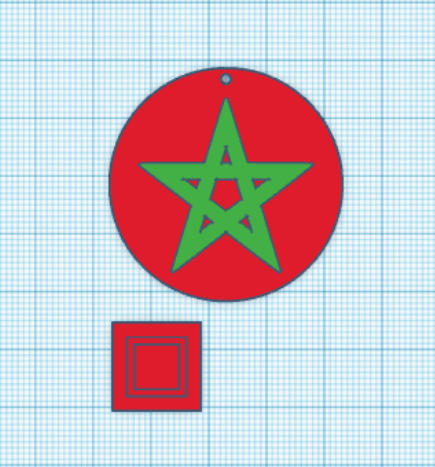
This was a friend's request and I decided to post it, 'cause why not? :) Printed with 0.2 mm layer. It's scalable so you can make it bigger or smaller if you want.
- Pobrania
- 74
- Polubienia
- 6
- Ocena
- 0
Liczymy pasujące modele…
This was a friend's request and I decided to post it, 'cause why not? :) Printed with 0.2 mm layer. It's scalable so you can make it bigger or smaller if you want.
Print with 0.15 mm layer and 100% infill for best results. With said settings, print should take about 17 minutes for Deadpool and 20 minutes for Wolverine. You'll need to add 3 layer changes for each keychain. DEADPOOL start with red…
Printed with 0.2mm layer, should take about 15 minutes to print.
I added a little square to avoid the blob on the print after changing the filament. I printed with 0.15 mm layer but 0.2 mm should also work.
Recommended slicer settings, from the original post: Layer Height 0.2 Top/Bottom Thickness 0.4 Top Layers 0 Wall Thickness 1.2 (Wall Count 3 with Line Width of 0.4) Print Thin Walls yes Infill Density 35% When loading the .stl split the…
Printed with 0.15mm layer, it should take about 30 minutes to print. You have to add 3 filament changes, with 0.15mm layer height the changes should be added at layer 13, 15 and 19 with the colors in the following order: start with white,…
Printed with 0.15 mm layer, added a little square to change filament smoothly.
Printed with 0.15mm layer, it should take about 30 minutes to print. You have to add 3 filament changes, with 0.15mm layer height the changes should be added at layer 13, 15 and 19 with the colors in the following order: start with white,…
Printed with 0.2mm layer, should take about 15 minutes to print.
Print with 0.2mm layer height, any infill will work. Filament changes Santa Claus - required colors: red, pink, white, black; printing time about an hour: start with red; switch to pink from layer 6; switch to white from layer 10; switch…
I printed with 0.3mm layer, the print should take about an hour.
Printed with 0.2 mm height, it should take about 4/5 minutes to print.
Printed with 0.15mm layer, it should take about 30 minutes to print. You have to add 3 filament changes, with 0.15mm layer height the changes should be added at layer 6, 13 and 19 with the colors in the following order: start with white,…
Printed with 0.2mm layer height, any infill will do nicely.
Printed with 0.15mm layer, it should take about 30 minutes to print. You have to add 2 filament changes, with 0.15mm layer height the changes should be added at layer 14 and 18 with the colors in the following order: start with black,…
Printed with 0.2mm layer, should take about 15 minutes to print.
To wszystkie aktualnie dostępne wyniki.