
Geometry Centroid Hanger & Table Models For Students
We calculate the final price from your selected file. You review and accept it before payment.
Saved on this device.
Model information
- Source
- Printables
- Category
- Math
- License
- Creative Commons — Attribution — Noncommercial
Project/Task Description: Students in a Geometry math class had a choice to create a mobile or stand (pick one) on which they will balance various geometric shapes or their respective centroids. The students needed to have a theme for each stand or mobile they created including the shapes as well.
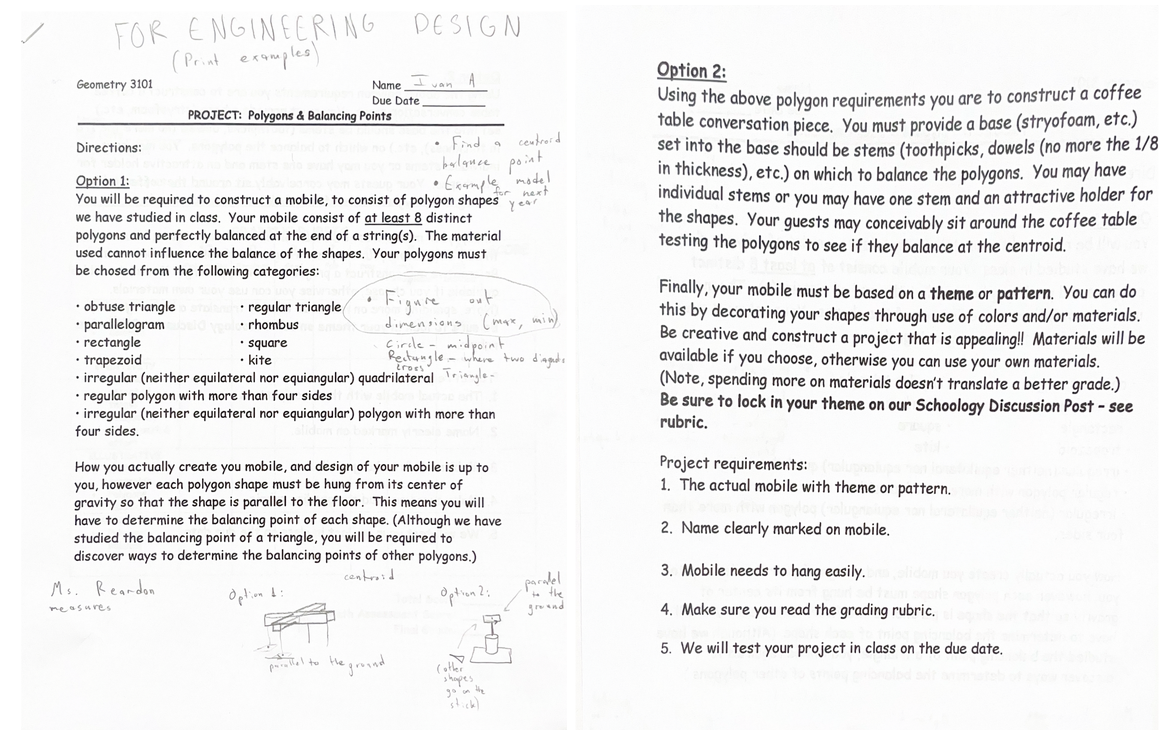
General Project Summary: Our group had to do an example of the Polygons and Balancing Points project. First we decided to make option 2: a coffee table conversation piece, so we split up the figures that we were going to make. For some shapes we had to figure out where the centroid is, so when the hole was in the wrong spot we had to remake it a couple of times because they would not balance. Since we were doing an example for other people who are going to do this project, we also decided to do option 1: mobile. We printed the same shapes twice and two different bases for two different options.
Design Change 1:
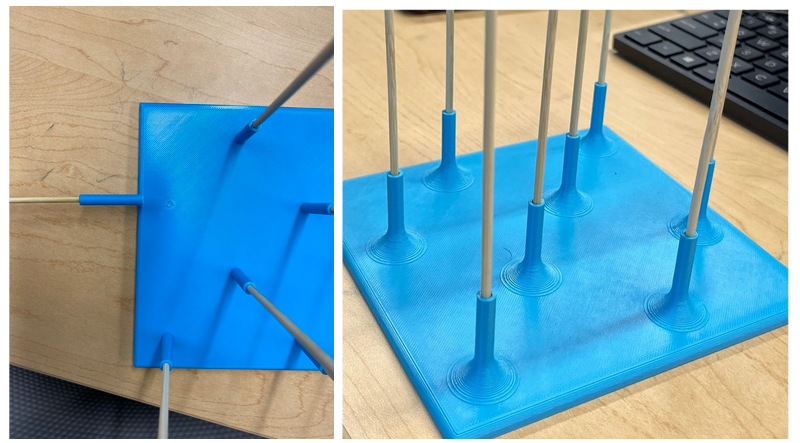
- Added fillets to the pillars on the stand and also gave the holes in the pillars more room:
Our original design for the stand included pillars coming off of the platform that hold the wooden sticks straight up. Those pillars didn’t have any support and ended up breaking off quite easily. We decided to add a fillet to each edge that is connecting a pillar to the platform. This added much more stability to the pillars. This tearing of the pillar off of the stand was also partially due to the very tight space the sticks were stuck in. We widened the hole so that sticks can slide in and out easier.
Design Change 2:
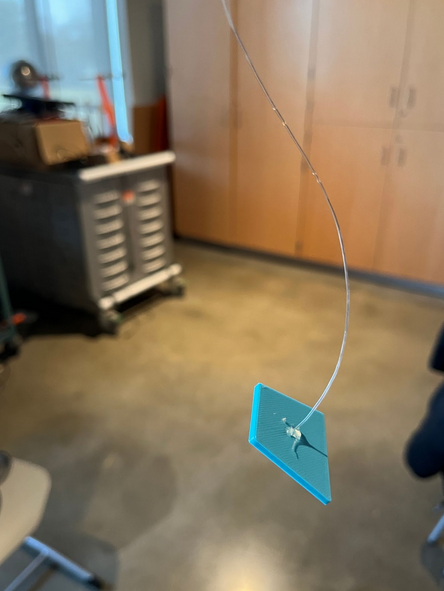
- Fishing line was TOO strong and the pieces were too light for it:
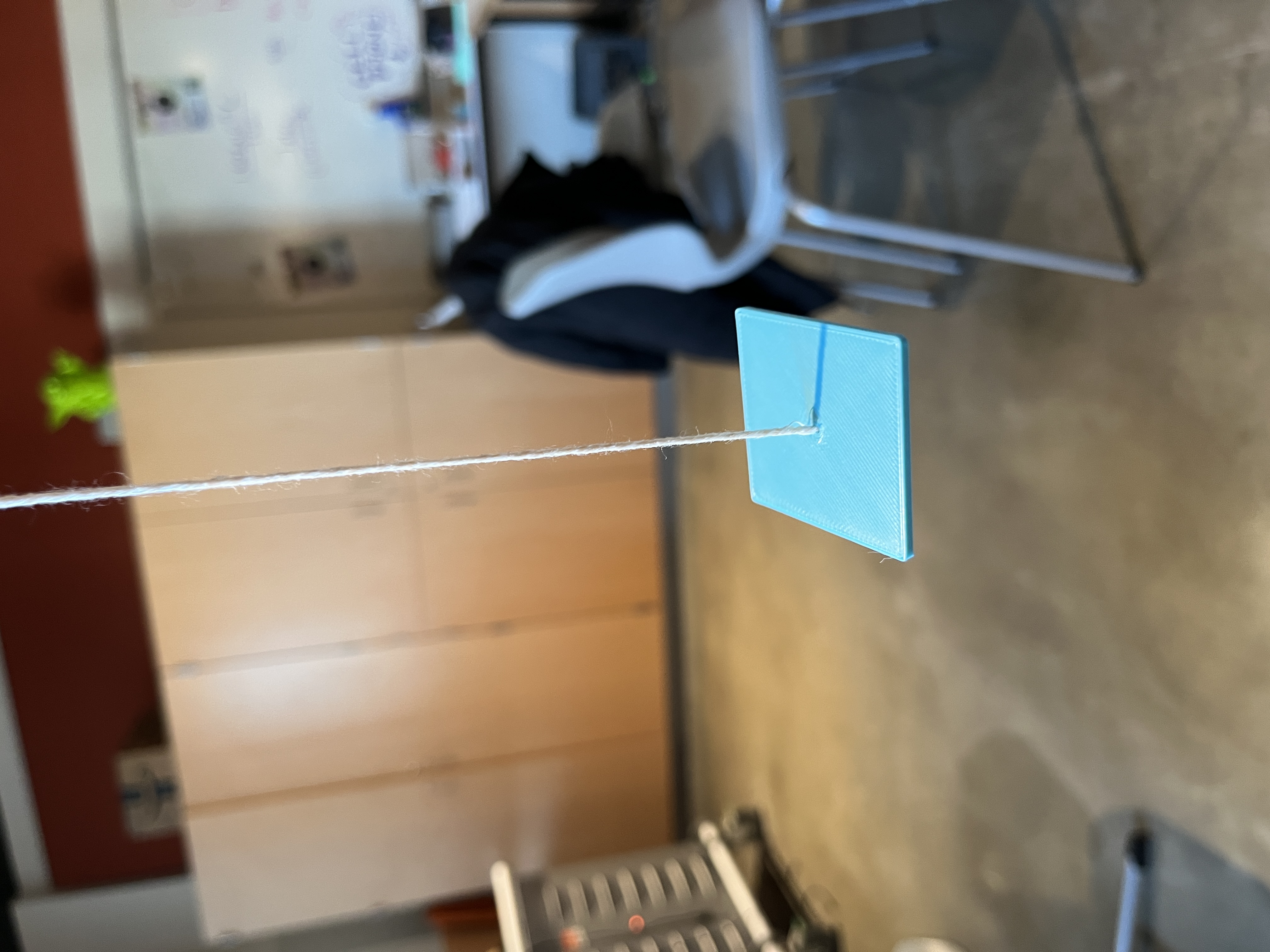
We initially made our shapes hang on the fishing line as it was the thinnest material we had access to. The fishing line wasn’t being pulled straight down but brought the shape up because it bent. We decided to switch to using thread.
Design Change 3:
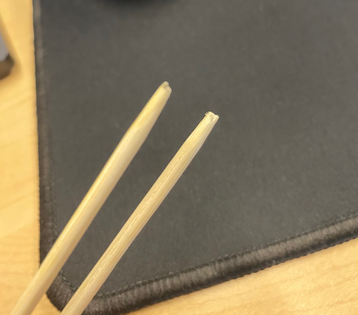
- Cut the sharp end of the wooden sticks for less wiggle room inside the pillars of the stand:
We picked short wooden grill sticks to put into the pillars of the stand and this is also the object our shapes are balanced on. We were supposed to use the flat end of the stick to make sure the shape is actually balanced and doesn't just fit in place when it is pierced on the sharp end of the stick.
Design Change 4:
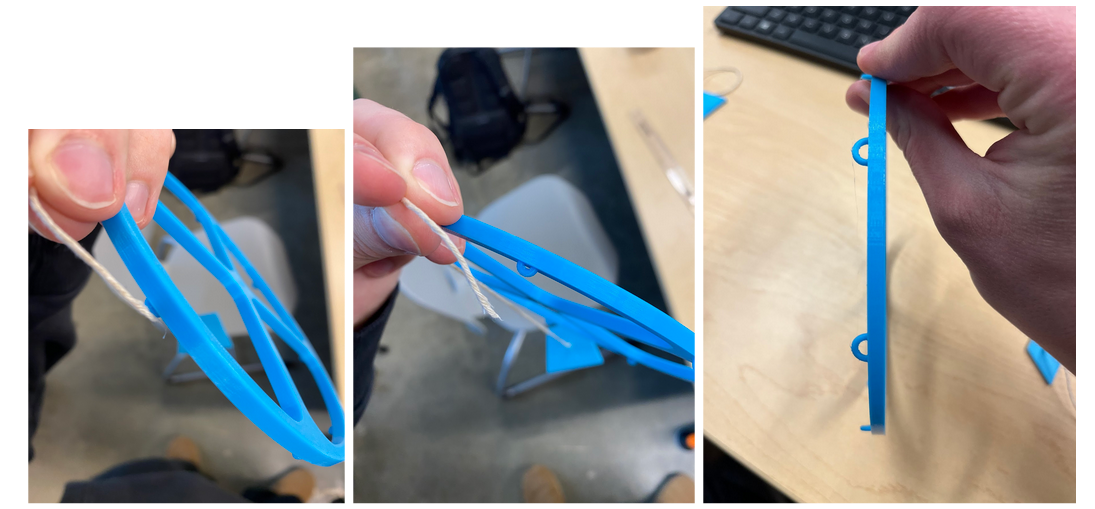
- The hooks were too small for the hanger:
The hooks we printed out on the first prototype of the module were too small and the ends of the thread could hardly fit and slip through. We decided to make these hooks bigger and it made tying a knot up to the hook much easier.
Design Change 5:
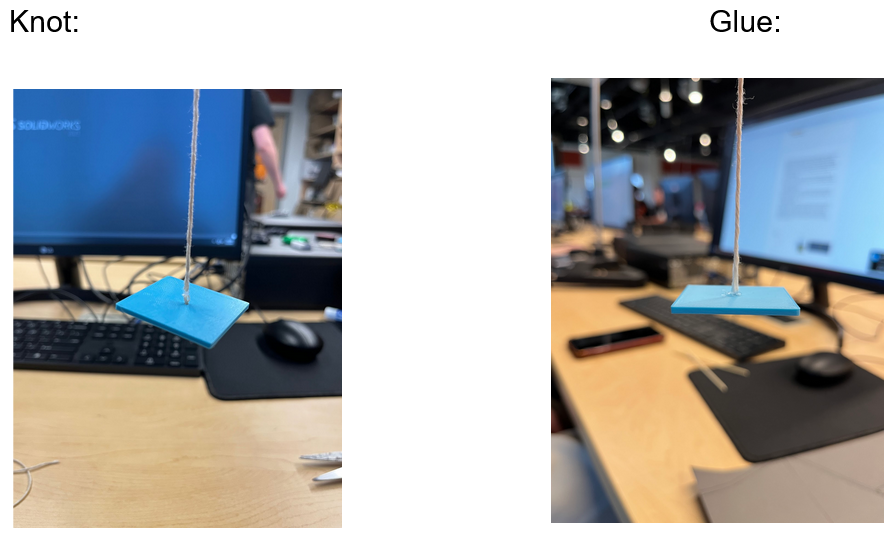
- Switching from knots to hot glue:
We initially started hanging up our shapes with knots at the bottom. You would push the thread through each hole and tie a knot once it is through. This is inefficient as the shapes are not resting on a flat surface and can’t express their parallelism. We decided to push the thread slightly through the whole and leave it there while also gluing the thread to the surface of the shape.
Design Change 6:
- Balance of hanger:
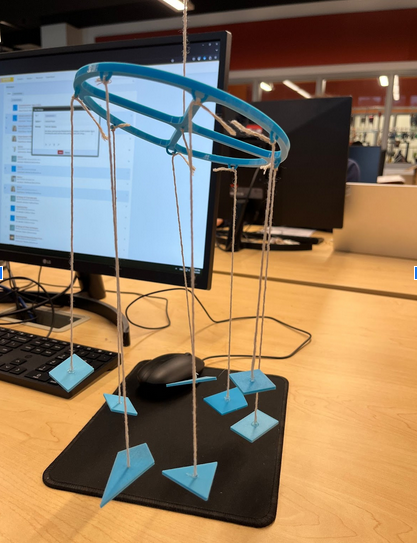
Once we had figured out how to balance all the shapes properly, the hanger which held all the shapes up was tilted. We wanted to figure out how to balance this better. First, we tried rearranging the order of the shapes to more evenly distribute the weight, which worked somewhat but still left some slight imbalance. Next, we used paper clips to hang on selected hooks to try to see if we could balance the hanger that way, this worked as well but still left an even more slight imbalance. Finally, we cut some paper clips into smaller pieces and watched the tilt of the hanger to control the tilt and arrive at a balance we were satisfied with.
Design Change 7:
- Unbalanced shapes:
We wanted each of our shapes on the mobile to have a perfectly balanced counterpart that mirrors each other on the mobile. For example, the rhombus is hung directly across from the rectangle on the mobile. Originally, each shape was a completely different weight. We changed that by adding or removing layers of 0.3 mm to each shape. 0.3 mm specifically because that’s the preset layer height we were working with.
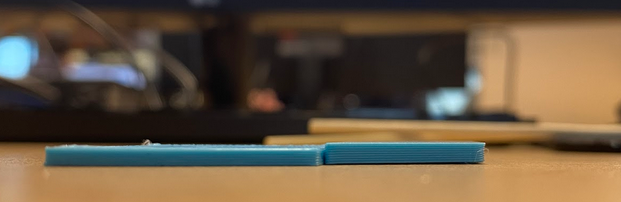
Design Change 8:
- Stagger heights of shapes:
Once we had solved the balance issue, we noticed that the shapes hanging from the hanger were all at varying heights with no order and no aesthetic. Therefore, we decided to try to stagger the heights like some sort of spiral staircase. We first thought about using 3cm intervals for heights, but this would leave a very small height for the 8th shape, so we reduced the stagger to 2cm to see how that would work.
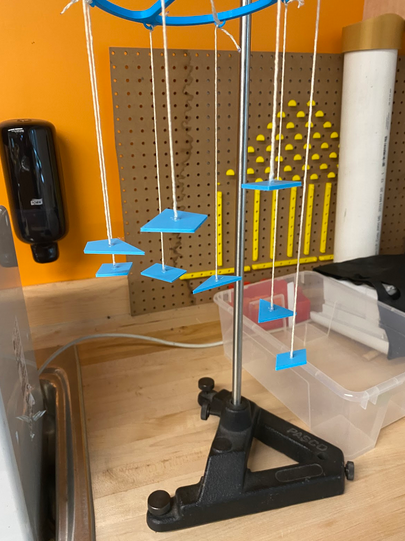
Design Change 9:
- Shapes were too light:
Originally, we had printed our shapes at 15% infill, but because of this, the shapes had weights that varied too much. So, we increased the infill for all shapes to 100%, and then varied the sliced layers of shapes so that we could match up the weights. This solution was intuitive, but also challenged us as the slicer would give us specific weights when we sliced individual shapes, but then would give us a weight that didn’t make sense when we sliced all shapes together. What was even more annoying, was that one day the slicer would say each shape is one weight, and then the next day it would say something different even though all the settings were the same as the prior day. We also used hot glue to attach the shapes to the threads, so if it’s needed, measure the weight of each shape with the glue already dried on top to help with balancing.
This is the change we made:
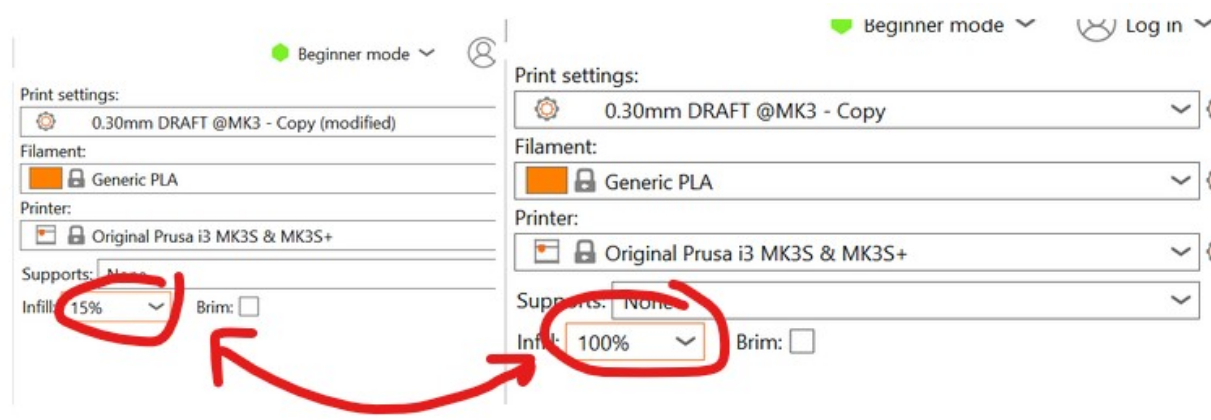
- Planning accordingly:
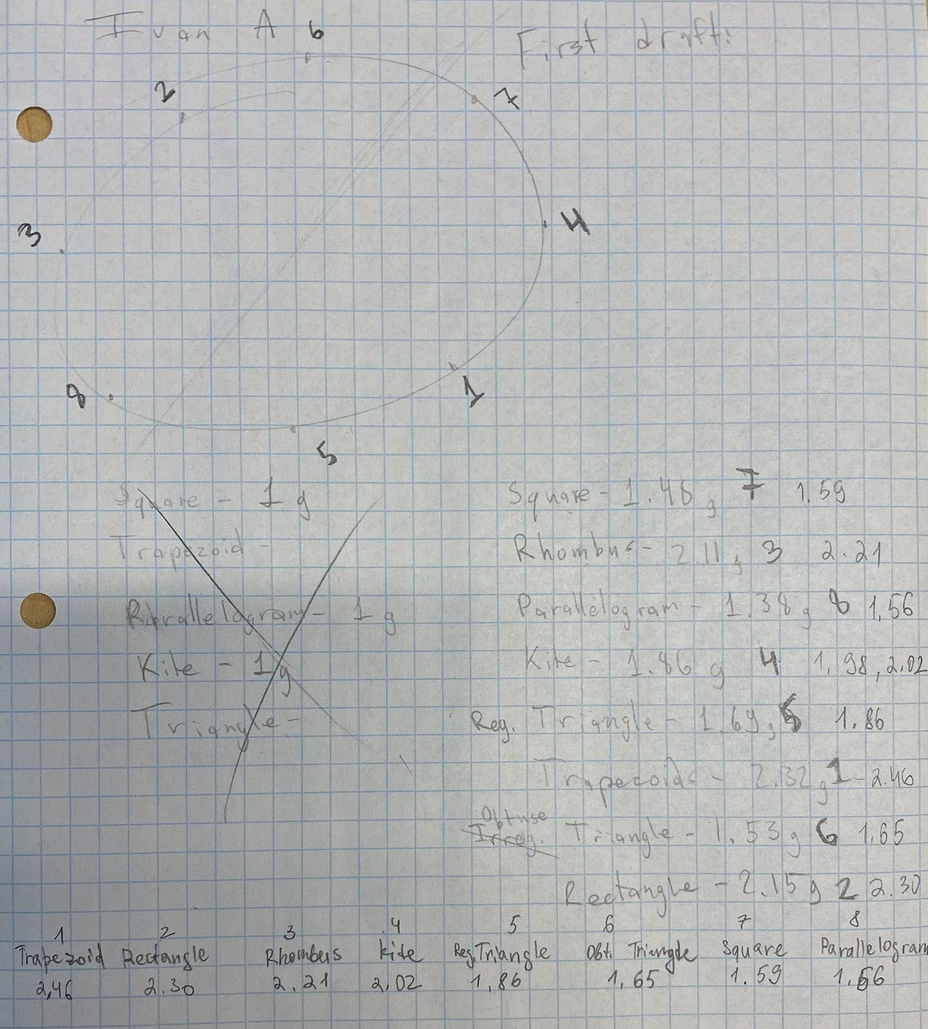
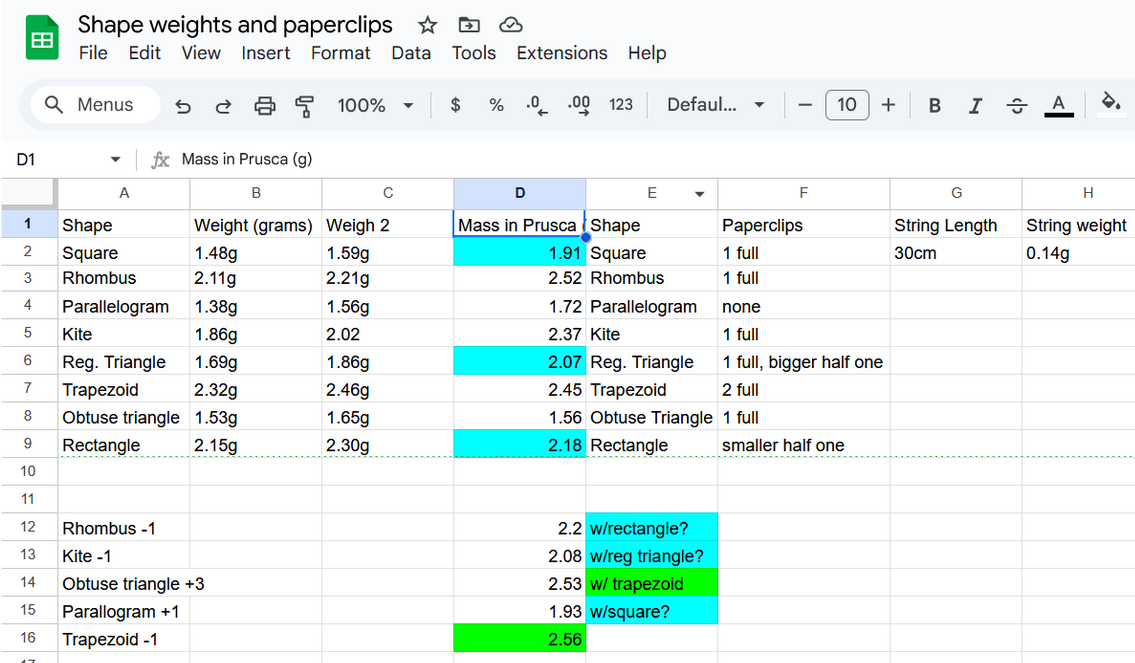
We initially tried balancing the whole thing by mapping out each shape across from the shape with the closest weight to it. The shapes were all initially measured on a scale with units in grams. This wasn’t good enough and the top part was still slightly slanted most likely due to the glue we used on each shape and other various pressures affecting the shapes. This is when we started experimenting with the layers of the shapes as mentioned before. We measured the weight of each shape in Prusca and checked to see how many of them align close together in weight. Unfortunately, each shape had a different weight, so we started experimenting with the layers and inputting each shape into Prusca with shapes having layers added or layers shaved off to see if the weight matched any shapes now. This trial and error led us to a new final result where we mapped out corresponding shapes again. We kept the mass of the square the original 1.91 g and matched it with the parallelogram after you add one layer to it; the parallelogram weighed 1.93 g. We kept the original mass of the regular triangle which was 2.07 g and matched it with the kite which had one layer taken off; the kite had a weight of 2.08 g. We kept the original mass of the rectangle which was 2.18 g and matched it with the rhombus which had one layer taken off; the rhombus had a weight of 2.08 g. The only pair left was the obtuse triangle and trapezoid, so we ended up taking off a layer off the trapezoid which ended up having a weight 2.56 g and adding 3 layers to the obtuse triangle which had a weight of 2.53 g. After all that measuring, we finally hung up the shapes just to see that it still wasn’t balanced. We started adding layers to the shapes that were the most unbalanced (for example, the mobile tilted up towards the rhombus, meaning it’s lighter than its counterpart the most, so we added layers to the trapezoid). We ended up adding layers to the rhombus one by one and trying out each variant of that rhombus with more and more layers until the overall structure was balanced. The key is perseverance and printing new shapes again and again. Get an estimated balance and then start balancing it by eye when adding layers to shapes.
Our drawn on and written chart of mapping:
Our chart of weights from Prusca:
Shape Creation:
Square:
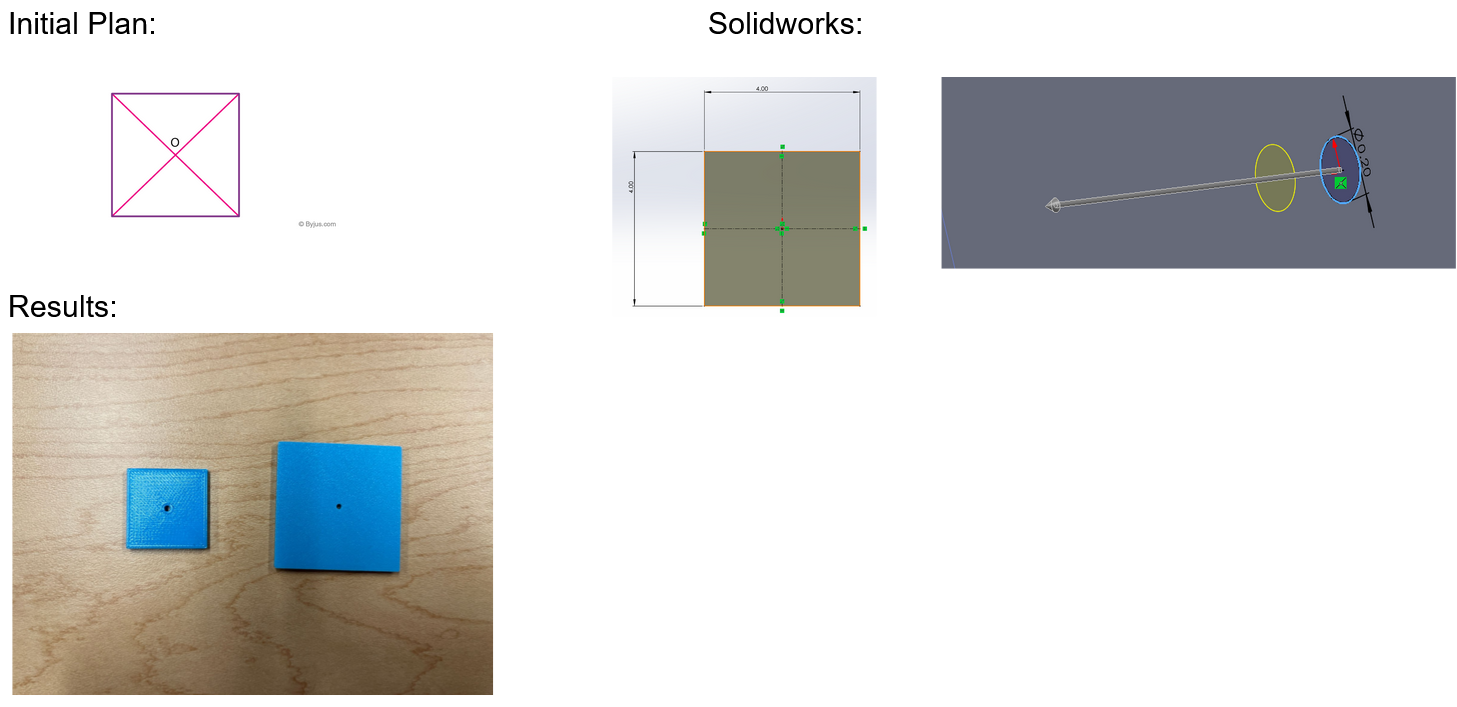
Explanation: Initially we planned for a 4cm x 4cm square, but due to it weighing down the hanger, we also opted for a 2.5cm by 2.5cm square to see if it would solve the problem. The smaller square ended up working very well and solved our problem. The 4x4cm square still works perfectly fine for the stand however.
Regular Triangle:
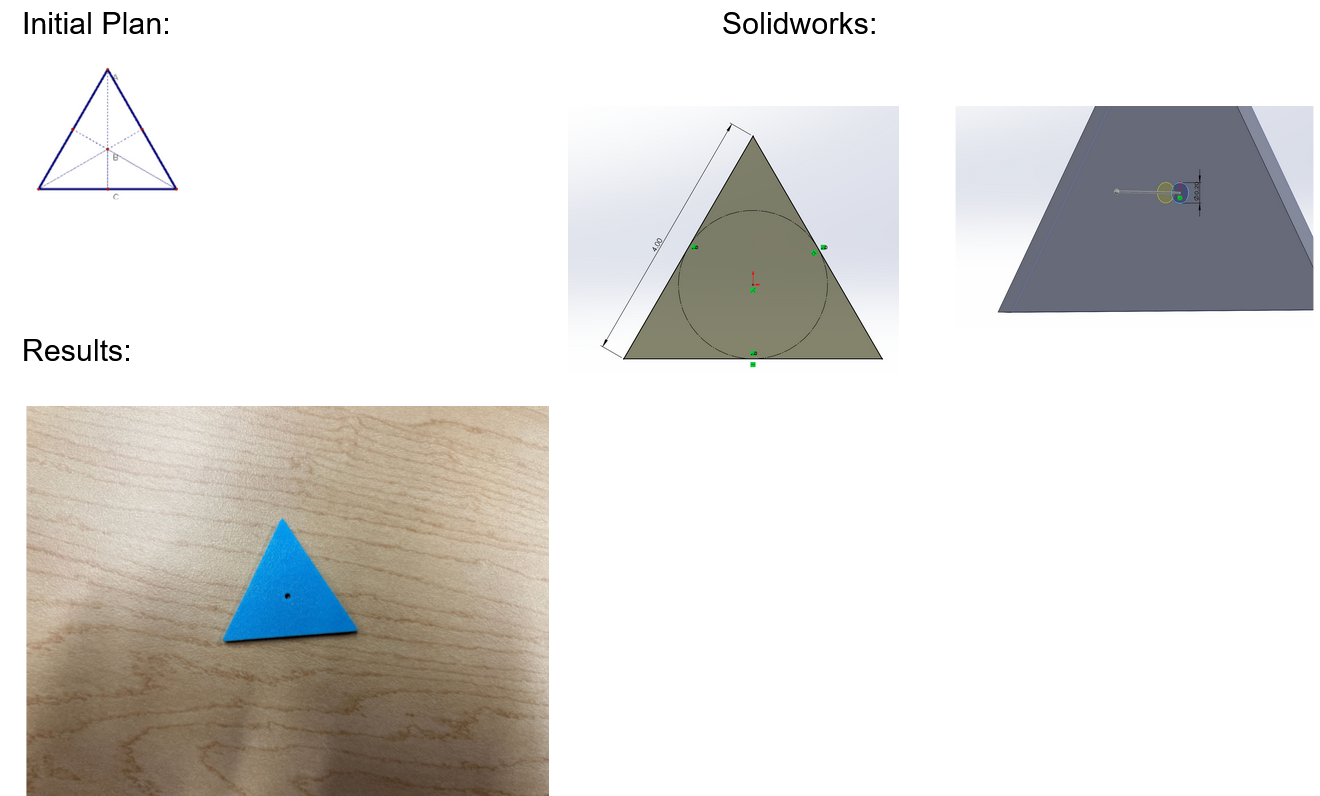
Explanation: Straightforward creation, No issues.
Parallelogram:
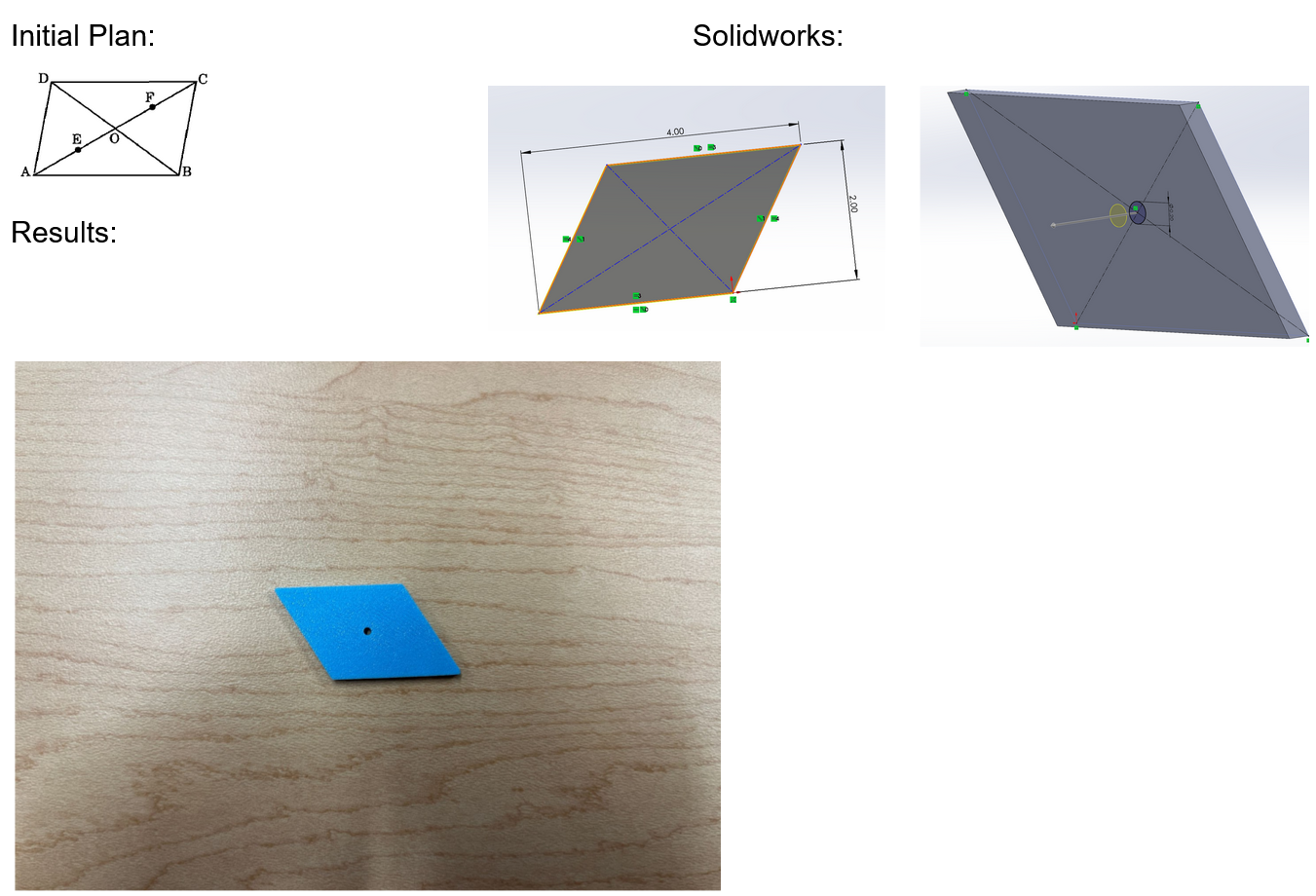
Explanation: Straightforward creation, No issues.
Trapezoid:
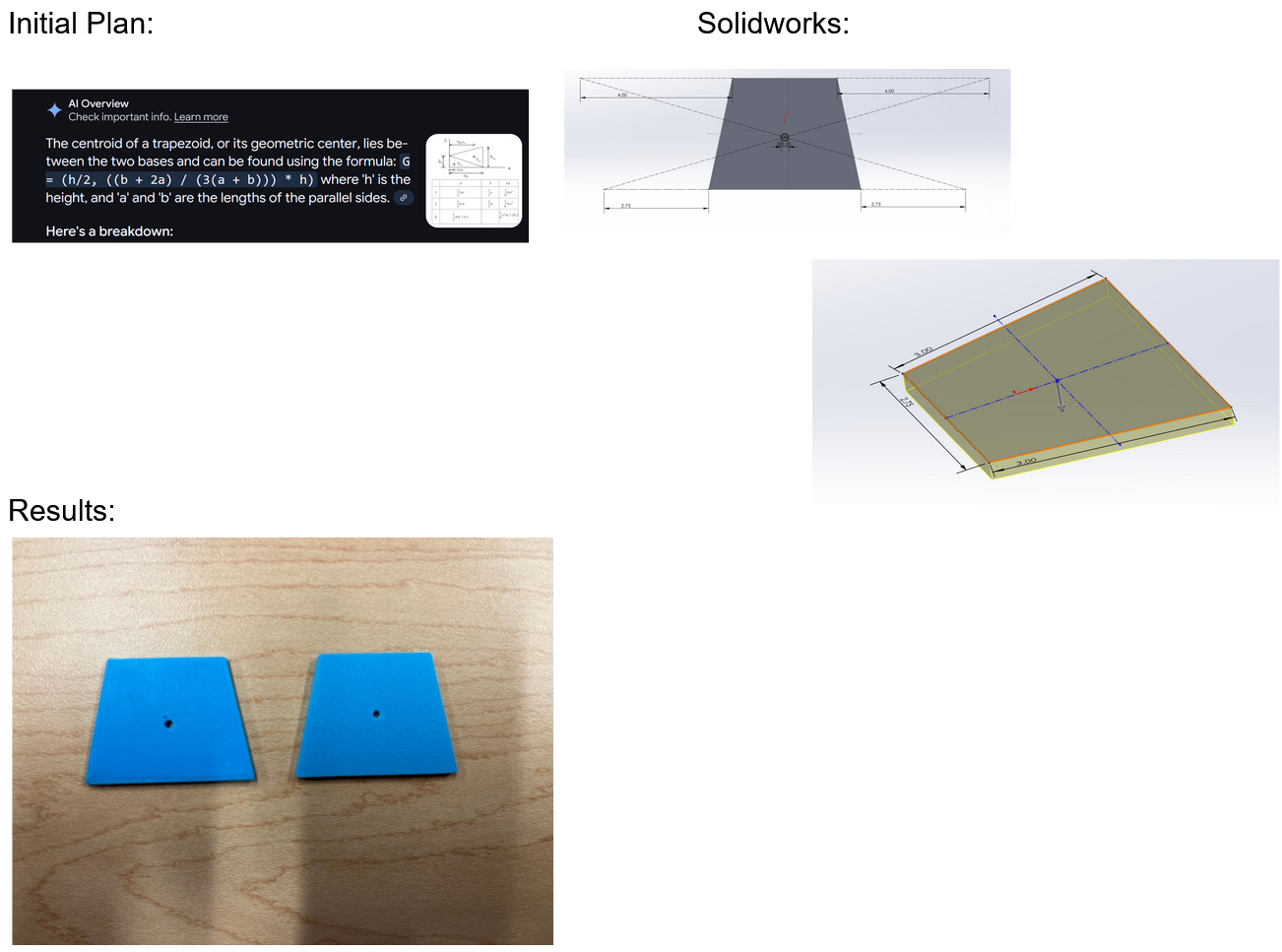
Explanation: Initially we thought that we had a good centroid, but it turns out that the mathematics had a calculation error, so we redid the centroid and fixed the placement issue.
Rhombus:
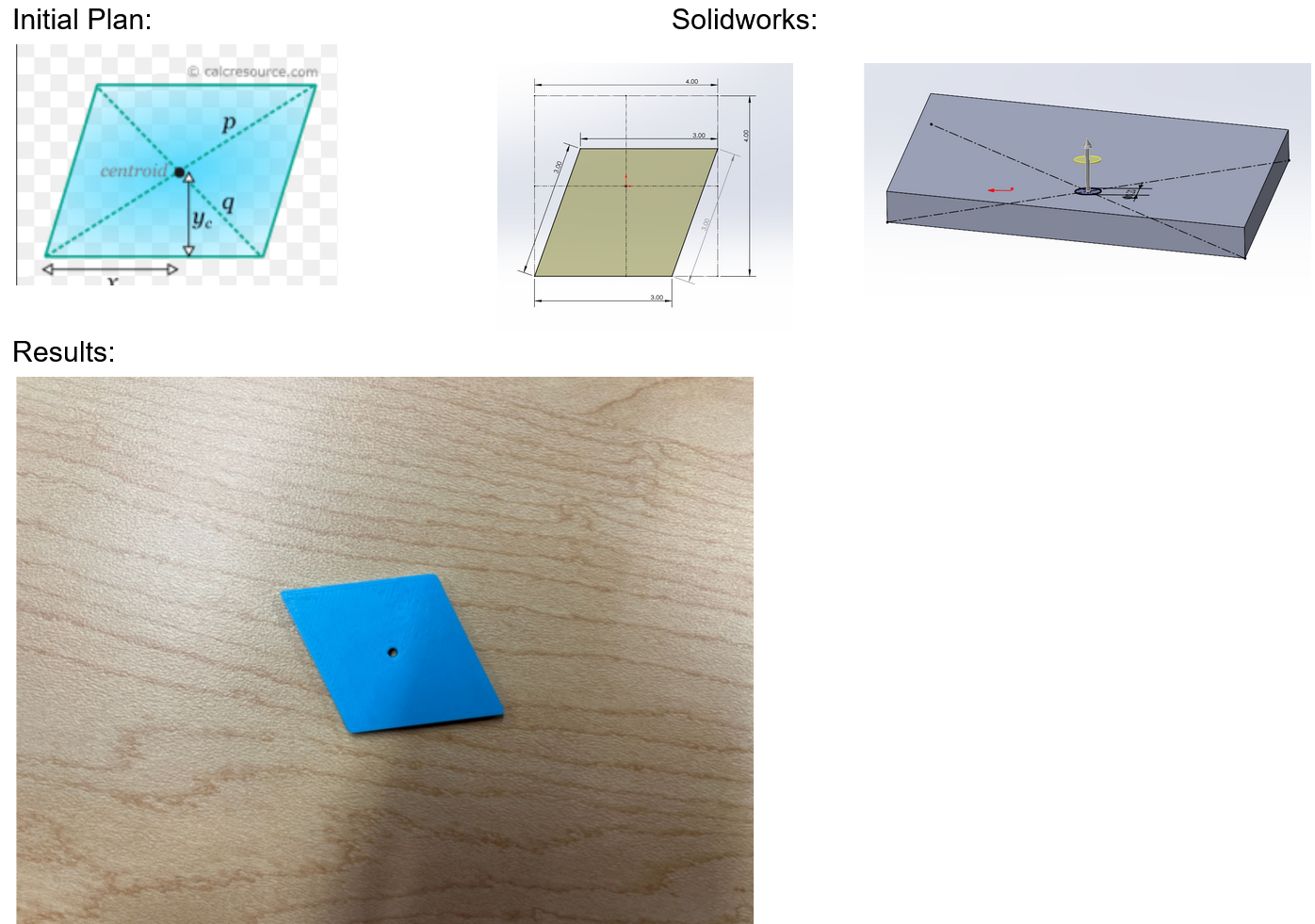
Explanation: Straightforward creation, No issues.
Kite:
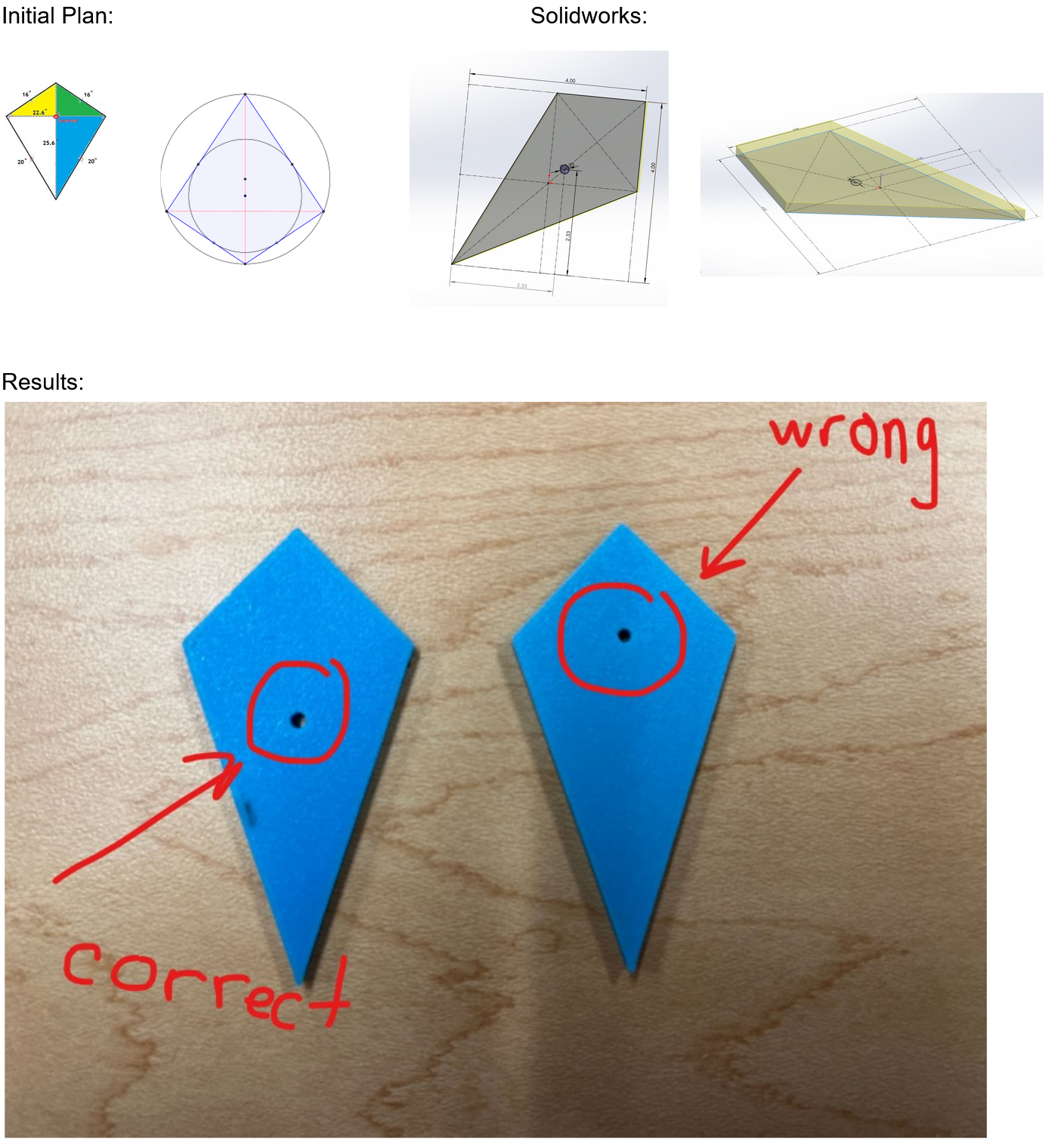
Explanation: As it turns out, the reference image was incorrect about the kite centroid, so we had to redo our mathematics using a different strategy, which ended up working out great. In the second reference image, it would be the center of the border circle shown.
Obtuse Triangle:
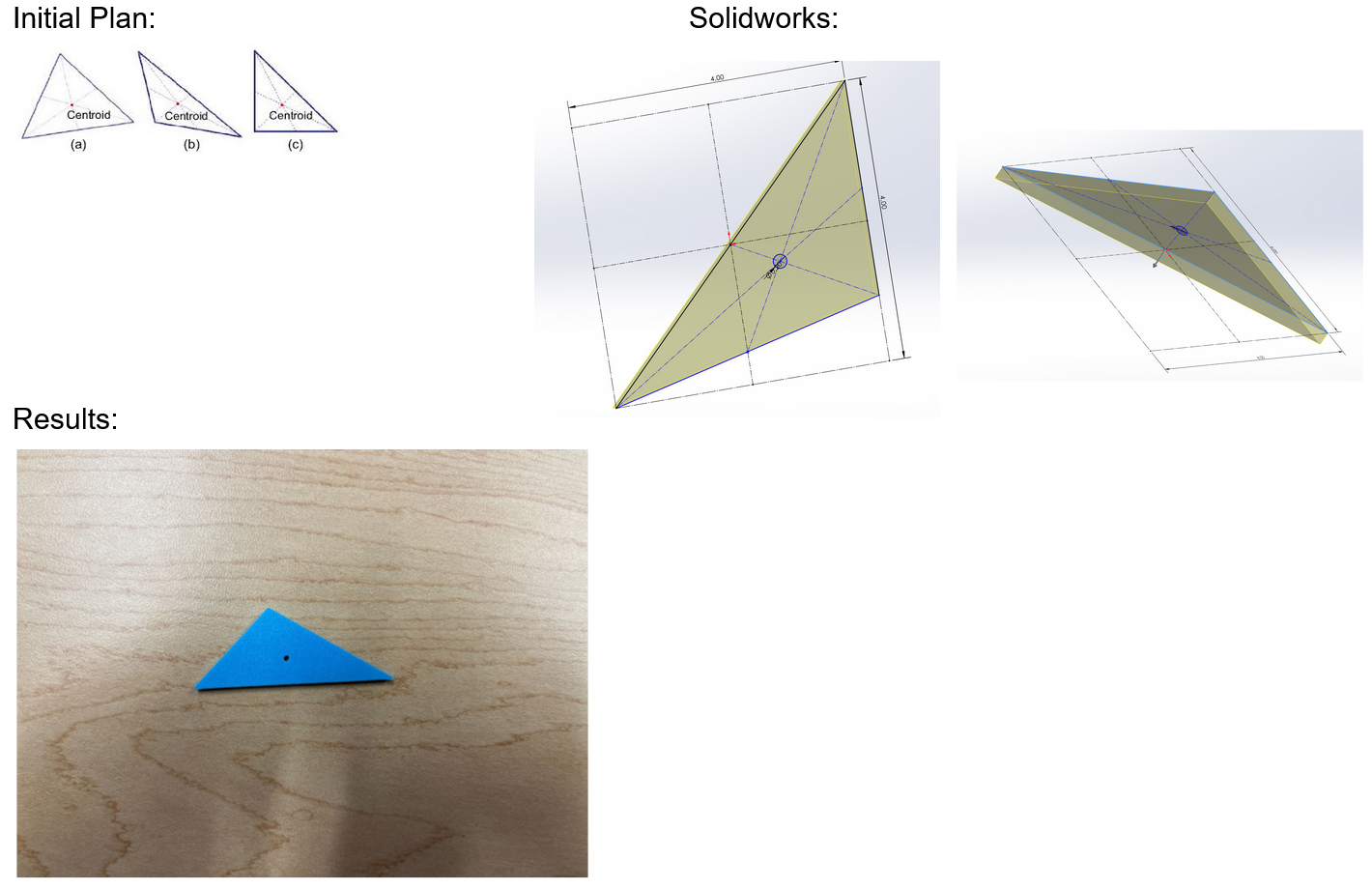
Explanation: The creation of the figure went without issues. However, this figure was one of the hardest to balance on a string properly for the baby hanger version, so we settled with hot gluing the tip of the string after it was strung through the hole, so that the figure would sit on it but not tilt in the case of a knot since we were using glue.
Rectangle:
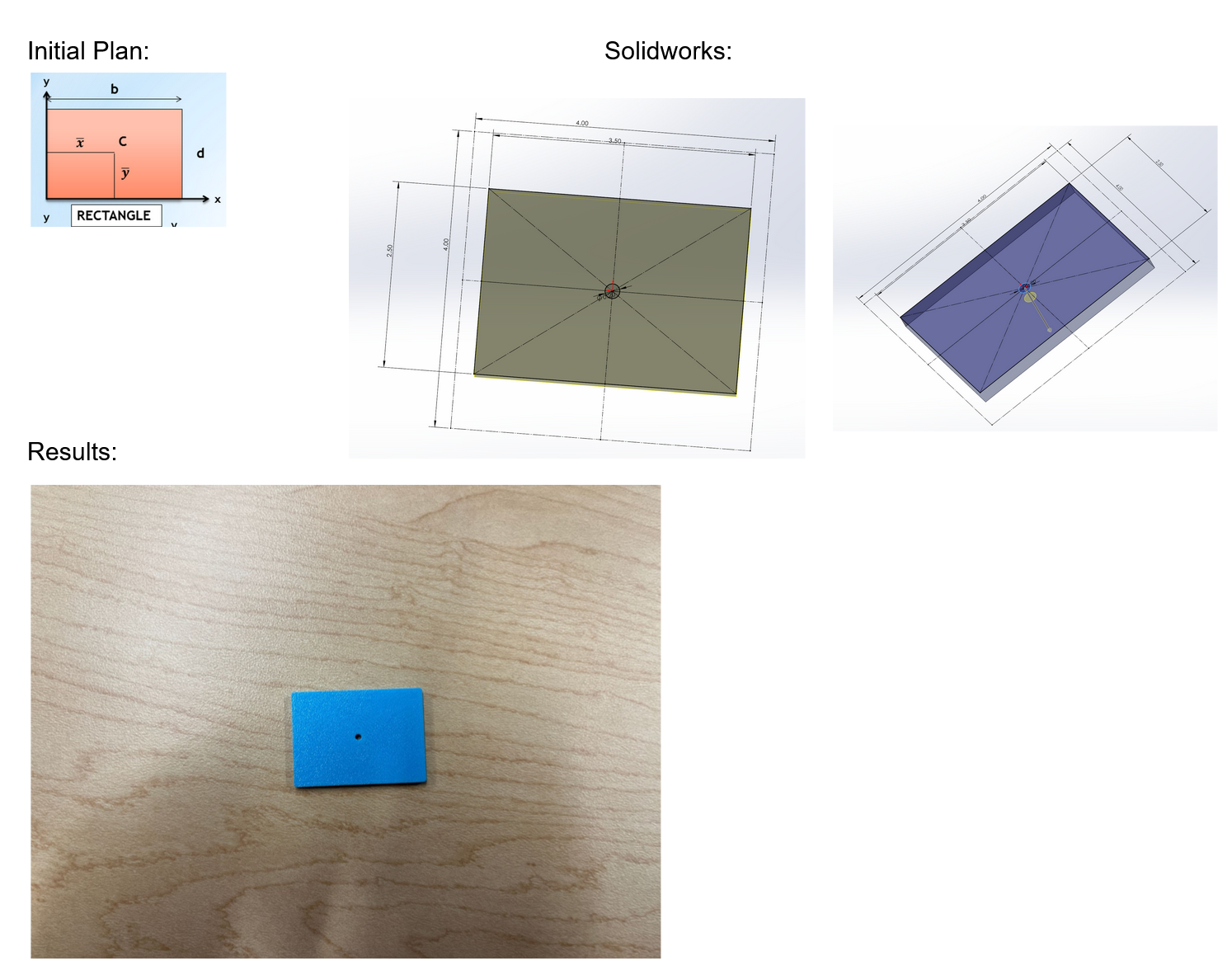
Explanation: Straightforward creation, No issues.