
Levelup Addons
We calculate the final price from your selected file. You review and accept it before payment.
Saved on this device.
Model information
- Source
- Printables
- Category
- Other Printer Parts & Upgrades
- License
- Creative Commons — Attribution — Share Alike
Sandworm 3D printer - Levelup Addons:
Signpost:
Levelup Addons

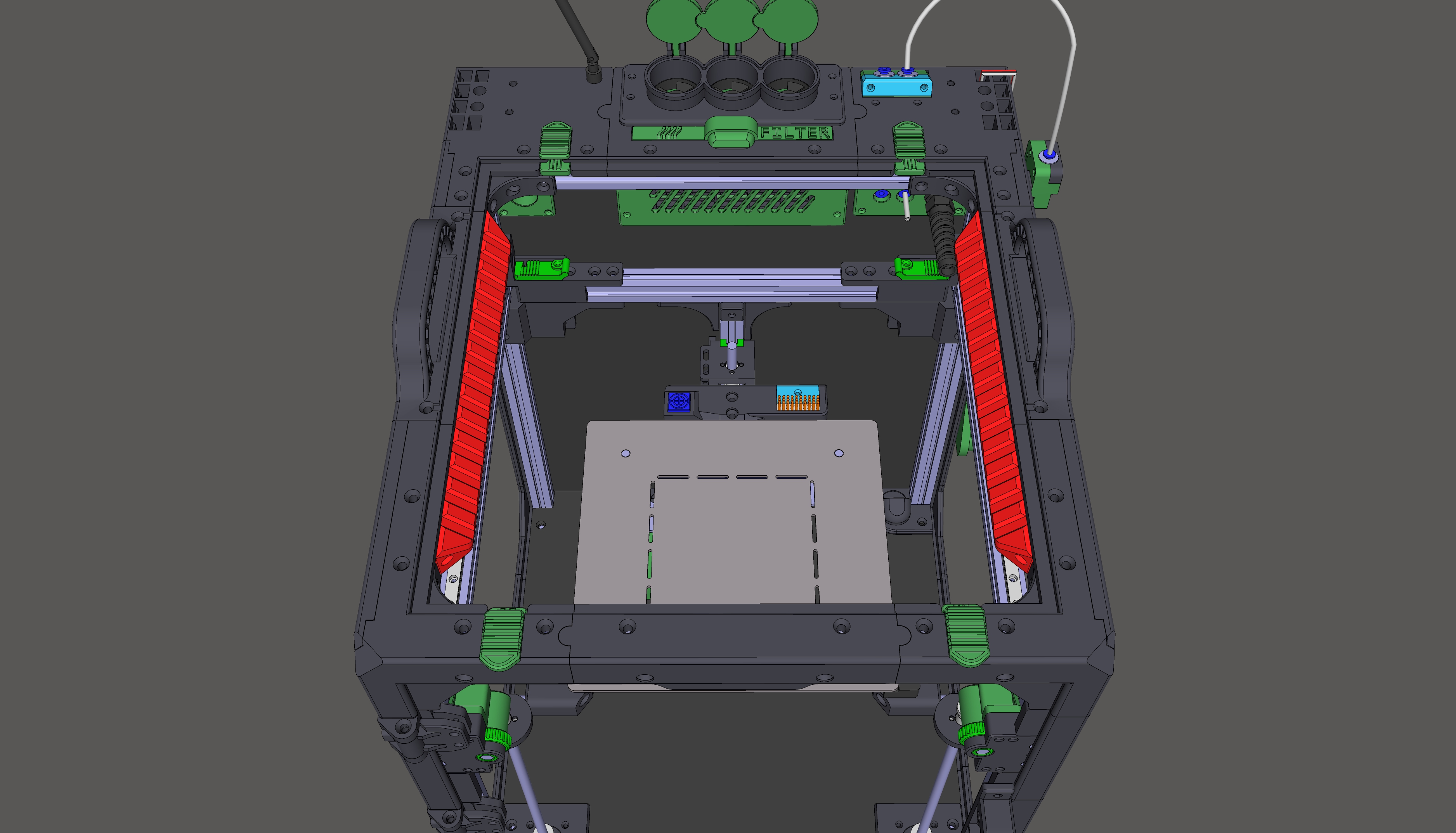
★ Chamber Lights:
Insert RGB Daylights Neopixel on PCB into the Chamber_Lights_R.stl and Chamber_Lights_L.stl models and assign them to the Alu frame as shown in the image below:
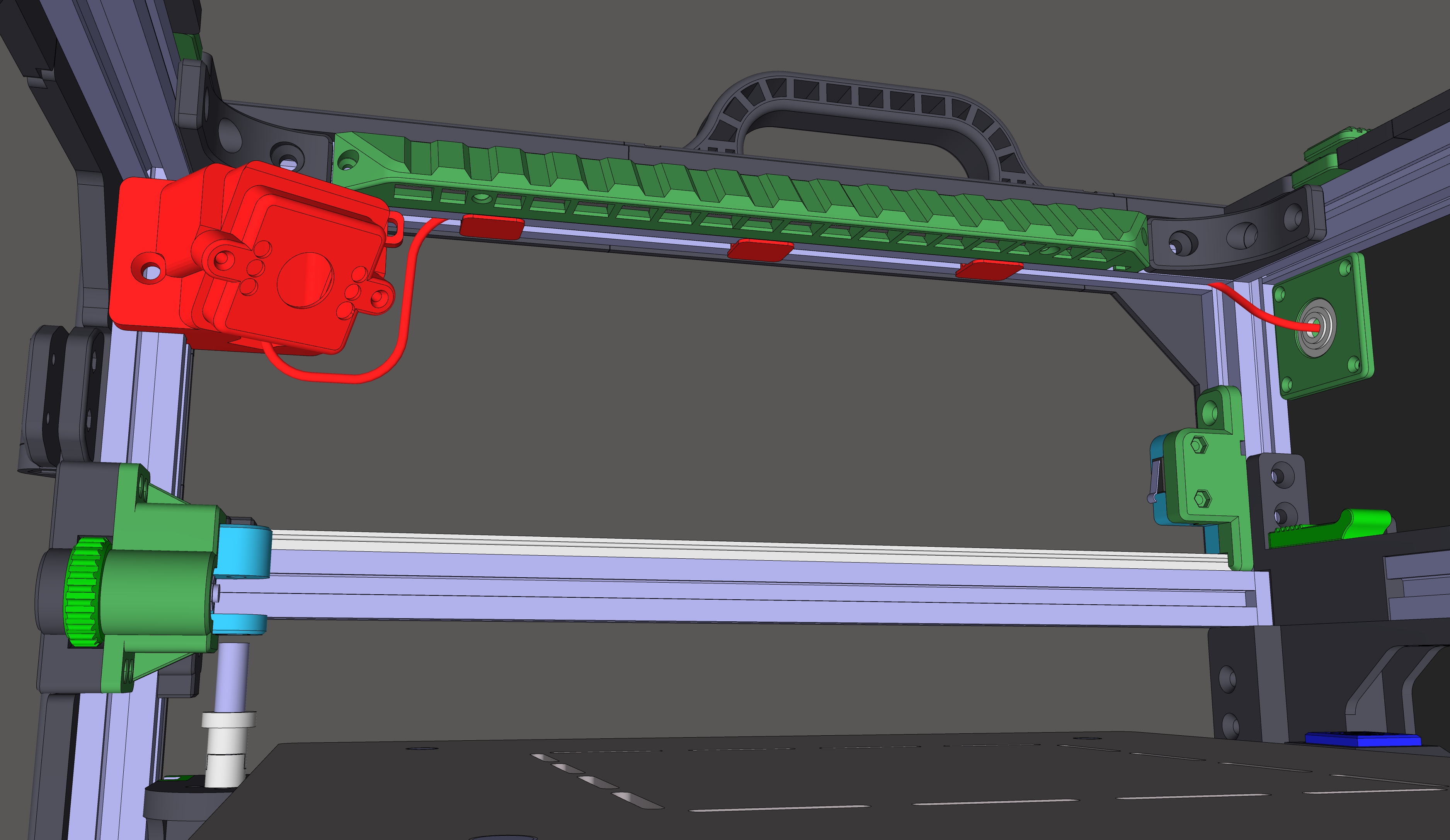
★ Camera and cable routing:
Cover for camera type: Arducam OV2710, 2MP, Night Vision, USB
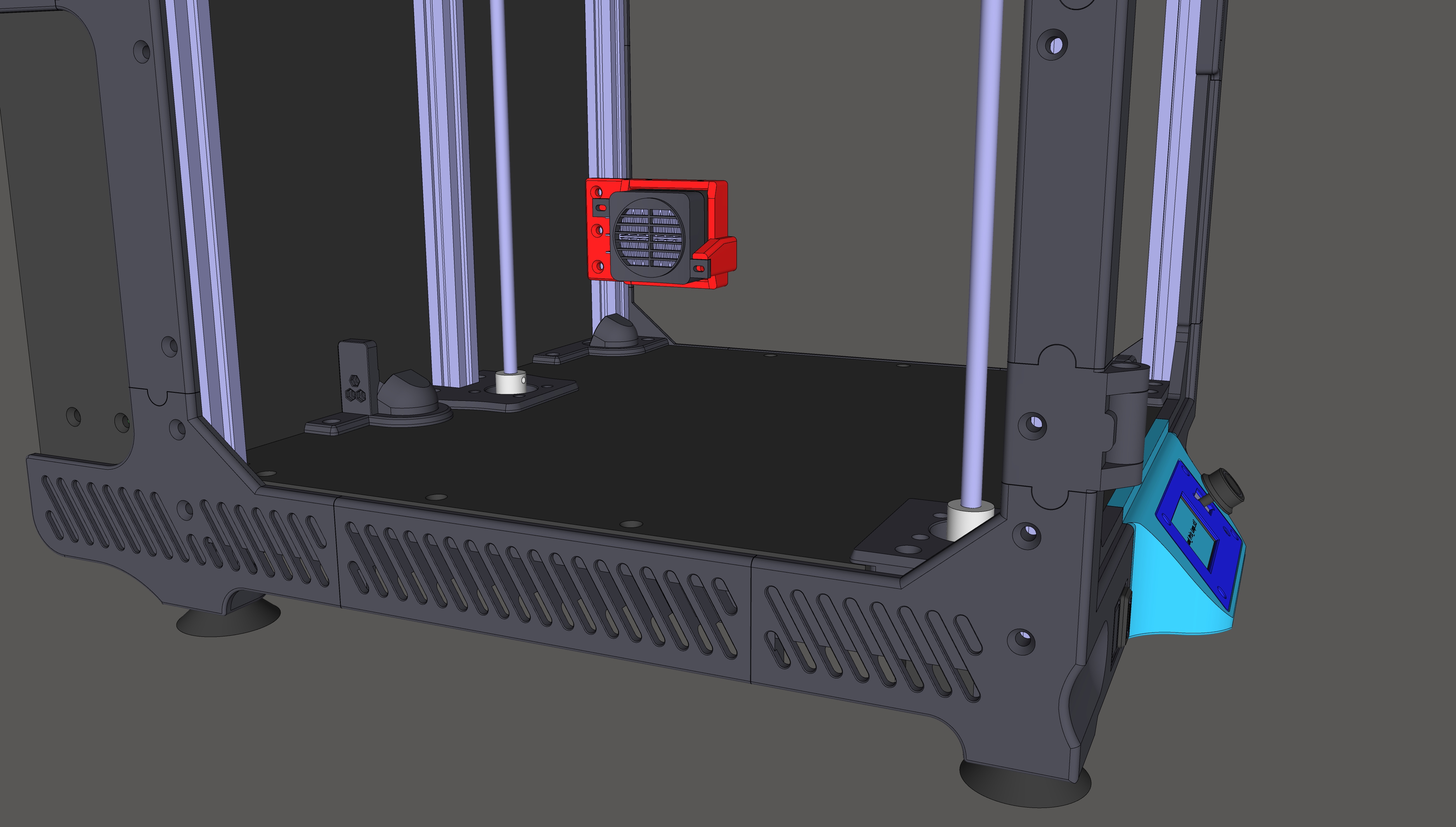
★ Chamber Heater:
Note: If you are going to use chamber heating, you need to reprint some parts to ASA: From the Extruder, XY Axis and Z Axis signpost sections.
To install a PTC (Positive Temperature Coeficient) chamber heater:
Connect the 4 wires from the PTC heater and PTCs fan together to a common two-wire output: Line and Neutral. Connect common Line to the SSR relay on 230V side, common Neutral to neutral for 230V. The full wiring diagram can be found in the top images slider.
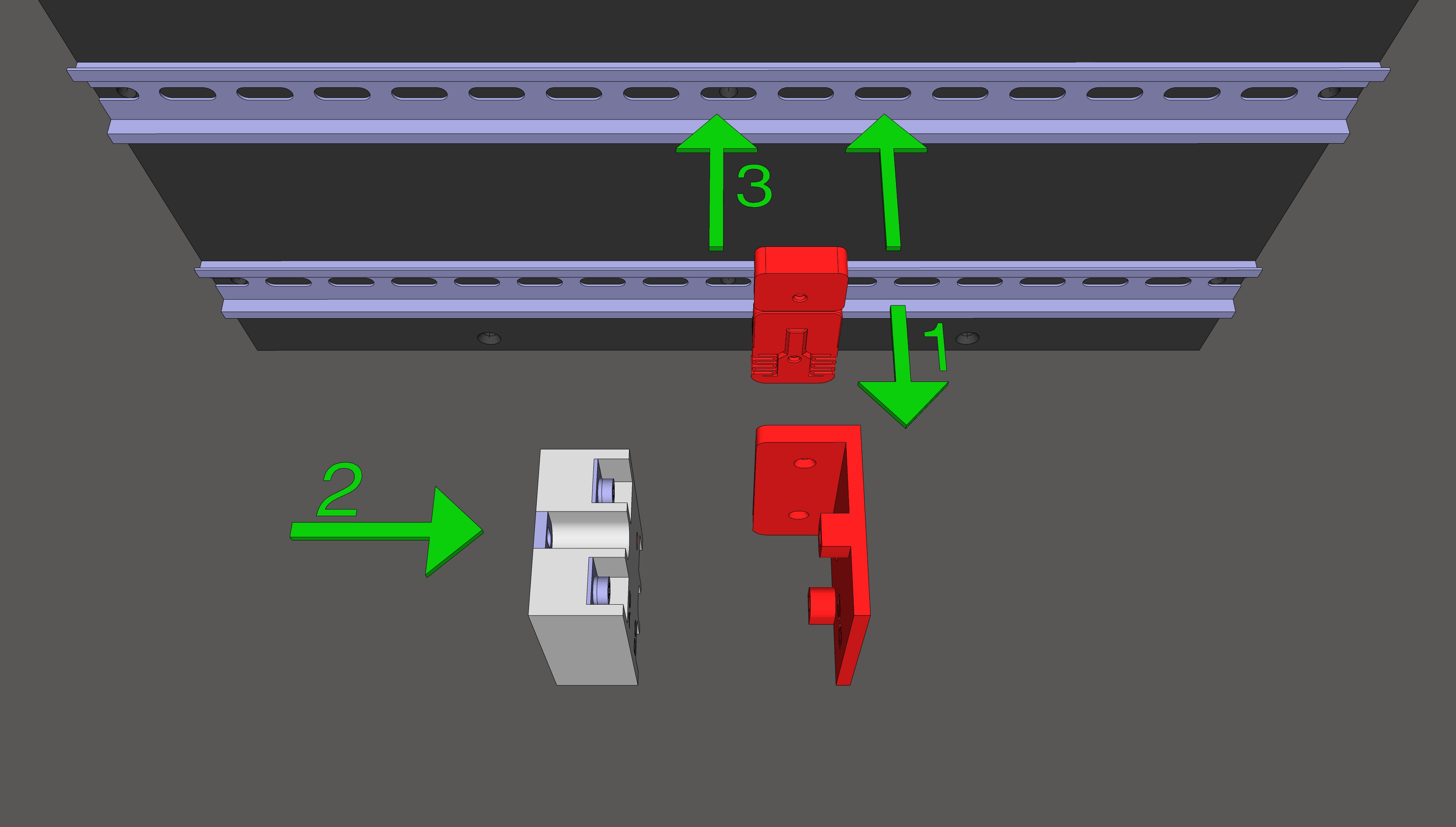
To install SSR Relay:
1. First, attach the DIN_lock to the SSR_Relay_Mount
2. Connect the wires to the SSR relay and mount it to the SSR_Relay_Mount
3. Snap the entire assembly onto the DIN rail
★ Carbon fiber lightweight X axis gantry:
The total weight saving is ~70 grams (about a full handful of M5 screws)
You will need to print new XY_Joint models (for a carbon profile without grooves and some adjustments to the screw positions)
You will need:
Carbon fiber lightweight X axis gantry 2020 profile
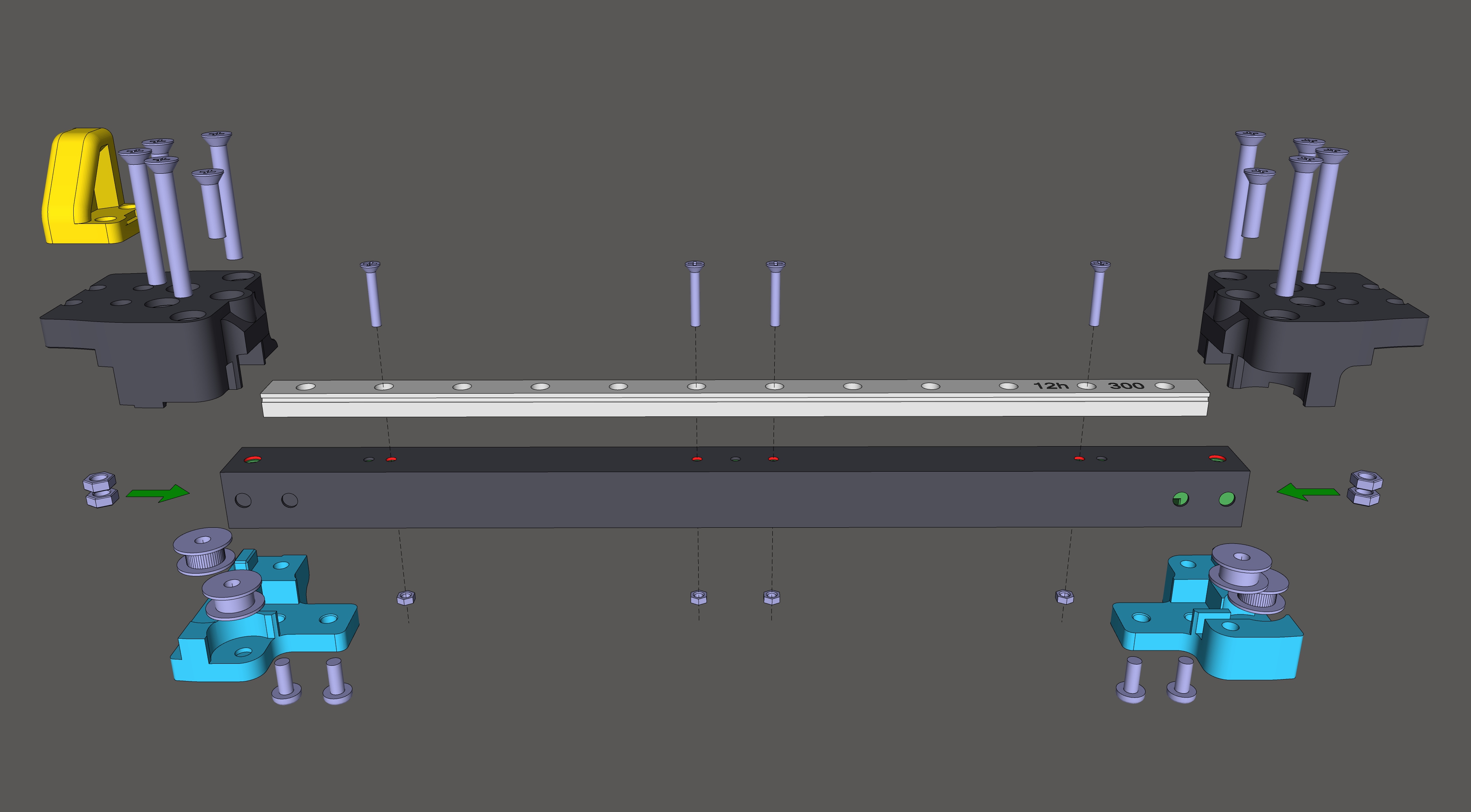
4x M3 CS screews, length 16mm and M3 nuts (For MGN12 rail)
8x M5 CS screws, length 40mm (XY Joint)
2x M5 CS screws, length 20mm (To connect XY Joint and carbon fiber profile from top)
4x M5 Half rounded head screws, length 16mm (To connect XY Joint and carbon fiber profile from bottom)
14x M5 nuts
8x M5 washers DIN125, 1mm thick, ID: 5.3mm OD: 9.8mm (For pulleys)
1. Place Carbon_fiber_gantry-Drill_hole_marker on the ends of the carbon profile to mark the drill holes:
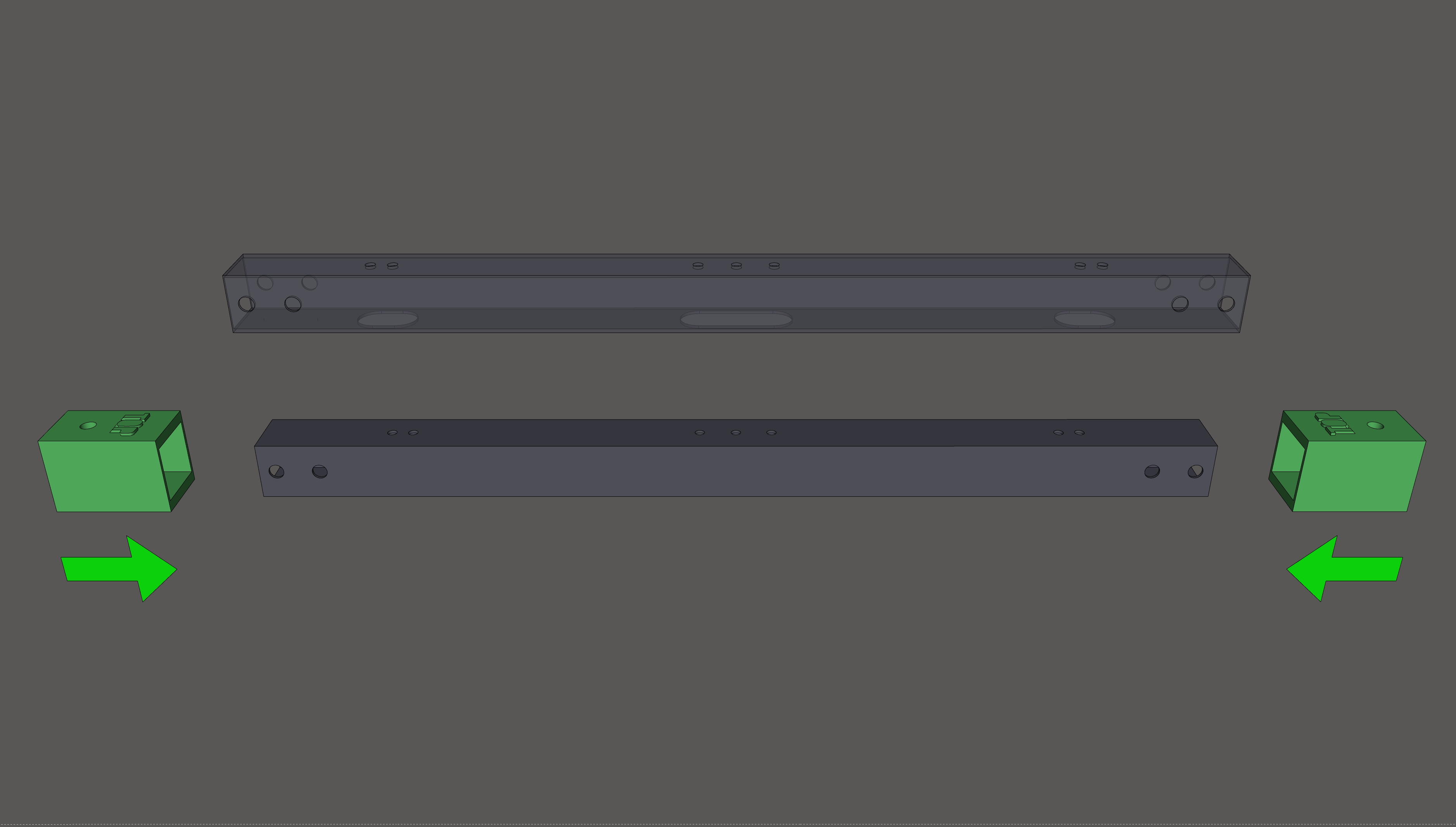
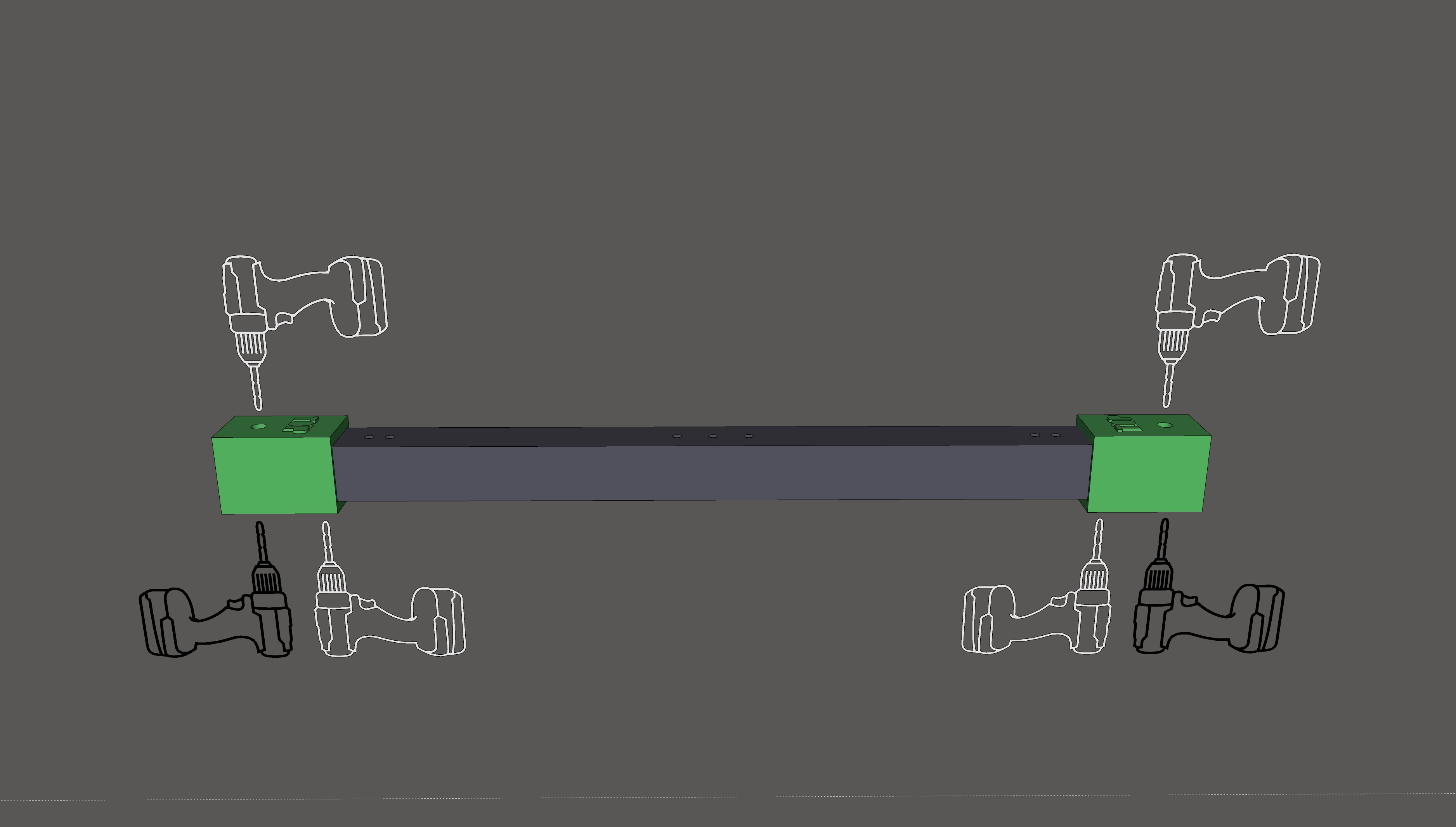
2. Drill new holes (with a 5mm drill bit), one hole at the top and two at the bottom (on each side):
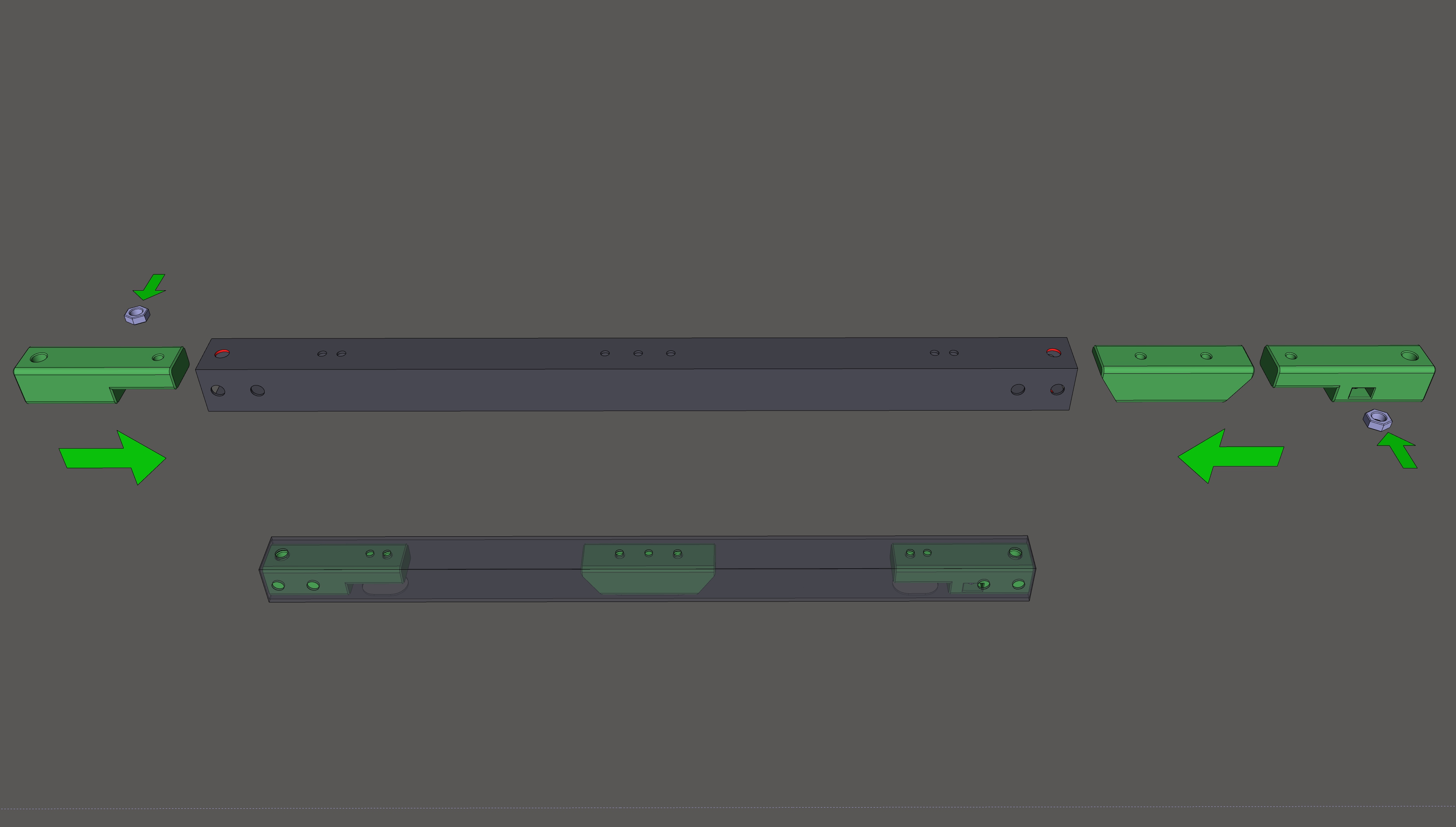
3. Insert one nut into each outer model from the side and slide the models Carbon_gantry-Inside_nut_holders into the carbon profile:
4. Then insert another two M5 nuts into both side ends of the Carbon_gantry-Inside_nut_holders models (four in total), assemble the rest as shown in the picture below (Place M5 DIN 125 washers on each side of pulleys, not shown in the picture):
★ Bigtreetech Smart Filament Sensor (SFS) V2.0 Holder:
You will need:
1x BTT SFS Sensor V2.0
3x M3 CS screews, length 30 mm
2x M5 Half rounded head screws, length 20 mm
1x Aluminum adapter for BMG extruder with push-fit connector
(Grommet with aluminum adapter is used for printing TPU without sensors, for easy switching of PTFE tube)
Connection to Octopus V1.1:
Filament runout switch on DIAG3 pin: PG11
Filament motion detection on DIAG7 pin: PG15
Assembly:
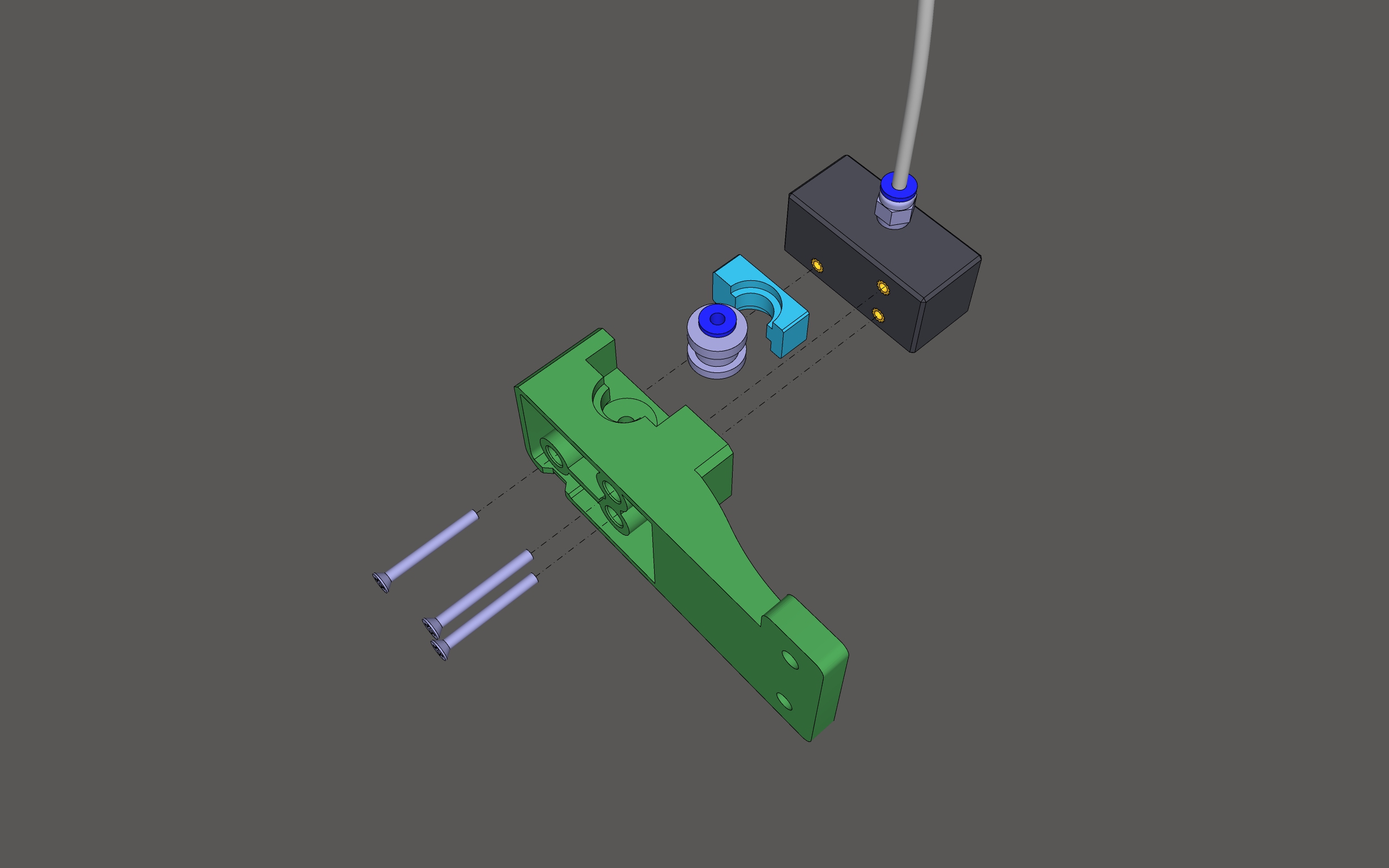
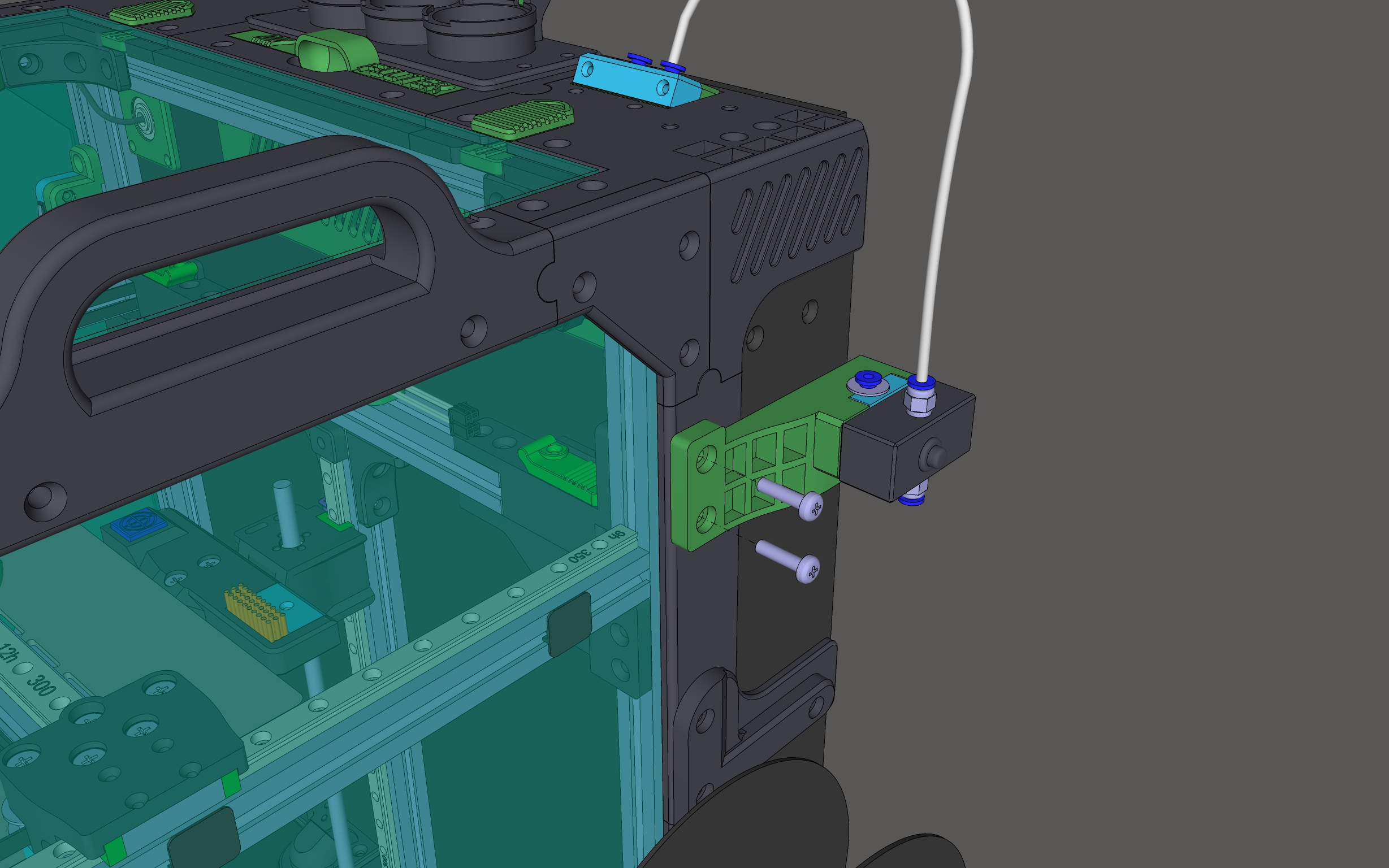
In the
macros.cfgfile (from the Github), uncomment:[filament_motion_sensor motion_sensor]and[gcode_macro FILAMENT_MOTION_ERROR]

Roadmap:
Drive Mount → Chassis Bottom → Chassis Top → Chassis Middle → XY Axis → Z Axis → Electronics → Extruder → Filament and Spool → Levelup Addons → PrusaSlicer → GitHub
The next step is slicer setup: PrusaSlicer
