
Motherboard and driver cooling for Qidi Plus 4
We calculate the final price from your selected file. You review and accept it before payment.
Saved on this device.

The mount allows the installation of 80x80mm fans, up to 25mm high, without screws, using a clamping frame.
- Rating
- 4 / 5
- Likes
- 29
- Downloads
- 188
- Makes
- 1
- Views
- 1,258
- Reviews
- 2
Updated at source:
Model information
- Source
- Printables
- Category
- Other Printer Parts & Upgrades
- License
- Creative Commons — Attribution — Noncommercial — Share Alike
Summary
As you know the Qidi Plus4 printer has a very small and weak fan to blow the motherboard and motor drivers. This model directs the airflow to the heatsinks of the drivers and CPU, it can reduce the temperature of the drivers to a comfortable level.
In this project I used models by different authors, to whom I'm very grateful.
BOM
- Fan 24v 80x80mm, height 10-25mm
- Plastic cable tie 2.5 x 100 mm - 2pieces
- or
- Self-tapping screws: ST2.2x6.5-FZN - 2 pieces (DIN7049)
- or
- Just Print Two “Fixed Pin”
Print Settings
- Plastic: PLA, PETG, ABS
- Perimeters: 3-4 is enough
- Filling: 20%
- Layer thickness: 0.2mm, for the “Fixed Pin” model, I recommend 0.12mm for a more accurate fit.

For this model, include a border for better adhesion to the table.

For this model, turn on ironing.
Assembly

Install the fan and route the cable into a suitable opening.

Secure the fan with a suitable frame. No frame is needed for a 25mm high fan
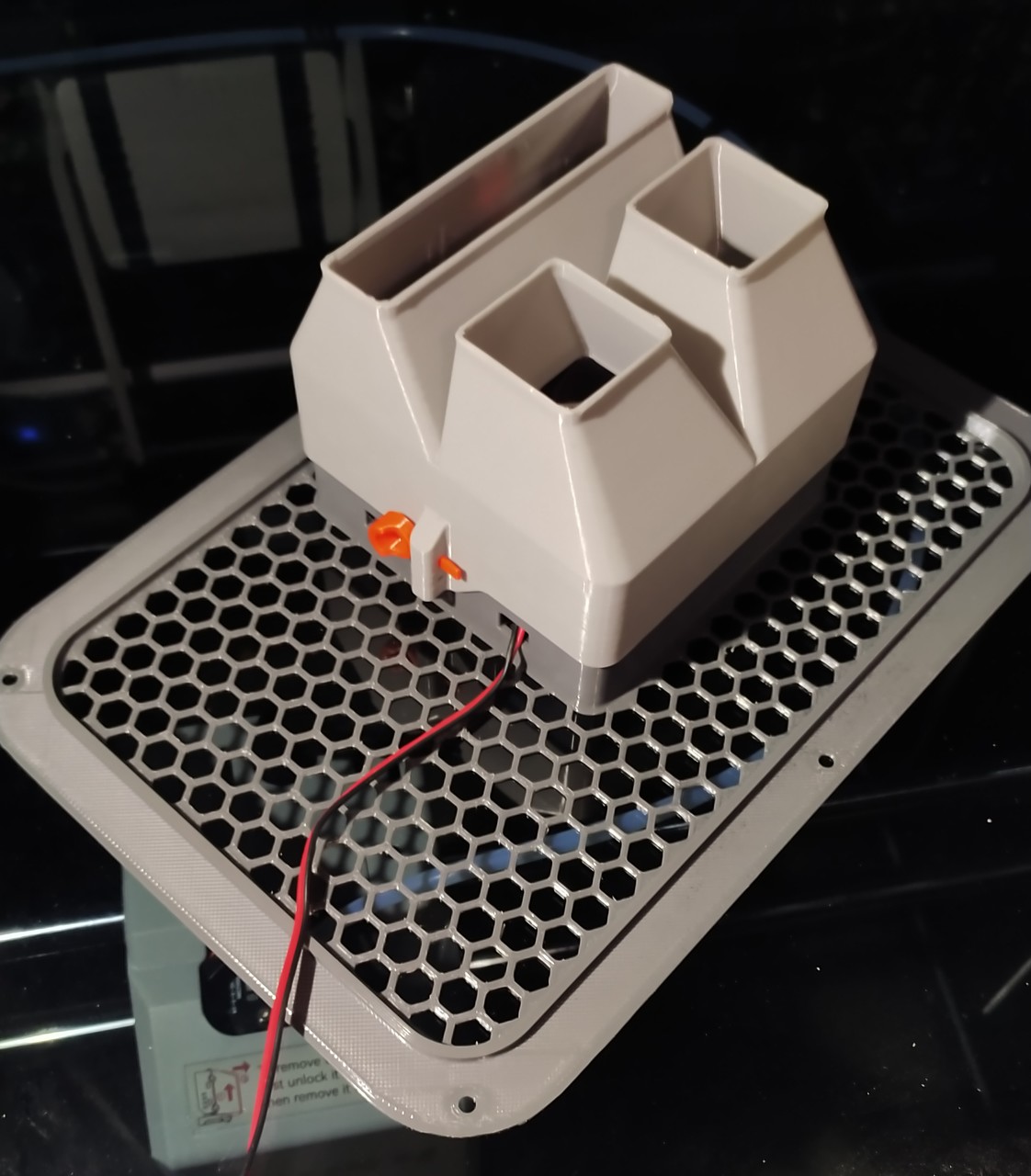
Install the part “Focused Ducting_v2”, pay attention to the label “This side up” for correct installation.
And fix it in the way you like.

Using the “Fixed Pin”

Or cable tie. You can also fix it with self-tapping screws, I added this way just because I have them :-)

Connect the fan cable to the motherboard.

Lock the grille into place.
Notice

Qidi's cable management is terrible, I spread the cables a bit behind the motherboard. I guess the ventilation looks better that way.