
1 / 2
Custom Infill - Hexagons
Order a print of this model
We calculate the final price from your selected file. You review and accept it before payment.
Saved on this device.

Modifiers to have a hexagon pattern on bottom/top surfaces
- Rating
- 0 / 5
- Likes
- 10
- Downloads
- 26
- Makes
- 0
- Views
- 123
- Reviews
- 0
Updated at source:
Model information
- Source
- Printables
- Category
- Other Ideas
- License
- Creative Commons — Public Domain
This is a set of modifiers for your models to print the bottom and/or top layers to create a hexagon pattern.
This effect works best with silk filament and (for bottom surfaces) a lightly textured build plate.
The instructions are for OrcaSlicer, but this will work in any slicer that supports modifier meshes.
How to use
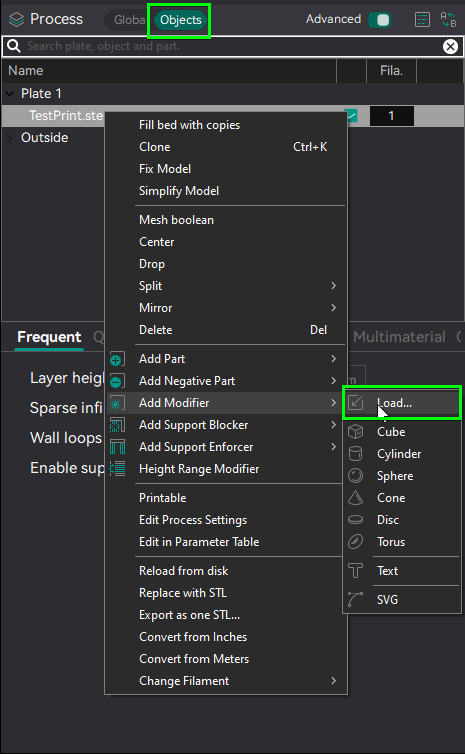
- Go to the objects tab, right click your model and add the downloaded files as modifiers
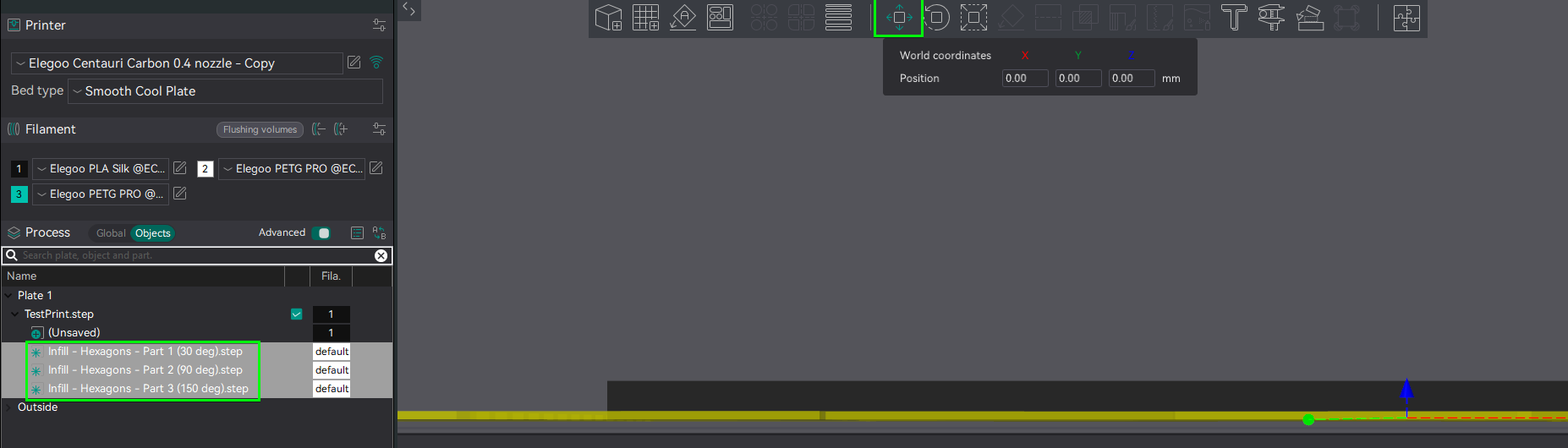
- Select all modifiers and use the move tool to align them with the bottom (or top) surface of the print
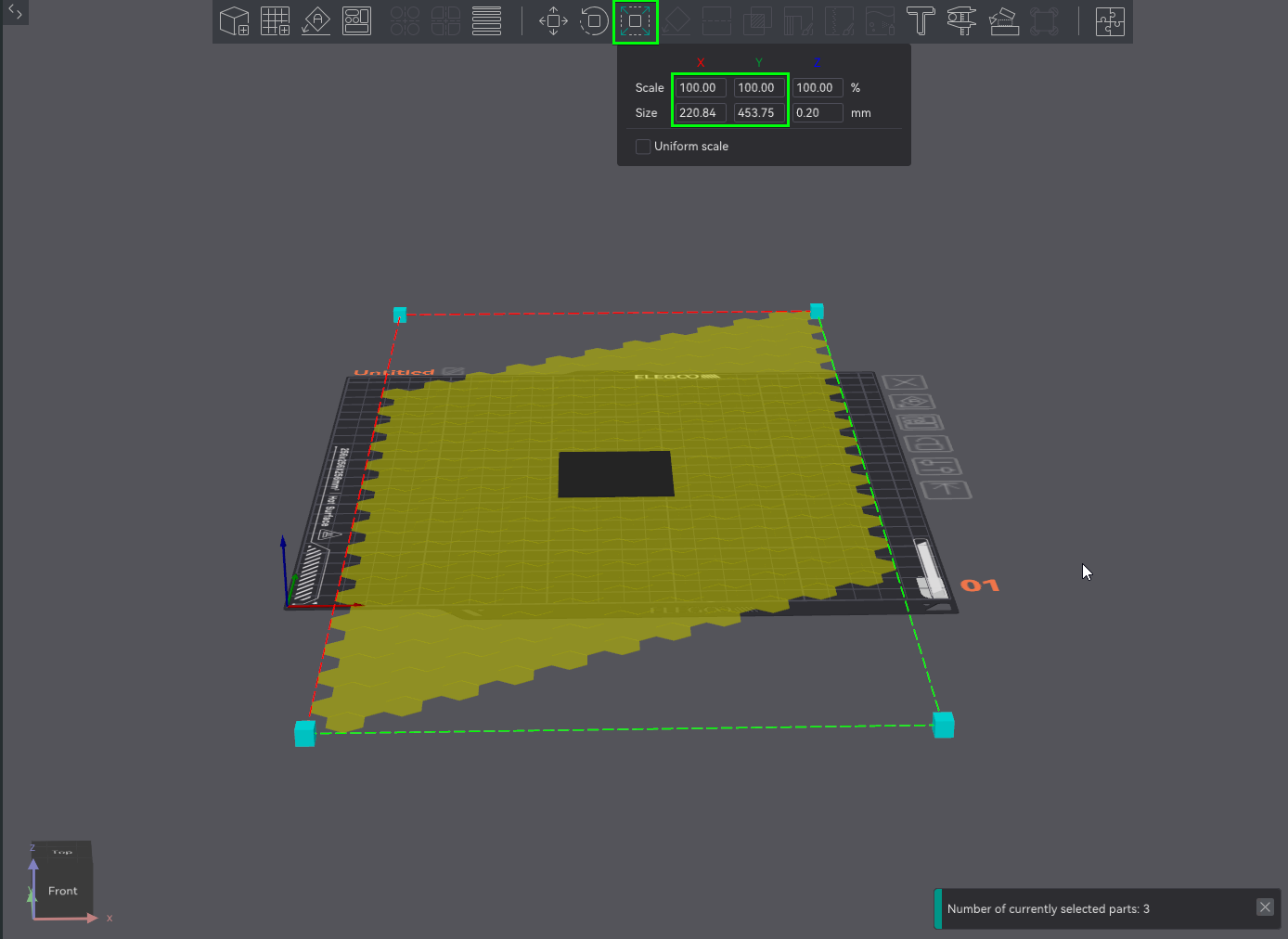
- The pattern can be scaled by simply scaling both X and Y. Make sure to disable “uniform scale” so the thickness isn't affected
- For each modifier, set the solid infill direction to match the angle in the file name
If you rotated the pattern, add the rotation angle to the given angles.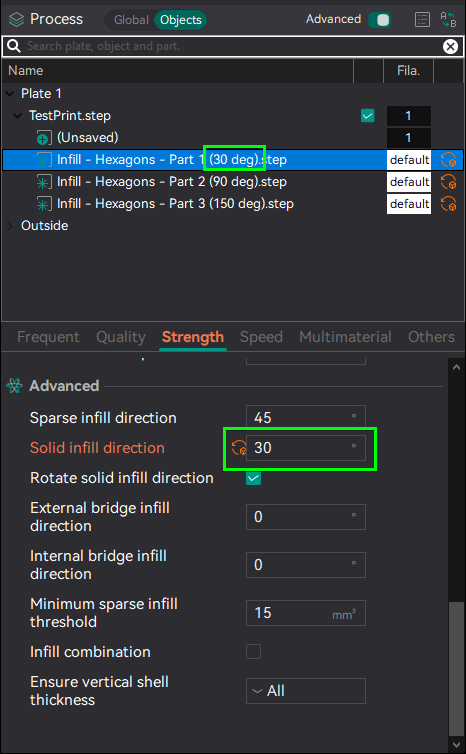
- Slice the file and use the gcode preview to verify that the pattern works and is on the correct layer
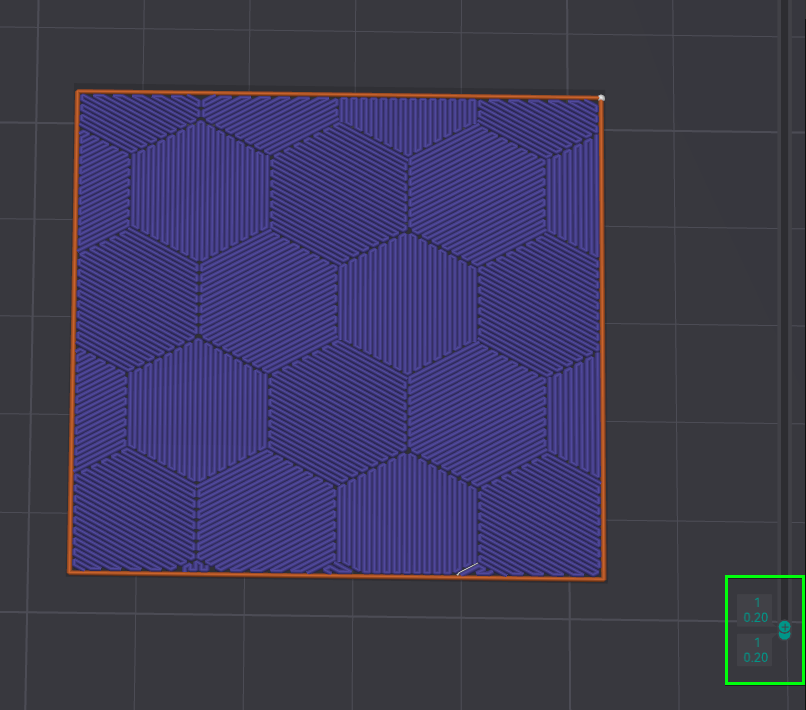
Recommended settings
- Bottom/Top surface pattern: Monotonic, Monotonic line, Rectilinear or Aligned Rectilinear
- Only one wall on first layer/top surfaces enabled
- If using silk filament, slow down first layer infill speed and/or top surface speed for the best effect