
XGIMI Projector Wall Mount
We calculate the final price from your selected file. You review and accept it before payment.
Saved on this device.
Model information
- Source
- Printables
- Category
- Other House Equipment
- License
- Creative Commons — Attribution — Noncommercial — Share Alike
I received the XGIMI MoGo 2 as a graduation gift and absolutely love it. The only problem? When I set it on my bedpost, it would shake every time I moved. I had two options: spend $79.99 on the official angle mount… or design my own. So, let’s make a mount!
I sketched up a design and refined it into the model files you’ll find here.
What you’ll need
Print parts
1× BASE_PROJ_SCREW.stl
1× MOUNT_HOLD.stl
1× PROJ_HOLD.stl
1× SUPPORT_BEAM_L.stl
1× SUPPORT_BEAM_R.stl
Hardware
4× M4 × 10 mm heat inserts
4× M4 × 20 mm hex screws
2× M5 × 10 mm heat inserts
2× M5 × 20 mm hex screws
2× #6 × 1 ½" metal screws
2× nylon wallboard anchors (optional, I drilled directly into wood)
Print settings
I printed this in PETG at 15% infill. I chose not to increase the infill because the support beams provide plenty of strength.
Assembly notes
On PROJ_HOLD: use a soldering iron (or heat insert tool) to place the inserts into the marked locations.
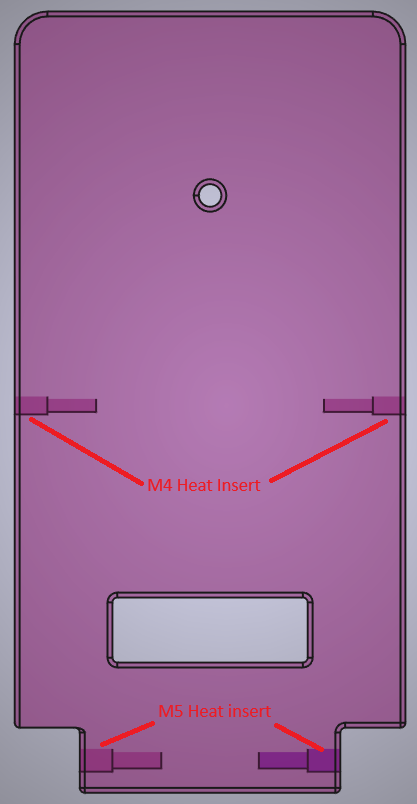
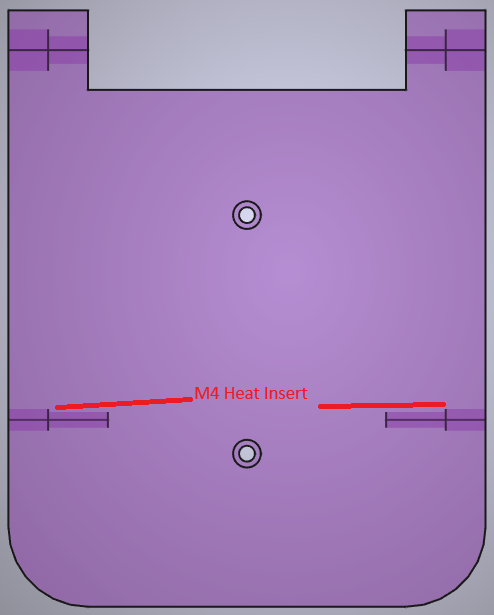
On MOUNT_HOLD: repeat the same process for its insert locations.
The final build should look like the images below.
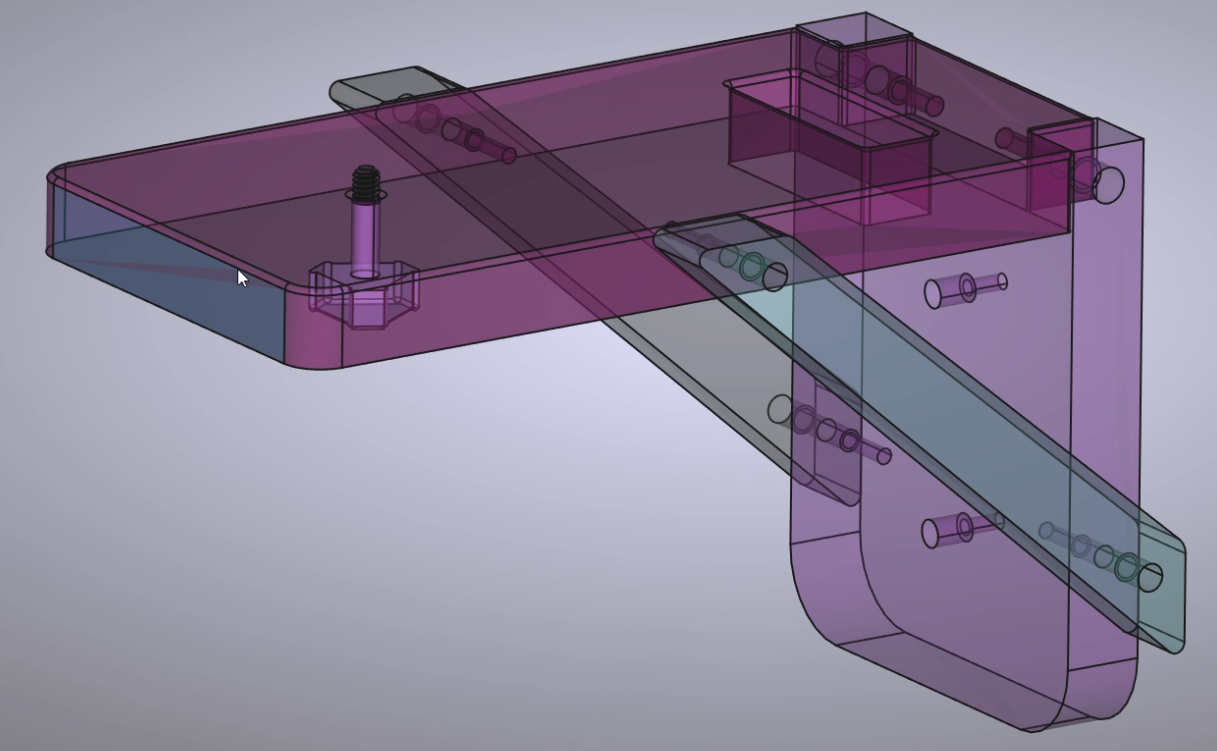
I also included a 3D printed screw that fits standard mounting holes. Just be careful not to overtighten, it’s plastic and could snap inside.
Want to see it in action? Check out the reel I made to show how mine turned out!
If you enjoyed this project, you can find more of my designs, videos, and ways to support my work here:
👉 https://linktr.ee/pandapandap
I’ve also included the FreeCAD files in case anyone wants to remix or adapt the design.
Thanks for checking out my project and happy printing!