
Halloween Vampire Teeth
We calculate the final price from your selected file. You review and accept it before payment.
Estimated printing price per file
€0.25 – €0.31 net (excluding VAT)
For file: vampire teeth prusa_0.4n_0.2mm_PLA_COREONE_16m.bgcode
This is an estimate for one file. You’ll confirm the exact price before ordering.
File and estimate settings
File used for this estimate
Average indicative estimate: €0.28 excluding VAT (range midpoint).
- Weight reported by the author
- 4 g
- Print time reported by the author
- 15.6 min
- Source material
- PLA
- Estimate material
- PLA
- Estimate printer
- Bambu Lab P1S - 0.4 nozzle
- Estimate process
- 0.20mm Standard
Indicative estimate for the selected file only, based on the author’s weight and print time. File variants are not added together. The final price is calculated after file analysis.
Saved on this device.

Perfect for your vampire costume: these lightweight, reusable vampire teeth, with PLA Glow, deliver a a spooky effect.
- Rating
- 5 / 5
- Likes
- 48
- Downloads
- 514
- Makes
- 1
- Views
- 1,708
- Reviews
- 1
Updated at source:
Model information
- Source
- Printables
- Category
- Cosplay & Costumes in general
- License
- Standard Digital File License
Vampire Teeth – 3D-Printed Halloween Accessory
Perfect for your vampire costume: these lightweight, reusable vampire teeth are 3D-printed and, with PLA Glow, deliver a spooky glow-in-the-dark effect. Easy to print, quick to assemble, and comfortable to wear—ideal for photos, parties, and cosplay. For best results, charge under light before use.
Use & Fitting – Vampire Teeth
You’ll need:
| 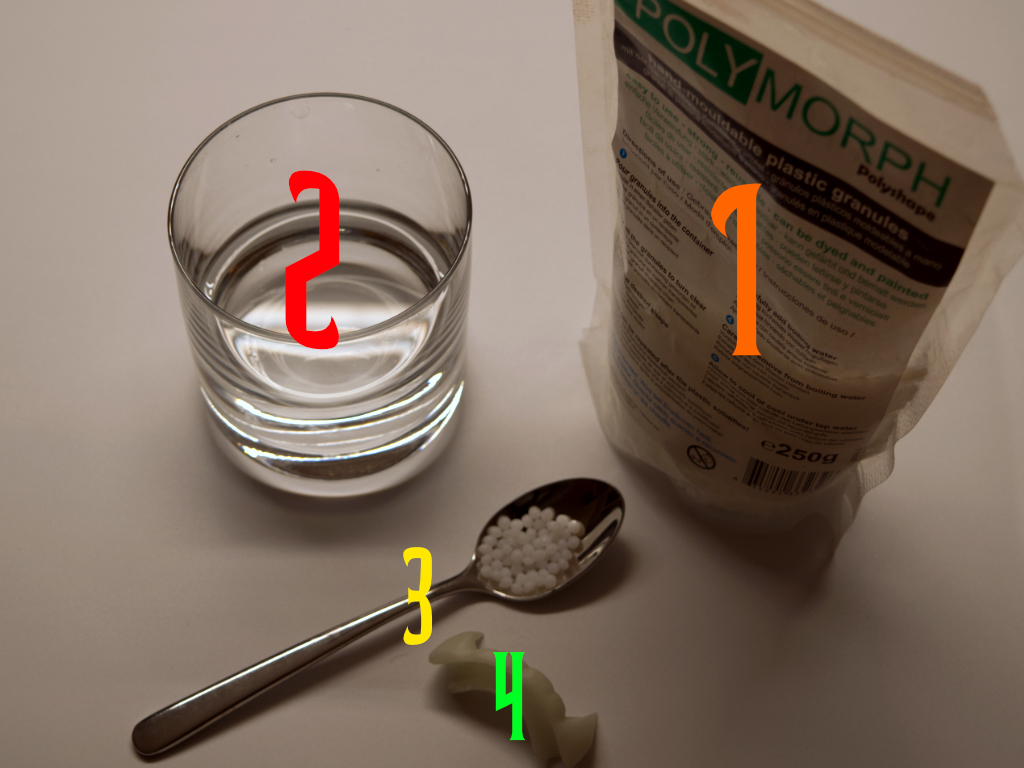 |
Steps
| 1 | Print the model Print the Vampire Teeth as specified (PLA Glow recommended). |  |
| 2 | Heat water and fill the glass
|  |
| 3 | Add granules Add one teaspoon of PolyMorph granules to the glass. |  |
| 4 | Wait until transparent Wait briefly until the pellets turn clear/translucent and clump together. | 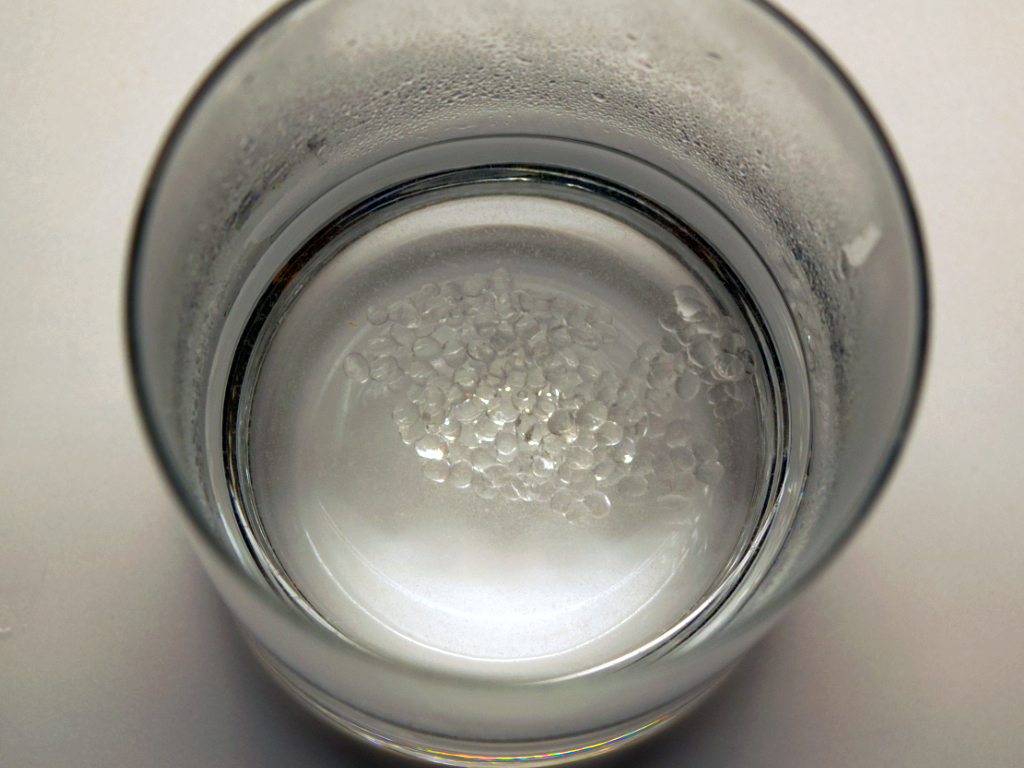 |
| 5 | Remove the material Use the spoon to take out the softened mass (caution—hot!). |
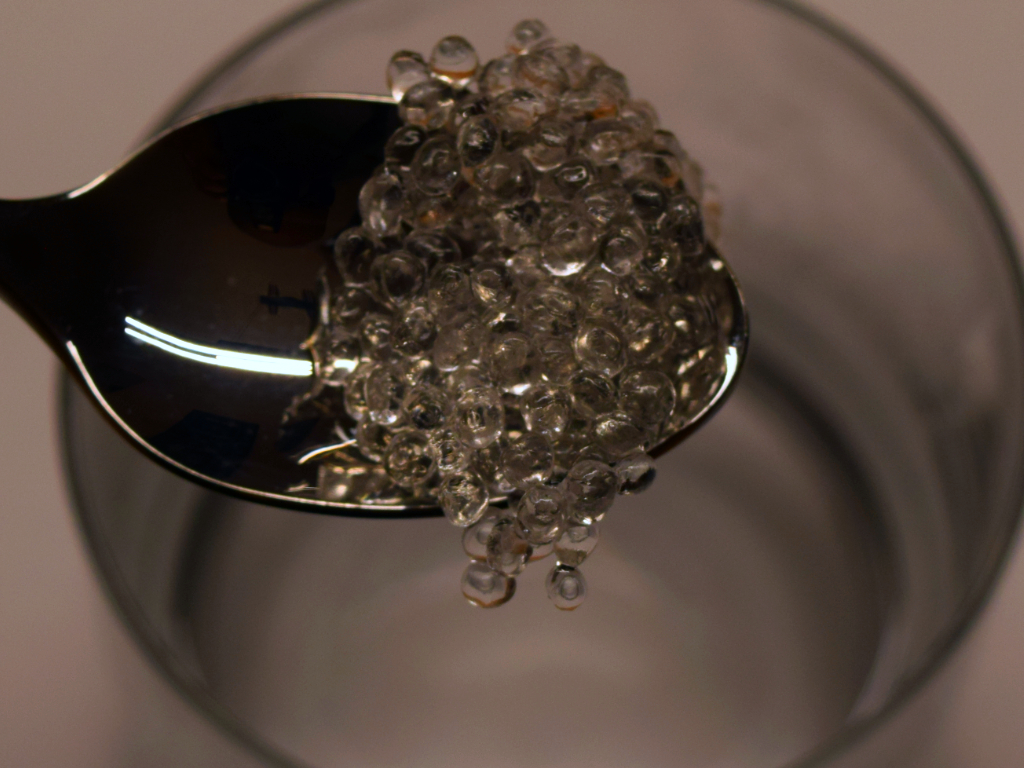 |
| 6 | Pre-shape & press in Quickly form a small sausage/wedge and press it into the 3D-printed model so the socket is filled. |
  |
| 7 |
Place the Vampire Teeth onto your teeth and bite down gently so the material molds to your bite (don’t clamp hard).
Wait a few minutes until the material cools and hardens completely. |  |
| 8 | Remove & finish Take off the Vampire Teeth. Carefully trim or deburr any excess hardened plastic with a craft knife. |  |
Done—your custom-fitted Vampire Teeth are ready!
Tip: Too loose or too tight? Reheat the PolyMorph and adjust. Store dry after use.