
HomeRacker - Core
We calculate the final price from your selected file. You review and accept it before payment.
Saved on this device.

The universal modular rack building system. From a bookshelf over a Pi Mini Rack up to a full-blown 19" rack.
- Rating
- 4.5 / 5
- Likes
- 627
- Downloads
- 1,247
- Makes
- 5
- Views
- 8,719
- Reviews
- 2
Updated at source:
Model information
- Source
- Printables
- Category
- Organizers
- License
- Creative Commons — Attribution — Share Alike
HomeRacker - Core
🚨This description is an almost 1:1 copy of the original one from Makerworld. Most links of models and collections will lead there.
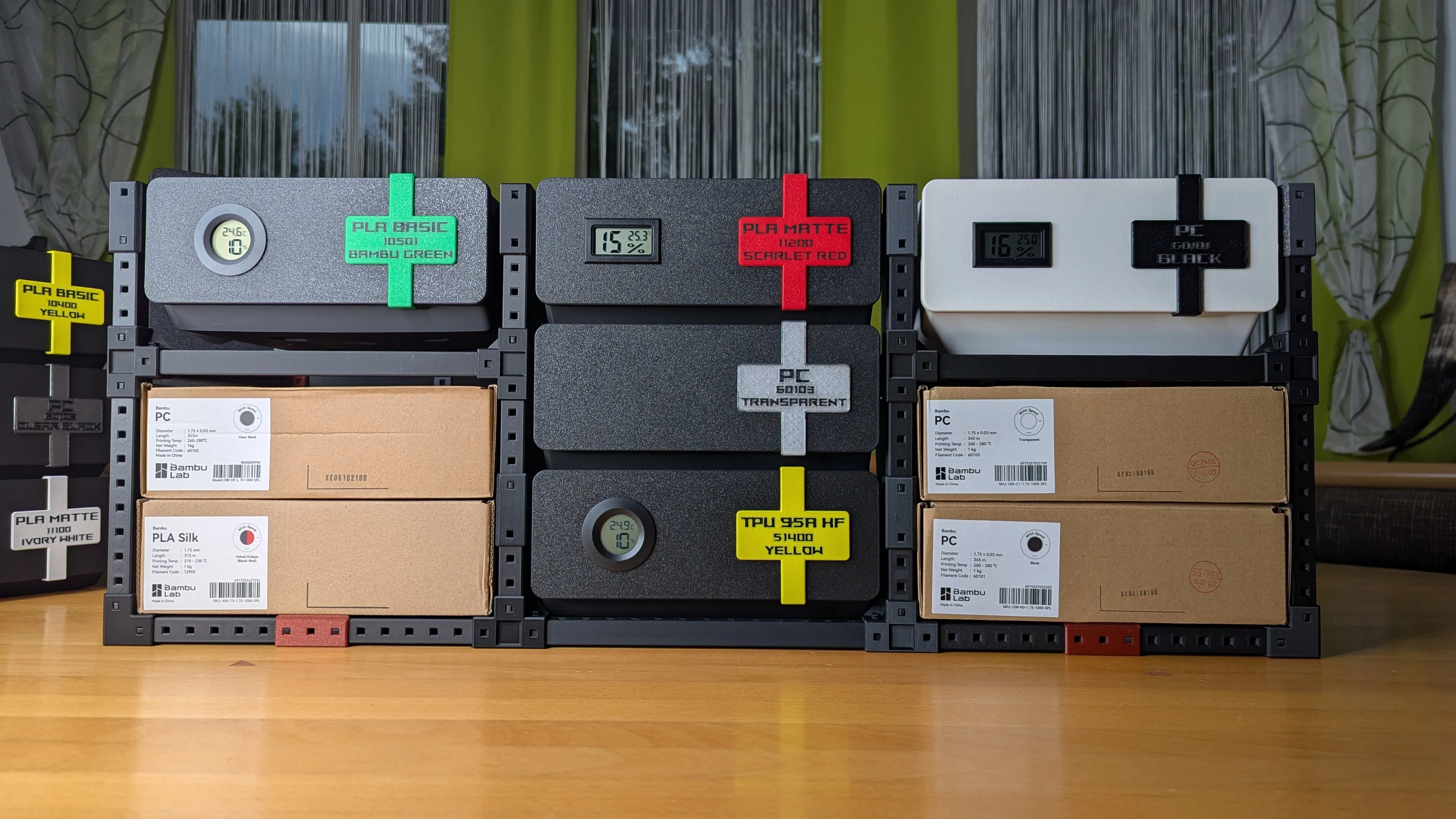
A fully modular universal rack building system for virtually any “racking needs” (Server Rack, bookshelf, shoe rack, you name it).
With this core model you can create base racks build upon. It's designed with modularity in mind, so you never really have to decide when to buy the next bigger 10"/19" rack or to change standards. HomeRacker grows with your needs. You can start with a small Pi-Rack and maybe end up with 10" (or even 19") rack…. or multiple of them, or multiple of them directly assembled together. There are not really limits to how big you want to build.
You can for example build a Cyberpunk-themed 10" Rack with airflow optimization for your RaspPis like this:
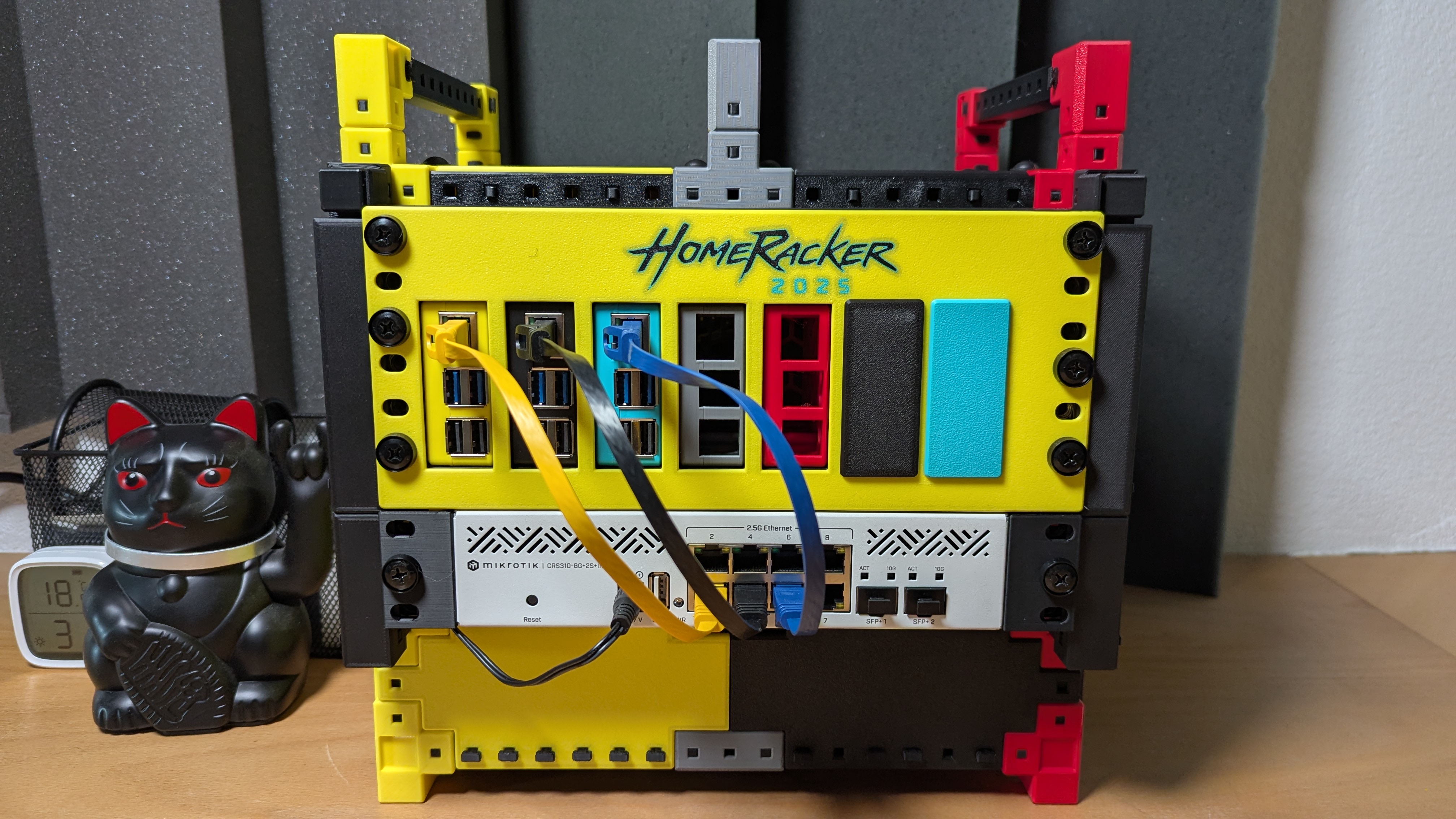
This one can be found HERE. It contains all parts from the projects below (HomeRacker Core, PiMount, 10" Mount, Airflow Kit) and is a perfect showcase on how HomeRacker can be used.
What's in the Box??

This model contains the core parts of HomeRacker, which are
- supports of a great variety of sizes
- part of the print profile (x2 - x17)
- folder: Supports (x2 - x25)
- connectors in all possible permutations
- part of the print profile
- folders:
- Connectors - Standard
- Connectors - Feet
- Connectors - Pull-Through
- Lock-Pins
- part of the print profile
- file: Core_Lock Pin_vx
- Diagonal Supports to act as stabilizers for large builds
- NOT part of the print profile
- folder: Supports - Diagonal
When importing separate step files into your slicer
Make sure to AUTO-ROTATE each part.
No part needs printing-supports, when they're auto-rotated (except for a few diagonal ones).
It's super important to print the supports auto-rotated (lock pin hole aligned vertically)
to ensure a properly working lock-pin mechanism.
Small Disclaimer
These parts only enable you to build basic racks without any mounting. I work in my spare-time to bring new adapters and mounts for the core system, but I won't be able to cover everything. And that's where you come into play: HomeRacker is based upon an open standard (See Technical specs), which everyone can use free of charge (even for commercial purpose) to build their own creations upon. So be creative and share your models with me (here on Github). I'd love to add them to the list here:
Diagonal Supports
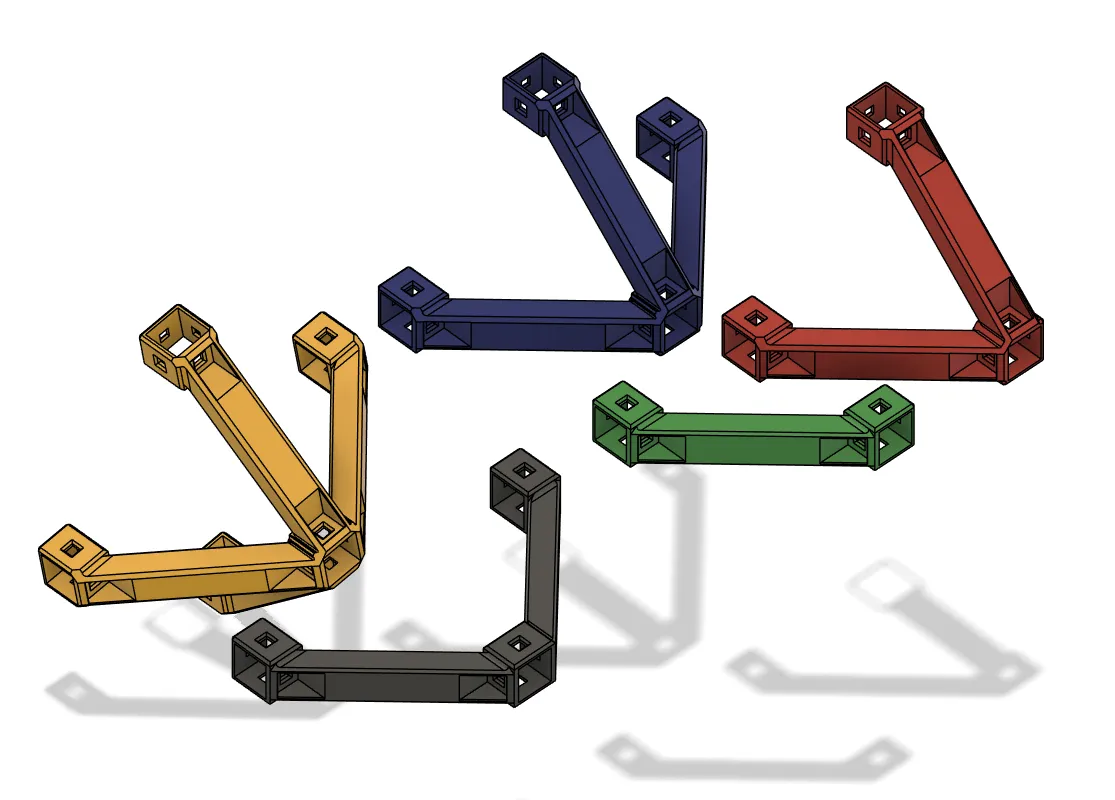
The latest addition to the core model are Diagonal Supports, which act as stabilizers to support load bearing or large builds. They come in 5 permutations to cover many possible directions (see screenshot) and also in almost any printable size.
I uploaded additional BambuStudio (3mf) files with all printable sizes in them. Please find them
in the downloadable folder named
Supports Diagonal
or as parametric f3d file in
Original Fusion 360 Files
The Official HomeRacker Collection


Here's some highlight projects I created using HomeRacker-Core as the base:
⚙ Technical Specs
This model is based on the open-source HomeRacker specification which you can find here:
I really don't like this WYSIWYG editor here, this is why I created above's page, which is sourced from Github. So the website will always be the source of truth. If you want to raise any issues, please consider opening an issue on Github.
🏘 Community Driven
Many of you have already shared great ideas with me — thank you! Unfortunately, my time is very limited. That's why I created the open specification (see Technical Specs), so anyone can create extensions and models for HomeRacker without license restrictions. If you have an idea and the ability to design CAD models, please go ahead — I'd be happy to link your creations in the catalog!
If you're not familiar with CAD design, feel free to pitch your idea to me with as much detail as possible.
Check out the glorious
Community Catalog
Pitch ideas or vote for them
here on GitHub!
Join the
KellerLab Discord Server
🚀💰 Core Model: Free Use and Commercial Freedom
The Core Model is, and will always remain, free for you to use! ✅
It's shared under the CC-BY-SA license, which allows for commercial use. This means you can create intricate extensions and derivatives, and even charge money for them! 🤑
I encourage this freedom to incentivize the creation of high-quality extensions for the community! 💡 I use this commercial approach for my own extensions as well (by making them exclusive).
The only thing you must do is provide proper attribution to me (CC-BY-SA) by linking to my MakerWorld profile: https://makerworld.com/en/@kellerlab 🙏
⚠ Important Boundary for My Extensions
This policy applies only to the Core Model. You are free to commercialize extensions you create, but all Kellerlab Extensions and other derivatives I release are my intellectual property and are not included in this commercial freedom.
☕ Support
If you appreciate this model and wanna buy me coffee, you can do so here: https://ko-fi.com/kellervater
Or simply scan this QR-Code:

📜 Changelog
[2025-10-24]
- 🌍 First Publication on Printables