
elegoo-centauri-carbon-x-y-offset-test
We calculate the final price from your selected file. You review and accept it before payment.
Saved on this device.
Model information
- Source
- Printables
- Category
- Test Models
- License
- Creative Commons — Public Domain
Some Elegoo Centauri Carbon printers have a problem with offsetting the X and Y coordinates after a manual pause. This may be a slicer issue, depending on the G-code used.
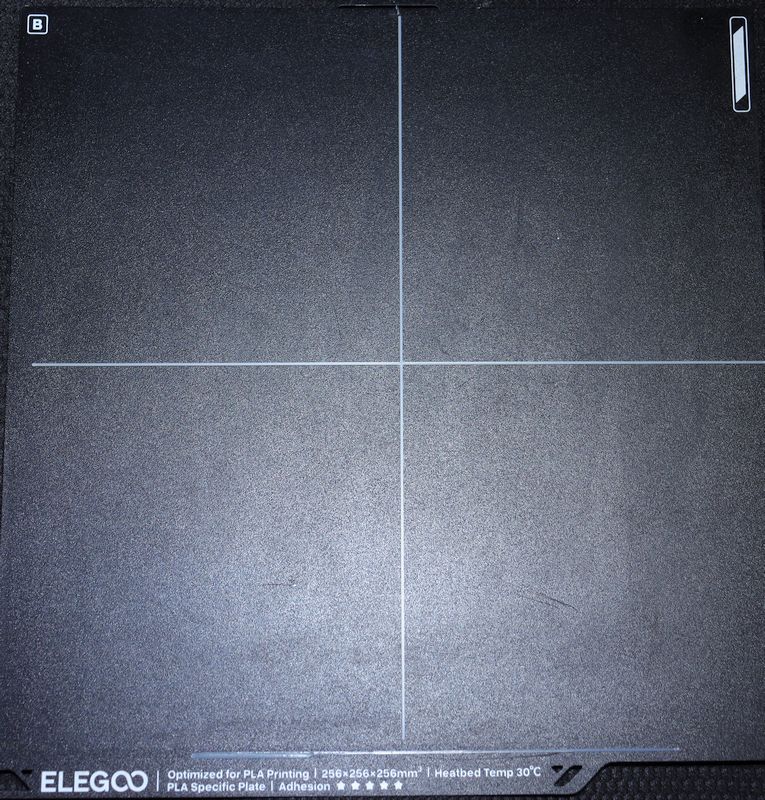
This is a simple test to see if it is happening to you. It is a 1 mm thick line in each of the X and Y directions, crossing in the centre.
To use it, manually insert a pause at about layer 3. It is probably a good idea to do a bed level before printing, which does take a lot longer than the print itself.
There is some discussion of the X-Y offset issue on Reddit, and a Google search might find something else.
No Pause
M600 pause, really a filament change command
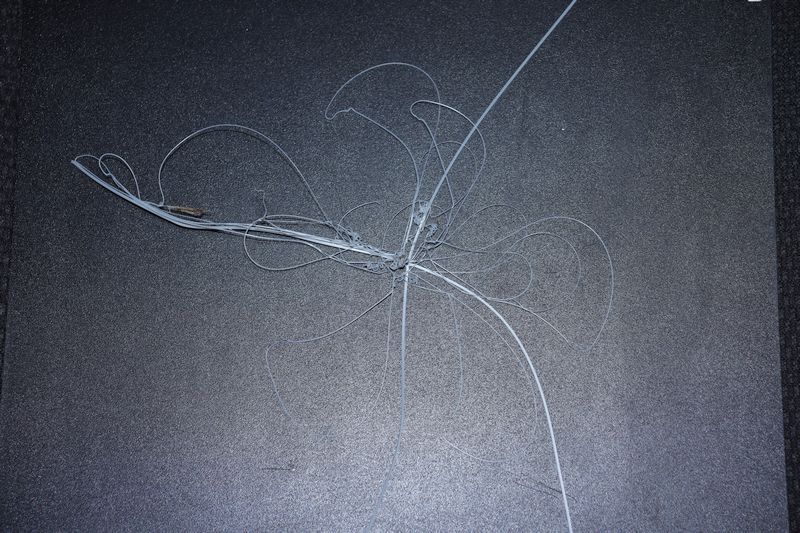
A bed level was done before each print.
Print it with any reasonable filament and settings. It only uses about 0.6 to 0.7 grams of filament, so what you have loaded will do.
Please feel free to scale the model for any other printer, it is sized for a 250 x 250 build plate.