
Pickle Rick! Tap Handle
We calculate the final price from your selected file. You review and accept it before payment.
Saved on this device.
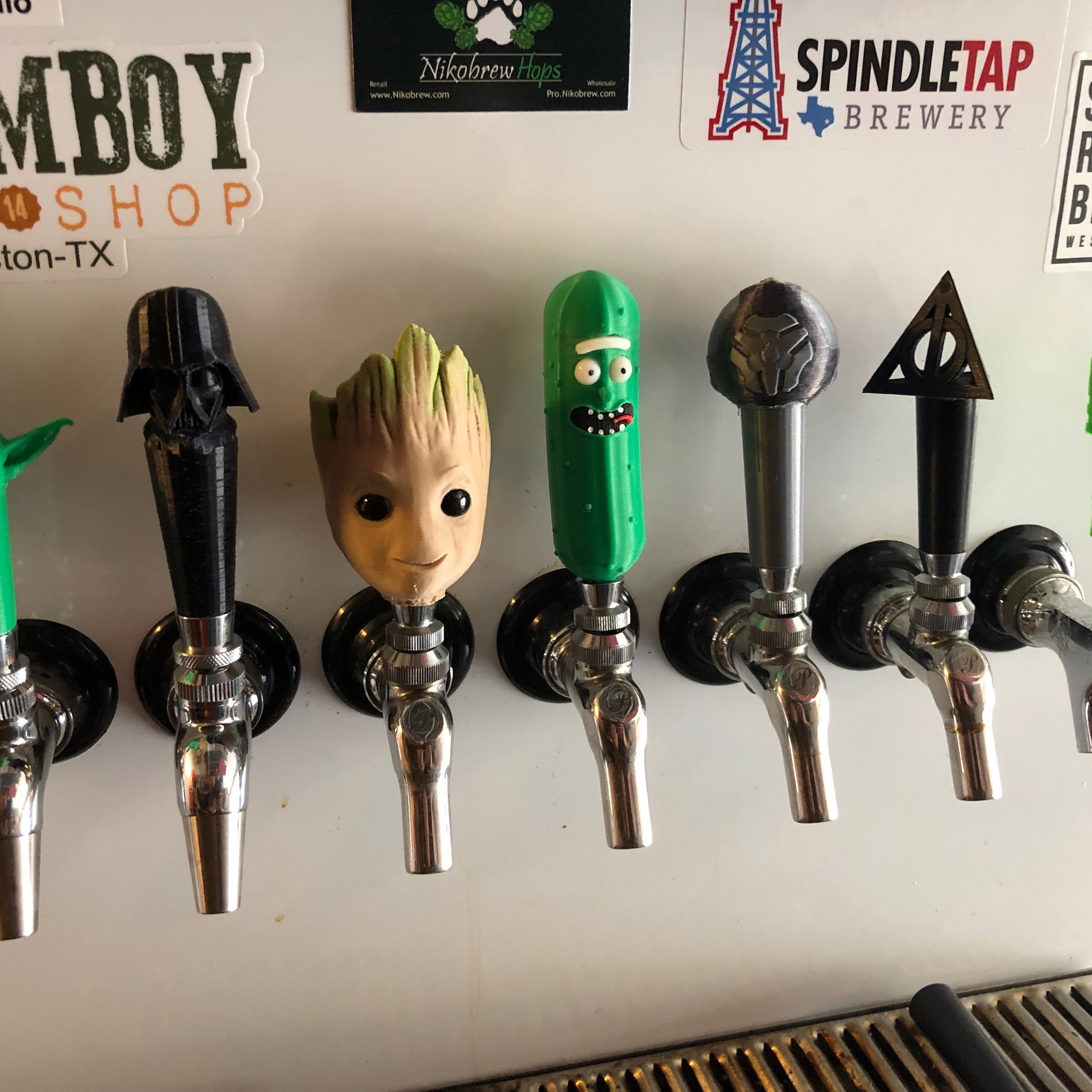
Pickle Rick kegerator tap handle
- Rating
- 0 / 5
- Likes
- 5
- Downloads
- 21
- Makes
- 0
- Views
- 138
- Reviews
- 0
Updated at source:
Model information
- Source
- Printables
- Category
- Kitchen
- License
- Creative Commons — Attribution — Noncommercial — Share Alike
I'M PICKLE RICK!!! When I came across @MosaicManufacturing's multi-part model for Pickle Rick, I knew I had to turn him into a tap handle. I modified the mesh and inserted a 3/8" UNC thread mesh so it can fit on a standard tap handle bolt.
I recommend a fine resolution to ensure the thread has enough detail for smooth threading onto your faucet's handle/lever screw.
Print it standing up with supports (the pickle bumps and nose need it). I'd love to see your final products if you make it!
Notes:
Use 4+ walls to ensure rigidity in the thread. Print with thread-side down on the print bed.
Print the eyeballs in ABS so you can polish in acetone vapor. This will make the eyes shiny. When the eyes are still soft from the vapor, push a piece of black filament into the holes for the pupils.
Material for the rest doesn't as much as the colors.
Green for Rick's body
White for the eyeballs and eyebrow, pieces of filament for the teeth
Black for the mouth, pieces of filament for the pupils
Red for the tongue
Post-Printing
Vapor Polishing the Eyeballs
Please be careful when using acetone and acetone vapor. I followed the instructions at the below link to polish the eyeballs.
https://all3dp.com/2/abs-acetone-smoothing-3d-print-vapor-smoothing/