OpenValve - Print-Yourself ASA Parts
We calculate the final price from your selected file. You review and accept it before payment.
Saved on this device.
Model information
- Source
- Printables
- Category
- Mechanical Parts
- License
- Creative Commons — Attribution — Noncommercial — Share Alike
Here are all 3D-printed ASA parts for OpenValve that can either be self-printed or purchased with the OpenValve Assembly Kit.
OpenValve is an open-source irrigation controller, built around a custom designed pinch-valve mechanism and optimized entirely for 3D printing. For more info check the github page.
👉 GitHub: https://github.com/fabiansteiner/OpenValve
Filament
All parts MUST be printed in ASA.
Other filament types like PETG & ABS were tested but they do not work reliably.
The following materials have been officially tested and approved for OpenValve:
Fiberlogy ASA
Prusament ASA
For both filaments use the slightly adapted Prusament ASA filament profile which can be found in the .3mf PrusaSlicer projects. (PrintYourselfC1.3mf, PrintYourselfC1L.3mf)
Using other ASA filaments can work perfectly fine. But be aware that untested filaments could cause problems like reduced durability due to slightly different material compositions and properties.
⚠ Do not use dark filament colors if you intend to use OpenValve outdoors in direct sunlight. Dark colors heat up to higher temperatures under the same conditions and may deform over time.
Print instructions
PrusaSlicer projects & gcode files are available for Core One /+ and Core One L.
If available use the g-code directly. This will lead to the most repeatable results and prevents possible slicing mistakes. The g-codes were sliced for simple 0.4mm nozzles, but can be also printed with a HF nozzle without any issues.
Before printing, ensure that both the nozzle and print sheet are clean to achieve a high-quality first layer. A properly formed first layer is essential for watertightness: one of the O-rings seals directly against the first layer of the housing. If the nozzle is positioned too high during the first layer, the resulting gaps can allow water to seep past the seal.
I highly recommend using an adhesive like 3DLAC to prevent warping and to ensure a smooth seperation from the bed, especially when printing on the smooth or textured print sheet.
With an enclosure, the parts can likely also be printed using other prusa printers. But the temperature inside of the enclosure should reach a minimum 45°C while printing.
Recommended global print setting
Layer height: 0.2 mm (STRUCTURAL)
Infill: 100%
Infill pattern: Rectilinear
Perimeters: 4
Fuzzy skin thickness: 0.2mm
Fuzzy skin point distance: 0.6mm
Filament (Applicable for all ASA filaments)
Shrinkage Compensation XY: 0
Shrinkage Compensation Z: 0
Disable fan for the first: 1 layers
Part specific print settings
Nut_scaled
print twice.
Housing_Down
Enable Ironing: yes
Ironing Type: Topmost surface only
Brim: only if needed
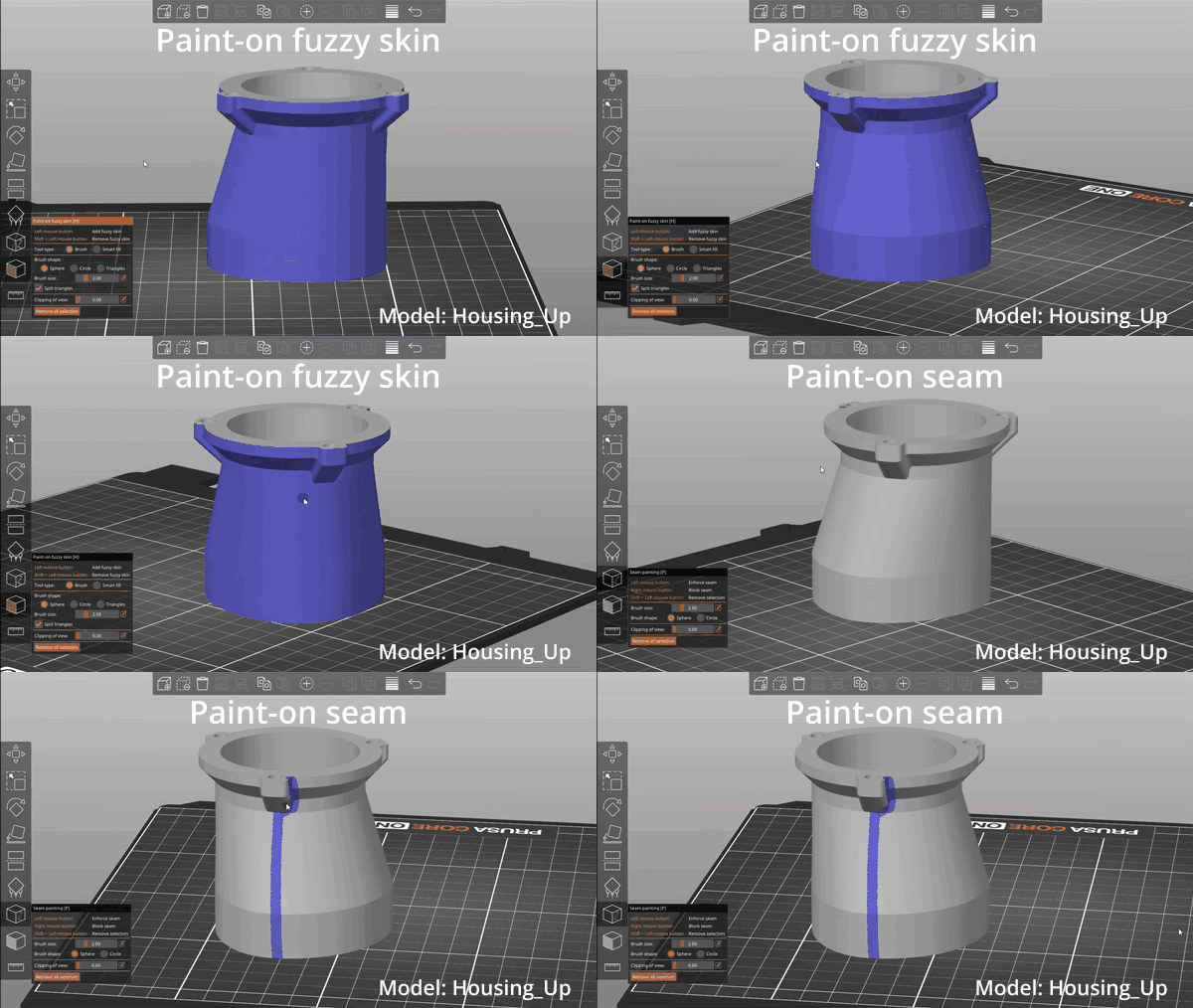
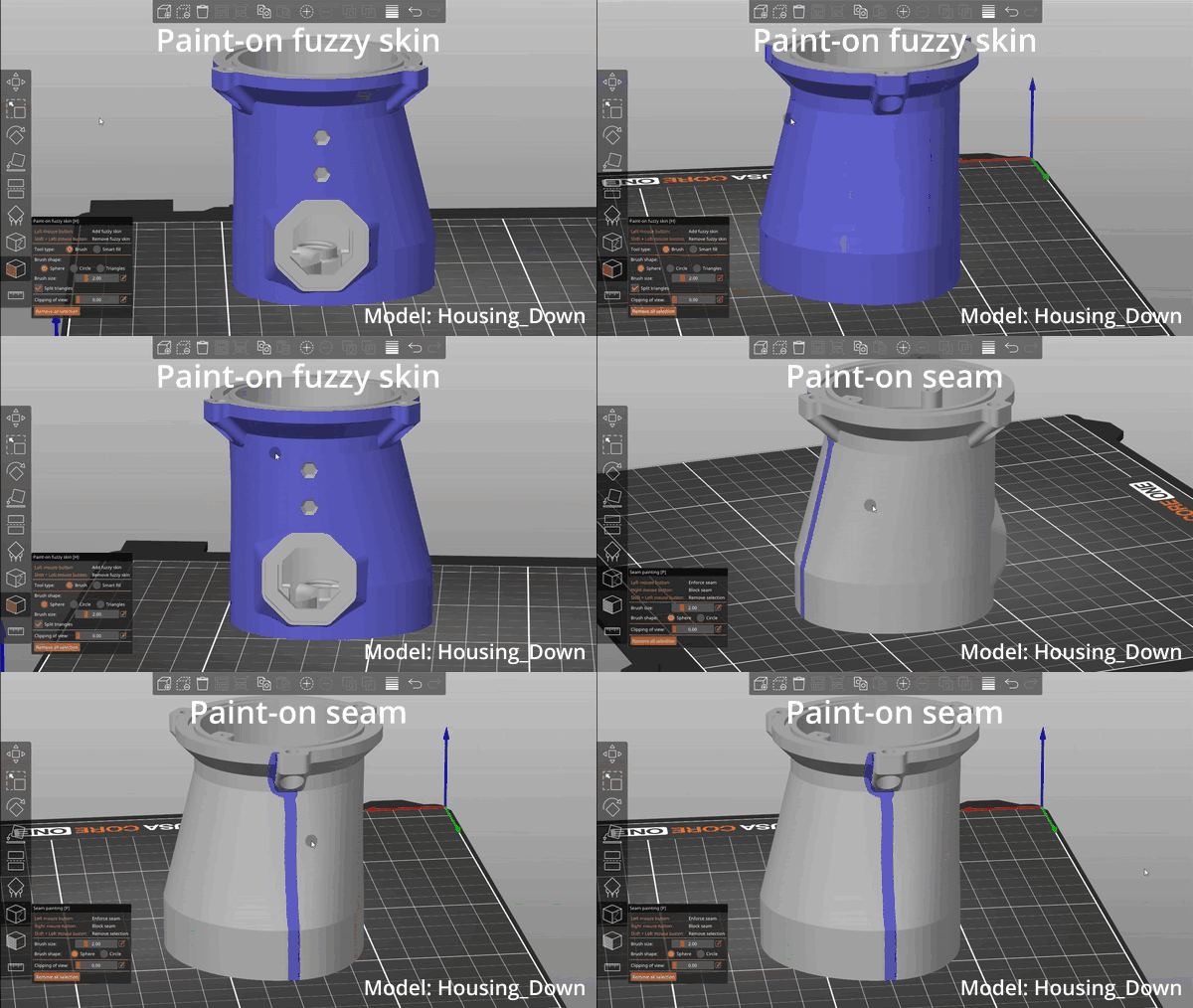
Paint-on seam: (see GIF)
Paint-on fuzzy skin: (see GIF)
Housing_Up
Enable Ironing: yes
Ironing Type: Topmost surface only
Brim: only if needed
Paint-on seam: (see GIF)
Paint-on fuzzy skin: (see GIF)