FDM PiP Trains Snap On Replacement Wheels
We calculate the final price from your selected file. You review and accept it before payment.
Saved on this device.
Model information
- Source
- Printables
- Category
- Vehicles
- License
- Standard Digital File License
Introducing official replacement wheels designed to be easy to install without glue and stand up to normal play.
Designed to fix broken wheels on FDM trains without having to reprint the entire car. Also allows for printing the body in one color and the wheels in another without the multi-color purge waste.
Wheels print with the outside facing down. A brim may be added (outer only) on the wheels for added bed adhesion if required.
A brim should not be needed for the axle halves and might make snapping the parts together more difficult
Snapping the axle into the wheel requires a decent amount of force, especially the first wheel, but that is by design to make the connection as strong as possible. The bottom of the vehicle or other hard flat surface can help snap the axles into the first half of the wheel.
Print 4 wheels and 2 fold together axles for each set.
HOW TO DELETE ORIGINAL TRAIN WHEELS IN SLICER:
Load the desired FDM train car into your slicer.
Select the car by clicking on it
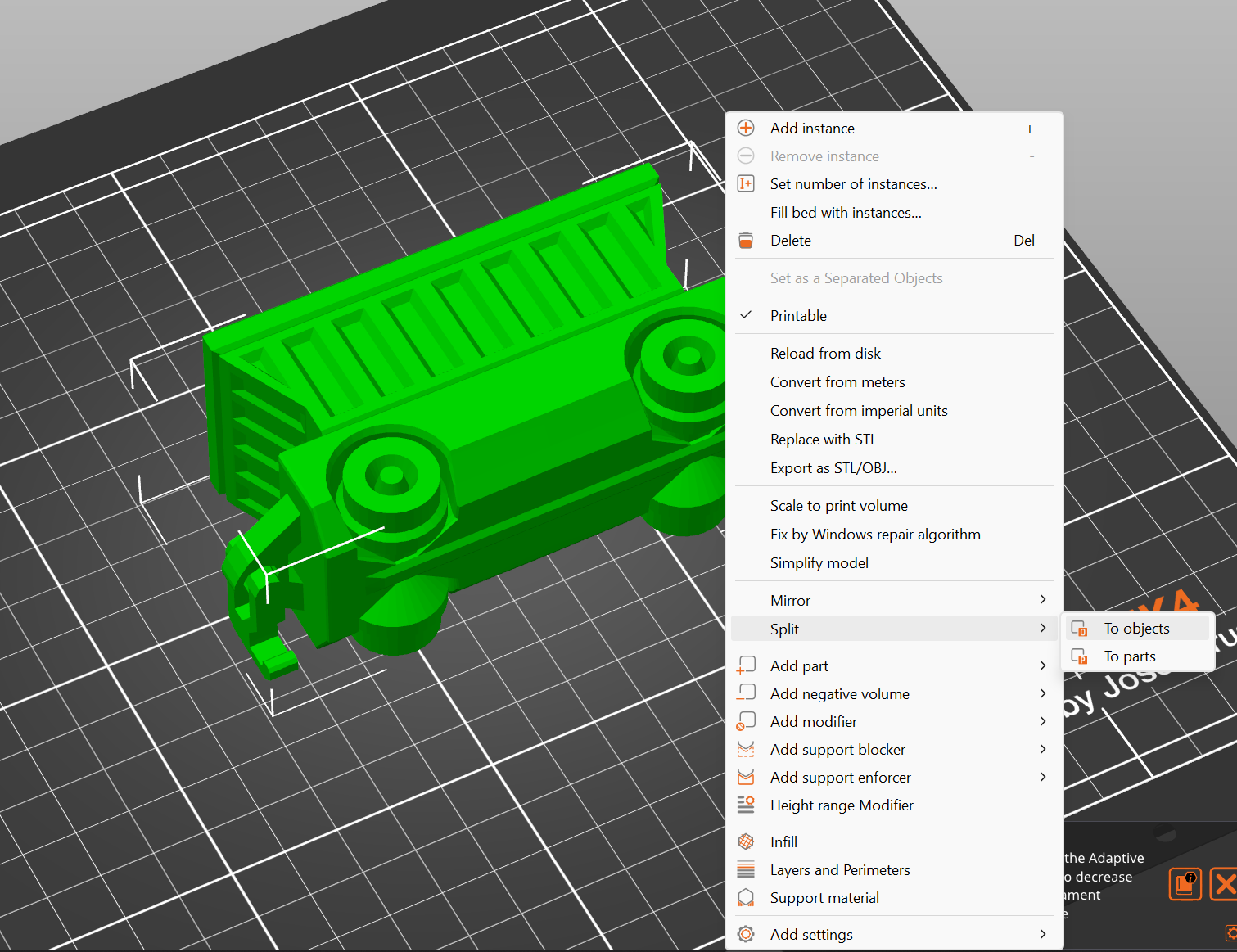
Right click on the vehicle to bring up the menu
Select “Split” from the menu, then select “To Objects” from the popout menu
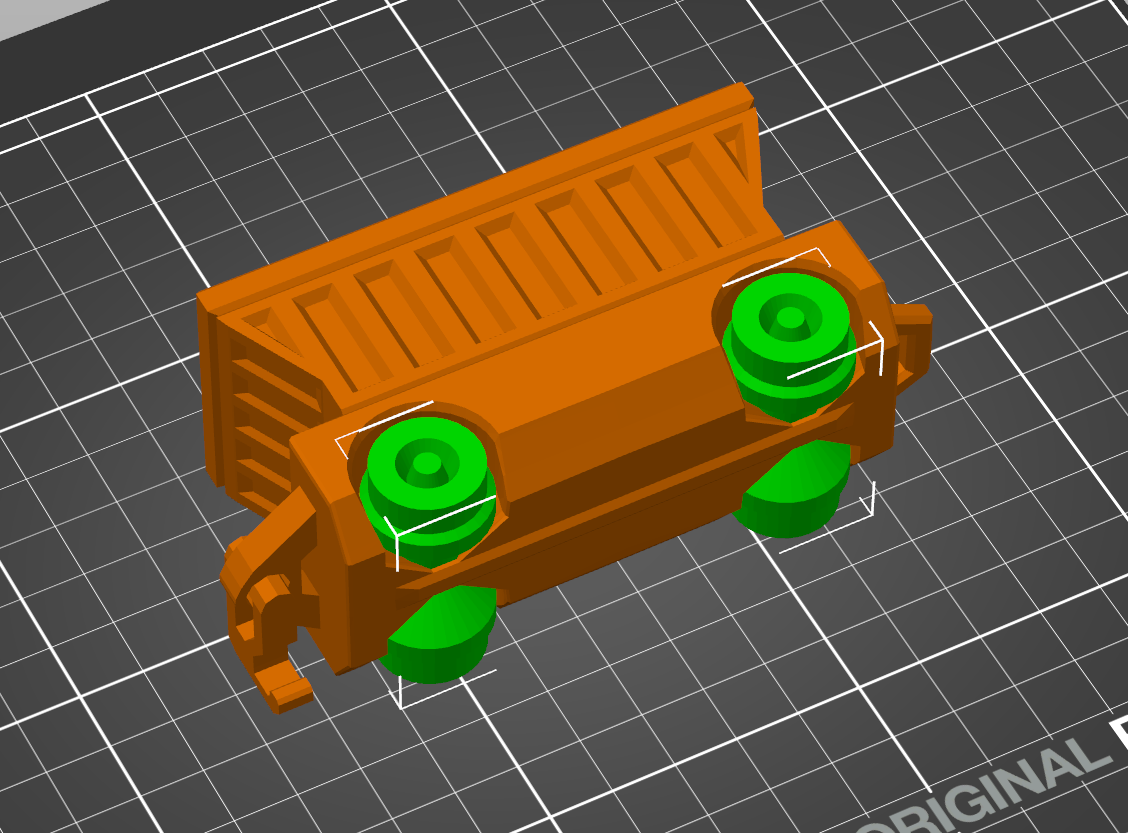
Wheels should now be selectable individually
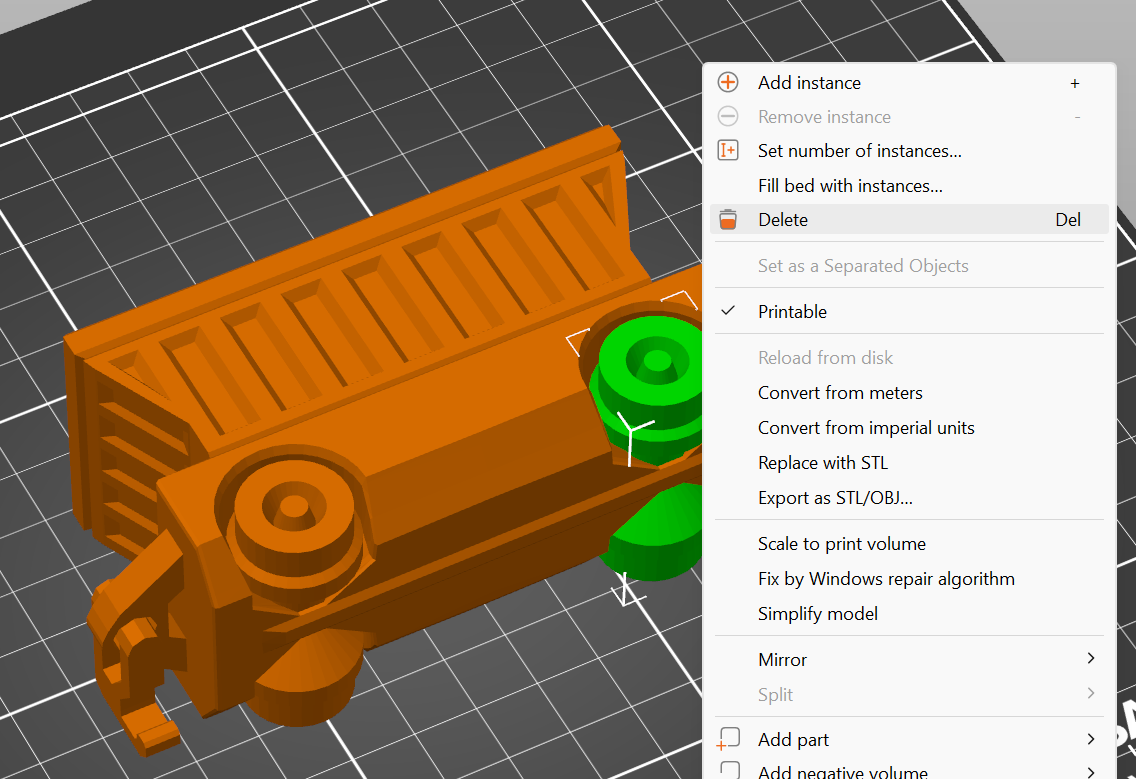
Select each set of wheels and press the “Delete” key (or right click and choose “Delete”)
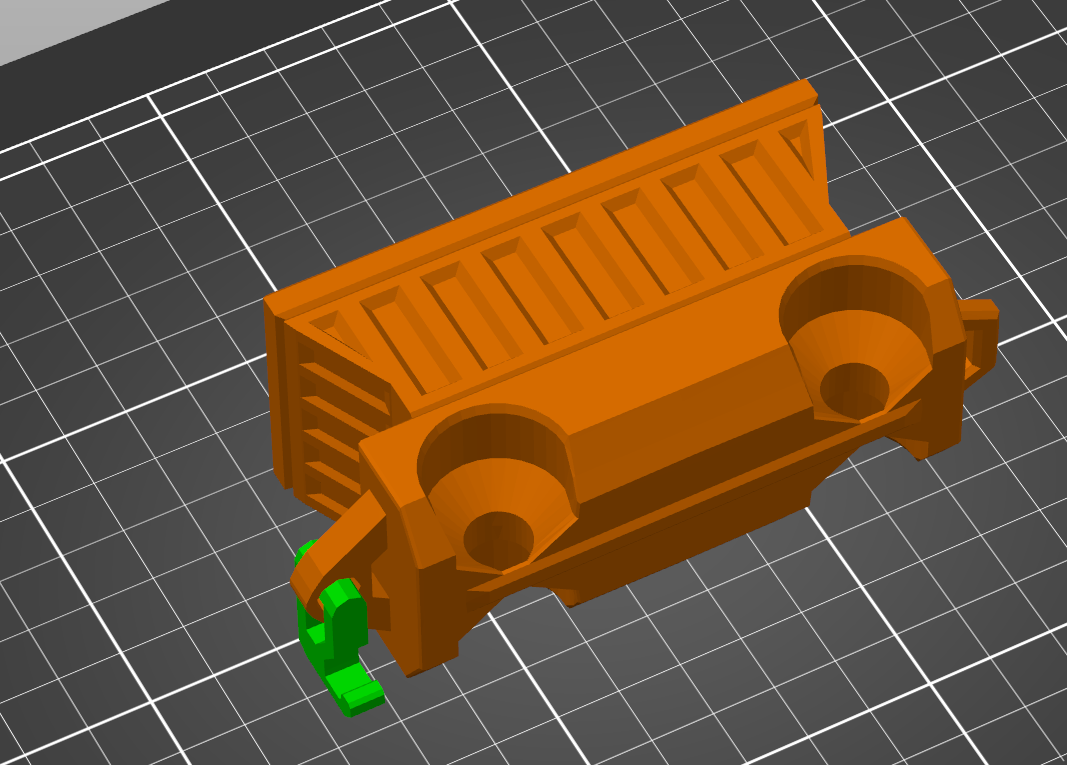
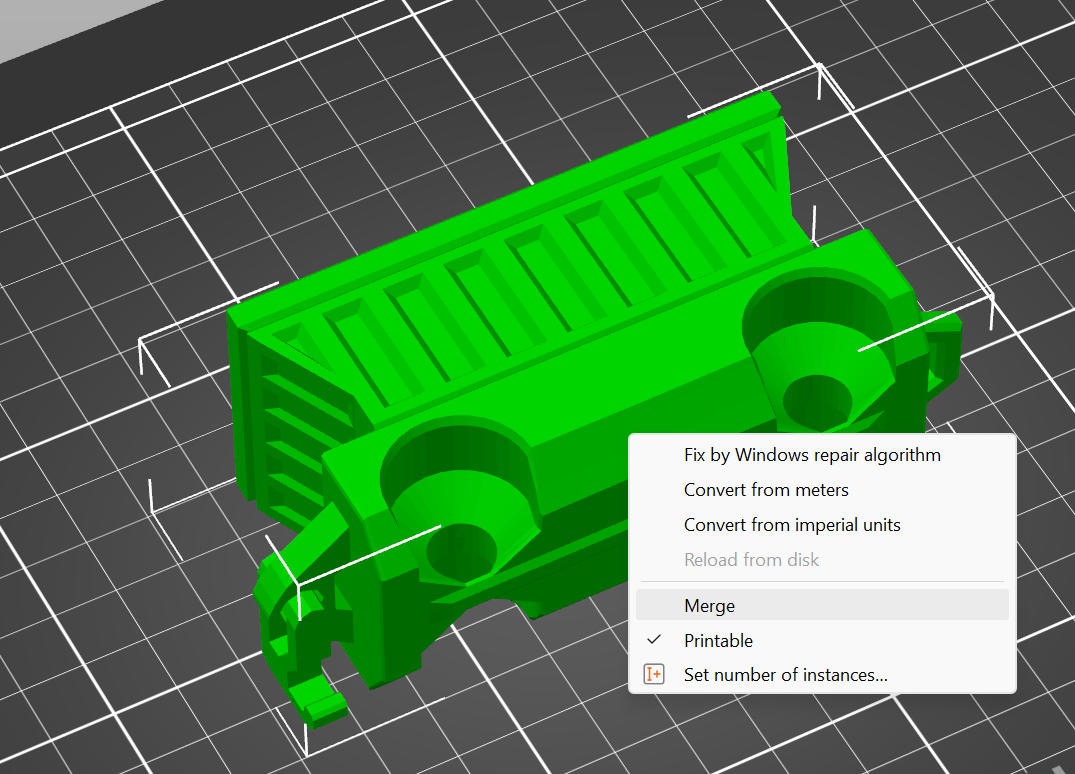
NOTE: the hook will also be separate so if you want to move the train car after deleting the wheels you should select the hook and the car, right click, and choose "Merge" to combine them back together
Print as normal
Snap on your wheels and enjoy!