
This is simply to show how I printed multiples of each.
We calculate the final price from your selected file. You review and accept it before payment.
Saved on this device.
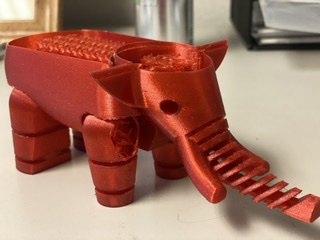
These files will allow anyone to open them in PrusaSlicer to see how I was able to use Spiral Vase Mode/complete ind.obj
- Rating
- 0 / 5
- Likes
- 2
- Downloads
- 10
- Makes
- 0
- Views
- 264
- Reviews
- 0
Updated at source:
Model information
- Source
- Printables
- Category
- Test Models
- License
- Creative Commons — Attribution — Share Alike
In order to print the tops you need to use Sprial Vase and Complete individual objects. CIO is found under “Print Settings” tab and “Output Options”. It's an incredibly useful feature. You just need to be careful with collisions. You need to make sure the print order goes from the body nearest you to the middle body, and finally the one furthest from you in order to avoid collisions with x-axis. Make sure you check. For some strange reason, the website won't let me upload the gcode for the top. I says:File contains unsupported code on line 84. Please use the latest version of PrusaSlicer. This was from the latest version lol. Anyway, the body is the harder part, so you can use that to figure it out.