
{Parameterizable}ₜ Frame Clamp
We calculate the final price from your selected file. You review and accept it before payment.
Saved on this device.
Model information
- Source
- Printables
- Category
- Other House Equipment
- License
- Creative Commons — Attribution — Noncommercial — Share Alike
I didn’t want to drill holes in my rented apartment, but I still wanted to secure a mirror so that a child cannot accidentally lift it off the hooks. Probably the only way to do this is to use the hooks themselves as a clamping point.
This two-part design does exactly that. The base is placed on the hook and sits between the wall and the frame. The clamp is then screwed to the base and pushes the frame down.
The design is parameterized, so the hook diameter, screw and washer sizes, as well as the clamp itself, can be easily changed. A slot in the clamp allows for some vertical adjustment.
Parameterization
Use FreeCAD to open the CAD file.
Select the params item in the tree view (on the left), and check the parameters in the property view (on the right):
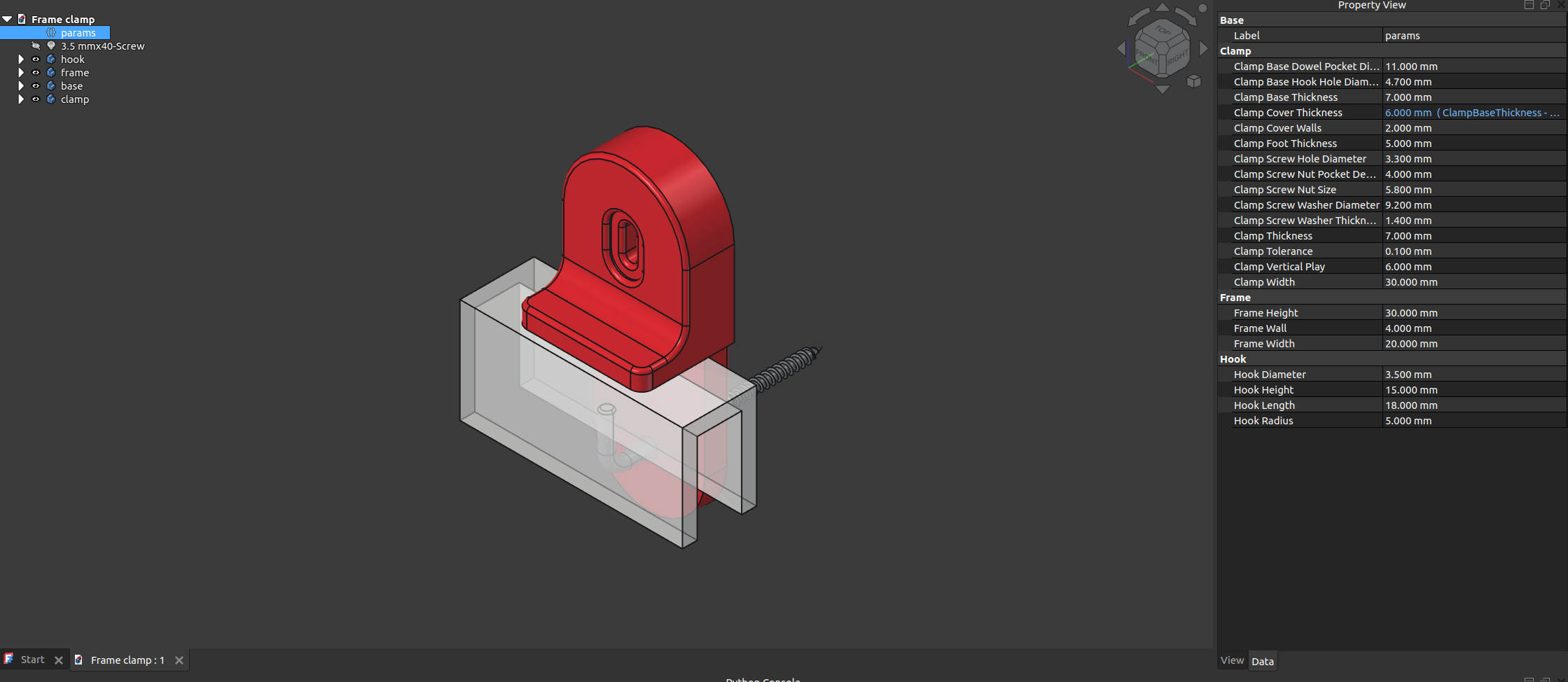
You UI may be different!
Hook Diameter controls the hole for the hook on the base plate. Other hook parameters are mostly for visualization.
Frame Wall is the width of the “wall” used to hang the whole frame. Frame Width and Frame Height are self-explanatory.
The clamp, however, has many parameters:
Width is the width of the clamp. Because the clamp is rounded and the screw / washer holes / pockets are bound to the center of this arc, width should be set realistically.
Base thickness is the thickness of the base plate. Clamp thickness is the thickness of the clamp, and foot thickness is the thickness of the clamp foot. Base + clamp thickness should be about the length of the screw. If their total thickness is smaller, the screw will pinch the wall.
The clamp “covers” the base plate, and this cover is controlled by a corresponding parameter.
Several parameters control the dimensions of the screw, nut, and washer. They are self-explanatory.
There is also a pocket for the dowel, so that the base plate sits flush on the wall.
Vertical play controls the size of the slot in the cover.
Tolerance should be set according to your printing capabilities.
After changing any of these parameters, recompute (Ctrl+R / F5) the model and make sure it didn’t break. It most likely will, though.
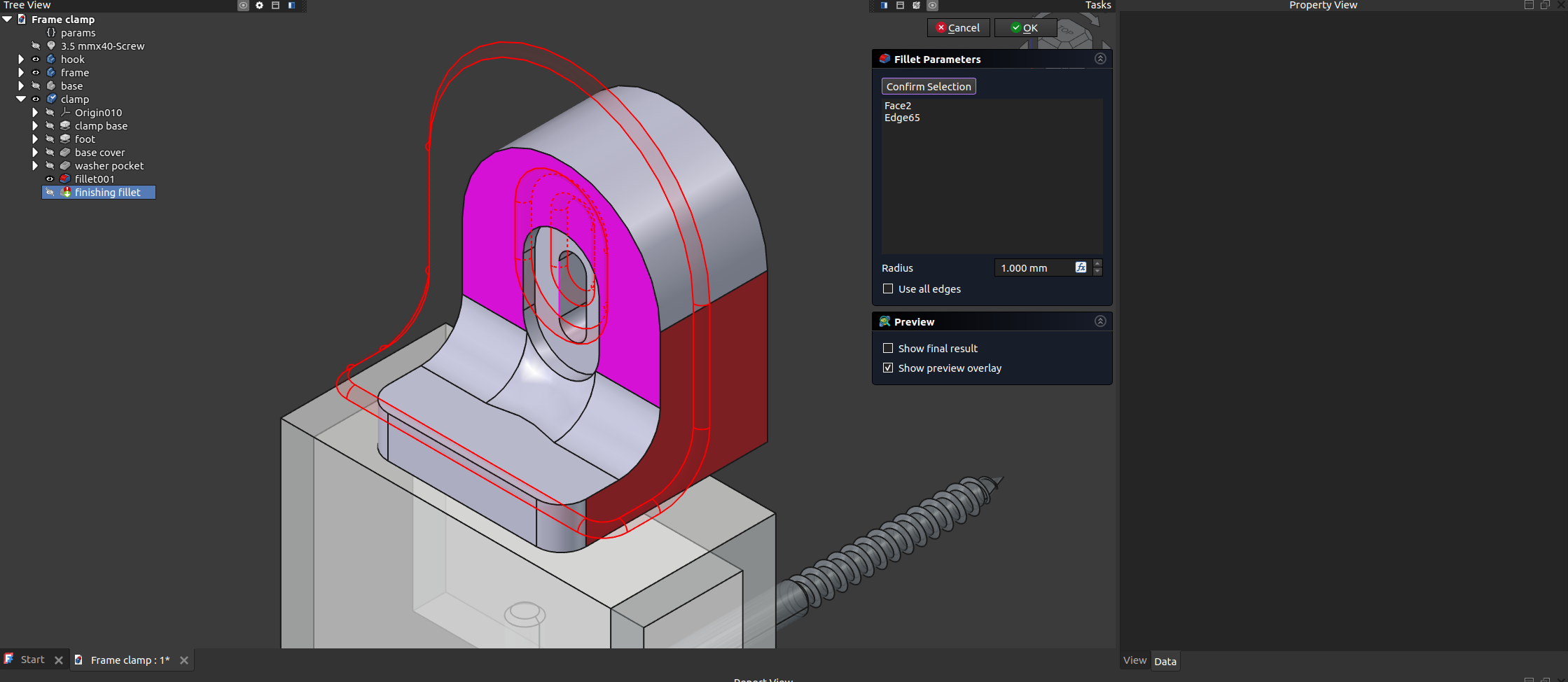
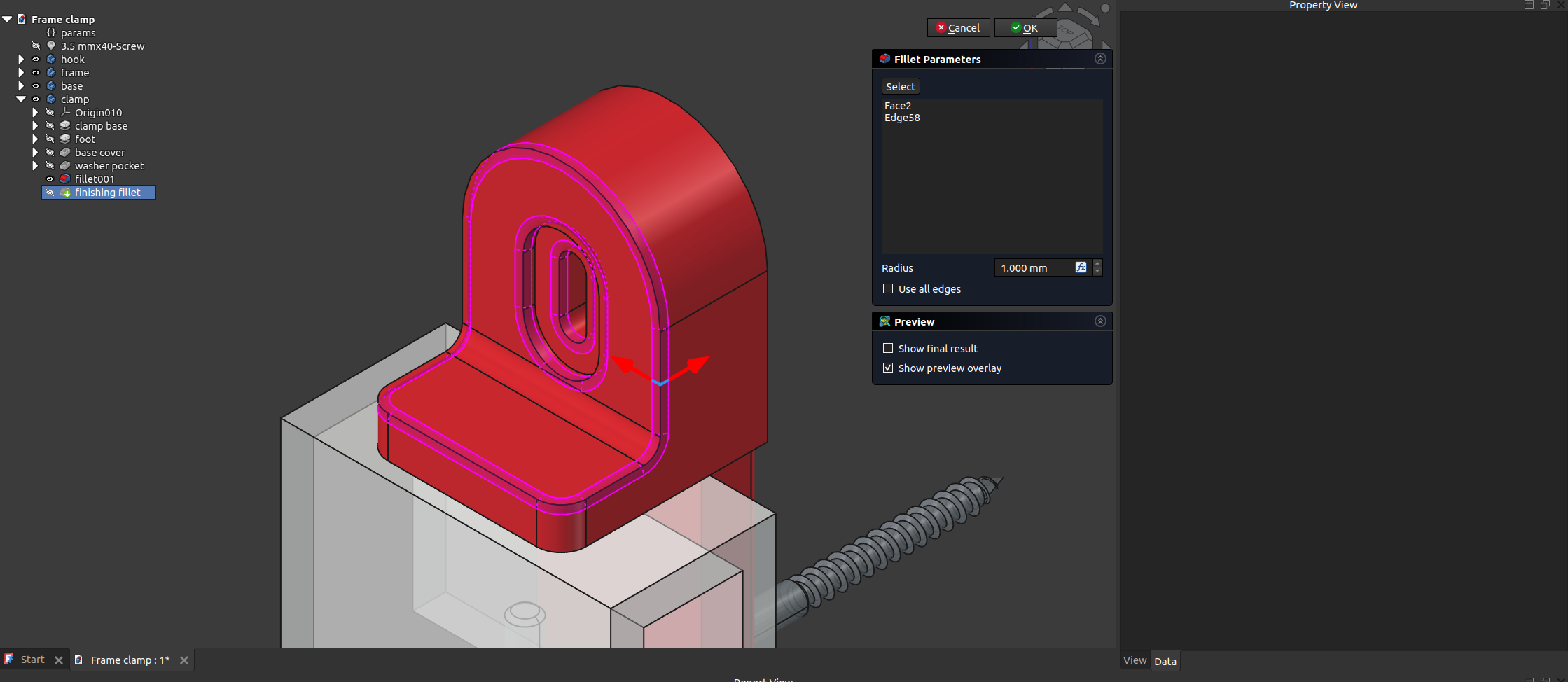
Hopefully, it will only be one of the last operations in the tree view: the fillets. Fix it by double-clicking them and manually selecting the faces/edges, using the unmodified file as a reference. E.g. here reducing the width to 20 mm broke the finishing fillet on the clamp. Previously, the fillet was applied to the front face, and the slot edge. Fix that. Sometimes, due to a conflicting parameters, a change earlier in the tree is needed. Here, I've also reduced the fillet on the foot:
Mounting
Screw the hooks in the dowels through the base plate.
Try to keep the base plates upwards (a slightly undersized hook hole helps here).
Drop the washer in the slot in the base plate.
Drop the nut in the slot in the base plate. If everything is fit, the nut should not fall off, and should be properly positioned to accept a screw.
Hang the frame
Align the clamp and the base, and screw them together. Do not forget to use a washer, and also use a correctly sized screw.