
Functional RC-Car
We calculate the final price from your selected file. You review and accept it before payment.
Saved on this device.
Model information
- Source
- Printables
- Category
- Vehicles
- License
- Creative Commons — Attribution — Noncommercial — Share Alike
Edit dated 2026-02-25: These should be all necessary instructions. In case of any mistake, please notify me, I am no robot but human.
Transmitter
9V battery or rechargable battery
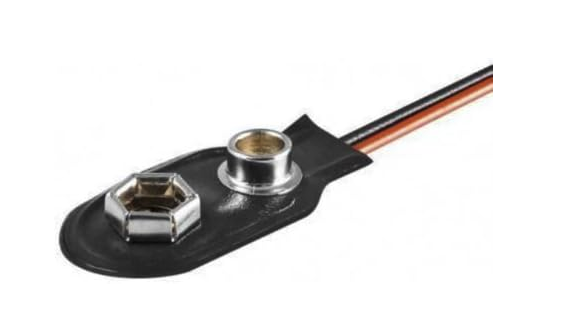
9V tap for connecting to battery
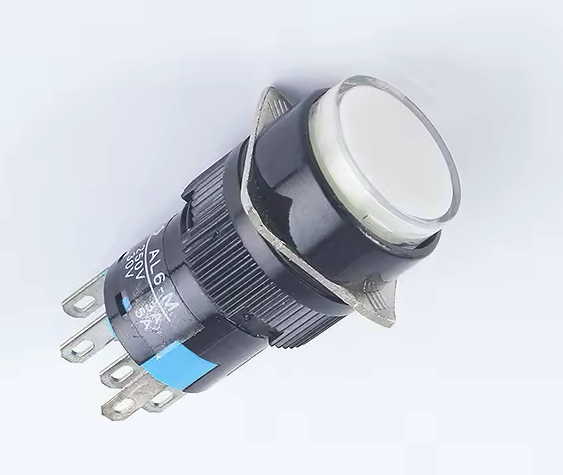
On-off switch
power on indicator LED with adequate resistor
GND-collector for several GND-distribution (solder or screw)
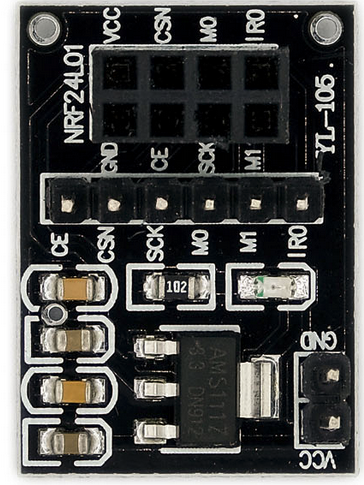
NRF24L01 with NRF24L01-adapter
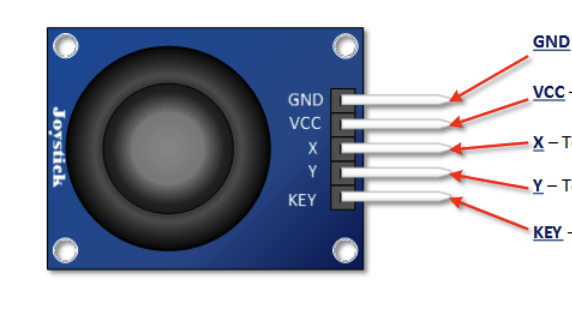
Joystick module
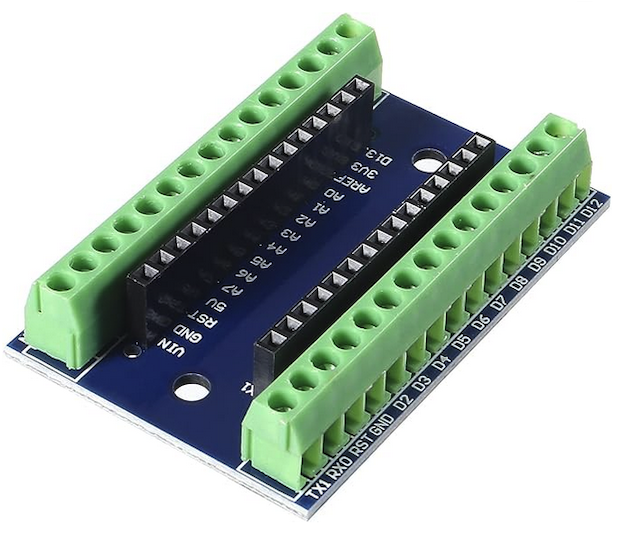
Arduino Nano with Nano shield
Receiver
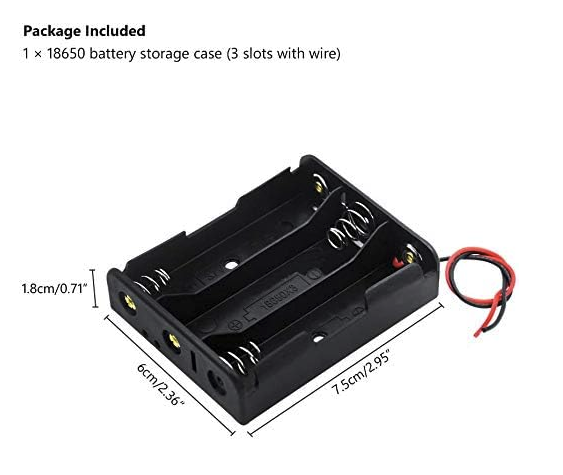
3 LiIon batteries 18650 with battery case
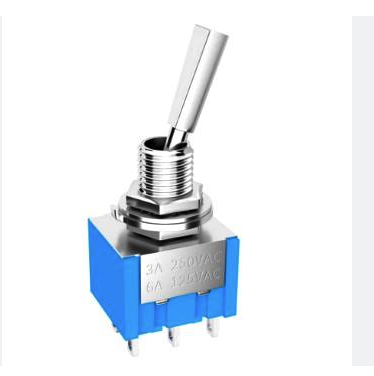
Toggle switch
GND-collector for several GND-distribution (solder or screw)
NRF24L01 (without NRF24L01 adapter)
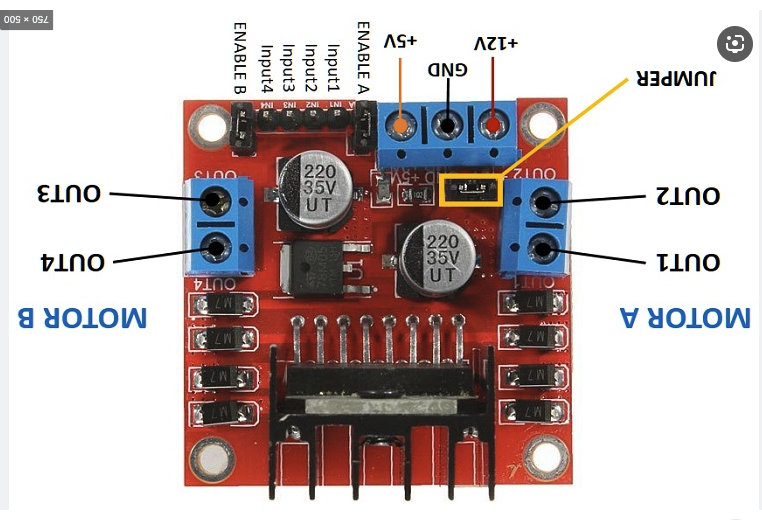
L298N H-switch
Arduino Nano with Nano shield
Mechanics
Set for DuPont connectors (male and female) with cases for 1 through many wires
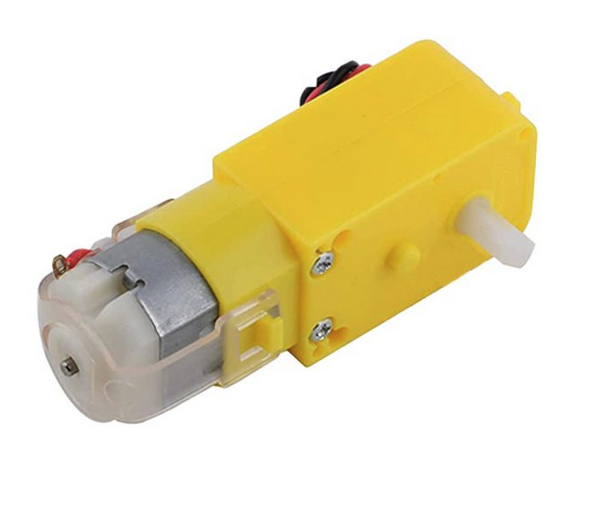
4 geared motors (yellow) with wheels
Each motor is mounted by 2 square nuts M3 8x8x2mm and two M3 hex screws 25mm long
Small self tapping screws several lengths, approx. 1.8mm diameter, Philips type
Self tapping screws for fastening Arduino shields to body parts, approx. 2.8mm diameter, 6-8mm long, Torx 9 or 10
Assembly
Print all parts (PLA or PETG or whatever you want)
Transmitter parts are glued in position
NRF Module with adapter is fixed by double adhesive tape (e.g. 3M VHB 1.0-1.2mm thick)
Joystick is mounted by 4 screws
Battery case (9V battery) shall be a bit reworked for better battery put in and out. Lid will receive some foam blockto prevent battery from coming loose
Arduino shield is fixed by 2 Torx screws
Lid can be printed in monocolor or multicolor, up to you
Lid is fixed by 4 small Philips screws (countersunk type)
Prepare the plug for NRF24L01, 5 wires in one line. Wires prepared for connection to Arduino Nano.
Connect all wires of Joystick and NRF24L01 to Arduino shield
When everything is controlled 100% then flash the Transmitter program to Arduino Nano
Install Arduino Nano. DON‘T mix it up by misaligning pins of a row NOR install it 180° wrong!! You may fry the Nano and most likelythe NRF24L01, like I did. —>. ; ((
Power the Transmitter up and see if no bad smoke appears anywhere. LED light (external and internal) should go light up!
Car
RC-Car is mainly basic body
Install for motors in appropriate places, put per motor two square nuts in their places, 8 total. Fasten motors thoroughly with 8 M3x25mm screws
Install 18650 battery pack or what you have under the RC car, lead wires + and - into the „passenger cabinet“, install the toggle switch. Secure the battery pack with the printed triangle, which is screwed to the underside of the car body and to the battery pack, other side of battery pack to be screwed to the body too
Do not yet solder wires to the motors
Prepare a 2x4 plug (DuPont females) with wires for connecting to the Arduino Nano
Prepare a 1x6 plug (DuPont females) for wiring to Arduino Nano and plug for L298N. Wires go from rear to front, so consider appropriate lengths, maybe twist the wires as they need to be stuffed into the middle duct
Mark the 8x1 plug clearly to avoid wrong polarities! You have generally two choices: the right one and the wrong one! Mark up clearly!
L298N: put the 5V jumper in place. Do not put any jumpers to Enable A (EnA) and Enable B (EnB) pins. You can use the additional 5V pin for any LED lightings. Connect main power supply to L298N and to Arduino Nano. Same with Minus (GND)!
Connect right motors (each pole) together, they will run simultaneously. Left motors same. Provide (neutral colored) wired to the motors (left and right) for connection to L298N.
You may want to connect motors A and B (left and right) to the L298N motor taps. Be prepared to switch their polarities when running in. They might turn in the wrong direction.
Connect all wires THOROUGHLY and SECURE to the Arduino Nano i.a.w. the electric scheme
Check the power supply of L298N when powering the car up.
Upload Receiver program to the Arduino
I marked the connector with R like in receiver and T like in transmitter, for avoiding a mix-up.
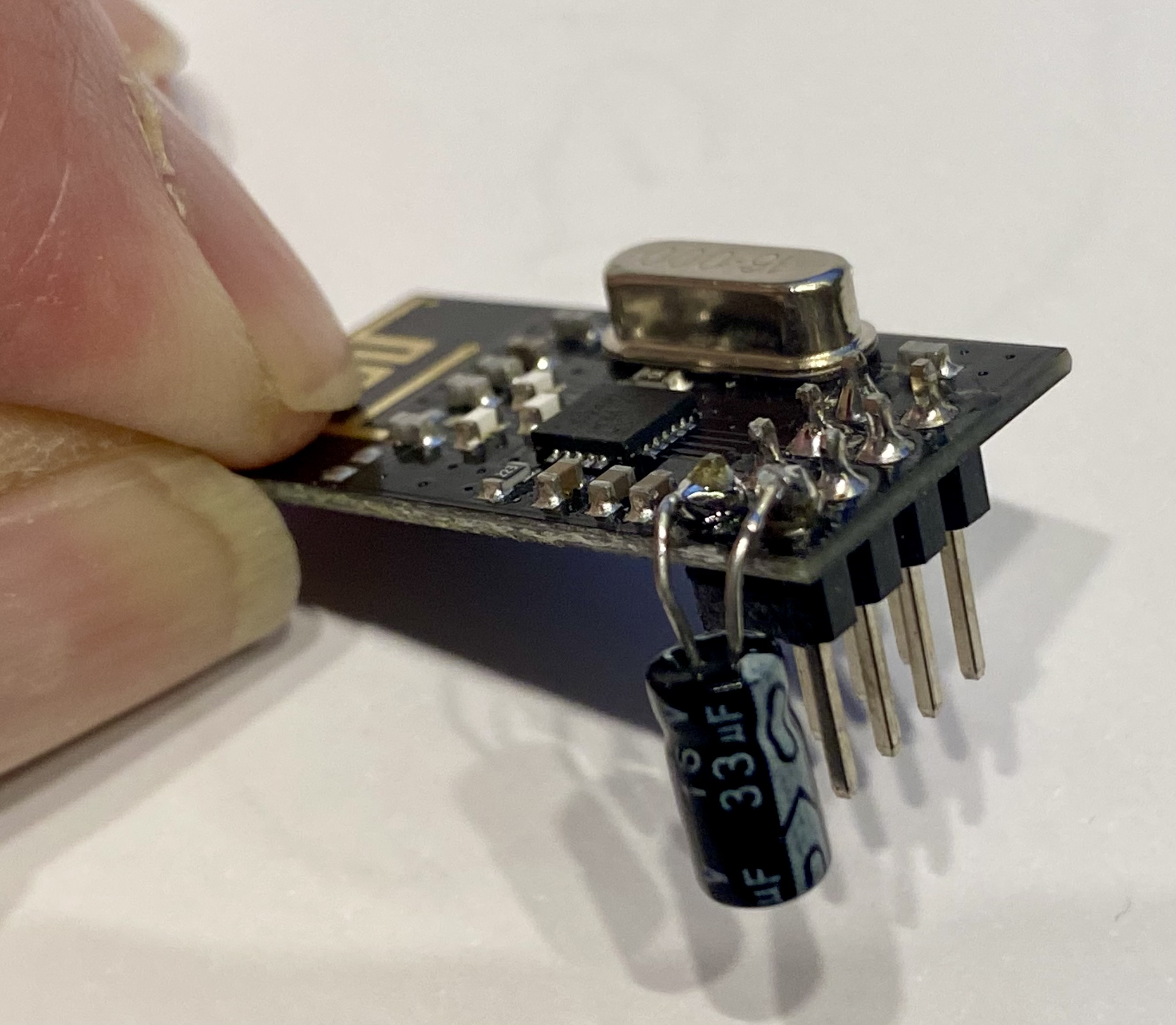
Solder a Elco capacitor between VCC and GND on NRF24L01, see electric scheme! This provides a more stable power supply.
Note: take the power in of NRF24L01 from the Arduino 3.3V tap. DO NOT CONNECT 5V, you may fry the module(s).
Connect the 2x4 plug to the NRF24L01. Make a mark sign, which way this needs to be connected. You have generally two choices: the right one and the wrong one! Mark up clearly!
Now you should be ready to install both Arduinos in their shields, and power up the whole system.
If nothing is fried by now, this is a good sign.
When one motor is installed, push the Joystick to forward, note: forward only, no side movement!! When the motor (1) turns correctly, this is good, otherwise switch polarity of the wires to L298N.
Switch off everything and connect motor 2.
Power the system up again and push forward, forward ONLY! Check motors, both need to turn same direction: FORWARD.
Now move Joystick to right, right motor should turn backward, opposite motor forward. And vice versa.
If you succeeded until here, congratulations. You‘re almost done.
Put all wires thoroughly in the duct and so on, don‘t jeopardize any wiring and connection.
Install the front hood and rear hood after prescrewing the holes for the small screws, heat the screws up, so it digs its threads and avoids plastic break and trouble.
NRF24L01 module is just loosely pushed into the front hood. Mark polarity of the 2x4 plug!
Note: I use a LiIon 9V battery, but I think either I got a bad battery or totally the capacity is not reliably strong enough. Sometimes after couple minutes of transmitting, the connection to the car breaks off and nothing happens. After charging the 9V batter it seems to work again. Maybe 9V LiIon battery is not the best choice.
And: my 9V battery has a charge plug on the bottom side, not on the lateral side. Transmitter housing is concepted accordingly.
4 x Motors with Wheels:
1 x Switch:
1 x Joystick:
1 x L298N:
2 x NRF24L01-module:
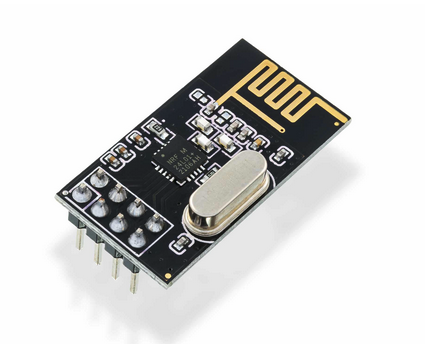
1 x NRF24L01 adapter:
here: NRF24L01 with 33mF capacitor. Use this for the receiver as it is directly connected, without the adapter.
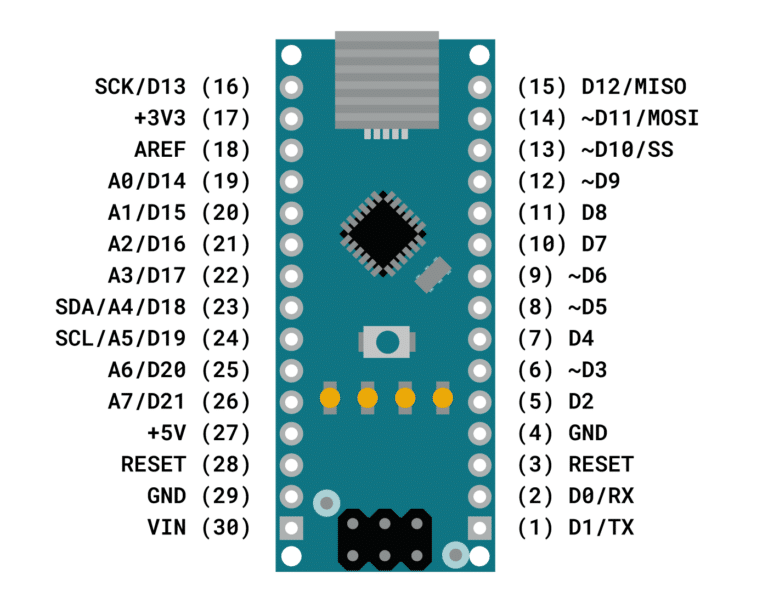
2 x Arduino Nano V3:
2 x Arduino Nano Shield:
1 x Battery pack for 3 LiIon 18650:
1 x On-Off switch for Transmitter (Remote) needs a ø16mm and can dive max 20mm into the Remote case. It is a latching switch and not a push button!
1 x 9V Battery Cap:
Thanks to the designer "@Tanner3D". I have downloaded this model and then imported it to TinkerCad, then I just let some torso survive and remodelled the parts in couple days.
What I can say right now: it makes a lot of fun building and driving it. So, stay tuned.
Have fun with this solution, happy printing!
Explore my other Printables: https://www.printables.com/de/@Tritschi