Snapmaker U1 sidepanel DRYERS KIT
We calculate the final price from your selected file. You review and accept it before payment.
Saved on this device.
Model information
- Source
- Printables
- Category
- Other Printer Parts & Upgrades
- License
- Standard Digital File License
Snapmaker U1 Full side Dryers system
Hi gang :)
So here is my crazy invention/addons for a pair of dryers to keep filaments under dry control and to help also cooling down the drivers and PSU as modification to the existing intake ports need to be sealed up.
You will still need a fair amount of experience to do these as we have to insert some "Brass threads", re-route wires, make some soldering, and use some precaution for a few steps of the assembly, but in general, the process is fairly simple and fun to do on top of giving your machine a cool look and super useful dryers that feeds directly into the toolheads.
I will keep updating this tuto and also make a special Youtube Course page for that purposes so, thank you for your support with my crazy inventions and keep on printing cool stuff with the Snapmaker U1 :)
Youtube Course:
https://youtube.com/playlist?list=PLpm_MiGkIdWZDKuLFBbFnIWAW_n0H3994&si=GfWL4JJOCjsXbDG-
Print & Assembly :
Print profile:
Mat: Tinmorry PETG-GF or higher temp ( up to you but PETG-GF work fine for the control temp)
Temp for Tinmorry: These work best for me, do your calibration as per your machine
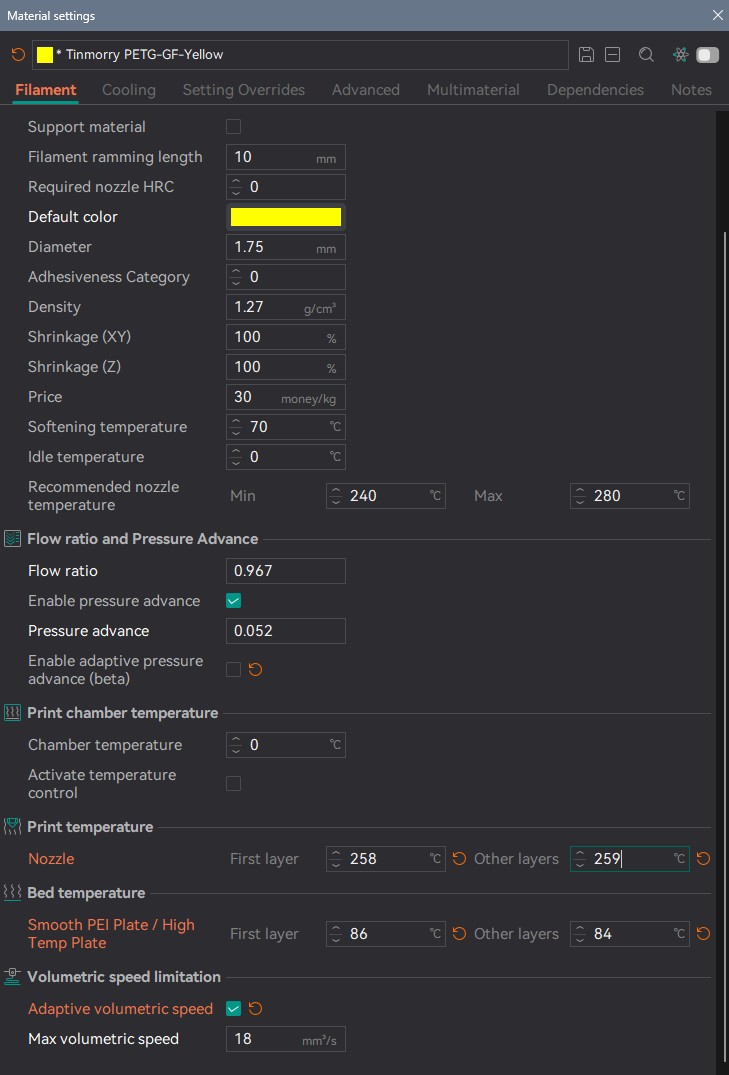
Layers: 0.2 or smaller (you can adjust as you want and use different colors as you please)
Walls: 4 with "Alternate extra walls"
Infill: 12% honeycomb
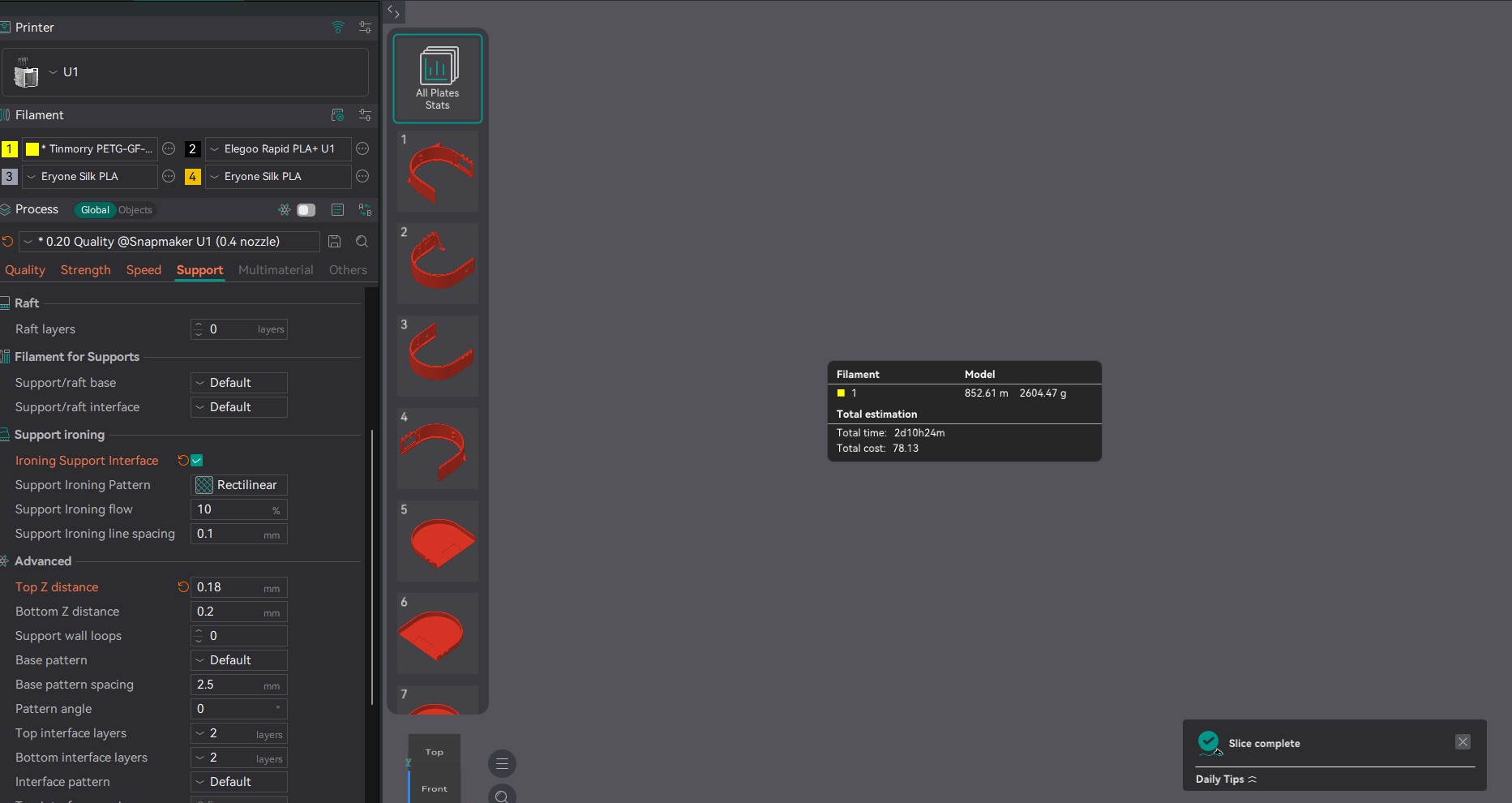
support: use manual painted where needed and put the "Support Ironing" option ON with a 10% flow on 0.1 line spacing for easier removal
Preparations:
***Make sure you print properly every parts with minimum defects, as, most parts have small tolerances for assembly but you will need to "debur", sand, file, clean every inserted parts, make sure holes are clean and free ( do a pre-fit with the pin hinge included) and take your time to make sure everything fits nicely together***
I have uploaded some videos on how to assemble the parts, and, you will also need to take apart the 2X Sunlu S2 in order to recycle every parts and screws in them.
Print Time, material needed, will depend on how much support you will add to your pieces and also your setups, but in a general average, you will have about 3 days of printing and around 3kg of filament to use ( this photo shows a rough slice of everything)
BOM:
2X Sunlu S2 https://a.co/d/06mtSYBe
20 brass inserts M2
22awg silicone wires different colors (i like full sets as it can be reused for other projects) https://a.co/d/06mtSYBe
we will re-use the screws from within the Sunlu S2 but you will also need a few more metrics like M2x10-12 and washers
3X 4010 24v blower fan (driver cooler & extra dryer fans)
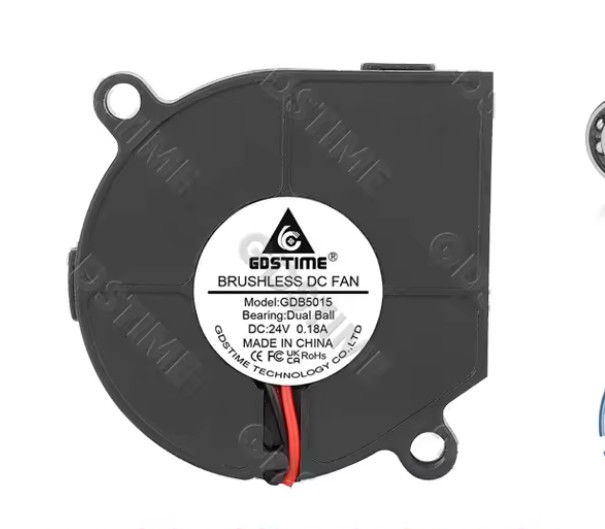
1X GDB5015 24v blower fan ( exactly this model)
NEWLY ADDED** 40℃ NO Temperature Control Switch, KSD9700 Normally Open
2 small 1/8"-3mm thick plexy glass or equivalent (see parts in listing)
zip ties
shrink tubing
Super glue ( to lock the joints of the assembly)
Silica beads
COB LED 24v ( about 8inch total)
soldering tool & 63/37 (Tin/Lead) rosin core solder (best for the job)
paste flux (acide cleaning prep)
Assembling the units:
#1 - Dryers disassembly :
These are all the parts from the Sunlu ( you can discard the black plastic protectors on the top element)
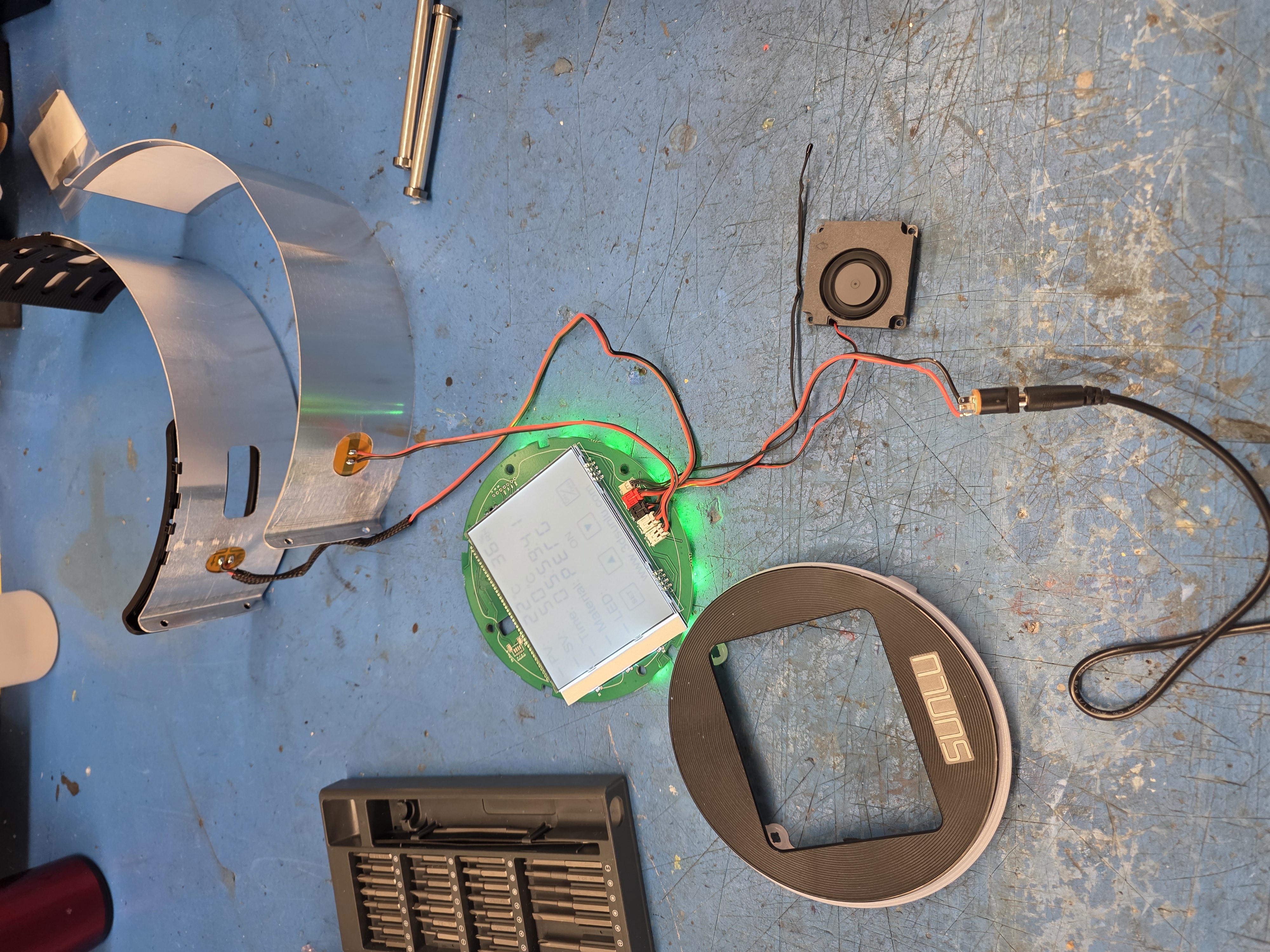
First, we need to take apart the Sunlu S2 apart without breaking anything :)
***The front plastic cover for the display controller panel is clip into the LED ring bezel, so, you will need a thin metal spatula or anything slim enough so slide between the bezel and the ring. Slowly go around and pry up the bezel, there is a total of 5 clips holding it and also, around the plexy controller display, the bezel is double sided taped, so take your time and slowly un-stick from the face of the controller.
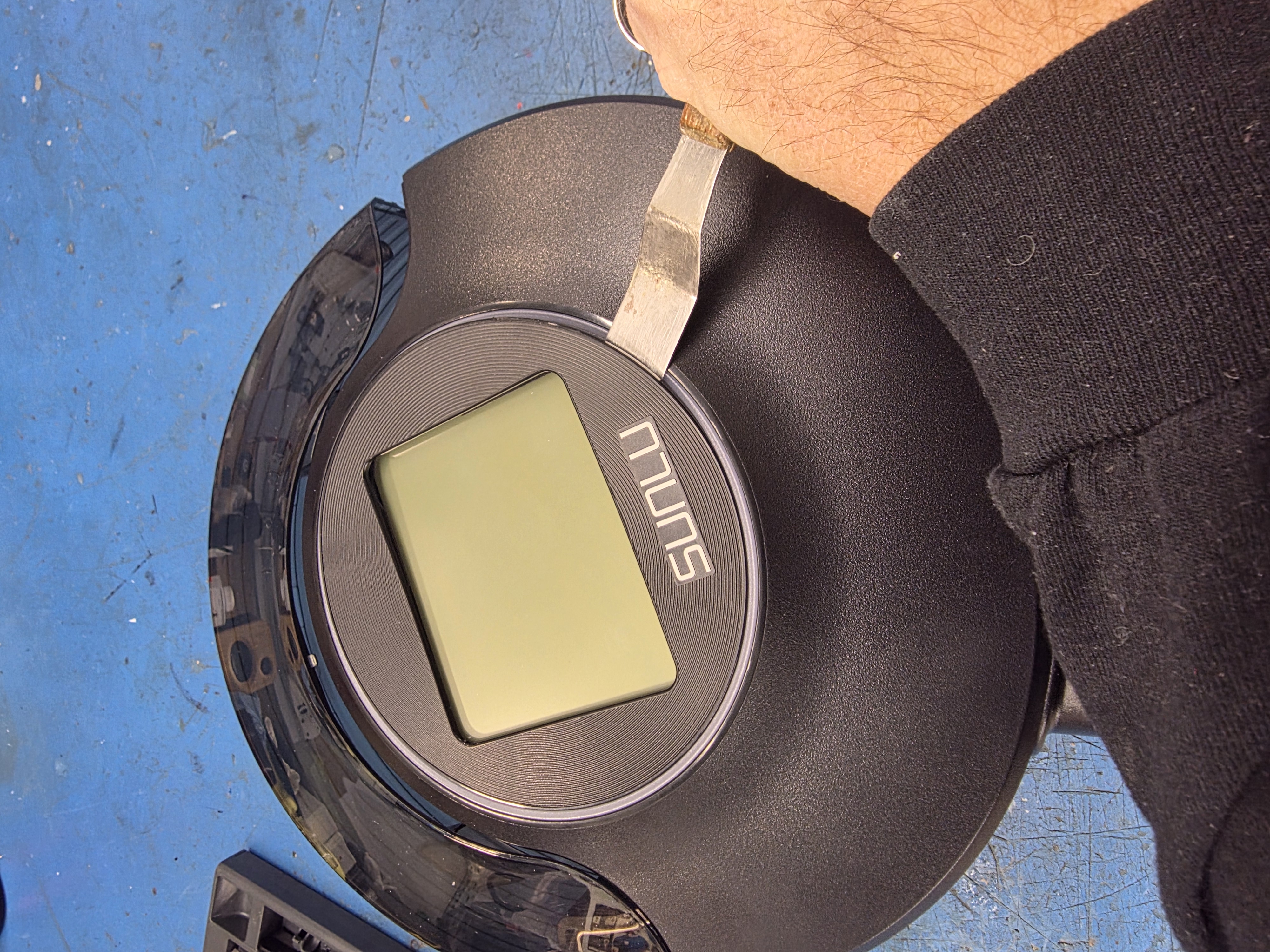
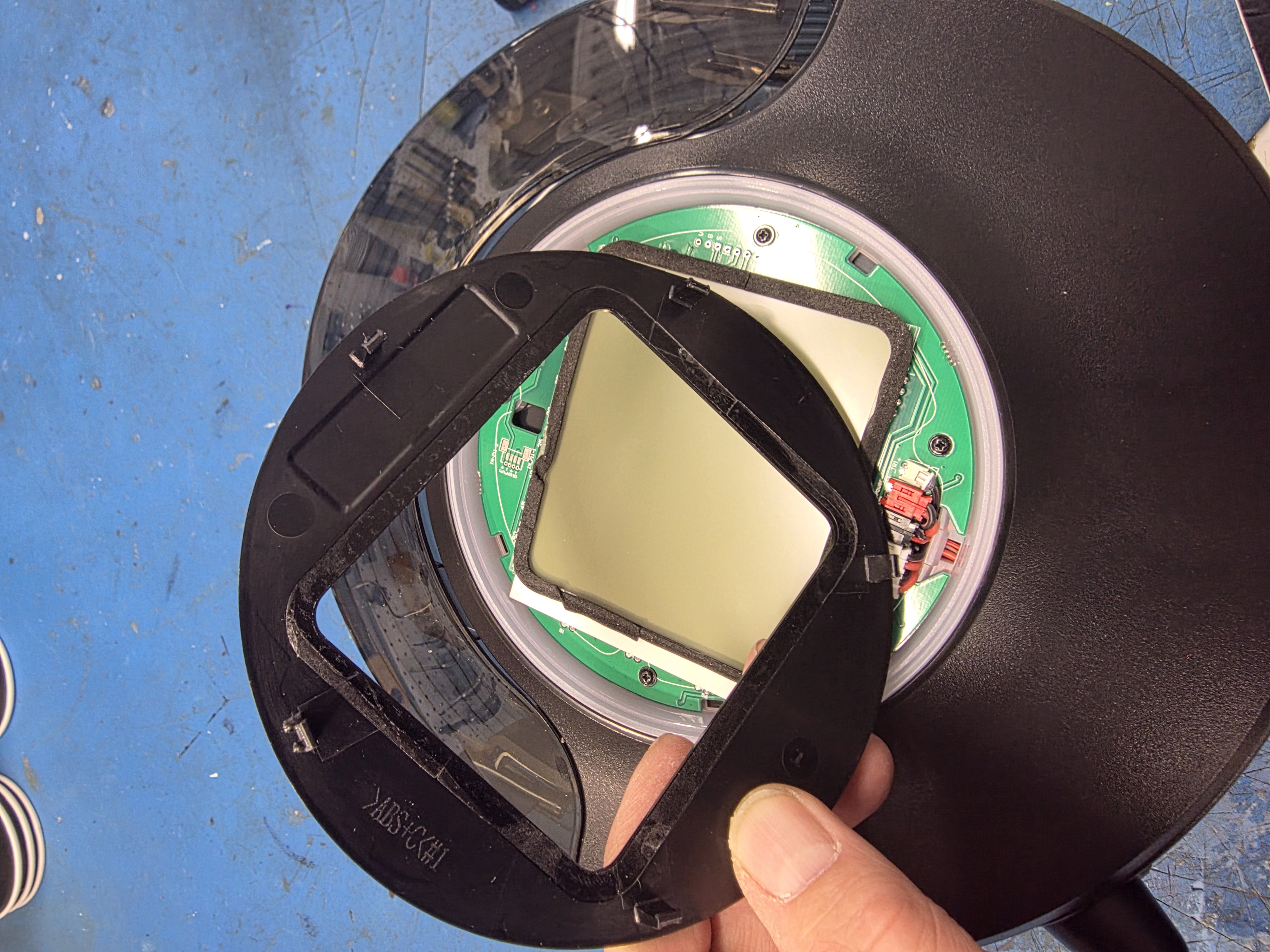
**Make sure you also salvage the power jack input at the bottom of the dryer !!!
Check the PICS to help out
Once all the dryers parts are recuperated, try to keep everything in order so you don't loose any screws from it and place everything aside properly for each dryer.
Preparing the DRYER parts :
We need to make small openings at the ends of the lips of each aluminum plates in order to pass our wires, simply measure the center and cut out a hole of 12mm X 5mm like shown in the pics and debur and clean opening with a small file
Mark your wires for references where the small JST goes ( colored so fairly easy to reconnect) and for which parts it's for. We will need to cut and ADD length to those so that we can loop all the way back inside the cover.
Working on the WIRES:
I made the wires extensions after i assembled the casing with the door in order to have a better idea of the length of each wire to extend and loop over the door. In any cases, we have a fair amount of space in the cover under the controller to tuck in, if some wires are too long.
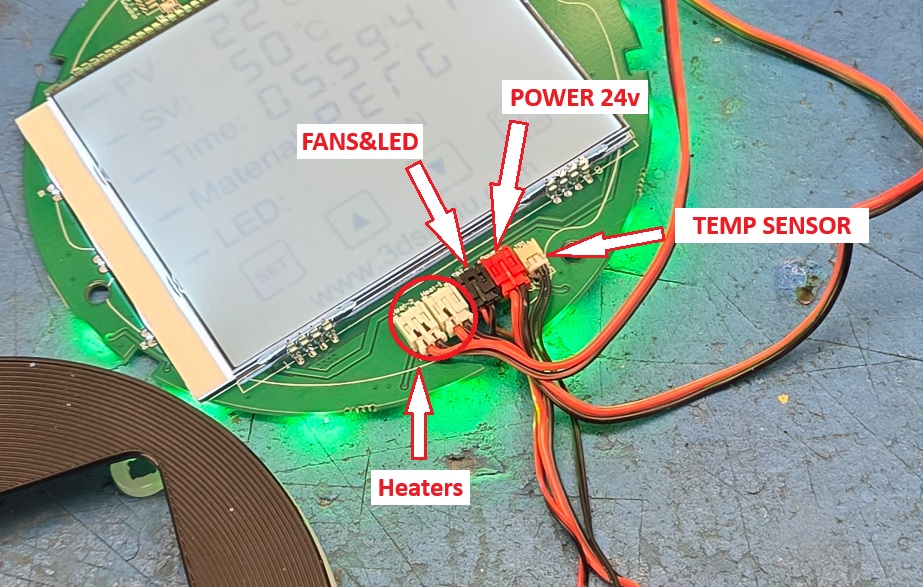
We will need to extend each components connectors except for the small TEMP SENSOR.
1: Both heater plate are on separate JST and need to be extended
2: Our two 4010 fans and LED will be plugged on the same JST (black)
3: Power input (red)
Cut those 4 JST wires about 6inches from the JST so that we can leave them plugged on the controller and pass them threw the hole inside the door and have a reference to how long we will extend them.
Install temporarily the parts back inside their respective spot in the new printed dryers, and measure the length of each component wires needed to fill the gap between them. Take your time and make sure you have enough wires to loop properly over the door hinge and back to the controller.
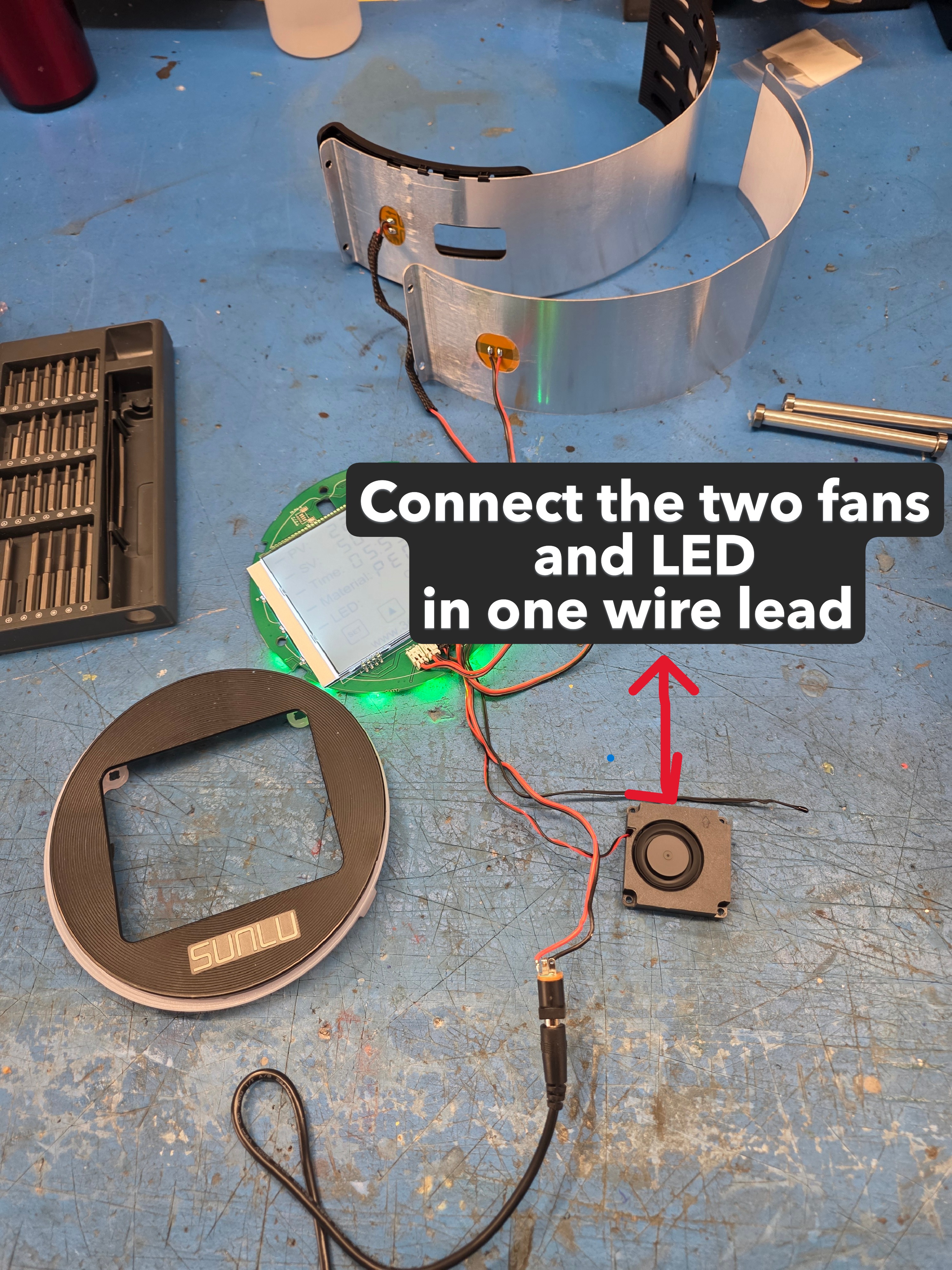
I will not show you how to solder WIRES as there are many videos about that everywhere, but, i HIGLY recommend not to use CRIMPING CONNECTORS or any other joining system as it would over inflate the harness will end up being more messy than anything else ;)
***Best Soldering trick***
strip/remove, about 1/8" of wire insulation only
twist wire strands firmly together
apply acid paste on expose wire tips
pre-solder each tips before assembling
Pass the small shrink tubing on each wire to solder ( about 1/2" long is enough)
Add the bigger shrink tube on each pair of wires to join ( cover jacket over both small shrink tubes 1")
use a small wire holding jig (you can find tons of those in here) and solder wires together, no need to twist or go crazy as the tin/lead will be quite enough to hold them together for our need
make a nice solder joint and seal every joints with respective shrink tubes (make sure your tubing are not too close from the soldering area as they will shrink and you won't be able to move them over the joint (i know i did this a few times lol )
CONGRATS YOU HAVE DONE THAT PART and ready to fit and assemble your components, plug the power and do a pre-test to make sure everything works :)
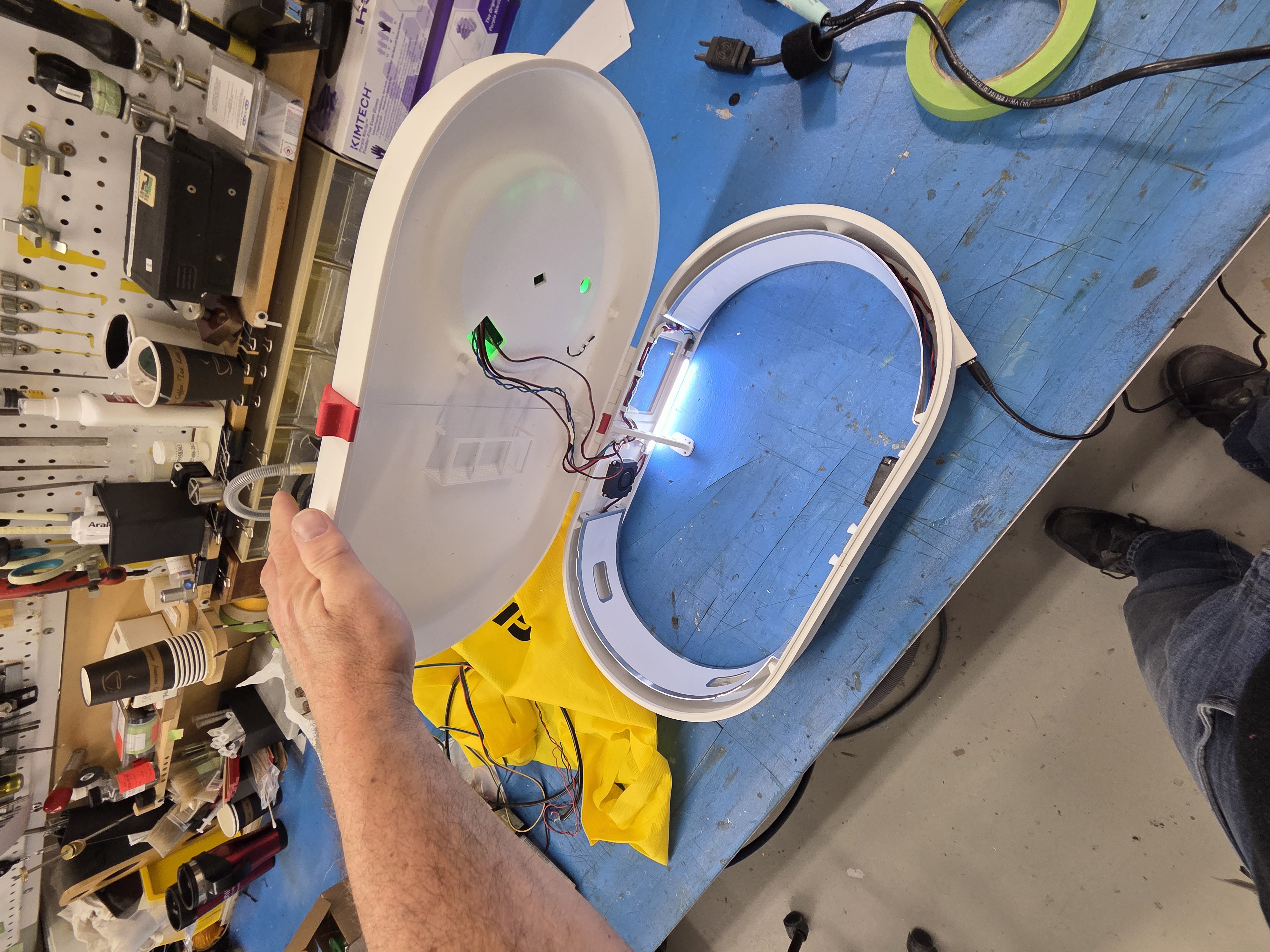
Printing & assembling the dryers:
***Liability Waiver*** :
The following information is for educational purposes only. All liability is expressly disclaimed for any actions taken regarding the dismantling of the Snapmaker U1I am not responsible for any damage caused to the printer, its parts, or any subsequent malfunctions that may occur. By proceeding, it is acknowledged that such actions are taken voluntarily and at the user's own risk.
***IMPORTANT*** Once you will have all your parts printed, clean every one of them and, take proper attention to where joints are needed the fit together !!!! ***IMPORTANT***
Start assembling the shell first and make sure it all slide nicely together, then, sealed the joint with some super glue flat on a table so that they don't warp ***NOTE - IF YOU FIND THAT THE SHELL LOOKS SQUEEZED AND DIFFORMED, THE JOINTS MIGHT BE TOO TIGHT OR PRINT WAS NOT GOOD QUALITY ***
Once your shell is put together, we will remove the side panels to start preparing for the installations of the '20X BRASS INSERTS" and also preparing to install the new cooling system.
Refer to SnapmakerU1 WIKI page for the disassembly of the side panels
For your info, the Left side panels does not necessary need to be removed in order to attach the dryer but we have to drill 10X holes with a 2.8mm drill bit in order to install the brass inserts and if you are not being careful when drilling the pilot holes threw the panels, you might damage internal components while drilling too far pass the panel itself, so, if you feel comfortable leaving the panel in place and making the small pilot holes for the inserts, do so, or simply dismantle the panel for a SAFER way ... this part is up to your discretion ;)
Use the SHELL assembly to MARK the location of the M2 inserts that we will install.
Simply fit the shell over the panel protruding ring to correctly position the shell in place and mark the holes.
Install the inserts and make sure they are all flat with the panel surface ;)
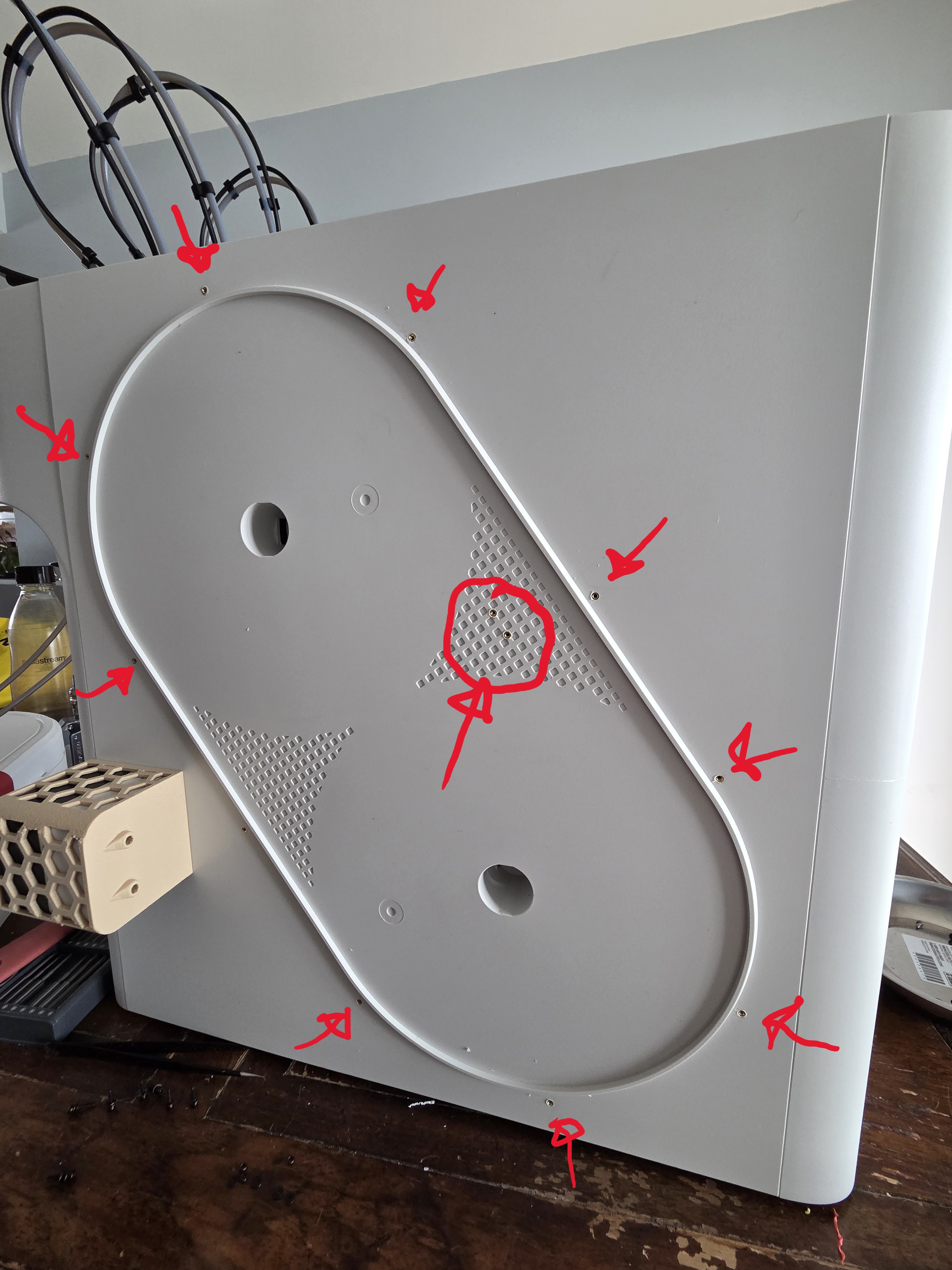
Once the LHS panel brass inserts are installed, re-assemble the panels as we will only need to screw the dryer once install on this one.
Do the same thing for the RIGHT PANELS and install the M2 inserts except for the 2X brace holes, as these will be screwed into the new mainboard cooling fan air duct and we will need the duct in place to drill and install the inserts threw it.
Once the RHS panel inserts will be done, add your aluminum tape inside the panel and GLUE in place the small fan air duct. We will need this duct in place to locate the two HINGE BRACE holes and drill pilot holes threw the panel and duct.
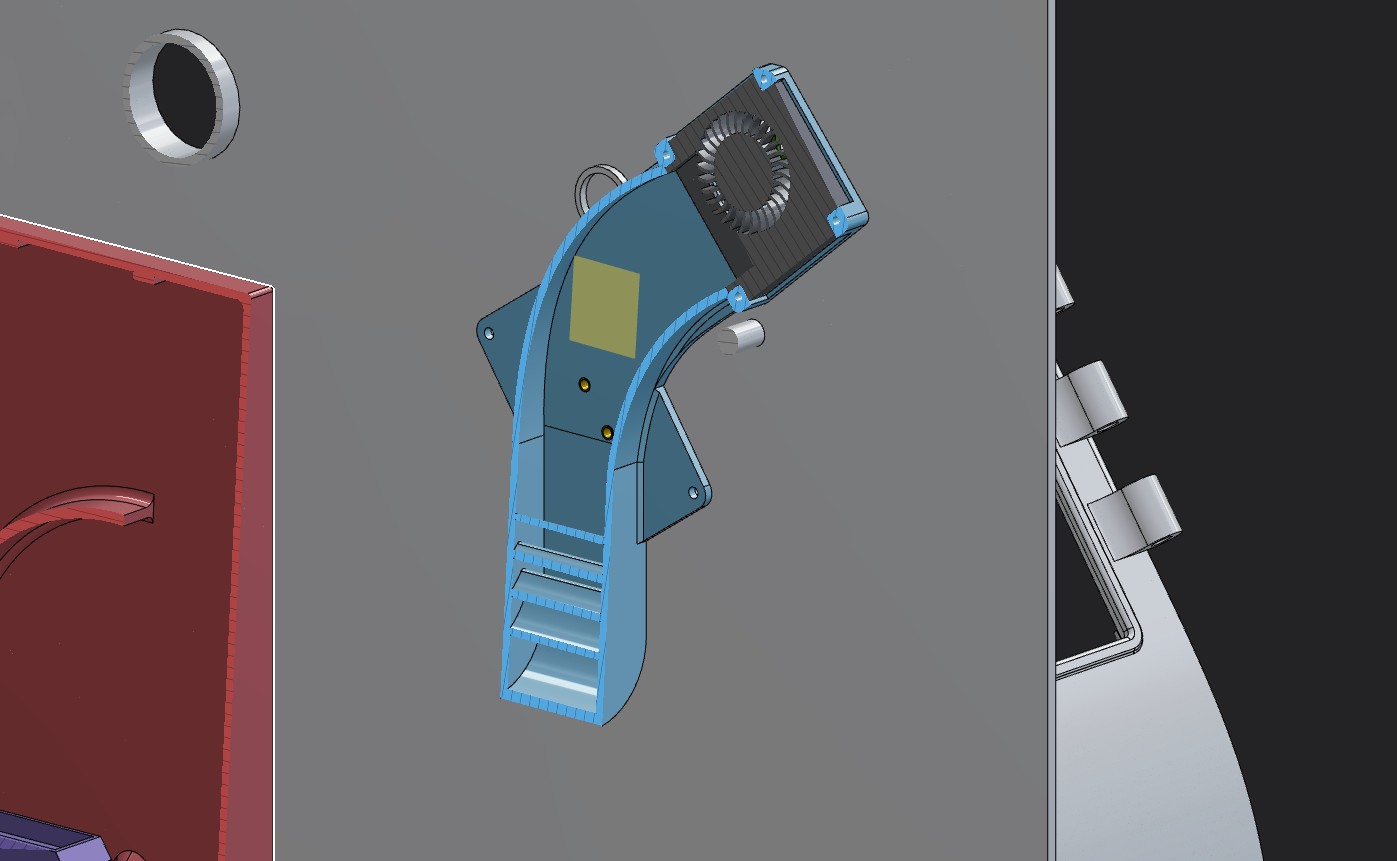
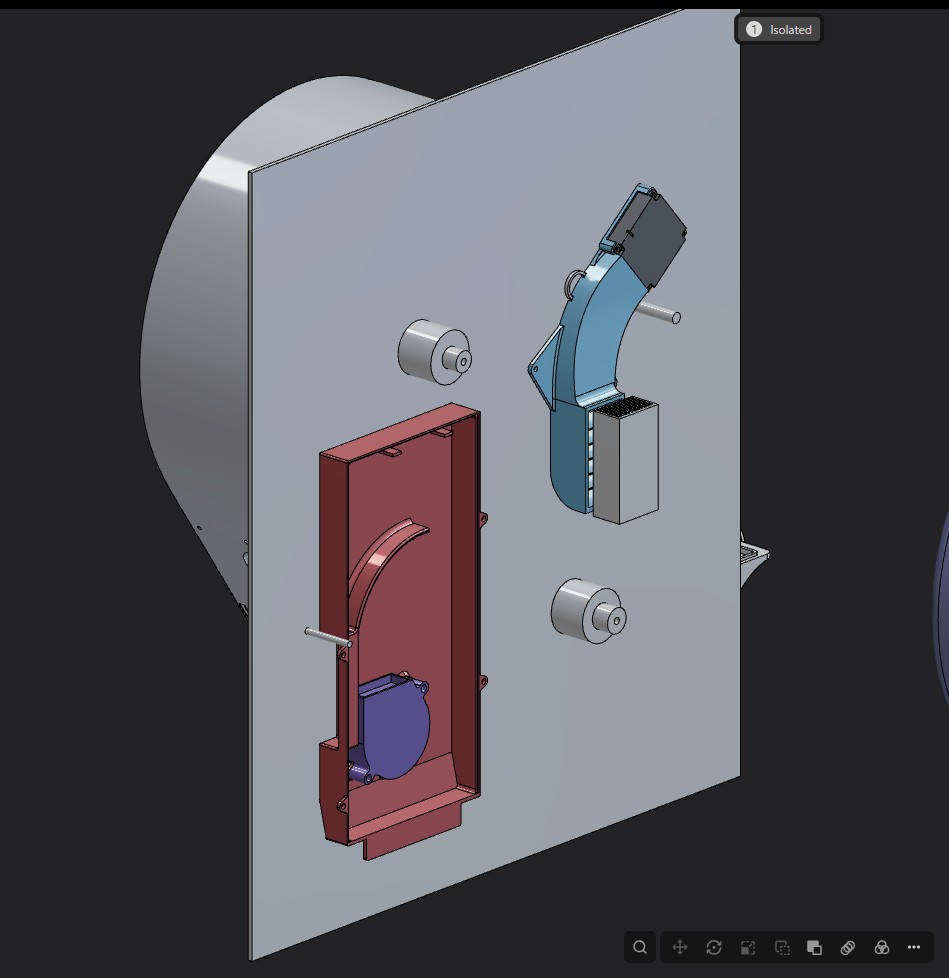
** I added a new video on HOW TO do the connection for the driver cooler system ... refer to the link above
Once these are all done, simply reinstall the panel and finalize the installation of the dryer as you did on the LEFT SIDE and that's it !
You're all done and ready to dry and go crazy on printing ;)
This shows you how good the little EXTRA fan does to cool down the stepper drivers now :)
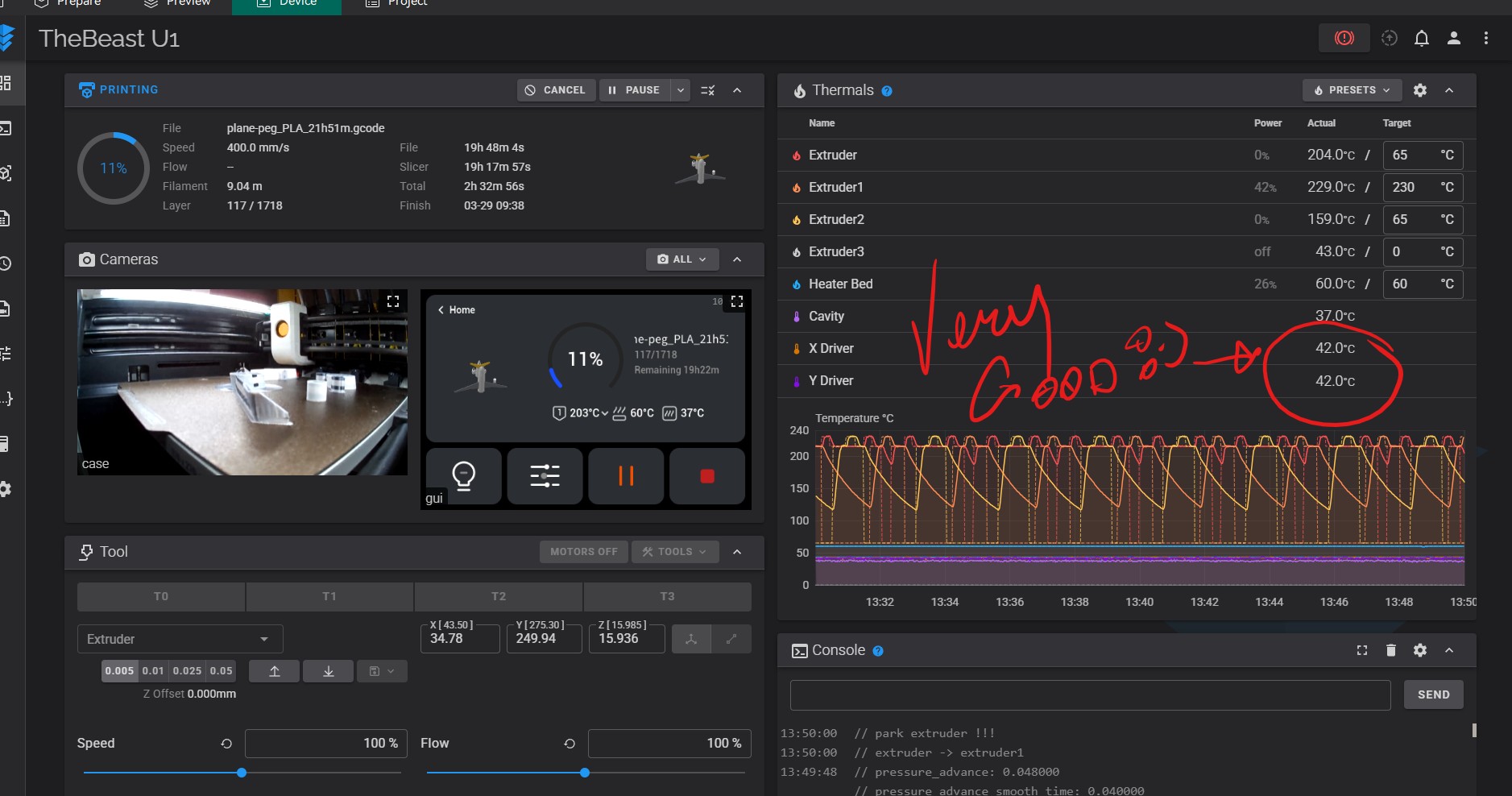
Enjoy your new dryers and thank you for supporting my work <3
Every little help is much appreciated and keep posted for other contents
THANK YOU GANG :)