
Logitech MX Smart Knob
We calculate the final price from your selected file. You review and accept it before payment.
Saved on this device.
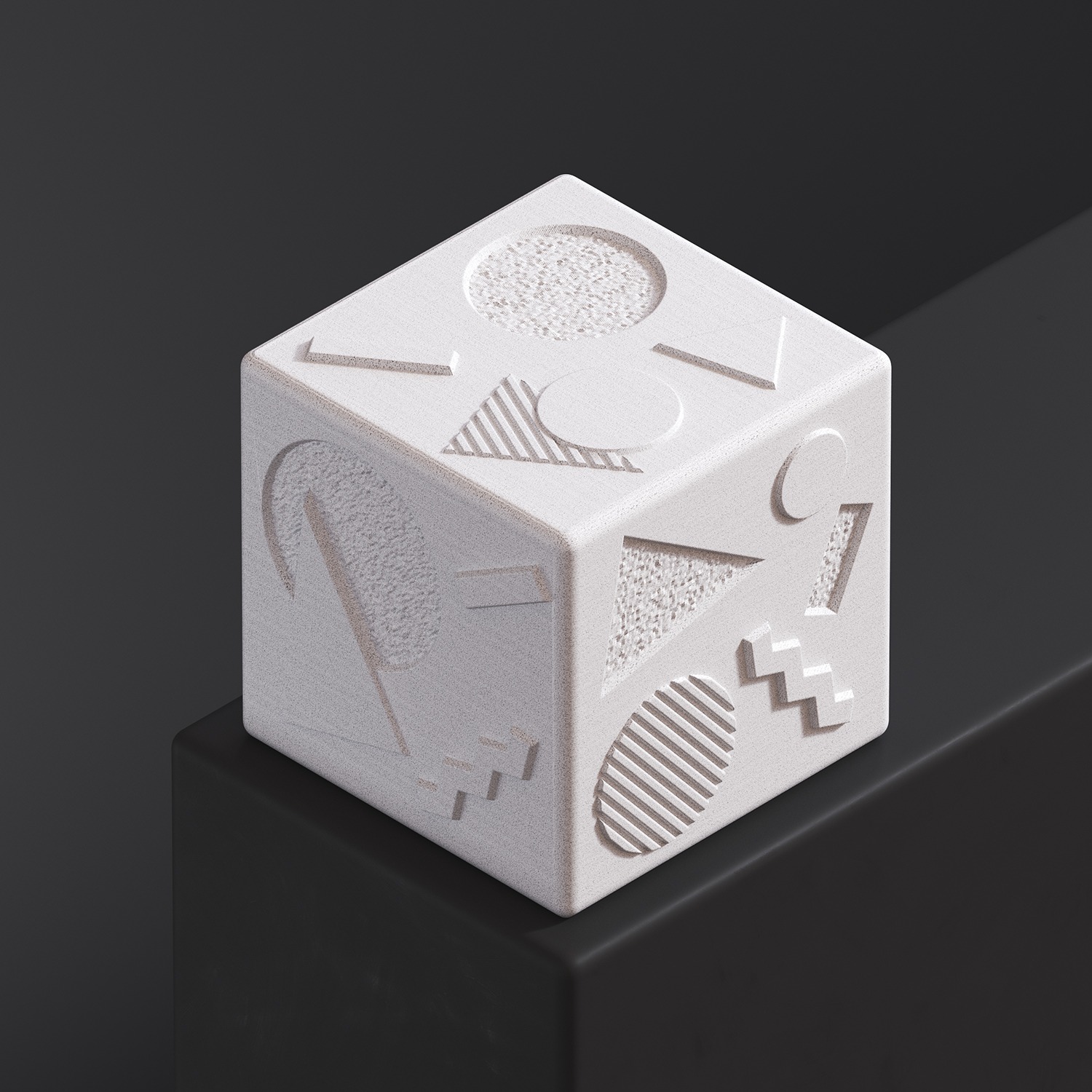
Universal knob for Logitech MX keyboards. It allows you to conveniently control volume and settings in graphics programs
- Rating
- 4.5 / 5
- Likes
- 397
- Downloads
- 704
- Makes
- 8
- Views
- 12,502
- Reviews
- 8
Updated at source:
Model information
- Source
- Printables
- Category
- Computers
- License
- Creative Commons — Attribution — Noncommercial
This is universal smart knob for Logitech MX keyboards I designed for Logitech MX Keyboard Adaptive Add-ons contest.

How it works:
The knob converts rotational motion into physical key presses. Turning it clockwise presses the right key, while turning it counterclockwise presses the left key. It is designed for adjusting various parameters, such as volume, exposure, or saturation in graphics software.

Features:
Rotation to key presses transfer.
Interchangeable knobs.
Four knob designs.
Two installation methods.
Optional tilt legs included 5mm and 10mm rise.
Compatible with 0.6mm and 0.4mm nozzle
Easy to print
No supports
3Ds Max source files included
Compatibility:
Logitech MX Keys
Logitech MX Keys Mini
Logitech MX Mechanical
Assembly Instruction:
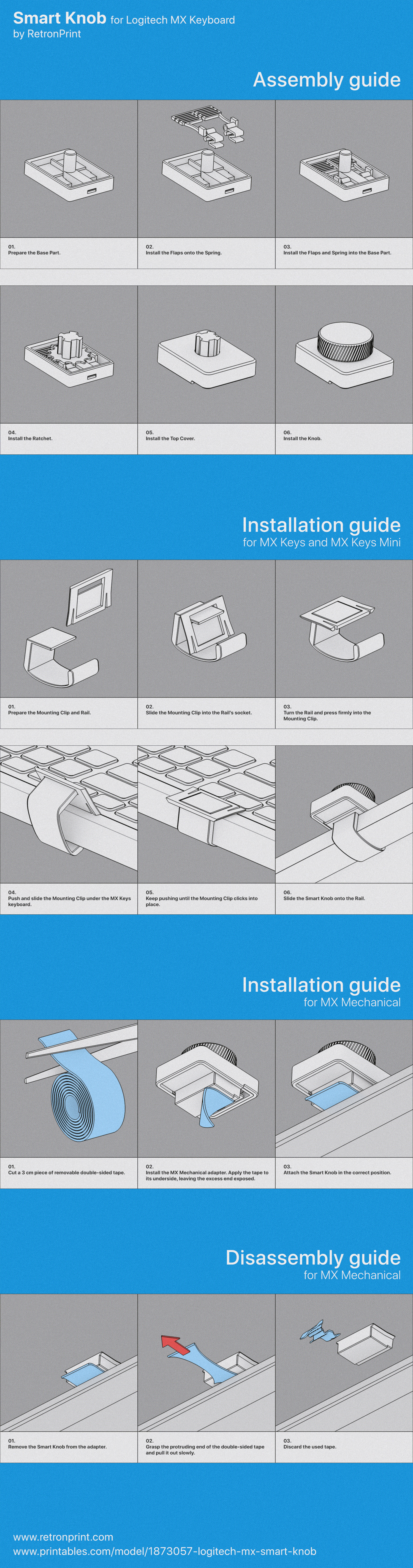
Development process:
As I am the proud owner of an MX Keys keyboard, I was wondering how I could make use of the programmable F1 to F12 keys. I took my inspiration from the Logitech MX Craft keyboard. I came up with the idea of creating a detachable dial which, when turned in different directions, would press different keys. And so the creative process began. Right from the start, I knew I wanted to arrange several dials side by side, so the whole thing wouldn’t be wider than the width of two keys.
This really simple concept turned out not to be so easy to put into practice. Some obvious ideas proved difficult to implement. My first designs, based on wedges, generated too much friction and the whole mechanism jammed very quickly. Friction was my main enemy here. The breakthrough came about 10 days before the end of the competition. The design, based on a spring, a hinge and a latch, began to work as intended. It was rather wobbly at first, but every problem was sorted out one by one. Below, I present my initial ideas, which didn’t work as they should have.

Software used:
3Ds Max - Modeling
V-ray - Rendering
Rapid Raw - Photography
No AI used