
Customizable Filament Sample Swatch
We calculate the final price from your selected file. You review and accept it before payment.
Saved on this device.

Customizable filament sample swatch.Presets from tiny 2min print to large cards available. No OpenSCAD experience needed
- Rating
- 4.6 / 5
- Likes
- 28
- Downloads
- 101
- Makes
- 6
- Views
- 870
- Reviews
- 5
Updated at source:
Model information
- Source
- Printables
- Category
- Test Models
- License
- BSD License
This is a customizable filament sample swatch for the Flash Contest. Customizable in OpenSCAD but no previous OpenSCAD experience is required.
Download OpenSCAD for MacOS, Windows and Linux here: OpenSCAD - Downloads
Premade STLs for Prusament PLA
STLs of Small preset(see presets below) for all Prusament PLA colors are available. Print the premade(including the empty ones) STLs with .2 layer height and 3 vertical perimeters. The small hole fits a M3 screw.
Customization Options
There are a lot of customization options to make the perfect filament sample you need. Open the .scad file in OpenSCAD and you will see a customization panel:
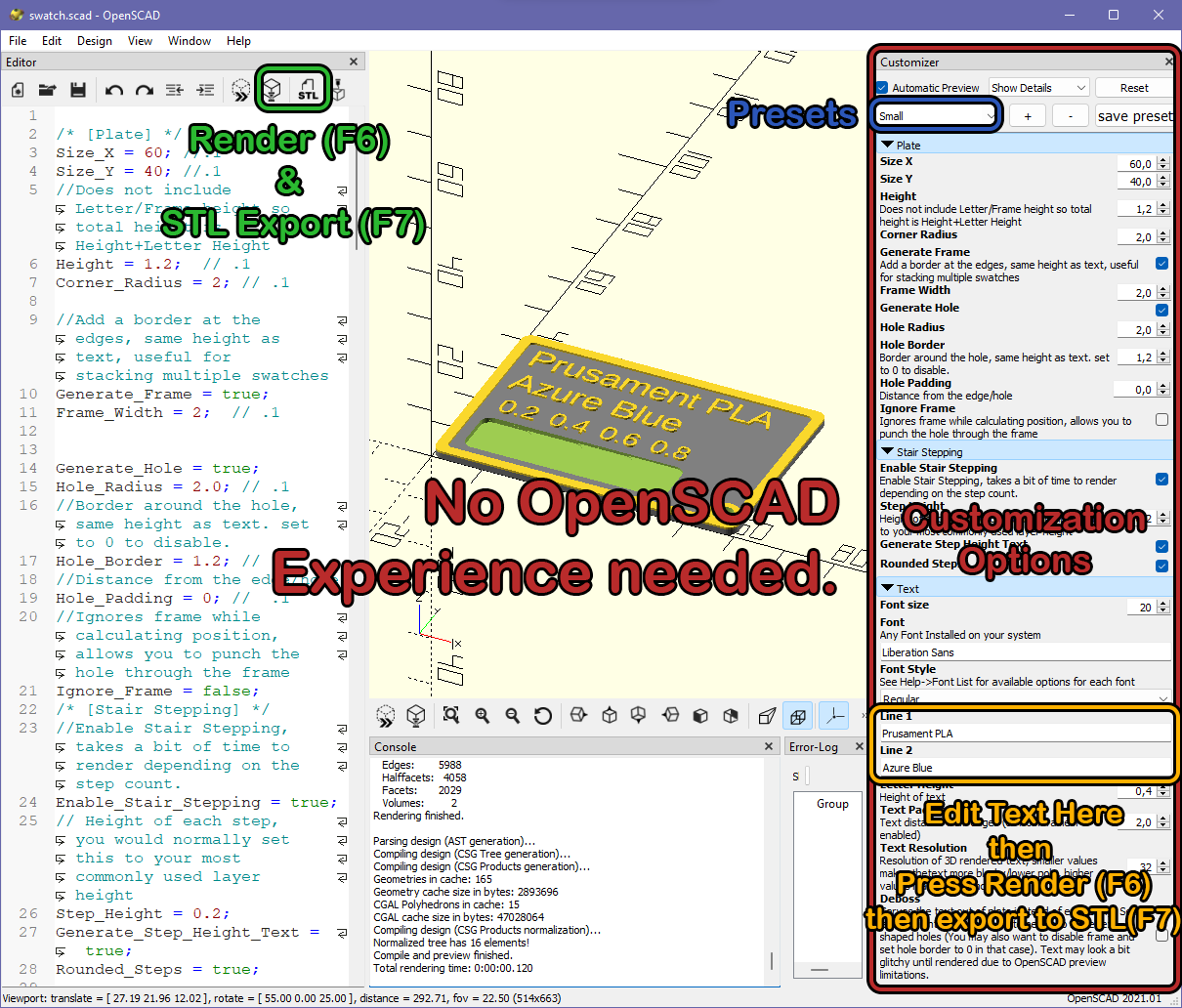
Most of the options are self explanatory and most of them has descriptions. If you enable stair stepping make sure you set step height to your print layer height or integer multiples of your layer height.
After changing customization options, click on the Render button on the toolbar. It can take 20 seconds to 1.5 minutes depending on your computer's performance and the settings you entered. After rendering is complete click on the STL Export button to save as STL.
Tip: If you want to save your settings you can save it as a preset by clicking the button at the top of the customization sidebar.
Tip: If you are going to export multiple STLs with just different text, after setting up customization options, just change the text and render without changing other options. After initial render, subsequent renders will be faster.
Presets
If you don't want to fiddle with options and just want to change text multiple presets are available:
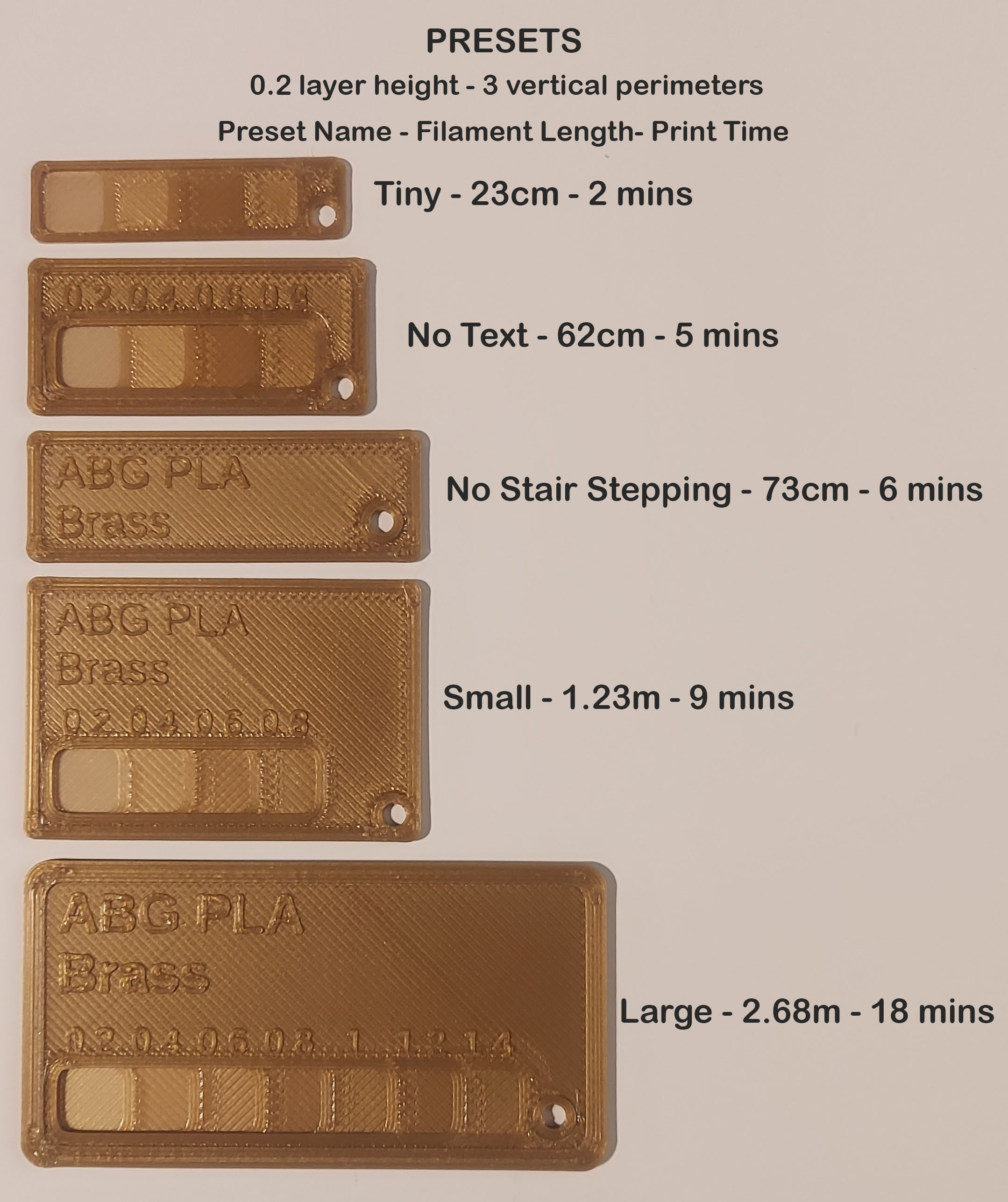
Note: Save the swatch.json file(from other files section at the bottom of the file list) to same folder as swatch.scad file to see presets at the top of the OpenSCAD customization sidebar. Both files need to have same name(apart from the extension).
Pick a preset, change the text, Render (F6) then export as STL(F7).
Printing Tiny Text
Prusa Slicer 2.5+ with Arachne recommended.
All prints in the photos are printed on a modified Ender 3 with .6 nozzle. With Arachne even with .6 nozzle, small text is perfectly printed and readable.
Thanks!
Feel free to ask for clarifications about customization options. Bug reports, improvement suggestions and feature requests are welcome!
Thank you for reading and printing!