Polyformer
We calculate the final price from your selected file. You review and accept it before payment.
Saved on this device.
Model information
- Source
- Printables
- Category
- Accessories
- License
- GNU General Public License v3.0
Please visit GitHub for all the latest STL files.
Introduction
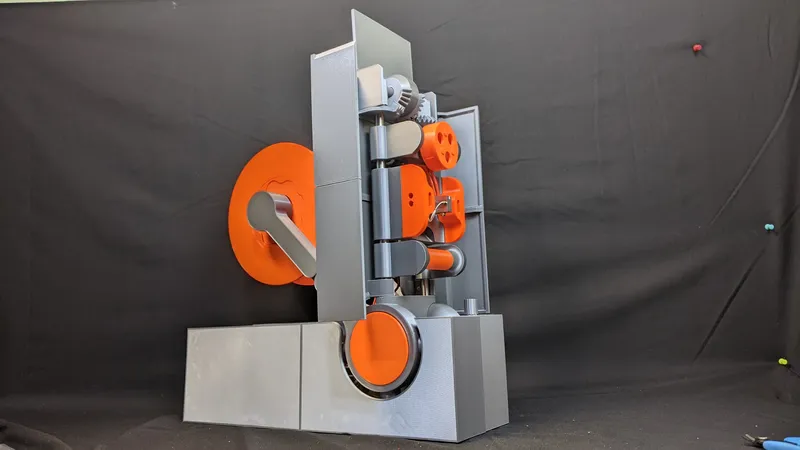
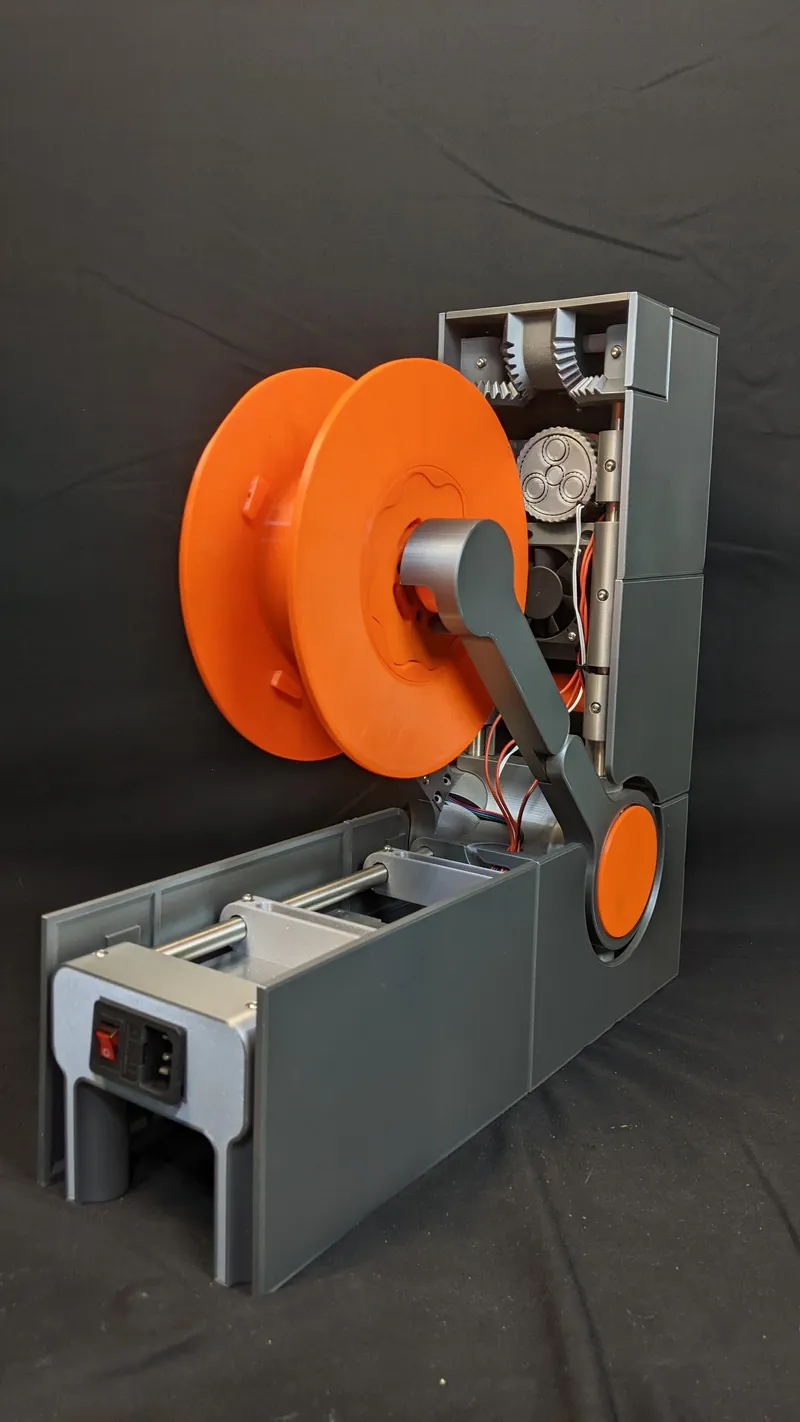
In this Printable, we will make a Polyformer - a machine that recycles plastic bottles into 3D printer filament. Polyformer is an open source predominantly 3D printed machine that can produce printer filament from plastic polyethylene terephthalate (PET) bottles. The manufactured filament is of relatively high quality; especially if one considers that the filament was made from recycled materials. Detailed photos of multiple test prints made from Polyformer recycled filament are provided at the end of this Printable.
How Polyformer Works
To use a Polyformer, simply follow these three easy steps:
- Get a plastic bottle
- Cut your plastic bottle into a long strip using our bottle cutter mechanism
- Feed the strip into the Polyformer machine. Polyformer will then automatically thermoform the plastic strip into 3D printer filament. This process is known as Pullstrusion. As Polyformer pullstrudes the plastic strip, the output filament is gradually winded around a detachable spool. Users can conveniently transfer the spool to a 3D printer (preferably a Prusa printer :) ) for printing.
For best results, it is recommended to also follow the listed preprocessing / post processing steps.
- Preprocessing: Wash the exterior of the bottle to remove any label/adhesive. Also, if the bottle has a corrugated shape, flatten the bottle by inflating it and then applying heat.
- Post Processing: Like with all 3D printer filaments, it is best practice to dry filament before use. If you don’t have a filament drier machine, you can quickly make your own by placing a cardboard filament box on top of a 3D printer heat bed.
Prior Art
Since the beginning of desktop 3D printing, hackers have tried to find ways to make filament in house; especially from recycled plastics. From our understanding, the first such documented attempt of such a project was the FilaMaker by Marek Pantel; developed in 2013. A FilaMaker machine shreds waste plastics, such as failed 3D print jobs and water bottles, into small pieces.

The grounded material can then be fed into a traditional extruder and purged into filament. Unfortunately, 3D printer filament made from shredded plastics tends to suffer from inconsistency issues. In our experience, shredded plastics tend to clog and jam extruders.
Pullstrusion
Over the past year, a number of 3D printer tinkerers have demonstrated a new and more effective method of producing filament: Pullstrusion. In this method, a plastic bottle is cut into a thin long strip. This strip is then “pulled” through a 3D printer nozzle that is modified to have a 1.75mm hole. As the strip runs through the nozzle, it is curled from a flat to cylindrical shape.
We appreciate and strongly commend all hackers who have demoed and provided useful documentation for this process: JRT3D, Mr3DPrint, f2knpw, and Recreator3D. In particular, we would like to thank Josh N. Bee from Recreator3D who personally chatted with us individually and has created thorough documentation on recycling bottles into filament. We hope that this project pushes at-home filament extruders even further.
Polyformer History
Polyformer was created in January 2022 by Reiten Cheng as a student project, at ArtCenter College of Design. Reiten’s initial goal with the project was to demonstrate local bottom up recycling solutions. The project quickly gained attention online with thousands of people joining Reiten’s online Discord server. Swaleh Owais joined the project in April 2022 with the goal of making filament recycling machines that were more accessible to build in developing countries. Currently, there are 3000+ members in the Polyformer community with active builds in 30+ countries.
The success of the Polyformer project would not be possible without the support of a strong open source community. Many people have collaborated around the world to contribute/improve the Polyformer design. Specifically, a special shoutout must go to Ben Jackson who developed the latest firmware for the project.
Why should you recycle plastic bottles into 3D printer filament?
Why bother making 3D printer filament when it is so cheap to buy? This is a genuine and legitimate criticism to levy against the Polyformer project. To confess, when doing our various 3D printing project, we normally buy our filament off Amazon like every else :) But imagine for a moment…..that you don’t have Amazon. Oh the terror!
Last year, one of our Polyformer team members was helping setup a community 3D printing farm in Kigali, Rwanda. 3D printing has tremendous potential in Rwanda since it gives local makers/designers in the country manufacturing abilities that never existed before. For this reason, the government has invested significantly in promoting 3D printing in the countries. Unfortunately, our partner makerspace found it difficult to run their 3D printing farm due to the high cost of shipping filament to the country (there is no Amazon warehouse in Rwanda :(. Ironically, the raw material used to make 3D printer filament was already easily available in the country - plastic bottles!
Almost ⅓ of PET plastic bottles are not recycled. There are many solutions that we, as a global community, can deploy to minimize the amount of plastic in our oceans. One technique is to promote recycling on the local level. We envision that every makerspace/fablab/print farm can collect plastic bottles which are then pullstruded into 3D printer filament. This “free” filament can be used to make 3D printing more financially accessible.
Rwanda already has a robust system to resume plastic bottles. Local collectors work with restaurants, wedding halls, and other venues to gather waste plastic bottles. The collectors clean the bottles and sell them in bulk paint, oil, and chemical companies to use as containers. What if….instead of just selling plastic bottles in bulk….these collectors also recycling the bottle into 3D printer filament. This would create source of low cost 3D printer filament in the country.
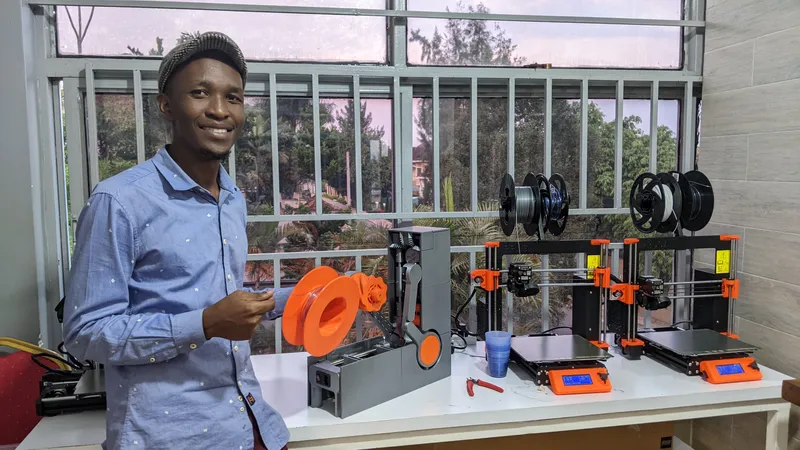
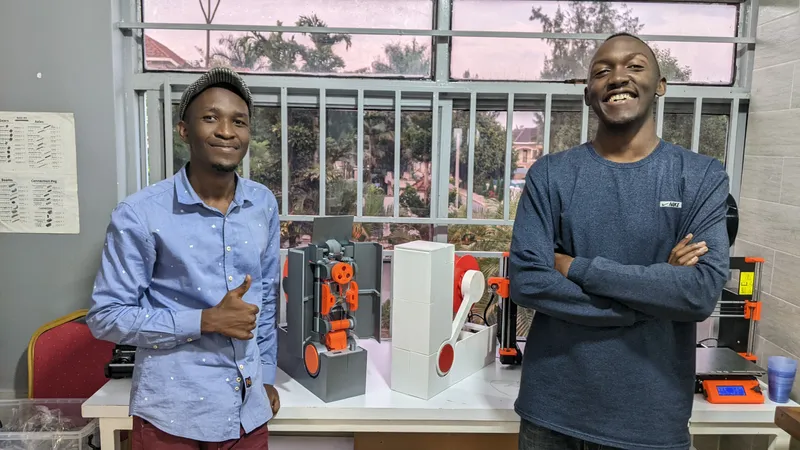
With the support of Prusa Research, we have deployed several Polyformers at multiple makerspaces in Kigali, Rwanda. Currently, these makerspaces charge 1000 RWF/gram for 3D printing. Ideally, the community centers can use these machines to make their own filament and thereby make their 3D printing services more financially accessible.
What makes Polyformer special?
Alright, we have convinced you! You are interested in recycling plastic bottles into 3D printer filament! But why use the Polyformer specifically for this task? Why not use one of the several existing PET-to-filament machines publicly available online?
Well, we humbly believe that Polyformer has several features that make it the ideal machine for recycling plastic bottles into filament.
Polyformer Features
Fast Filament Extruder
The Polyformer uses a standard pullstrustion method to convert PET bottles into 3D printer filament. Uniquiely, Polyformer uses a Volcano™ hot end to heat the plastic. Since Volcano™ hot ends have a longer meltzonem, Polyformer can create plastic filament at much quicker speeds that other PullStrusion machines.

Protective Doors
The outer shell can be effortlessly opened thanks to the geared mechanism, it can be closed the same way to keep the user away from touching the hot end.

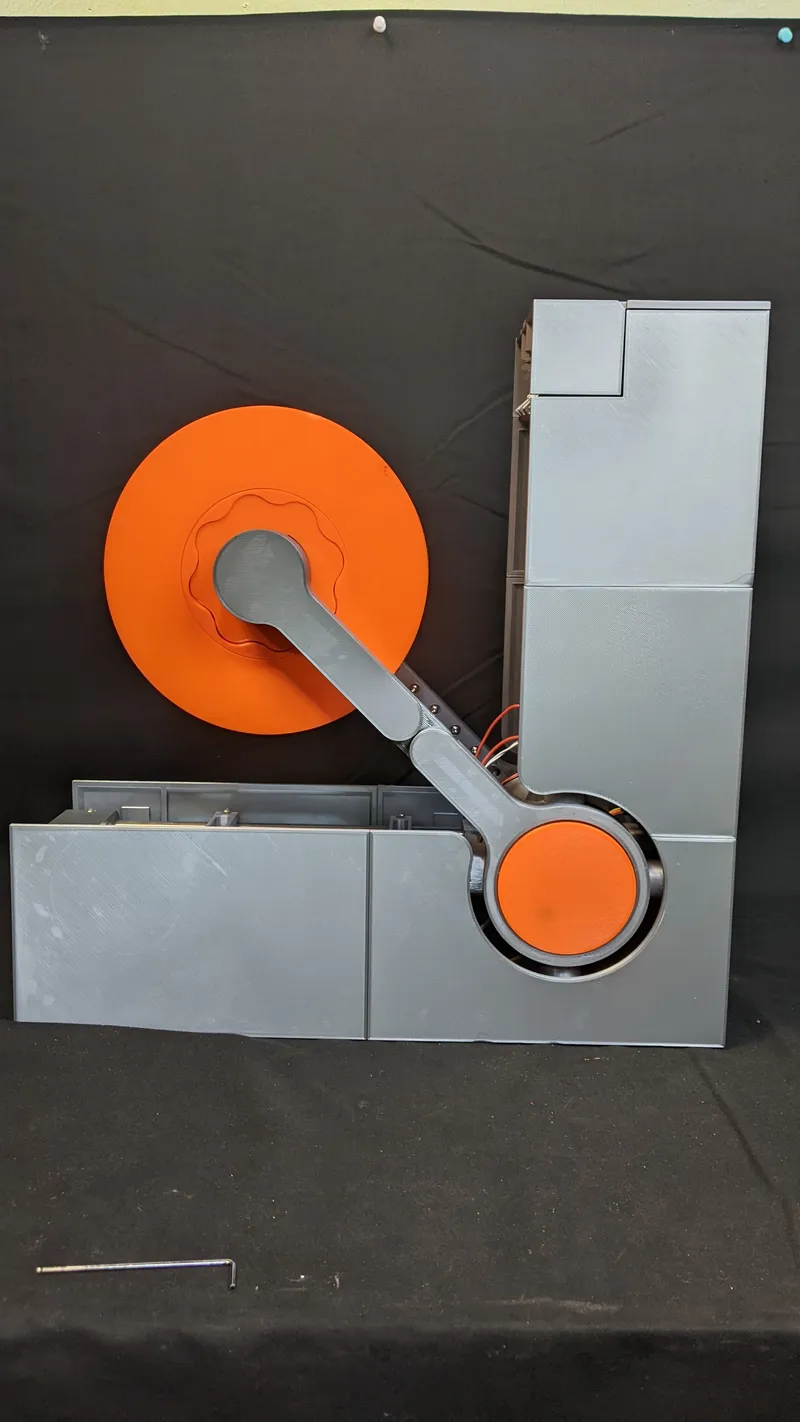
L-Architecture
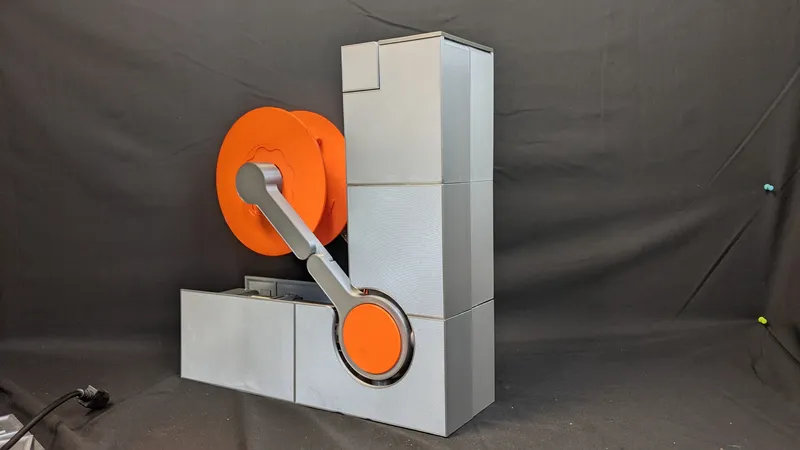
The unique vertical L shape allows the users to easily interact with the machine and also minimizes the amount of space that the machine takes.

Internal Gearbox
A lot of effort was made to ensure the machine has an elegant design. For example, the gearbox and motor is hidden by using an internal sinusoidal gearbox to drive the spooler mechanism.
Detachable Spool
The spool can be easily taken off to be transferred and used on a 3D printer.


Adjustable Bottle Cutter
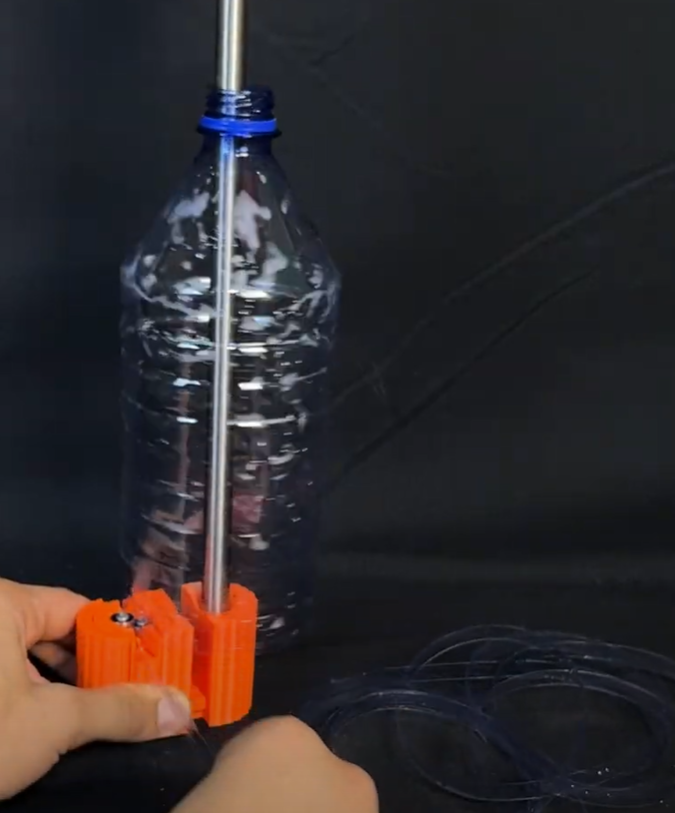
Polyformer uses a custom bearing cutter mechanism to accurately and precisely cut a plastic bottle into a long strip. The height of the bearing can be adjusted so that strips of different widths can be cut.

3D Printed / Open Source Parts
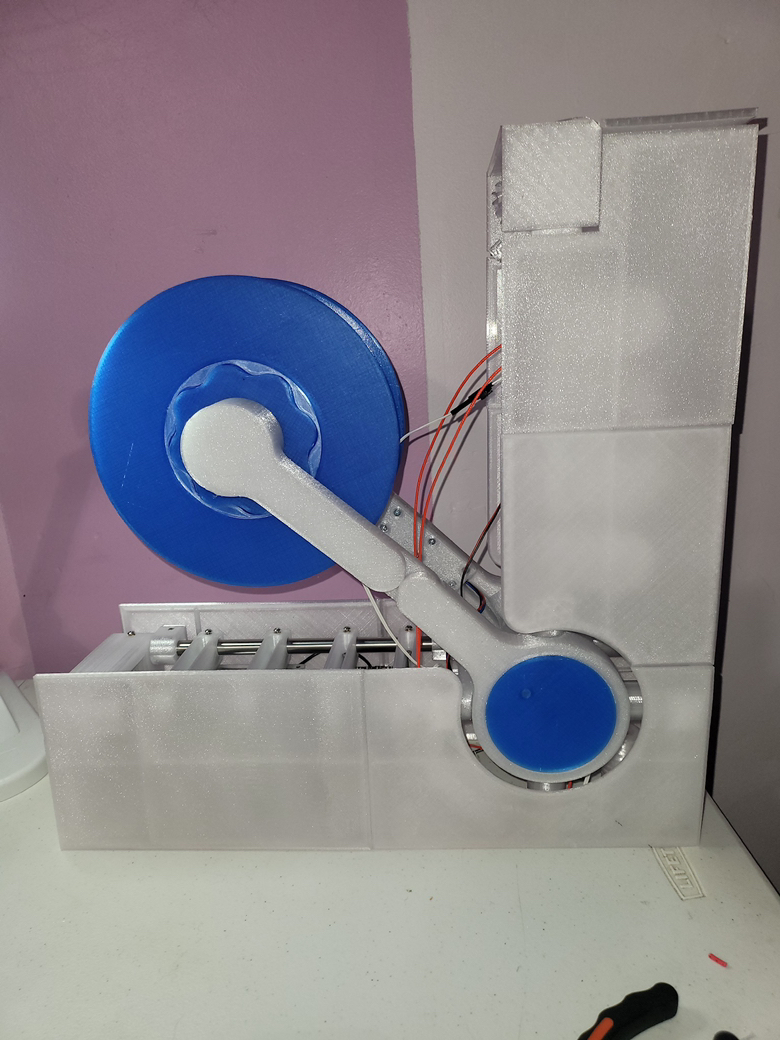
Polyformer is designed to be built with mostly 3D printed parts and easily obtainable components commonly found on 3D printers. Most makers can build it themselves. Moreover, the modular architecture allows users to easily swap out parts and modify the machine to their liking. With this in mind, it is not surprising that makers in 10+ countries have already replicated Polyformer. Check out our logs for photos of community builds!
PolyJoiner
An innovative aspect of our machine is the filament joiner. This mechanism can automatically enjoin different strands of print filament together into a singular piece. A standard ~500ml plastic water bottle can only produce ~5m of filament, which is not long enough for most print jobs. With our filament joiner, we are able to connect several small segments of filament together into one long piece. The enjoined filament is then autonomously wrapped around a spool. Our filament joiner makes using recycled filament significantly more practical. To our knowledge, we are the only group currently attempting to add a filament joiner mechanism to our extruder.
Polyformer-Lite
Polyformer is an extremely elegant and robust machine, however it is also relatively expensive and time-consuming to build, This makes it difficult to consruct a Polyformer in low-resource settings, like Rwanda. Therefore, we have made a minimalist/small scale version of Polyformer known as Polyformer-Lite. While Polyformer-Lite is much small smaller than the original, it is also signicantly quicker, cheaper, and easier to build. This is demonstrated by the below charts on cost, build time, and print time. Credit goes to Ondřej Šraitr from the petamentor project for identifying how the W1209 board can be to control the thermistor.
Step 1: Required Parts
Significant effort was made to make a majority of components on the Polyformer 3D printed. However, some non 3D printed components are required to build the machine. A complete Bill of Materials (BoM) of the project can be found on the discord. In total there are about 30+ different parts that need to be purchased to build the machine. If you would like to buy all of the parts at once, you can do so at these links:
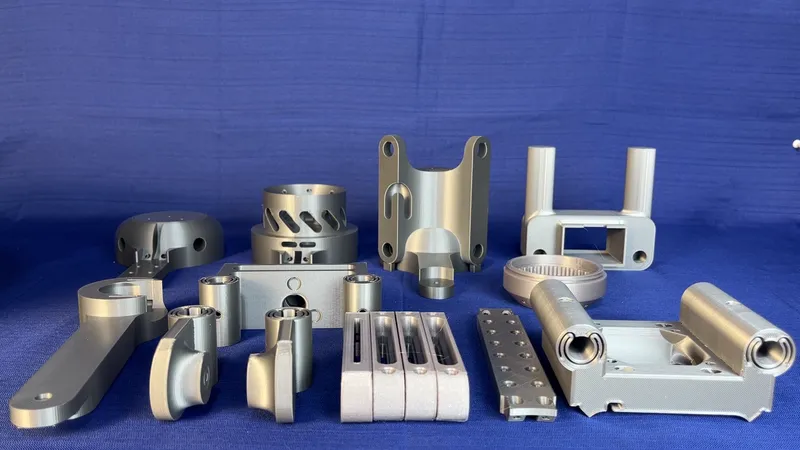
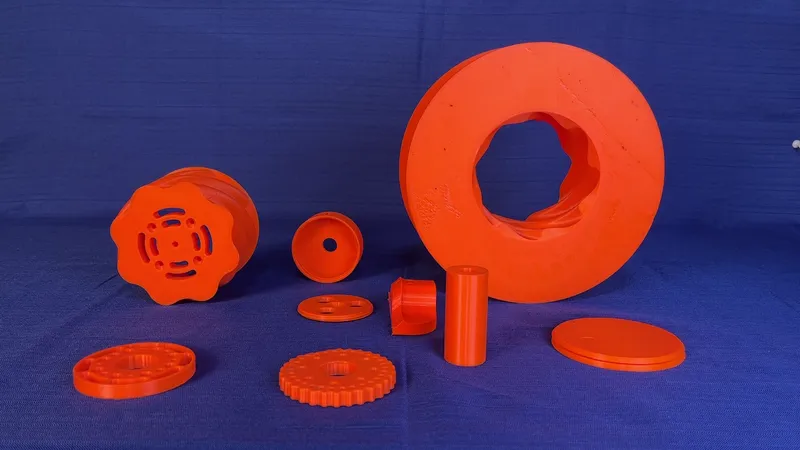
Step 2: Print the (remaining) parts
The STL files for all of the printed parts can be found on this Printable page. Previous STL versions can be found on the GitHub
Please print all of the STL parts for the project. For best results, it is recommended to print the gearbox in PLA and the meltzone wings in PETG. Moreover, the components must be printed with specific print settings to ensure correct fits/tolerances. You can find the print profile for Prusa Mk 3 and Prusa MINI at this link:
Since this documentation is hosted on Printable, we have used Prusa colour scheme for all of the pieces :)
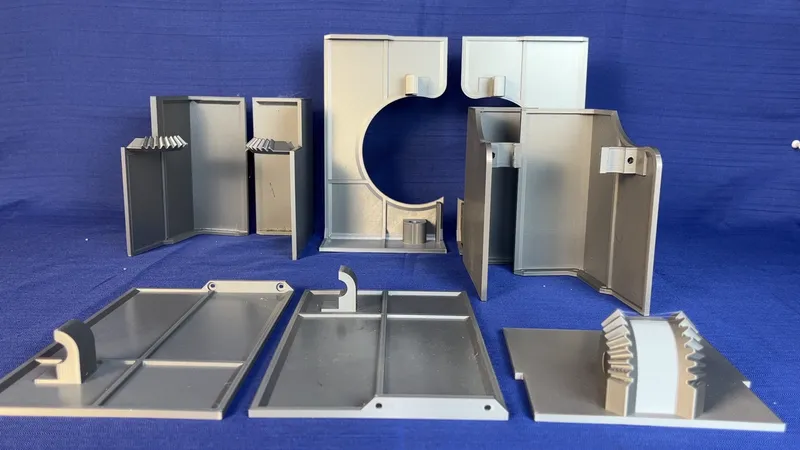
Step 3: Heated inserts
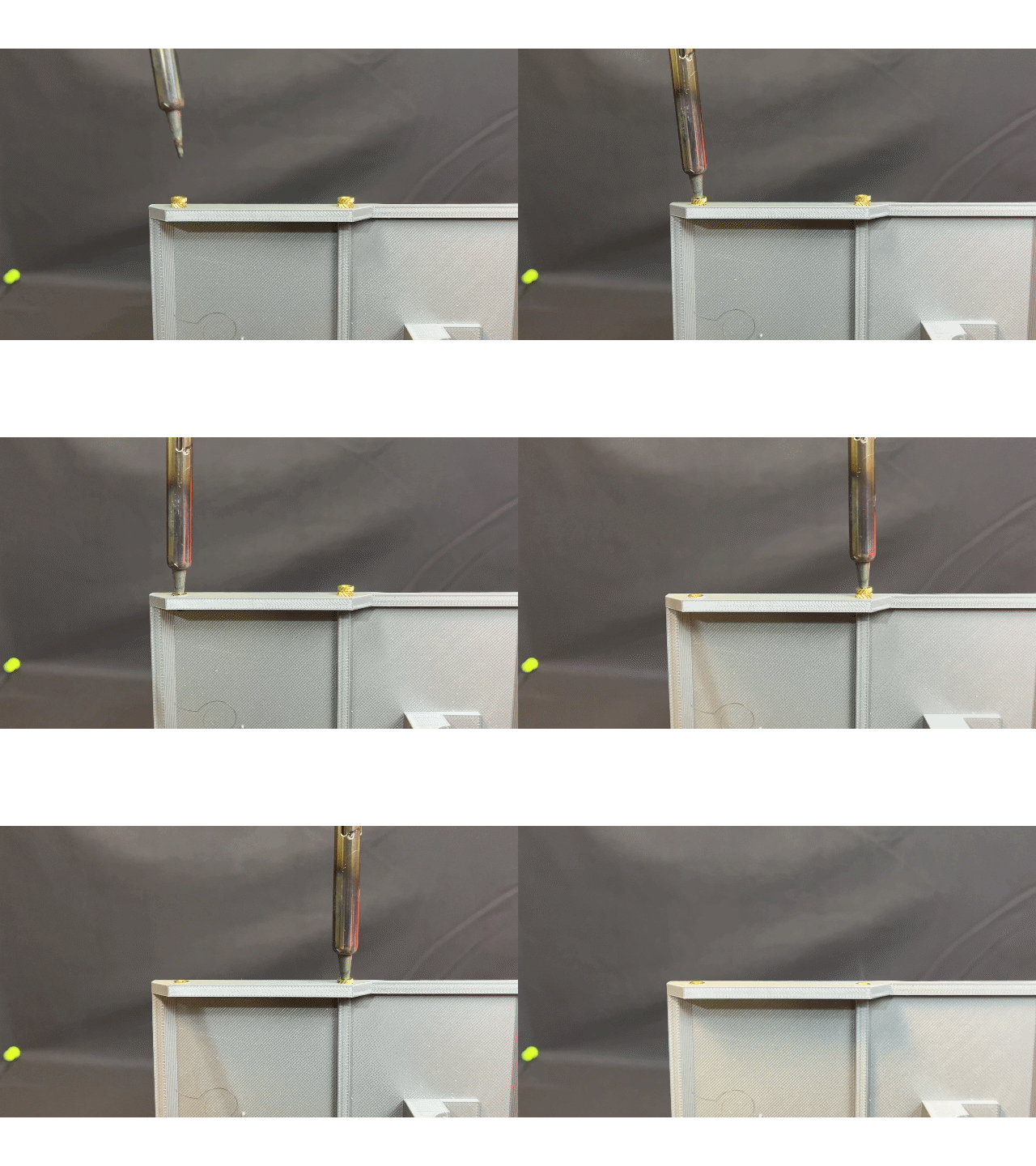
Polyformer is assembled exclusively with M3 hardware. To ensure the durability of the machine, all bolts are fastened with M3 heated inserts. The first step in the assembly process is to insert these heated inserts into all of the corresponding holes on the 3D printed pieces. Inserting heated inserts into printed parts is quite easy. Just heat up your favourite solder iron, place an insert onto your iron tip, and gently push the insert into one of many corresponding holes. Ensure the iron is perpendicular to your hole during this process.
Refer to the following table when setting your solder iron temperature.
| Materials | Iron Temperature |
| PLA | 225 °C |
| PETG | 245 °C |
| ABS | 265 °C |
Step 4: Assemble chassis
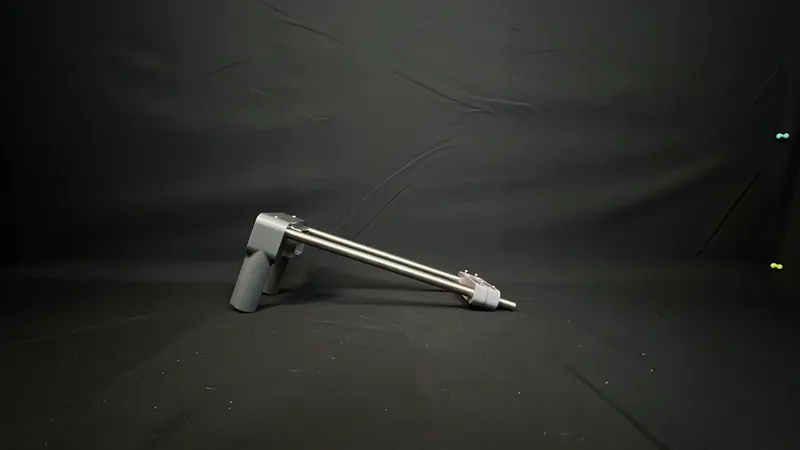
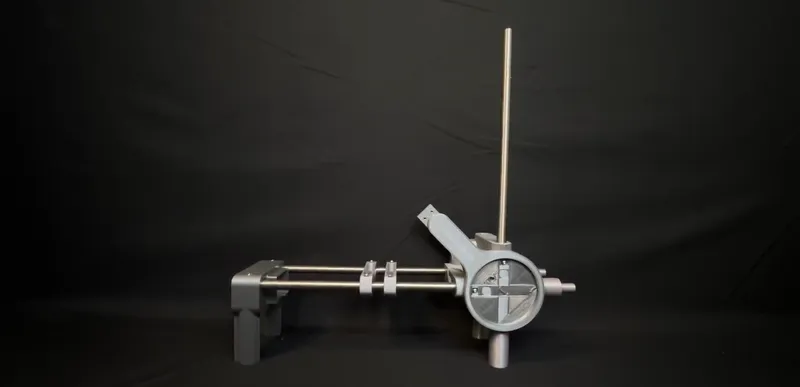
Polyformer features a unique L-Architecture that minimizes the footprint of the machine.
The chassis components of Polyformer are connected together with 12mm rods. Slide each of the chassis components (found in the carriages folder on github) onto a pair of 12mm rods. Secure the components in place with by screwing a grub screw.
Step 5: Assemble gearbox
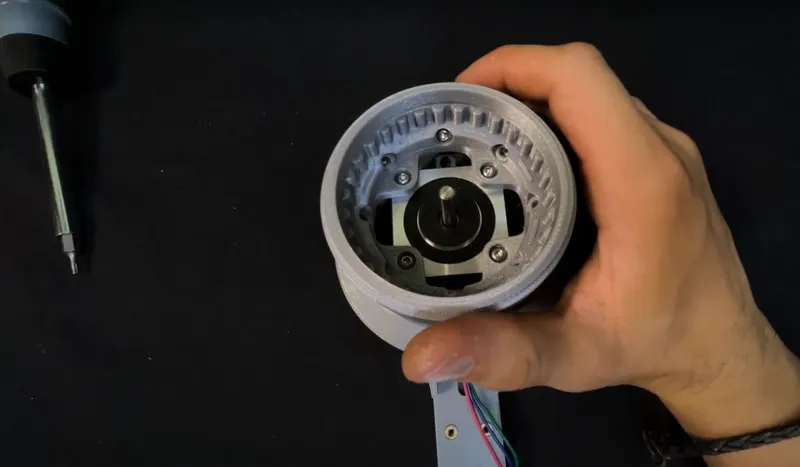
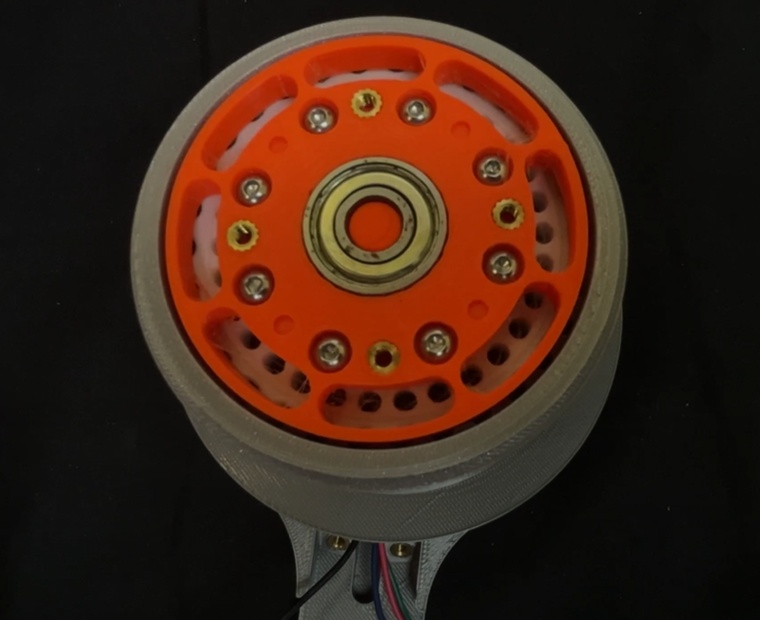
The Polyformer spool is driven by a cycloidal gearbox. This high torque low speed gearbox enables the machine to pull thicc plastic through the hot end.
To assemble the gearbox, first screw the motor into the motor mount. Then place the following parts on the motor shaft: cooling fan, ring gear, cam, and output gear. You should be able to spin the motorshaft by hand in order to rotate the ring gear.
Step 6: Assemble meltzone
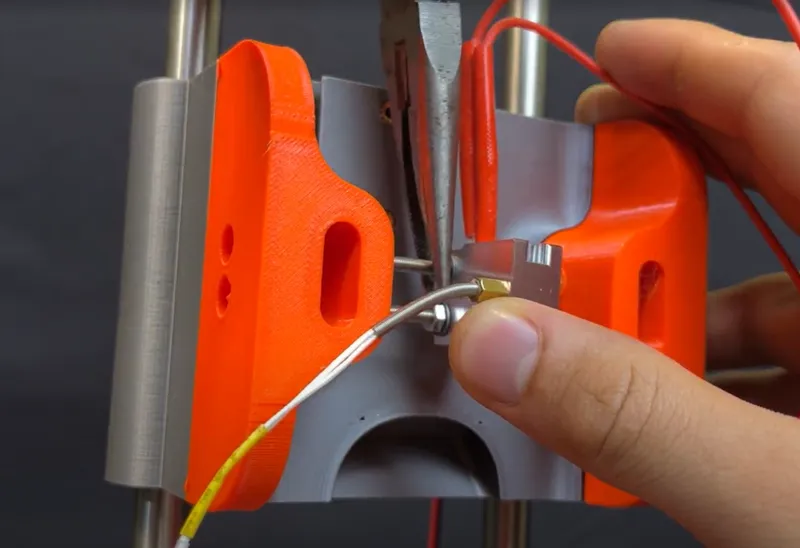
The Polyformer uses an E3D V6 volcano nozzle for the meltzone. Due to the elongated shape of the E3D nozzle, it has a much high flow rate than traditional printer nozzles. This enables Polyformer to pullstrude filament at break neck speads.
Mount the E3D nozzle/heatblock onto the meltzone and secure the corresponding heating element and thermistor in place. Attach the PC fan on the back side of the meltzone.
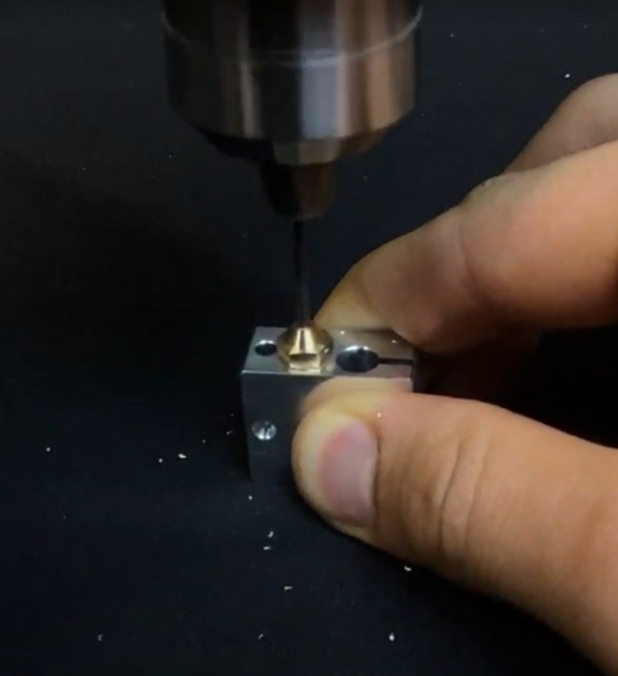
With a hand drill, enlarge the hole of the nozzle to 1.6mm.
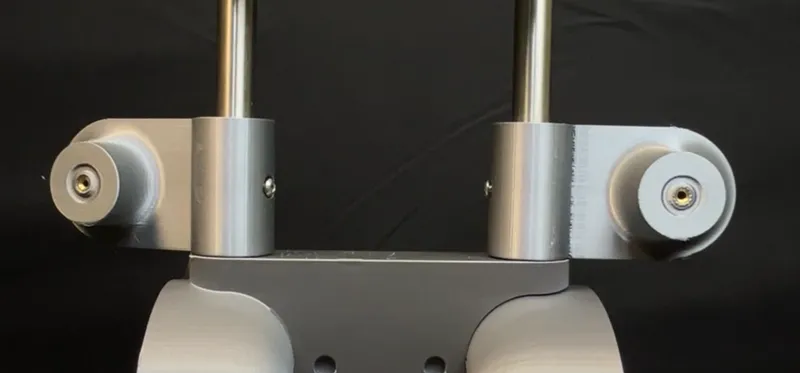
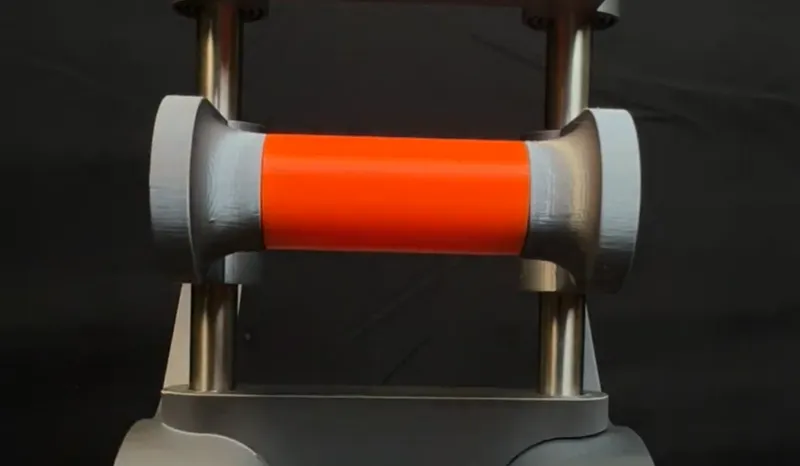
Step 7: Add filament idler
Sandwich the filament idler between the two guidler carriages. Since the filament idler experience significant load force, it must roll on ball bearings.
Step 8: Assemble spool
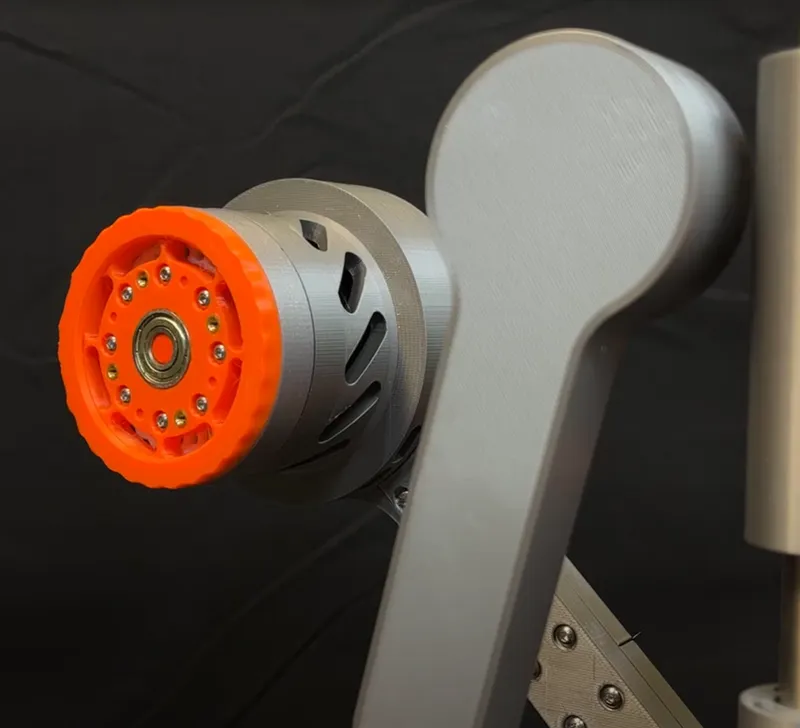
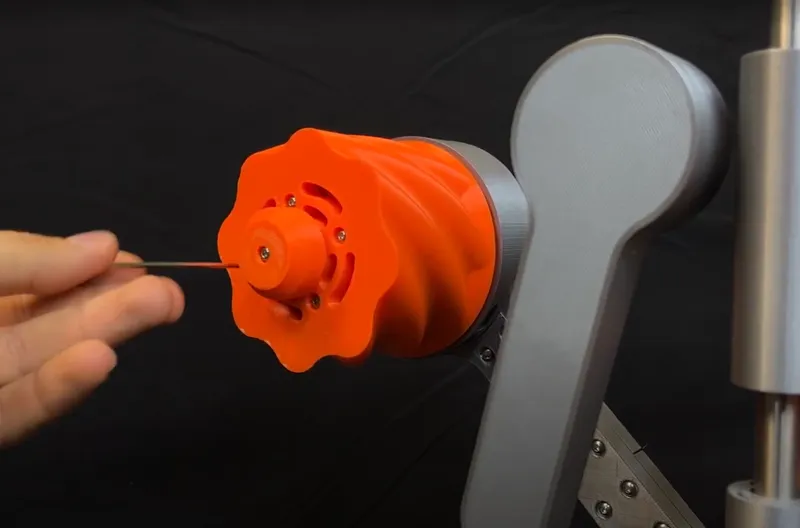
Screw the right and left arm structures in place with the corresponding M3 bolts. Then slide each of the spool components over the gearbox.
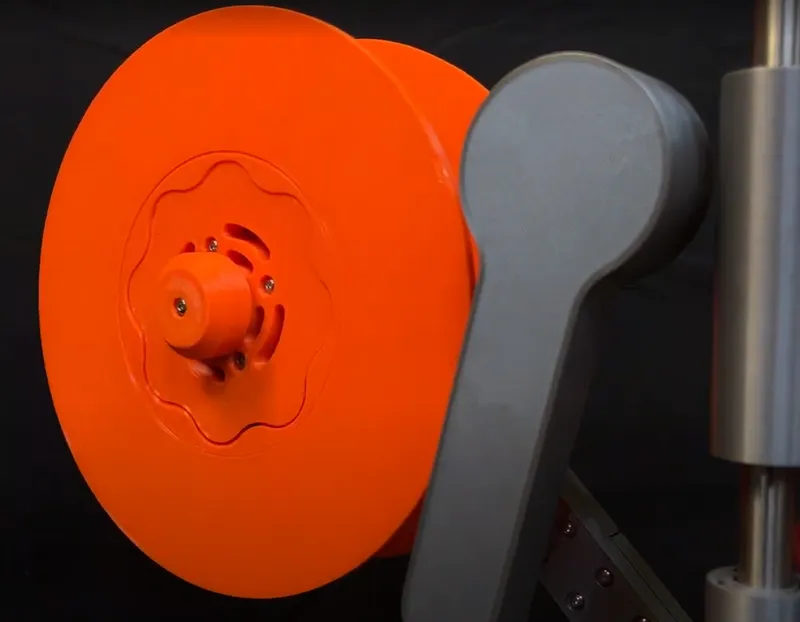
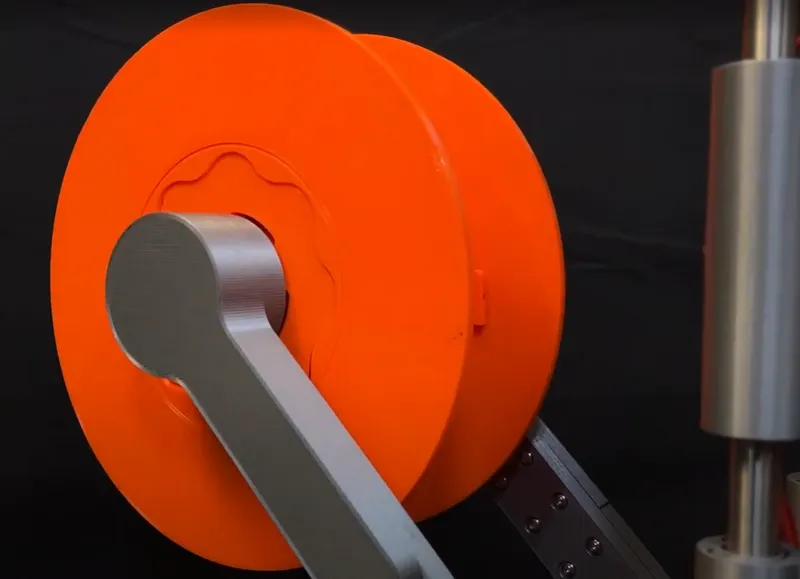
Step 9: Assemble bottle cutter
Polyformer has an adjustable bottle cutter mechanism. This enables users to pullstrude a wide variety of plastic bottles of varying thicknesses. For best results, it is recommended to lightly sand one of each bearing with 320 grit sandpaper.
Step 11: Add electronics
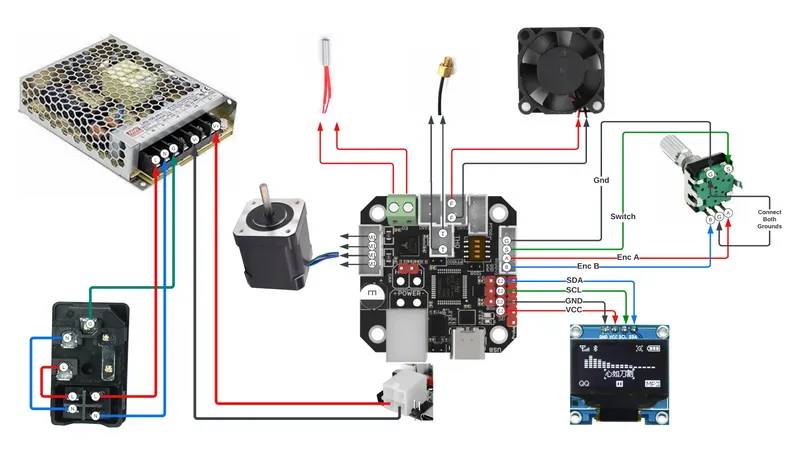
Wire up the electronics as seen in the schematic.
Step 12: Update firmware
Big shout to Ben Jackson from London for writing the Polyformer firmware. You can download the firmware from this link. To flash the firmware to your EBB42 board, first put the board in DFU mode. This can be done by pressing both the RST and BOOT button on your board. Then just open your favourite bootloader (ours if STM32Programmer) and connect to your board. Your respective software will then allow you to upload the firmware to your board.
Step 13: Polyformer Around the World
To date, Polyformer has been built in 30+ countries. Our Discord community currently has 3000+ members. The success of Polyformer would not have been possible without our strong opensource community. Thank-you!
Below, are photos of Polyformers around the world.
Belgium
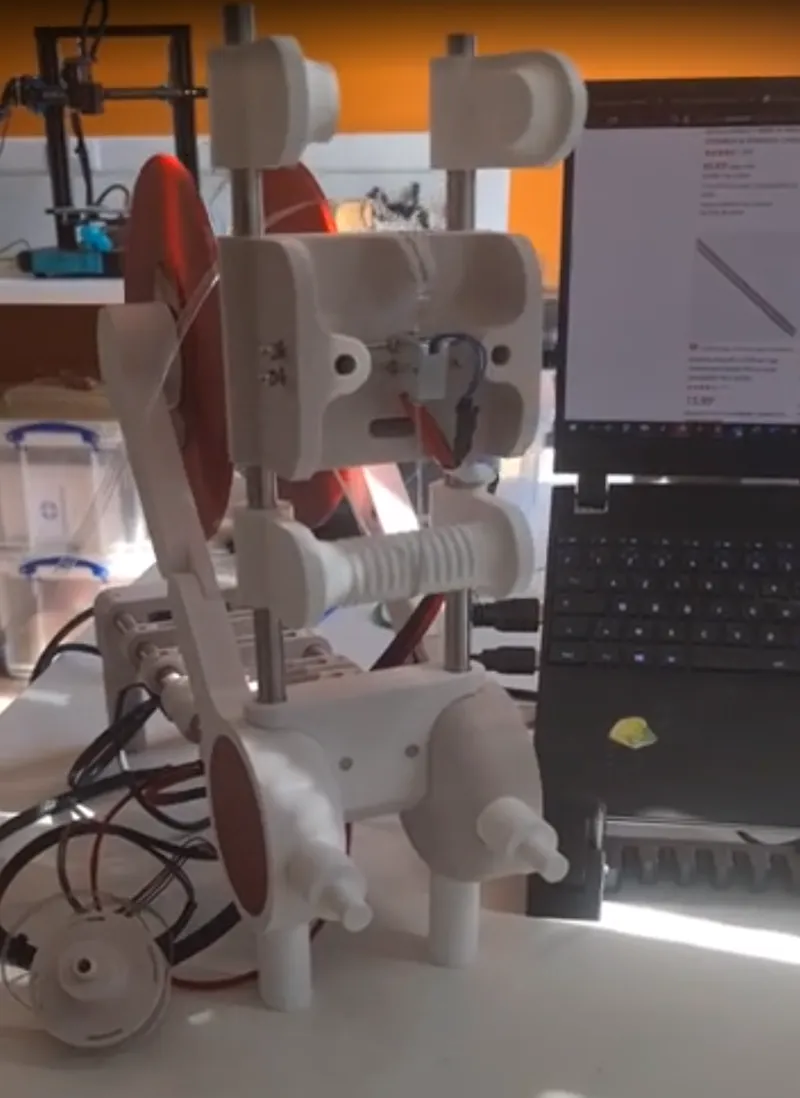
Canada
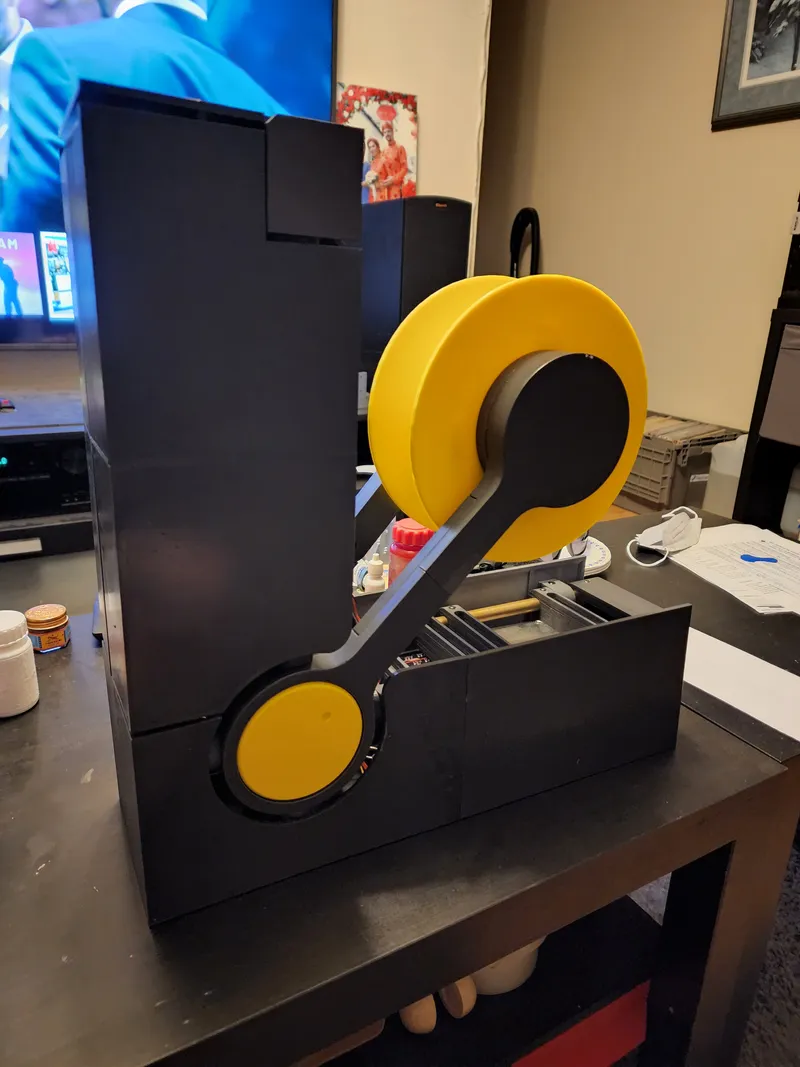
France
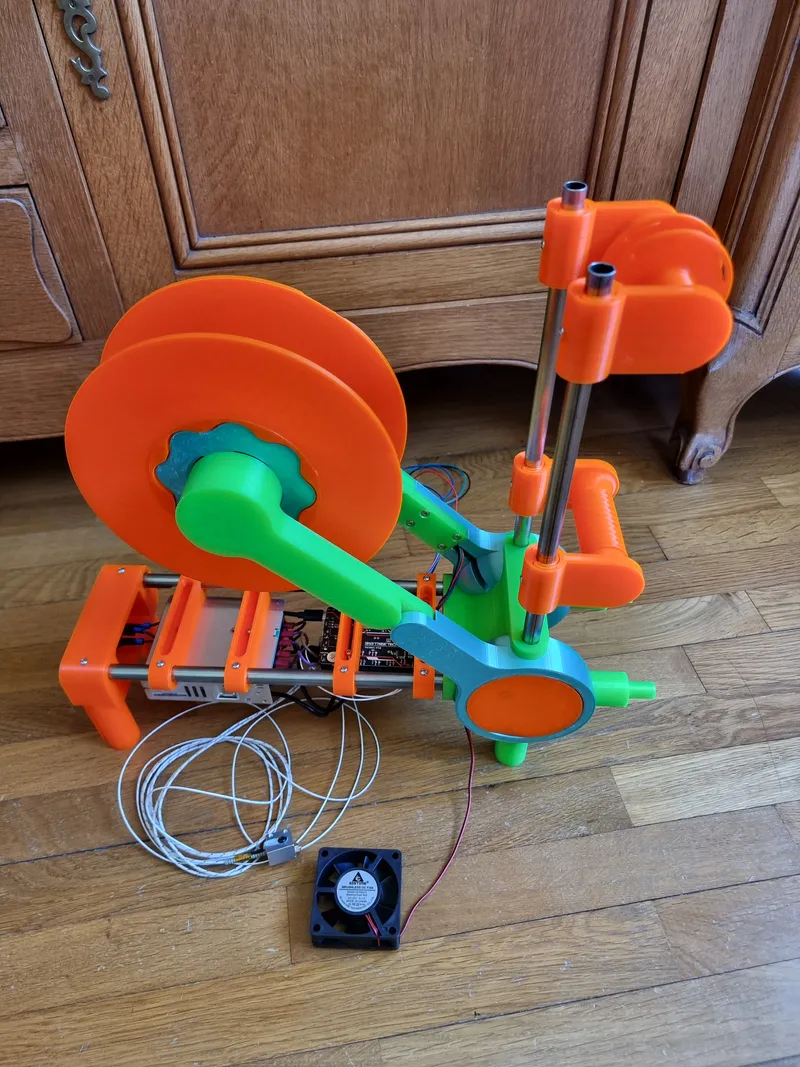
USA
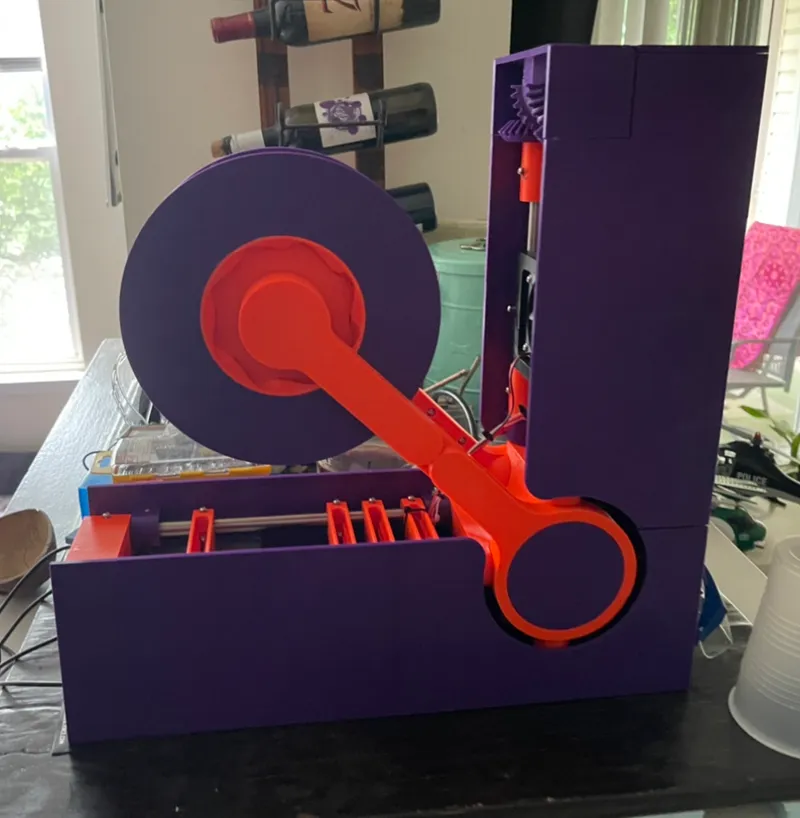
Mexico
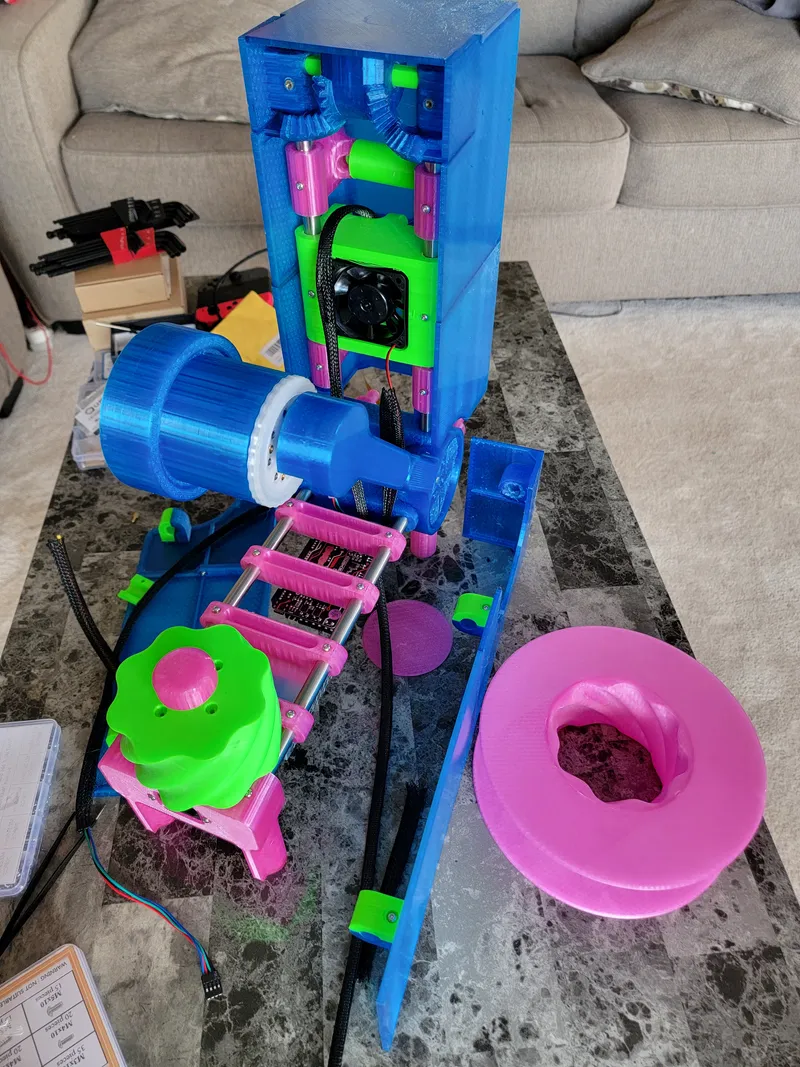
Spain
Most excitingly, we have deployed three Polyformers at makerspaces in Kigali, Rwanda. Our Rwandese partner makerspaces will use our Polyformers to make their 3D printing services more financially accessible, while also promoting local recycling.
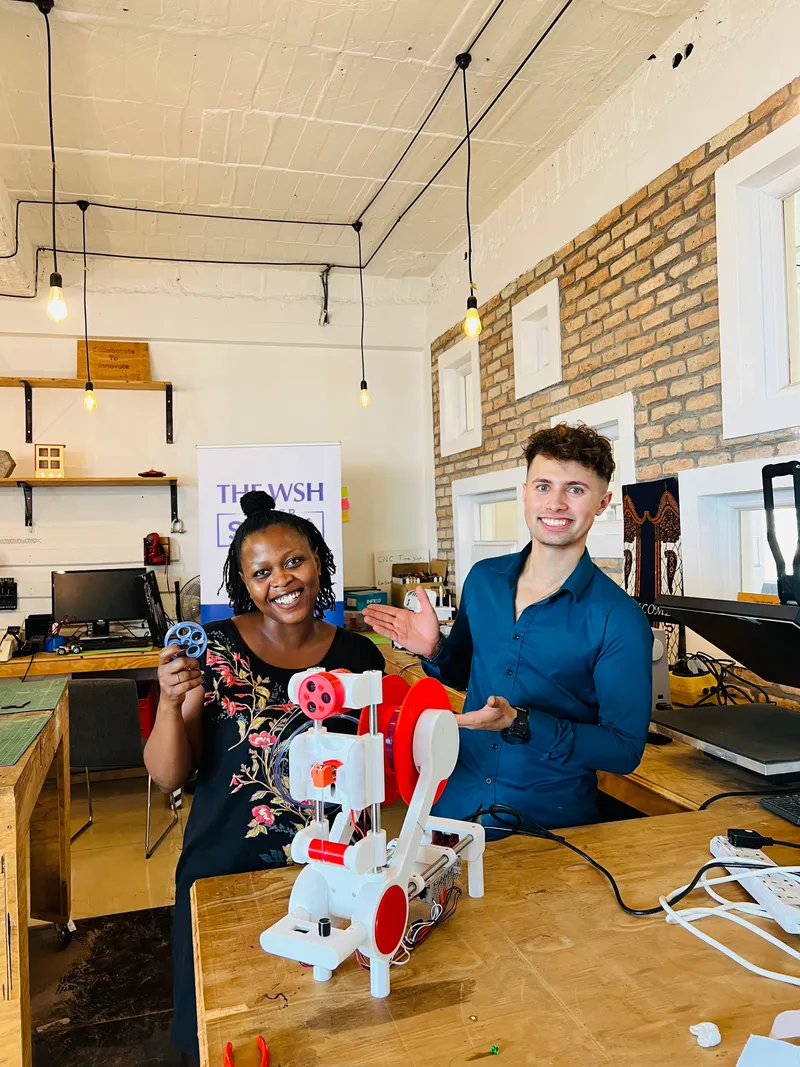
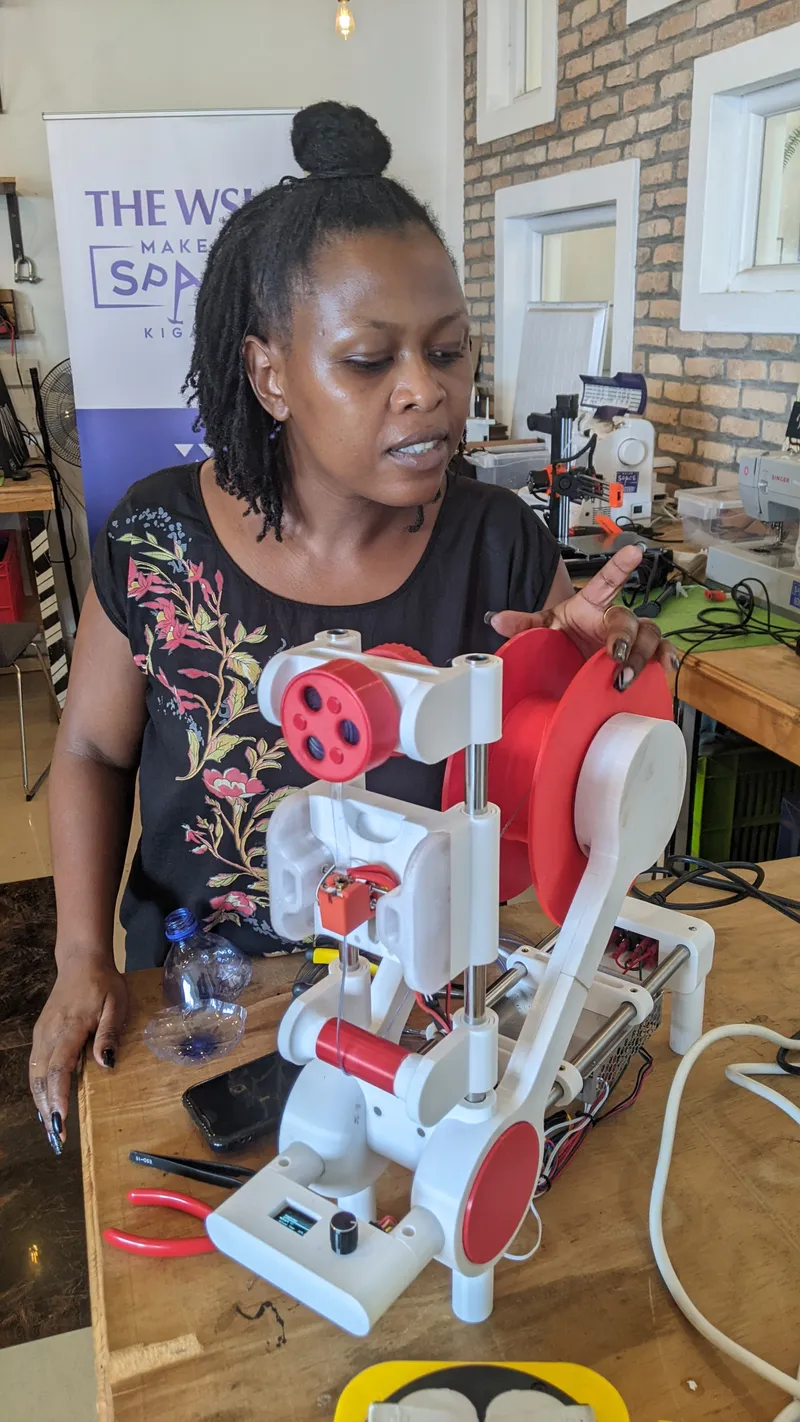
The deployment of these Polyformers was only possible with the generous support of Prusa Research. The company was kind of donate some free 3D printers and filament to our team in Kigali. For this reason we have made a special Prusa themed Polyformer! For more information about this initiative, please contact our local partner in Kigali - T2 Robotics: https://www.tsquaredrobotics.com/.