
1 / 1
Labels for the Ultimate Drawer System
Order a print of this model
We calculate the final price from your selected file. You review and accept it before payment.
Saved on this device.

Customizable labels for the drawers of the Ultimate Drawer System.
- Rating
- 0 / 5
- Likes
- 25
- Downloads
- 98
- Makes
- 0
- Views
- 420
- Reviews
- 0
Updated at source:
Model information
- Source
- Printables
- Category
- Organizers
- License
- Creative Commons — Attribution — Share Alike
PrusaSlicer 2.6 introduced the ability to place arbitrary text onto model surfaces. This label model for the Ultimate Drawer System makes use of that so you don't have to change the CAD model when you want to change the text.
- Load the model in PrusaSlicer.
- Select the model, right-click, Add part > Text
- Enter the label text you desire. You can move it around and change its font size etc.
- After you're satisfied, you can copy & paste the model + text. And then change the text on the copy. Rinse and repeat to easily create more labels.
- Slice, then add a color change to the last layer and slice again.
For this model what works best are the following print settings:
- 0.4 mm nozzle
- 0.2 mm layer height (should result in exactly 3 layers for the model)
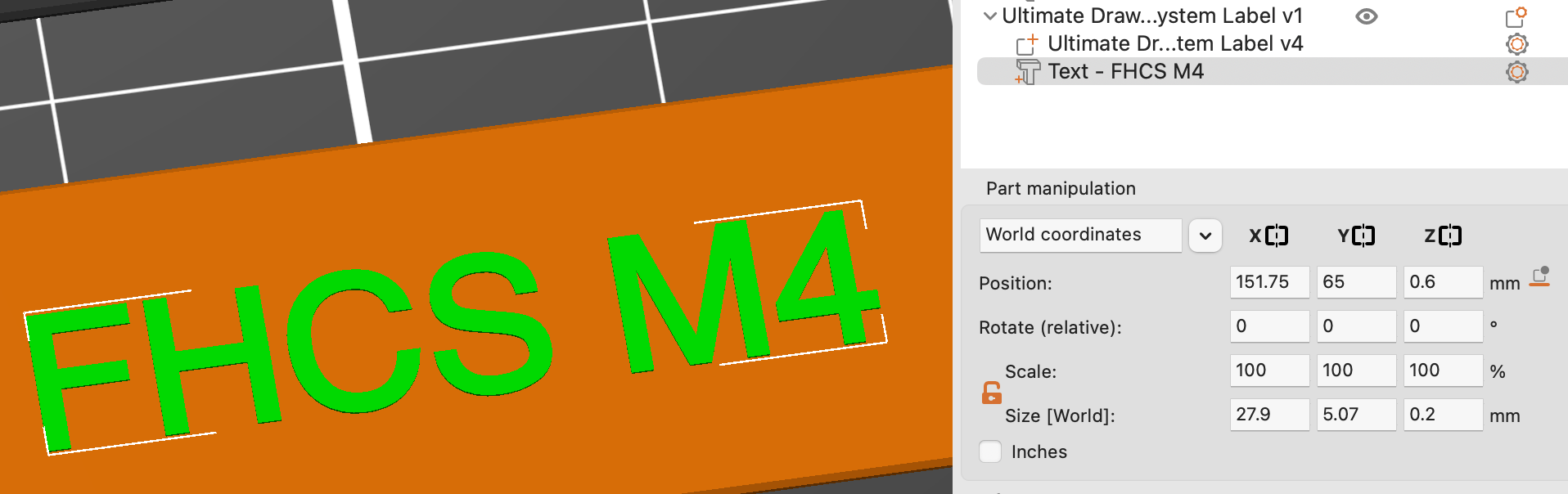
- 0.2 mm text height (1 layer)
- light filament for the label, dark for the text (or the other way around)
- these text settings will result in clearly readable text with one or two lines:

- text Z/height settings:
- color change on the last layer:

If you save this as a project after printing you can always come back later and print more labels with the exact same settings.
If you like this model, you can  or
 . Thank you.