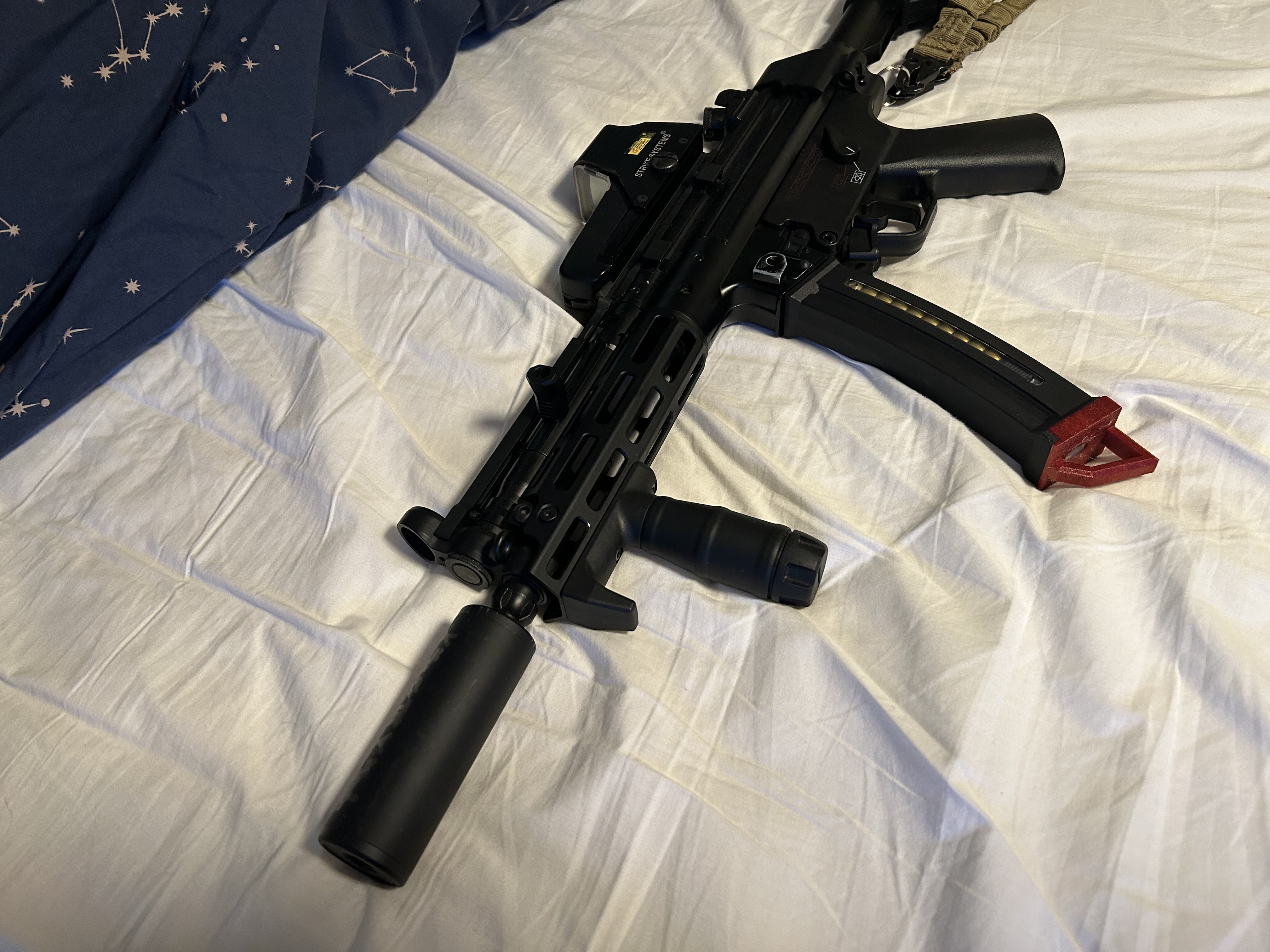
Magplate for CYMA MP5 polymer magazine
We calculate the final price from your selected file. You review and accept it before payment.
Preliminary estimate for PETG
€0.76 – €0.92 net (excluding VAT)
For file: MP5 plate_0.2mm_PETG_MK3S_1h2m.gcode
This is an estimate for one file. You’ll confirm the exact price before ordering.
File and estimate settings
File used for this estimate
Average indicative estimate: €0.84 excluding VAT (range midpoint).
- Weight reported by the author
- 7 g
- Print time reported by the author
- 1.03 hr
- Source material
- PET
- Estimate material
- PETG
- Estimate printer
- Bambu Lab P1S - 0.4 nozzle
- Estimate process
- 0.20mm Standard
Indicative estimate for the selected file only, based on the author’s weight and print time. File variants are not added together. The final price is calculated after file analysis.
Saved on this device.
This is a simple upgrade/replacement magplate for the CYMA mp5/mp5k 130rd polymer magazine.
- Rating
- 0 / 5
- Likes
- 19
- Downloads
- 88
- Makes
- 0
- Views
- 972
- Reviews
- 0
Updated at source:
Model information
- Source
- Printables
- Category
- Outdoor Sports
- License
- Creative Commons — Attribution — Noncommercial
This is a simple magplate that i made for my Mp5 mags to make it easier to grab while in the heat of the moment. I have also included a version without the handle if you just want to replace the normal one.
For printing i would not recommend using PLA as it will likely break when you enevitably drop or throw a mag. Additionally PLA could be a bad choice if you play outside considering PLA's bad UV resistance. Instead you would be better off using PETG or ABS as it is better in every regard for this.
Print settings:
Nozzle: 0.4 and below.
(anything bigger might make the tolerances too tight)
Layer hight: 0.20
(Most hights will likely work as the tolerances on the hole are quite forgiving)
Brim: Maybe*
(If you are using PETG it might be a good idea to use it too prevent warping)
Supports: No
Installation guide

To remove the original plate you need to press the clear button on the bottom of the mag while sliding it towards the back of it.


Now you slide the new plate over the button again while pressing it.


Make sure the button ‘’clicks'' into place. If it is stuck try pressing a bit on the side that is the furthest up.
Removing the plate again can be a bit tricky as the handle now blocks the button. Try using a stiff object like an allen key or screwdriver to push the button.

Happy printing and call you hits.