
3D Printable Business Card - Stackable (With Font)
We calculate the final price from your selected file. You review and accept it before payment.
Saved on this device.

The 3D Printable Business Card - Stackable offers a personalized and organized solution for showcasing your details. Wit
- Rating
- 0 / 5
- Likes
- 33
- Downloads
- 99
- Makes
- 0
- Views
- 578
- Reviews
- 0
Updated at source:
Model information
- Source
- Printables
- Category
- Office
- License
- Creative Commons — Attribution
Description: Introducing the 3D Printable Business Card - Stackable, an innovative and customizable way to showcase your brand or personal information. This unique design offers a printable font feature, allowing users to personalize their business cards. The ingenious bump and slot feature enables the cards to stack neatly on top of each other, ensuring organized storage without a mess. Ideal for networking events, conferences, or personal use, this stackable design is perfect for anyone looking to make a lasting impression.
Instructions for Editing the .3mf File:
- Download font: Be sure to download the front from this link: https://dropover.cloud/11a9f0 or find another STENCIL font of your choice at: https://www.1001fonts.com/search.html?search=Stencil
- Open the .3mf File: Open the provided .3mf file in Prusa Slicer for the best compatibility.
- Locate the Text Layer: Navigate to the designated text layer to find the customizable text field.
- Edit the Text: Select the text in the boss dropdown and replace it with your desired information, such as name, contact details, or add a company logo by importing your own STL as a negative volume.
- Position the Text: For the best quality print, position the text on the bottom layer of the design. This ensures that the text benefits from the smooth surface of the build plate, enhancing the visual appearance and legibility.
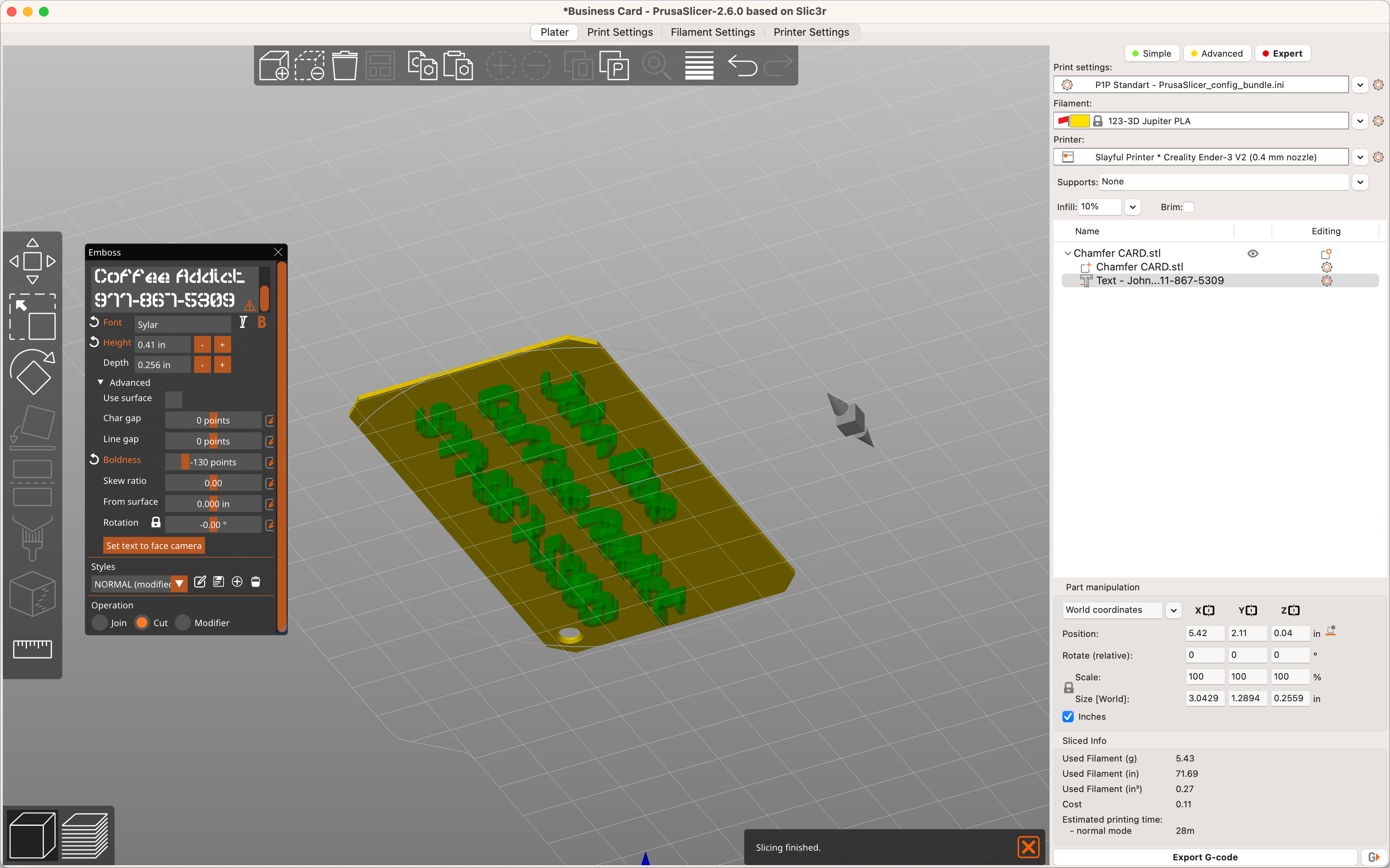
Note: The bump and slot feature of the design ensures that the printed business cards stack seamlessly without creating a mess. Don't print with the “remove holes” mode on.
BOLDNESS:
Be sure to experiment with the boldness slider to the the right extrusion width for your printer. Depending on if you add a negative or positive value, you can get thicker or thinner lines to connect the letters.
Negative Boldness:

POSITIVE BOLDNESS:
