
Door on Pause Doorstop
We calculate the final price from your selected file. You review and accept it before payment.
Saved on this device.
Model information
- Source
- Printables
- Category
- Other House Equipment
- License
- Creative Commons — Attribution
Kids say what they think, even if you don't always understand what they mean right away. This model is based on my littlest girl's saying. "Can you make the door on pause". Okay. Challenge accepted. So, what about a doorstop in a remote control style with "Play" and a pressed “Pause” button. So, little one: Now it's on pause.
The model has four parts, the main body and three inserts so that the "labeling" can be printed in a different color. The inlays can be plugged.
Printing
The STL files are aligned so that you can print them directly and you don't need any supports.
A 0.4 mm nozzle and a layer height of 0.20 mm with printer default settings for infill, etc. are sufficient for printing.
Main body and inserts can be printed separately, e.g. the main body in black, the inserts in white or "glow-in-the-dark" (So that you don't trip over it in the dark Look out! Door! 😊).
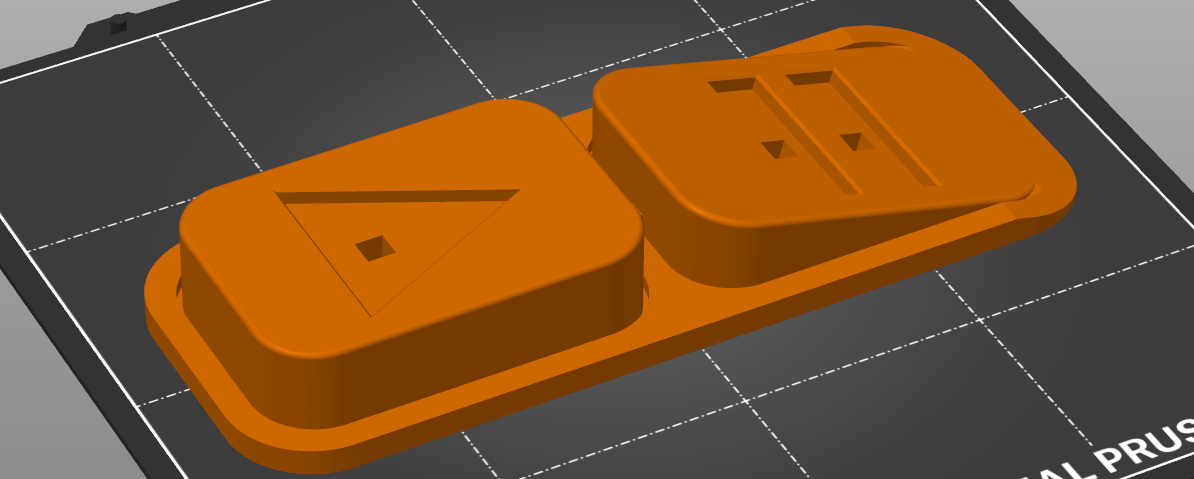
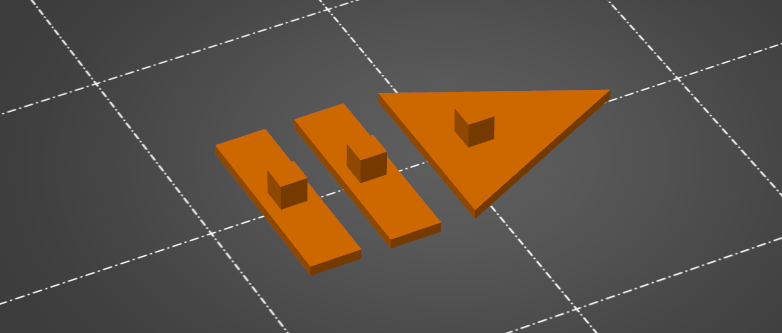
You will find both STL print files in the 3D data.
Assembly
Simply insert the inlays into the prepared holes in the main body.
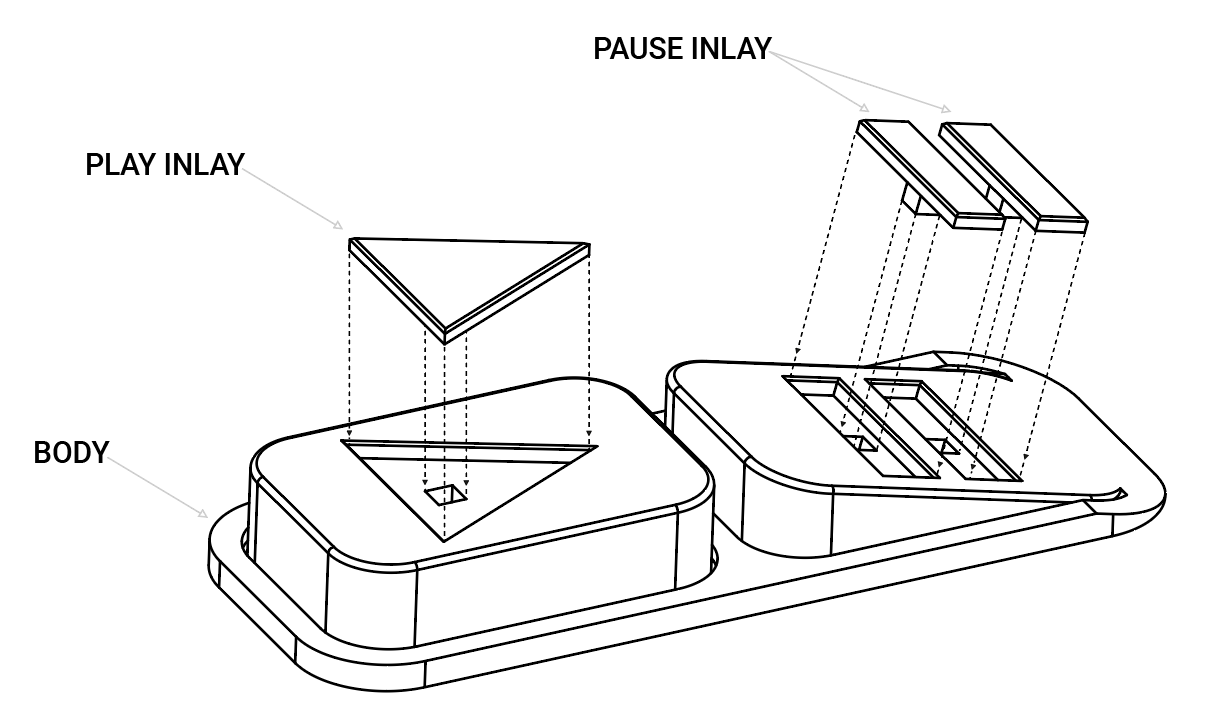
CAD
As always, you can find the FreeCad model in the files.
Happy door pausing!