
VaseTrays -Modular Drawer trays
We calculate the final price from your selected file. You review and accept it before payment.
Saved on this device.

Drawer tray's that are made with vase mode. A full drawer can be filled with less then 1Kg
- Rating
- 0 / 5
- Likes
- 13
- Downloads
- 42
- Makes
- 0
- Views
- 470
- Reviews
- 0
Updated at source:
Model information
- Source
- Printables
- Category
- Kitchen
- License
- Creative Commons — Attribution — Noncommercial
-Assembly-
The links can be pushed in the middle of a tray but it is easier to slide them on.
The end pieces are mostly useful when you arrange the trays in a way that leaves it open on one side.
It may be a bit “floppy” when picked up but it does stay together when it lays flat
Print 1 end per row and at least 1 link per tray
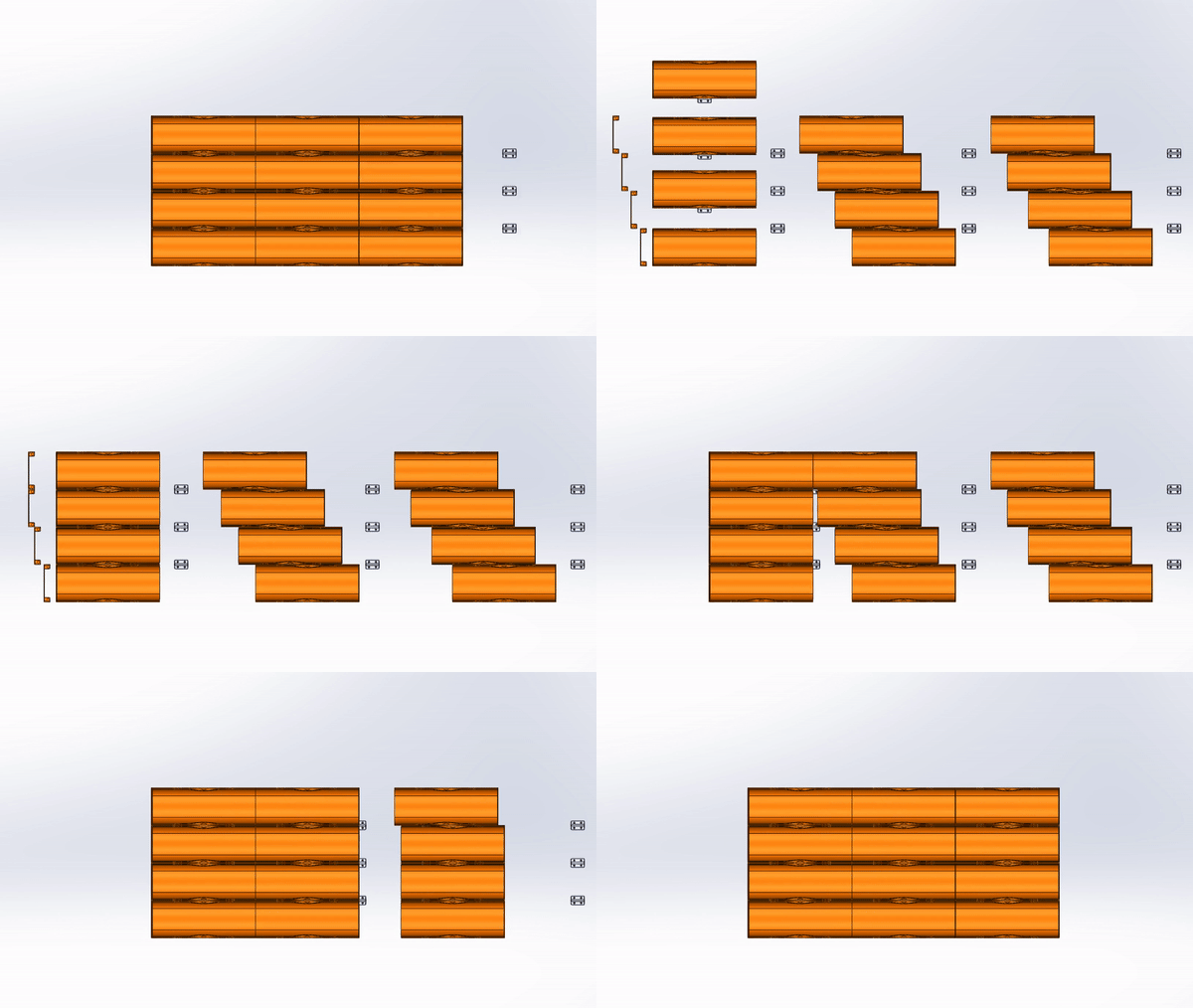
-There are no hidden parts in the animation
-Printing-
- Material: PETG (When used in a kitchen for waterproofness)
Vase mode trays
- layer height: 0.30mm
- Spiral vase: Yes
- Solid layers Bottom: 3 (The tray walls are 0.9mm and should be solid)
To print more then one vase mode print at the time:
- Complete individual objects: Yes
- Extruder clearance: Radius: 65mm, Height: 210 (With a stock MK3S+ printhead)
-IMPORTANT-Keep the X axis gantry in mind when arranging the parts. The print head moves down and could smash in to the part when it is not arranged properly. Do not place parts next to each other the X axis gantry will crash into it here is a example how it should be placed. the red arrows show the sequential order You can press E to show the order in PrusaSlicer |  |
The ends and links
- layer height: 0.30mm
- Spiral vase: No
-Calculations for scaling-
to make the trays fit perfectly in your drawer. Don't worry you can copy/paste the equations in google.
Scaling Z
- A = internal Drawer Depth (only)
- B = number of segments in a row. A / 150.9 rounded
- Z = Z Scale factor
(A - 0.9 × B - 0.9) / (1.5 × B) = Z
if you don't use the end pieces: (A - 0.9 × B ) / (1.5 × B) = Z
————————————————————————————————————————————————
for example:
- A = 466mm (Measured)
- B = 3 (466 / 150.9) + 0.9 = 3.10… rounded is 3
(466 - 0.9 × 3 - 0.9) / (1.5 × 3) = 102.75…
So parts need to be partially Scaled along Z with 102.75 % It should be within 90%-110%
Scaling X
Is not needed if don't want to fill the entire drawer across the width
- C = internal Drawer width
- D = number of rows (with only narrow segments Wide trays counts for two)
- X = X scale factor
C / 54.6 = N
N rounded is D
N / D × 100 = X
————————————————————————————————————————————————
for example:
- C = 380mm (Measured)
380 / 54.6 = 6.95…
6.95… rounded is 7
6.95… / 7 × 100 = 99.42…
So parts need to be scaled along X with 99.42 % It should be within 90%-110%
-How and what to scale-
Scaling Z

Only the part in green needs to scaled with the previously calculated Z Scale factor

When scaling the green part will cause the it to detach from the walls.
To re-attach the part:
- In “part manipulation” select “part coordinates”
- Drop the part to bed (if the button isn't there its already on the bed)
- “translate (relative) [World]:” Z to 0.9
Scaling X

All parts need to be entirely scaled with previously calculated Y Scale factor