
LASER rangefinder
We calculate the final price from your selected file. You review and accept it before payment.
Saved on this device.
Model information
- Source
- Printables
- Category
- Electronics
- License
- Creative Commons — Attribution
What is this ?
This is a laser rangefinder using the STMicroelectronics ToF sensor VL53L0X.
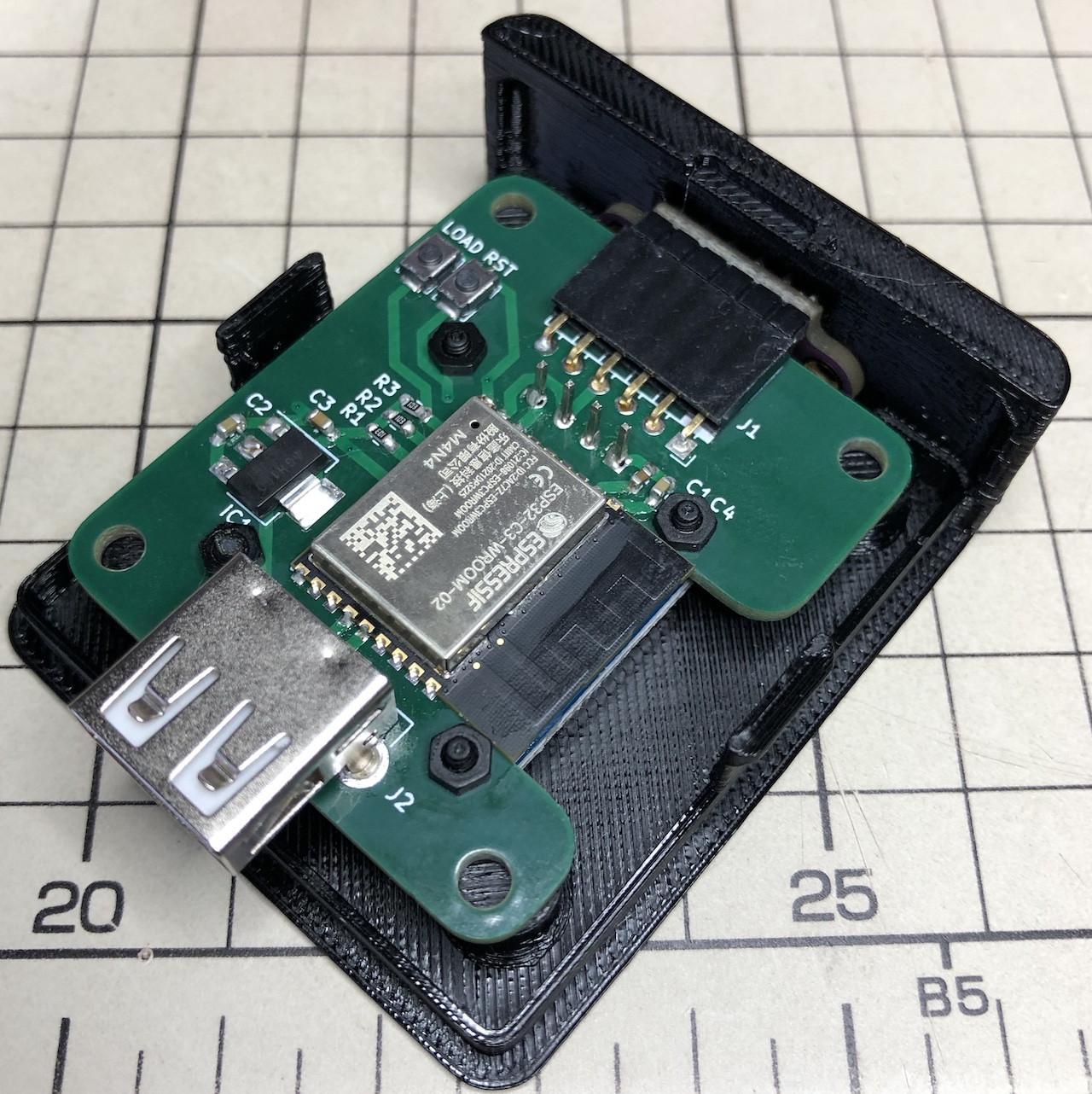
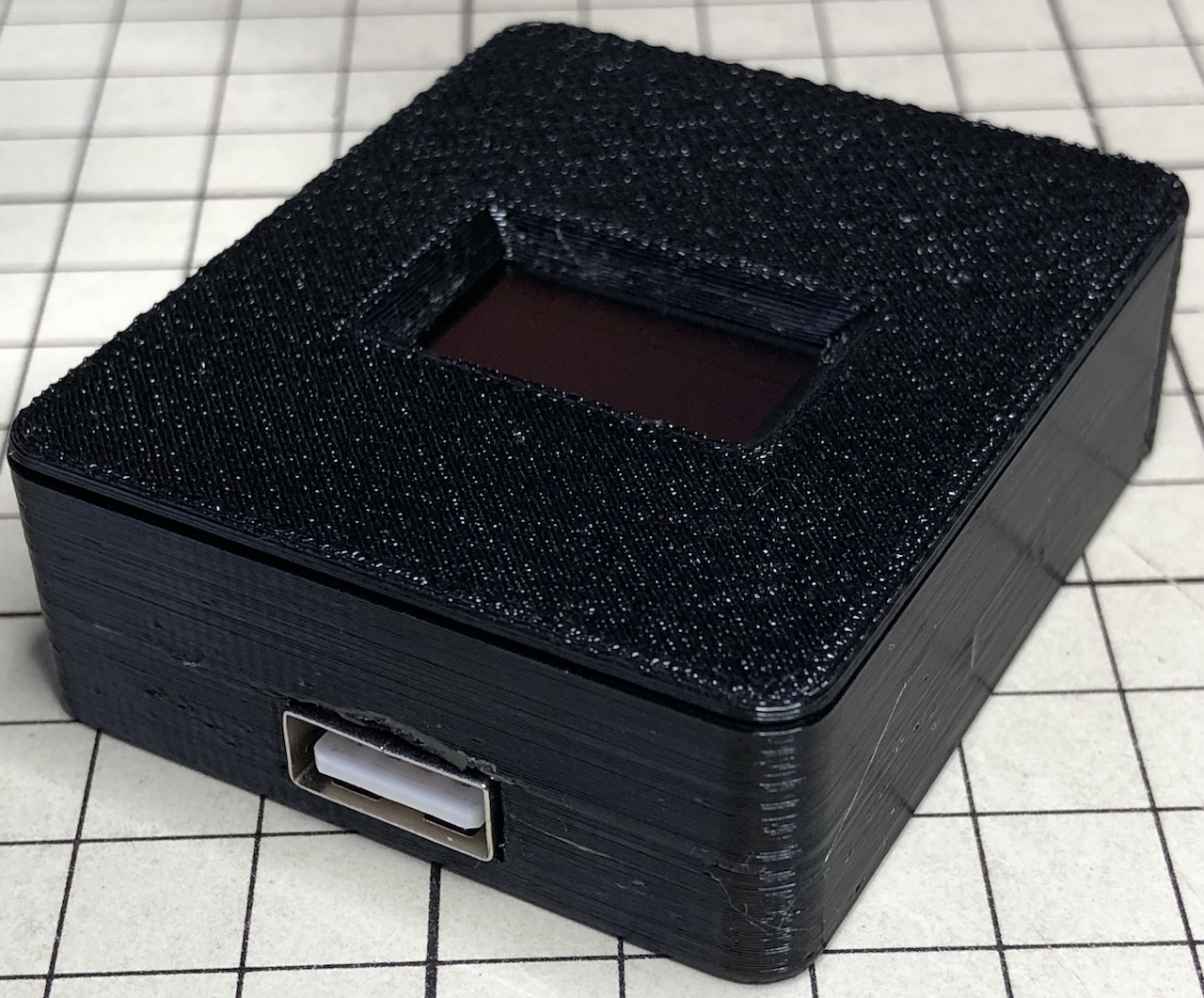
I designed and assembled a printed circuit board with the following components and a 3D printable case.
これはSTマイクロエレクトロニクスのToFセンサーVL53L0Xを使ったレーザー距離計です。
以下の部品を搭載するプリント基板を設計し、3Dプリントできるケースも設計して組み立ててみました。
- ToF sensor breakout module
ToFセンサーブレイクアウトモジュール - ESP32-C3 microcontroller and peripheral circuits
ESP32-C3マイコンおよびその周辺回路 - 0.96" OLED display
0.96インチのOLEDディスプレイ - USB connector
USBコネクタ
What is the VL53L0X?
The VL53L0X is a Time of Flight rangefinder using a Class 1 infrared laser; it was introduced in 2016 and is a fairly old product.
VL53L0Xはクラス1の赤外線レーザーを使ったTime of Flight方式の距離計です。2016年に発表されたもので、結構昔の製品です。
A pack of two breakout modules consisting of this IC with an external power supply circuit and level shift circuit cost ¥835 in September 2023.
このICに電源回路とレベルシフト回路を外付けしたブレイクアウトモジュールが2個入りで2023年9月当時、835円でした。
- https://www.st.com/en/imaging-and-photonics-solutions/vl53l0x.html#st_all-features_sec-nav-tab
- https://www.st.com/en/imaging-and-photonics-solutions/time-of-flight-sensors.html
Circuit diagram
回路図
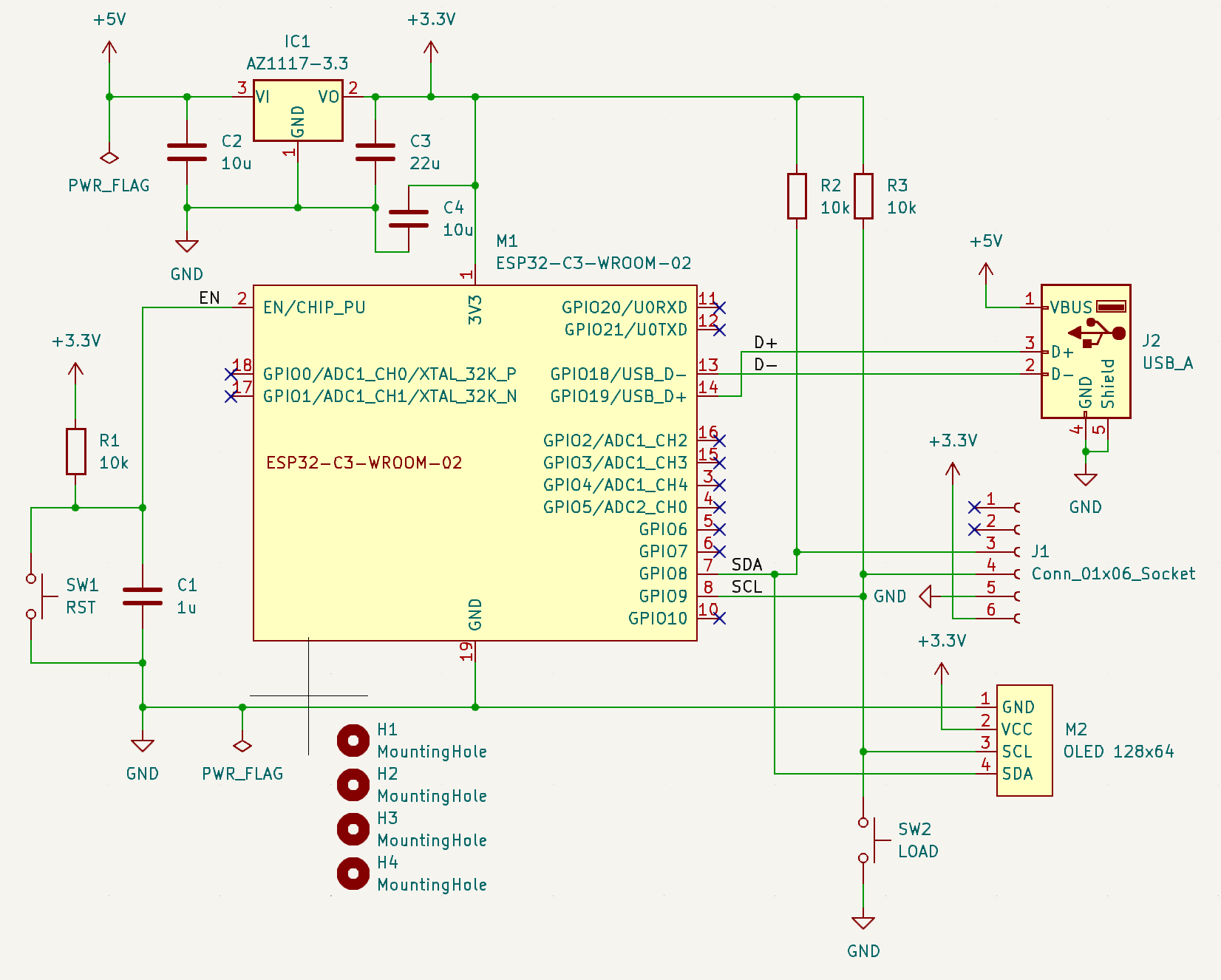
The printed circuit board was designed using KiCad. The circuit diagram is shown below. The two switches are only used when first writing the program.
プリント基板はKiCadを使って設計しました。回路図は以下の通りです。二つのスイッチは最初にプログラムを書き込むときしか使いません。
Printed circuit board
プリント基板
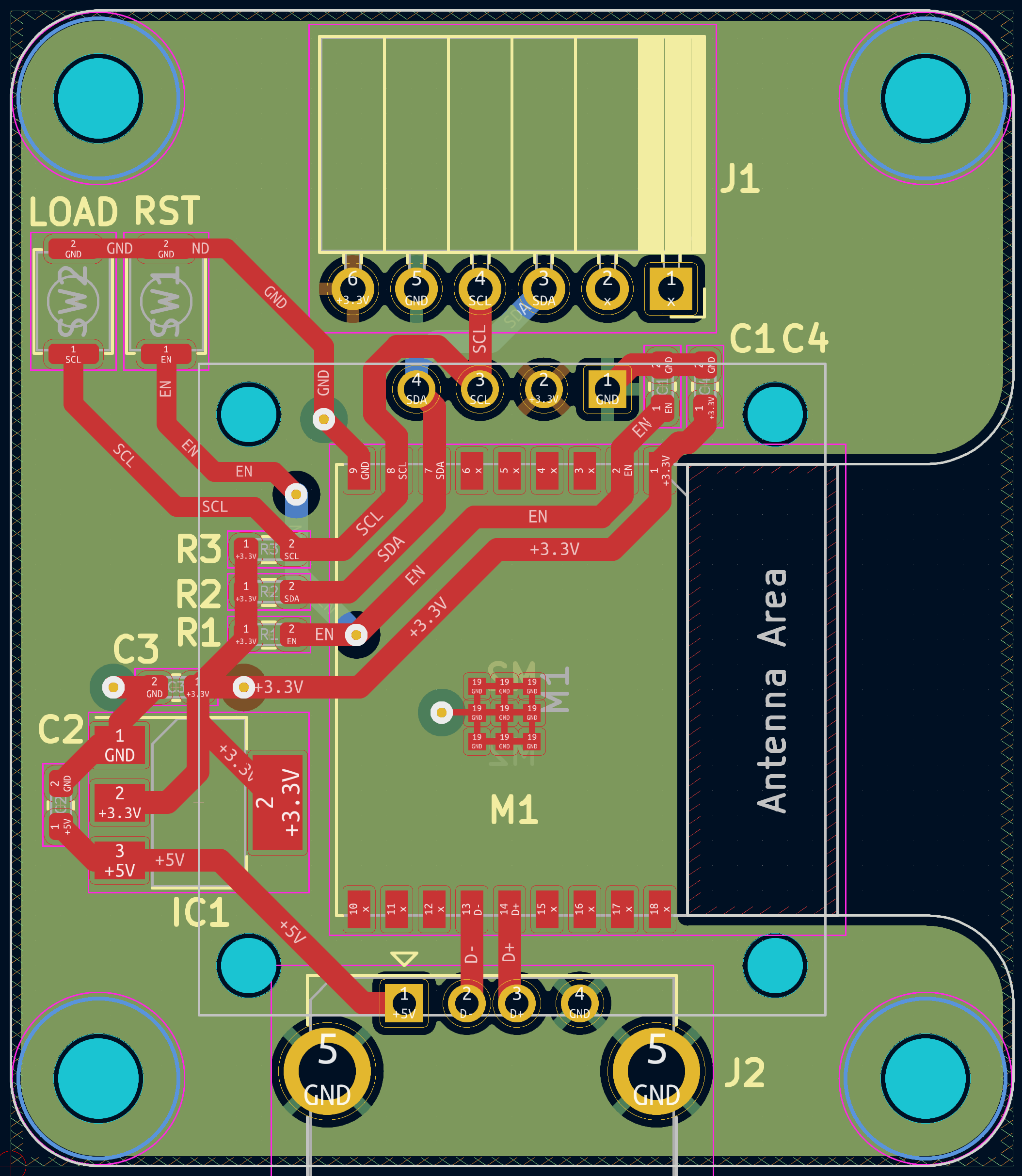
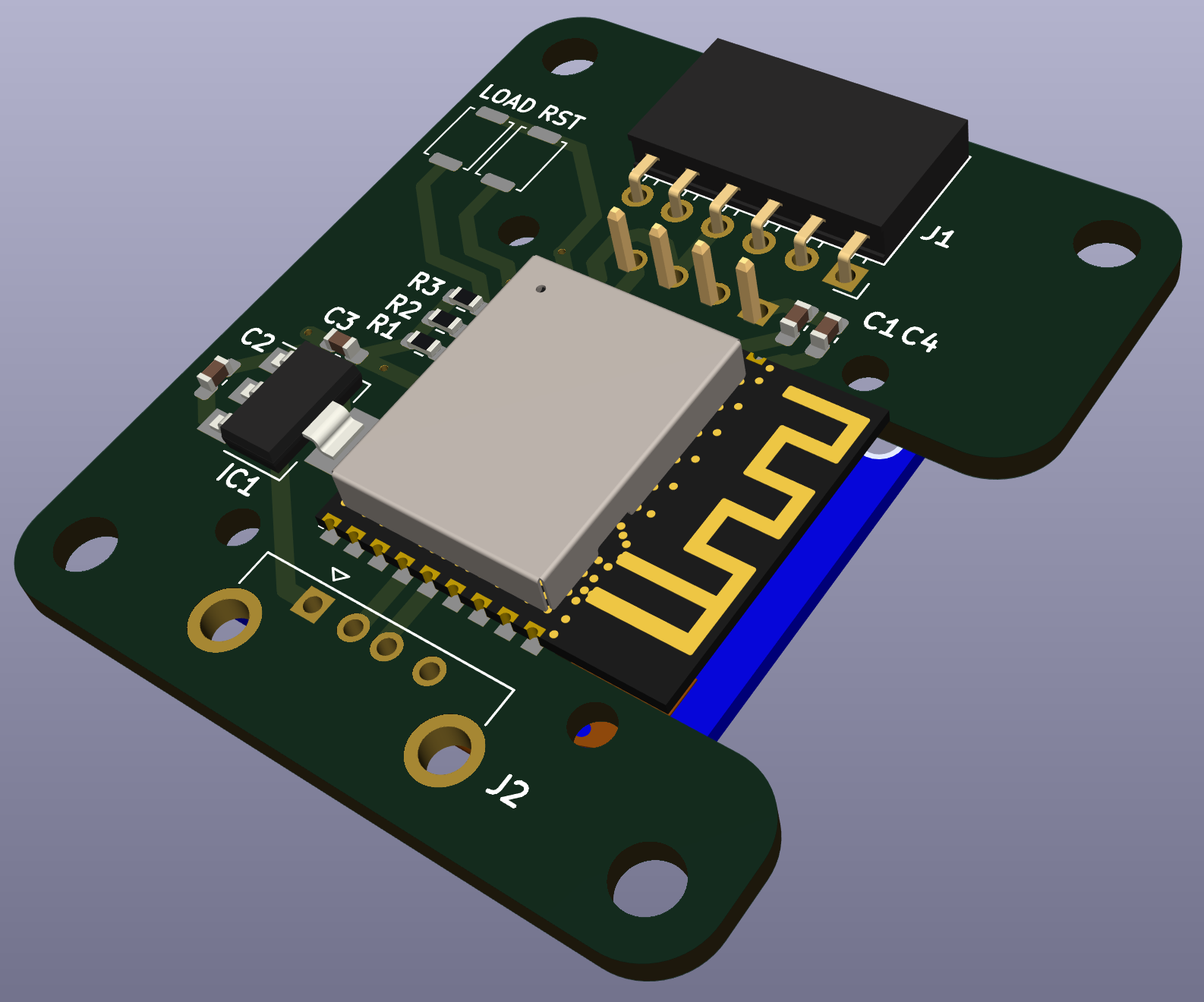
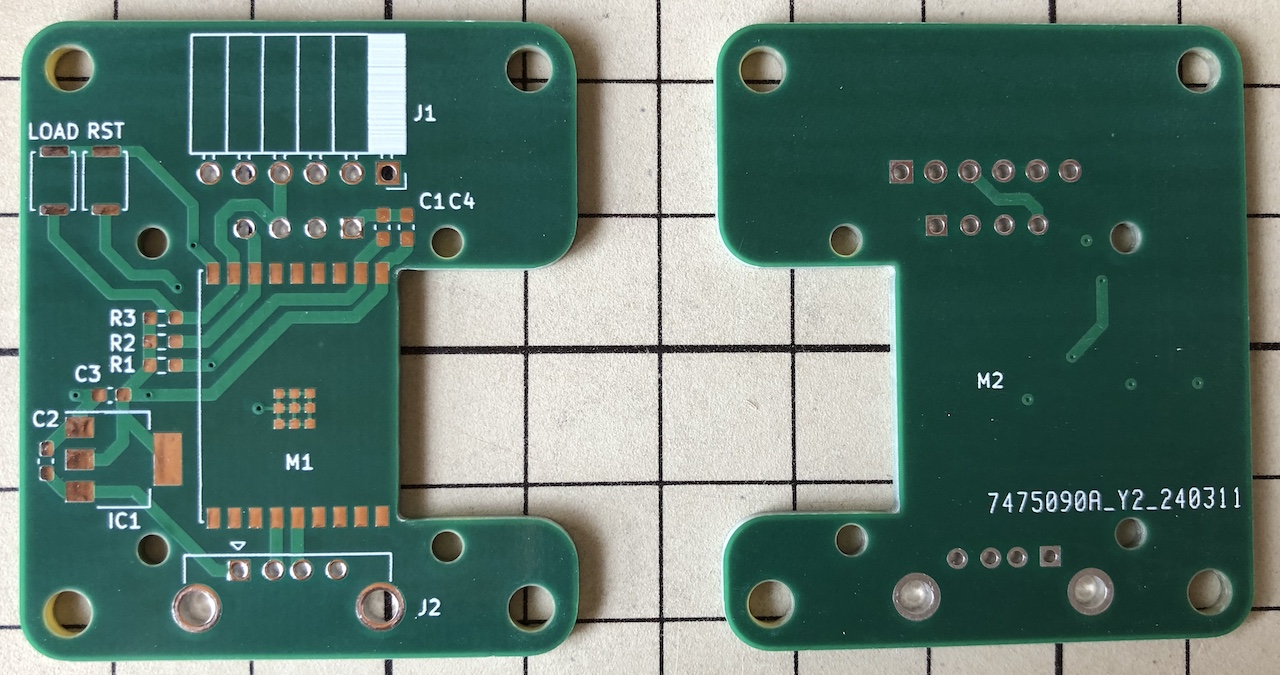
Although a bit extravagant, I decided to make a four-layer PCB; JLCPCB can make five four-layer PCBs for $2, as long as they are within 50 mm square; the USB connector protrudes from the PCB because I wanted the size to be less than 50 mm.
少々贅沢ですが、四層基板にしてみました。JLCPCBの場合、50mm角以内であれば四層基板でも5枚で2ドルで作ることができます。USBコネクタを基板からはみ出させているのは、サイズを50mm未満にしたかったからです。
The cost of making five of these boards was ¥534, including shipping and PayPal fees. I placed the order on Monday and got the boards the following Tuesday.
この基板を5枚作るのにかかった費用は、送料とPayPalの手数料を含めても534円でした。月曜日に発注して次の週の火曜日に基板を入手できました。
Attention OLED displays!
OLEDディスプレイに注意してください!
A KiCad project file and Gerber data are attached. If you pass this Gerber data to JLCPCB, you can manufacture printed circuit boards.
KiCadのプロジェクトファイルとガーバーデータを添付します。このガーバーデータをJLCPCBに渡せばプリント基板を製造できます。
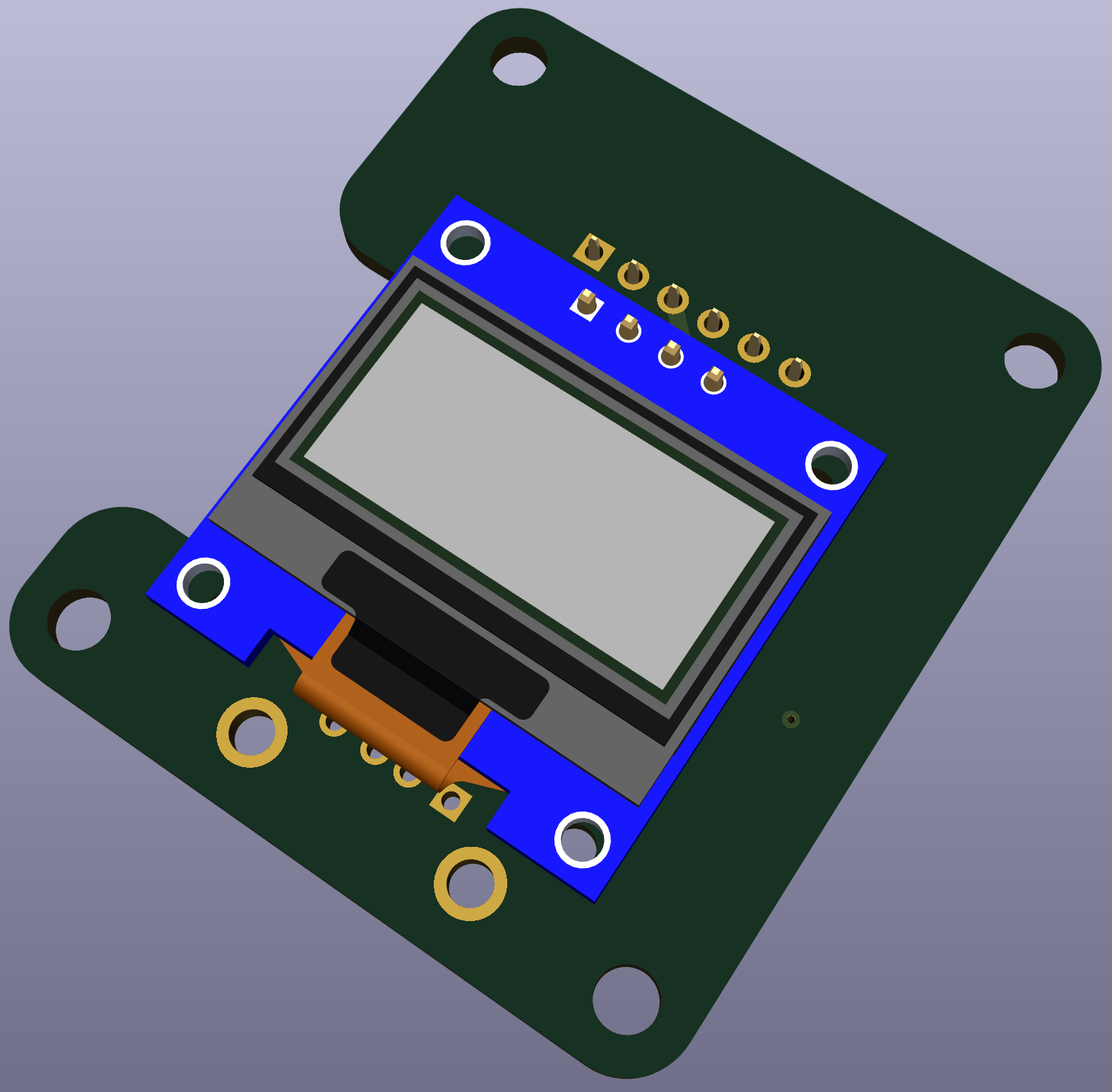
But beware of the 0.96 inch OLED display. There are some on the market with the power and GND pins interchanged. The position of the fixing holes at the four corners also seems to vary from product to product.
ただし0.96インチのOLEDディスプレイに注意してください。市場には電源ピンとGNDピンが入れ替わっているものも流通しているそうです。また四隅の固定穴の位置も製品によってバラバラのようです。
This board was designed to fit the OLED display I have. If you want to make the same one, you may want to get an OLED display first to check the pin placements and hole positions, and then modify the board design accordingly.
この基板は私の手持ちのOLEDディスプレイに合わせて設計したものです。あなたが同じものを作りたい場合は、最初にOLEDディスプレイを入手してピン配置と穴の位置を確認し、それに合わせて基板の設計を修正した方が良いでしょう。
I used the following products
私が使ったのは以下の製品です。
Case
ケース
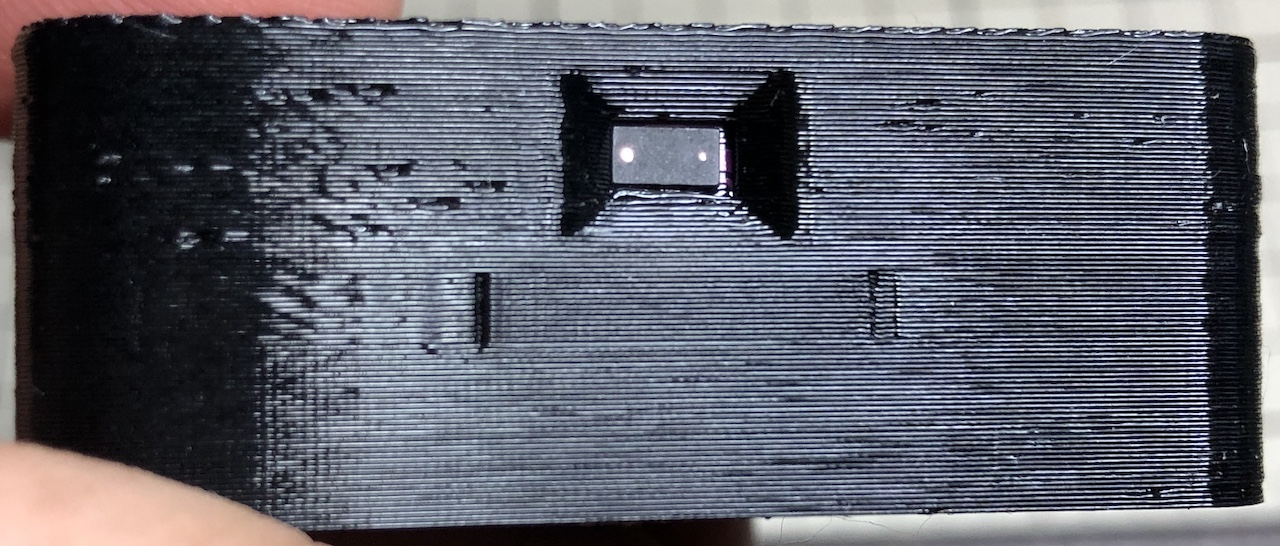
The holes for the VL53L0X were made to fit the breakout module obtained. There may be variations of this as well as OLED displays, so it may need to be modified to suit the actual product.
VL53L0X用の穴は入手したブレイクアウトモジュールに合わせて作りました。これもOLEDディスプレイと同様にバリエーションがあるかもしれませんので、現物に合わせて修正が必要になる可能性があります。
I used the following products
私が使ったのは以下の製品です。
Assembly
組み立て
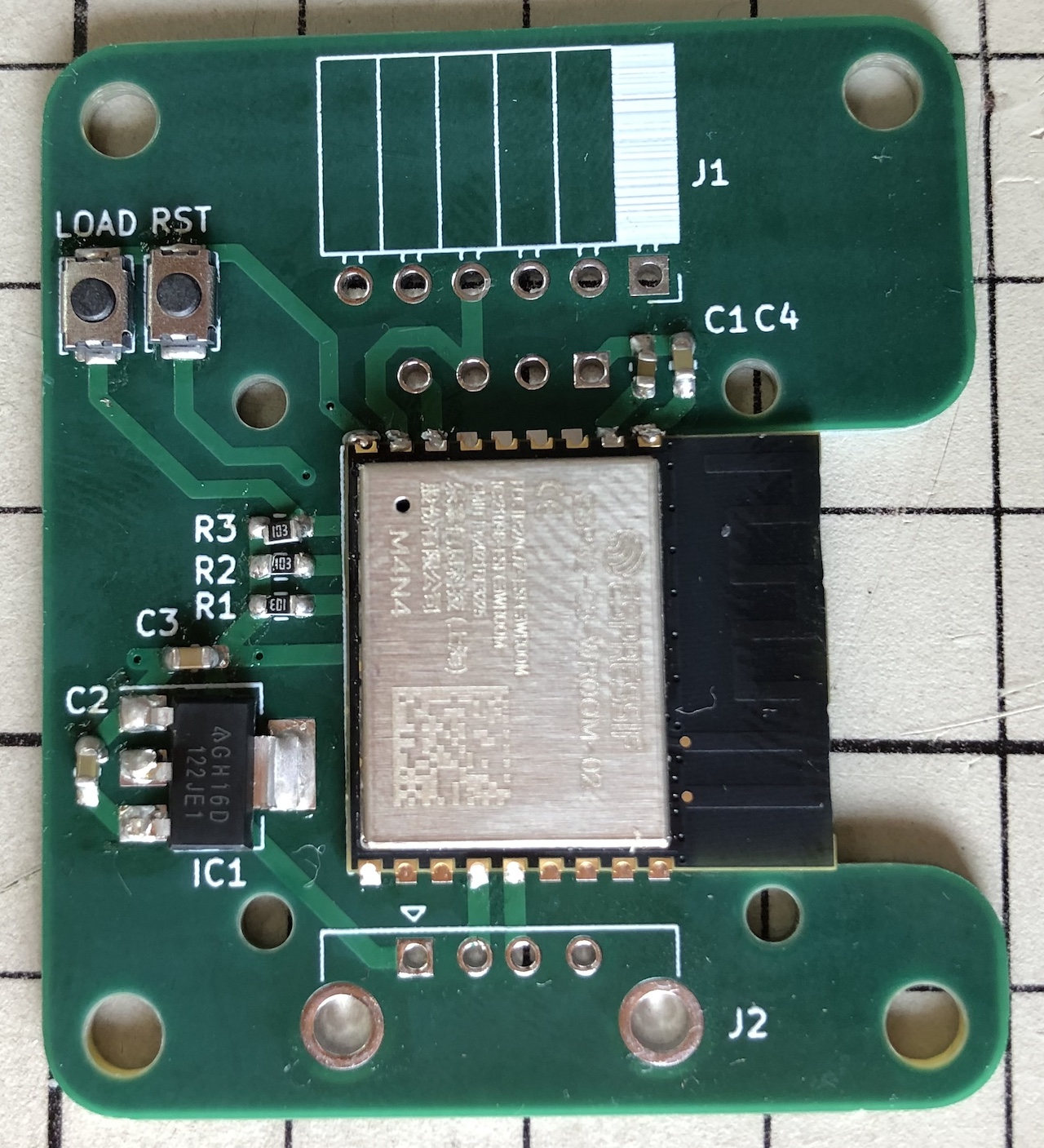
Mounting surface-mounted components
表面実装部品を取り付けた様子
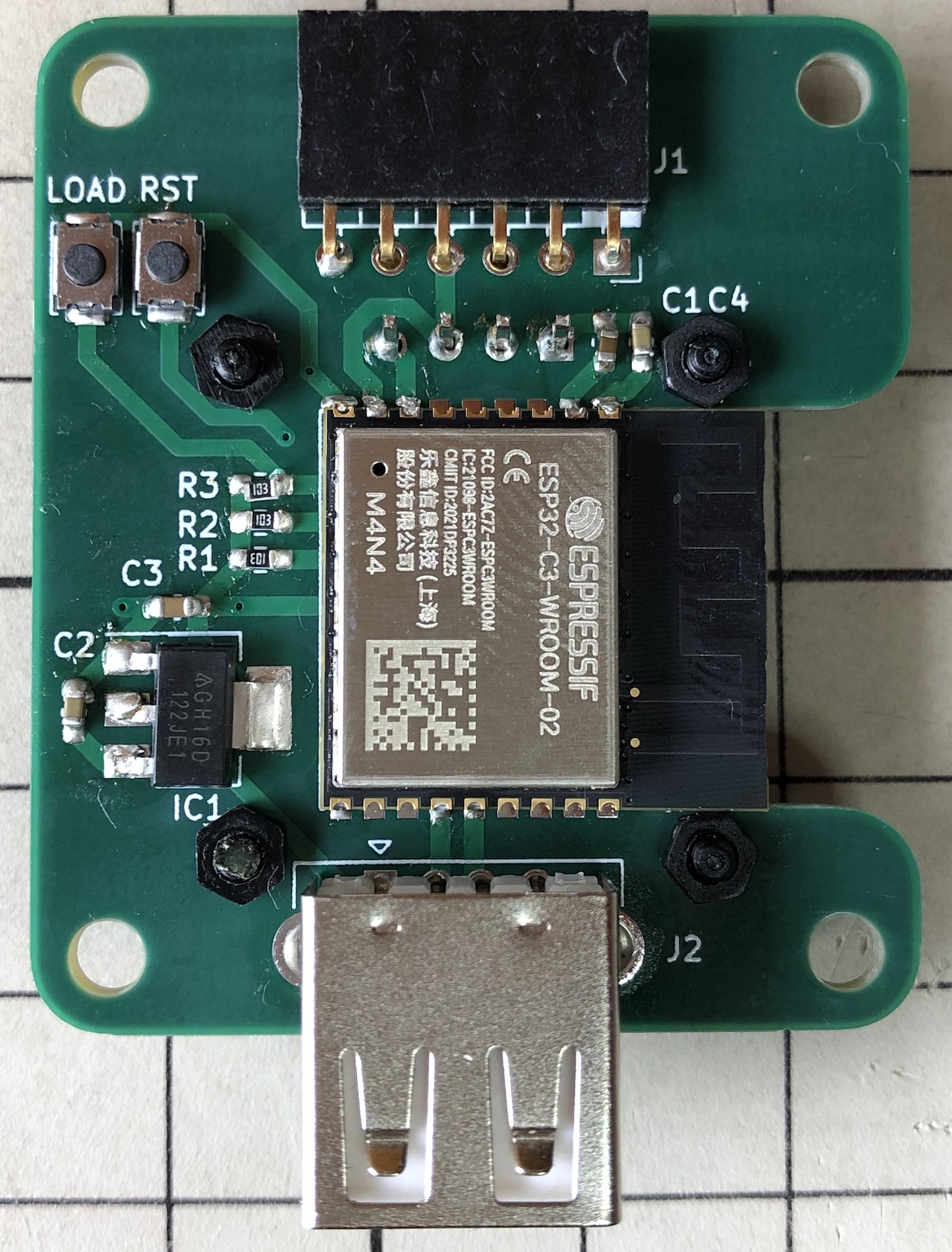
The through-hole components were then mounted
その後スルーホール部品を取り付けた
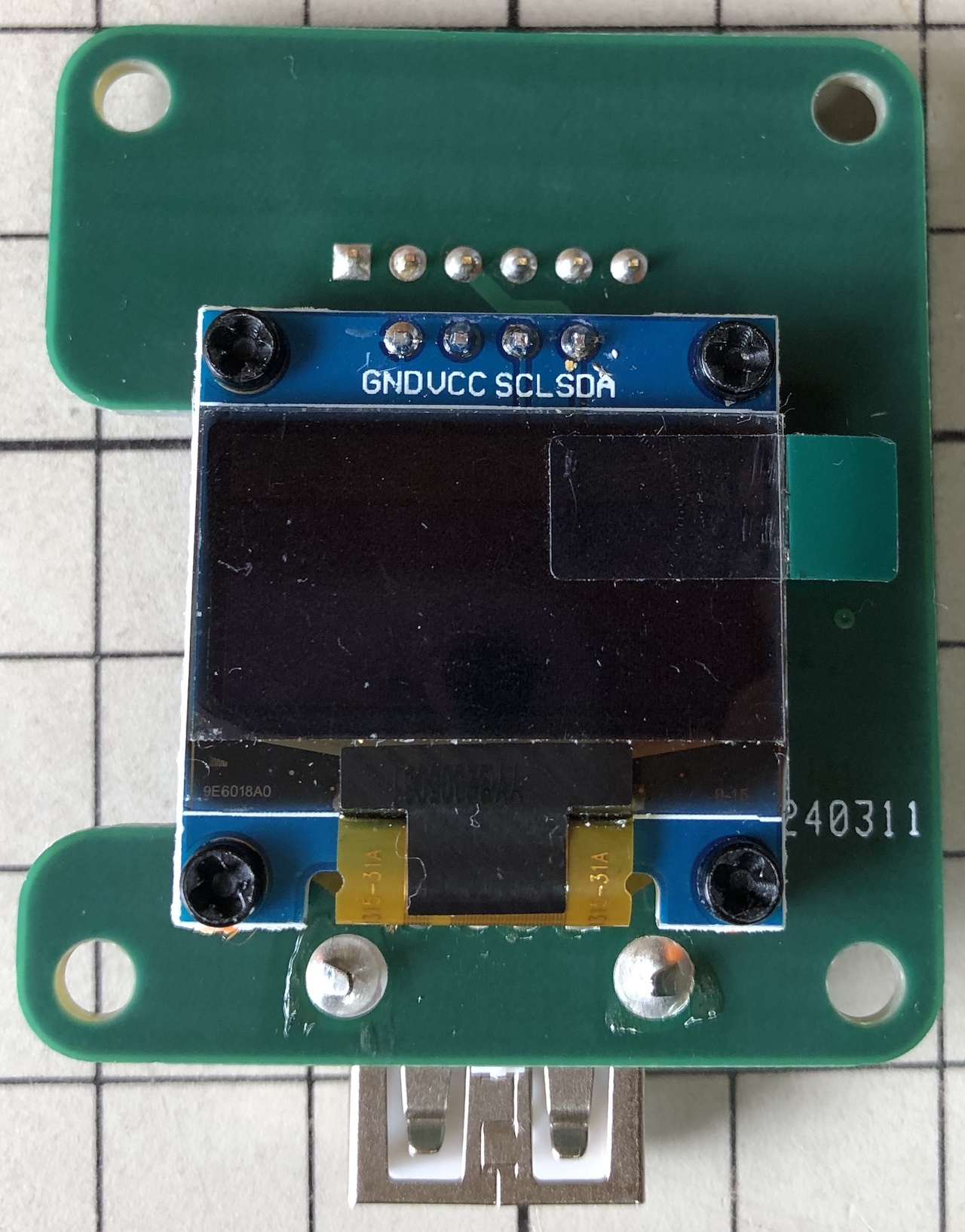
OLED display mounted with M2 nylon bolts and washers between spacers
OLEDディスプレイはスペーサーを挟んでM2のナイロン製ボルトとワッシャーで取り付けた
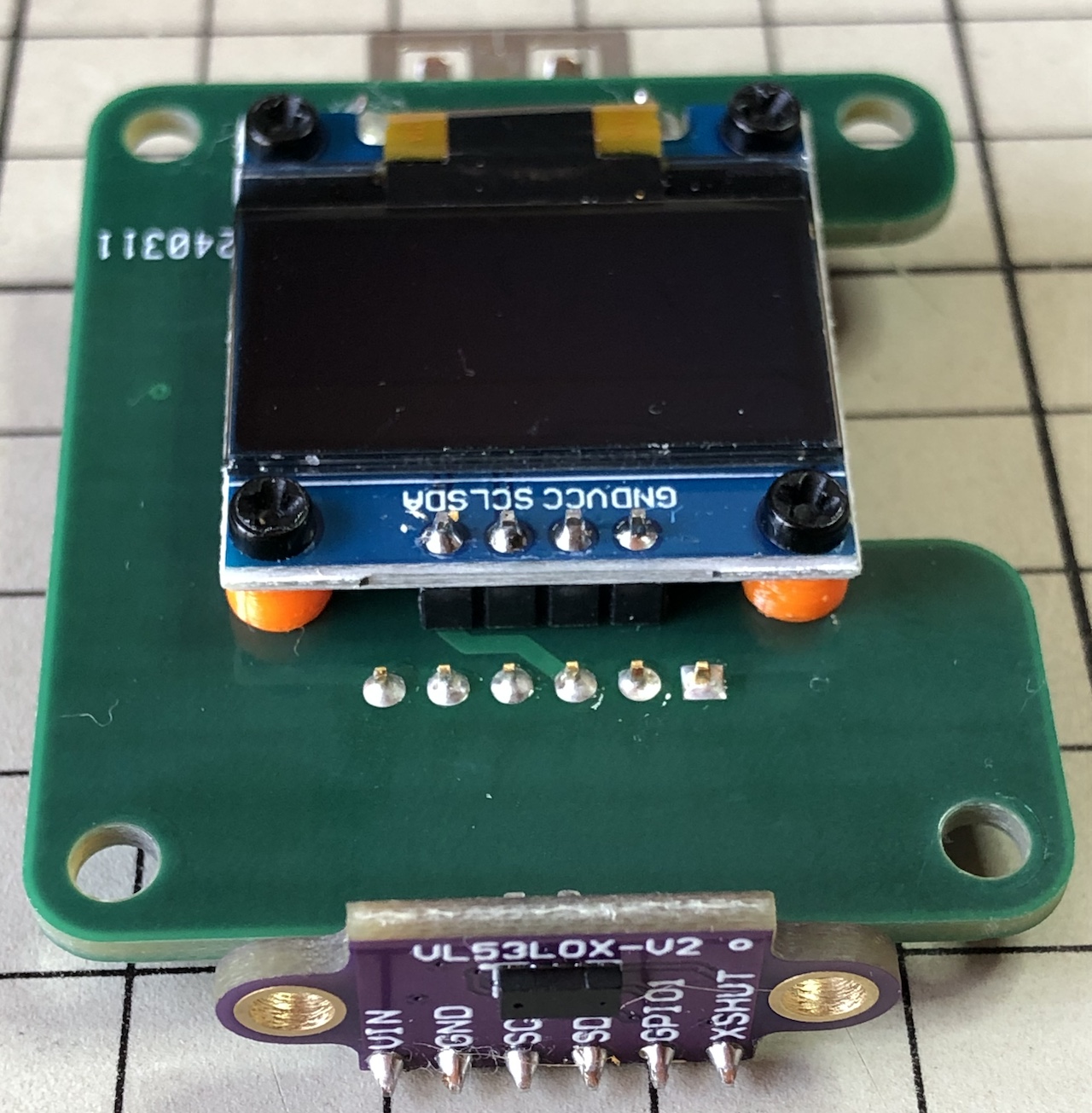
Breakout module mounted on a pin socket
ブレイクアウトモジュールをピンソケットに取り付けた
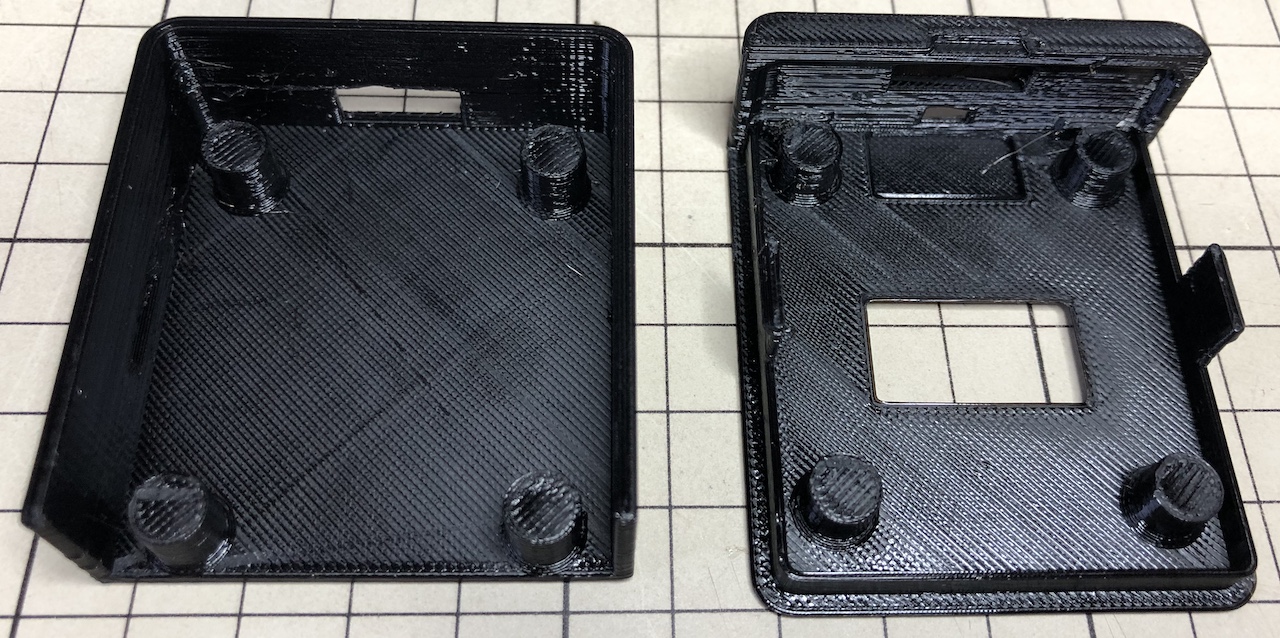
Printed case
印刷したケース
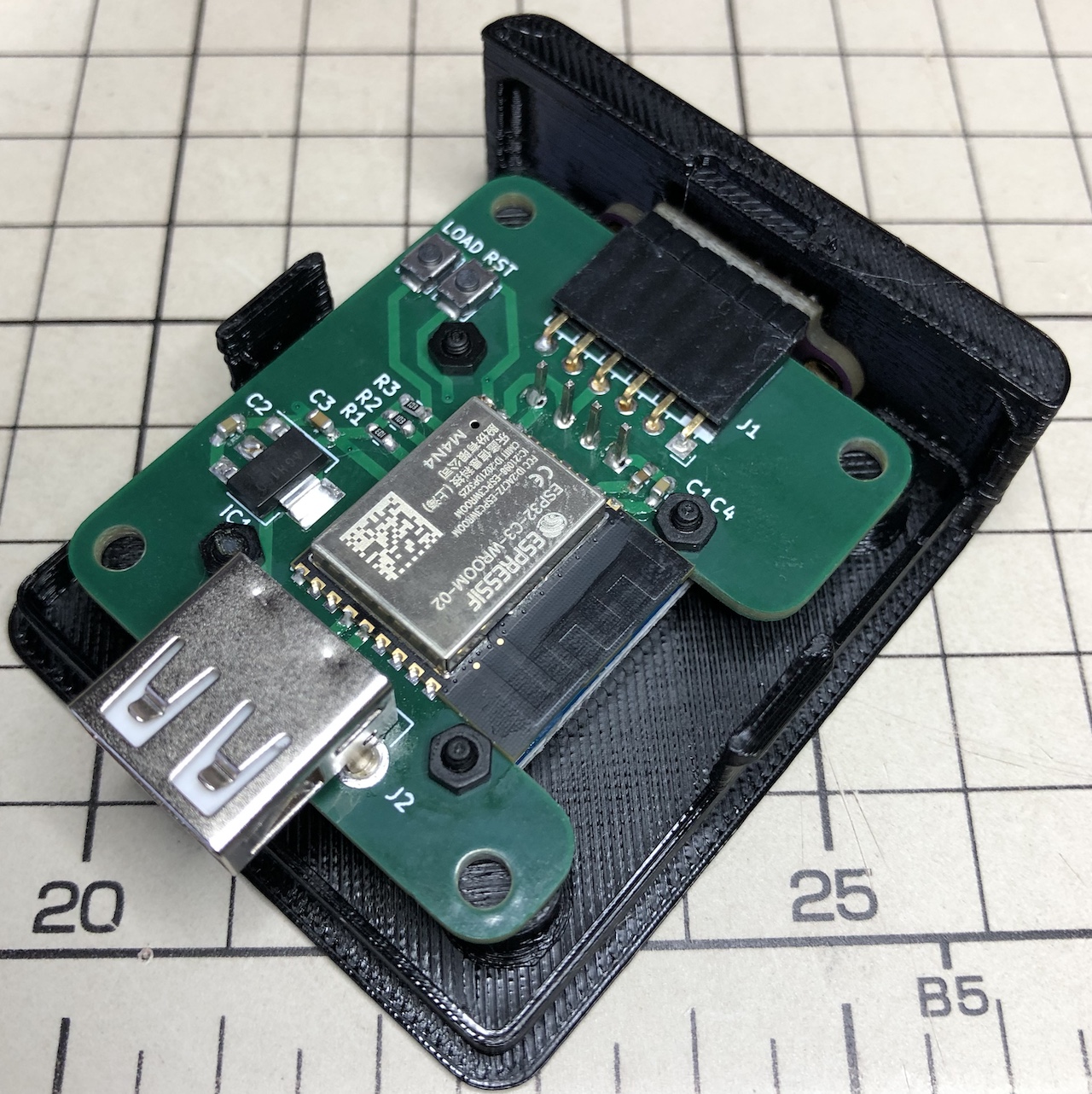
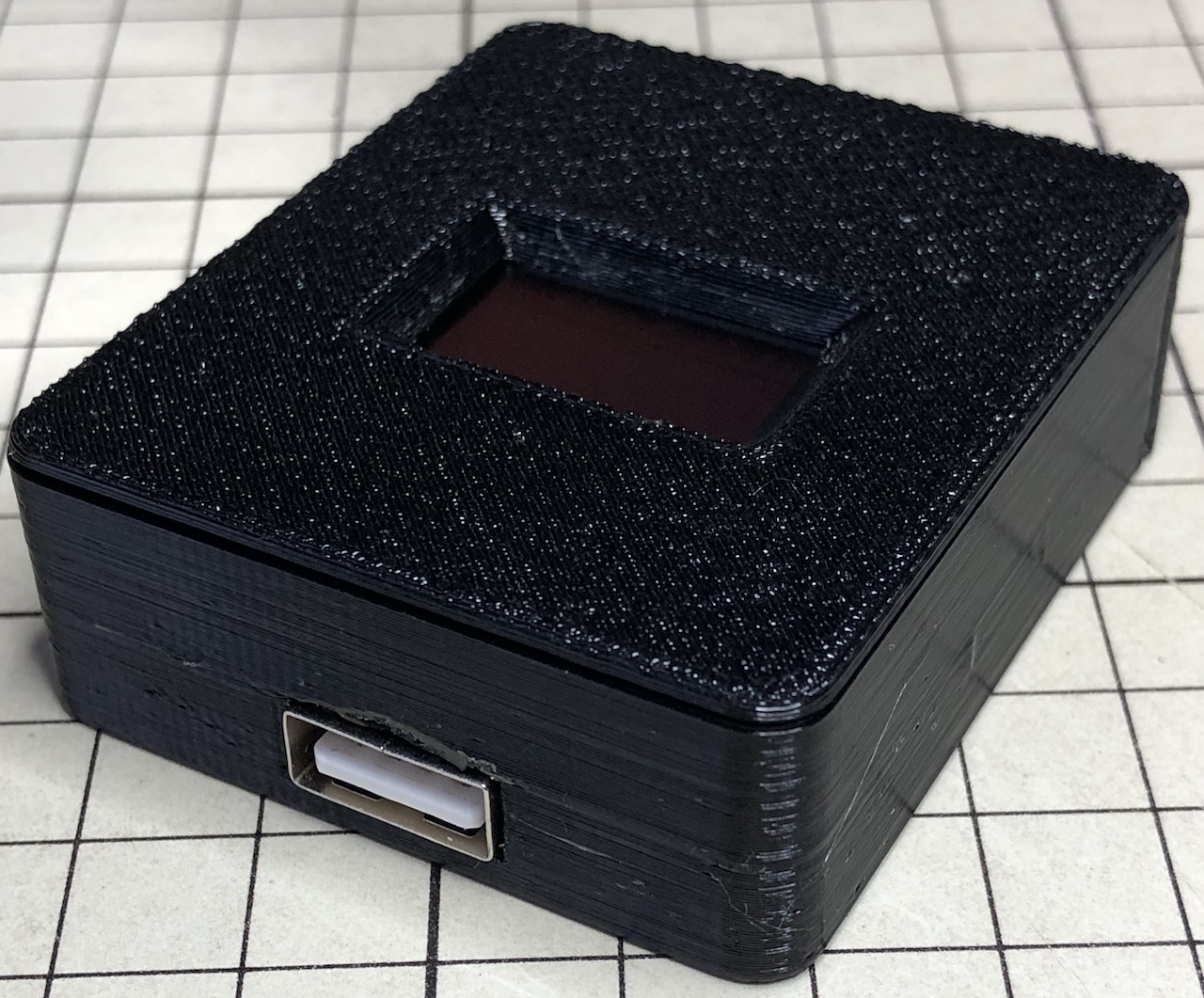
Aligning the VL53L0X with the holes in the case and placing the printed circuit board
VL53L0Xをケースの穴に合わせてプリント基板を配置する
Slide the lid off slightly to fit, slide it closed so that the USB connector is in the hole and you're done!
蓋を少しずらしてはめ込み、USBコネクタが穴に入り込むようにスライドして閉めれば完成
Writing the software
ソフトウェアの書き込み
The software is written using the Arduino framework. I used "Adafruit_VL53L0X" and "U8g2" as libraries, so please install them using the Arduino IDE.
ソフトウェアはArduinoフレームワークを使って記述しました。ライブラリとして"Adafruit_VL53L0X"と"U8g2"を使わせてもらっていますので、Arduino IDEを使ってインストールしてください。
Select "ESP32C3 Dev Module" as the board and you can write to it.
ボードとして"ESP32C3 Dev Module"を選ぶと書き込むことができました
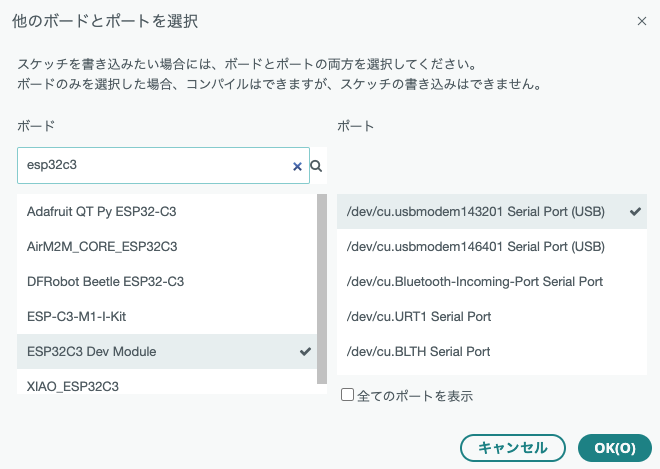
To put the microcontroller into write mode for the first time, it is necessary to press and release the RST button while pressing the LOAD button.
初回はマイコンを書き込みモードにするために、LOADボタンを押しながらRSTボタンを押して離す操作が必要です
Calibration
キャリブレーション
Calibration is required to compensate for the fact that the VL53L0X is retracted deep into the case and to absorb individual differences in the VL53L0X. Several measurements were taken at different distances, with the following results.
VL53L0Xがケースの奥に引っ込んでいることの補正と、VL53L0Xの個体差を吸収するためにキャリブレーションが必要です。距離を変えて何点か測定してみたところ、以下の様な結果となりました。
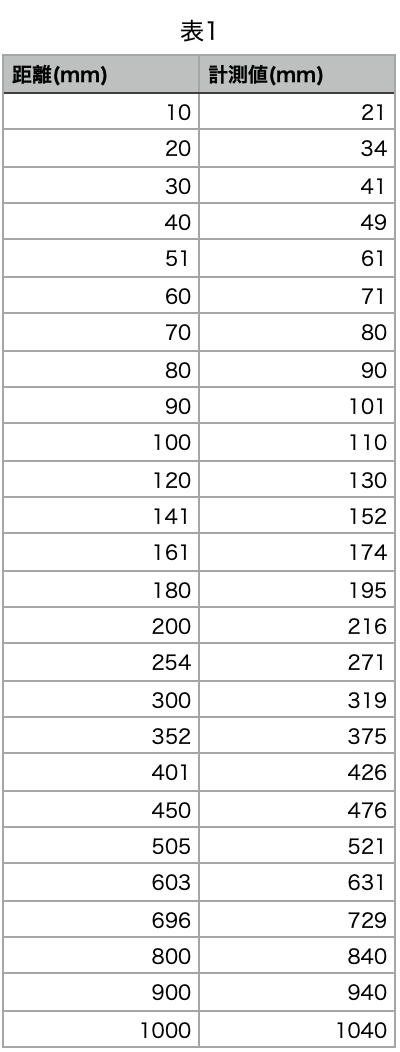
It should be possible to measure from 30 mm to 2 m. However, I used data from 40 mm to 600 mm for calibration because the error is large at distances less than 40 mm and the measured values are unstable at distances of 700 mm or more.
30mmから2mまで測定できるはずですが、40mm未満では誤差が大きいこと、700mm以上では測定値が不安定になることからキャリブレーションには40mmから600mmのデータを使いました。
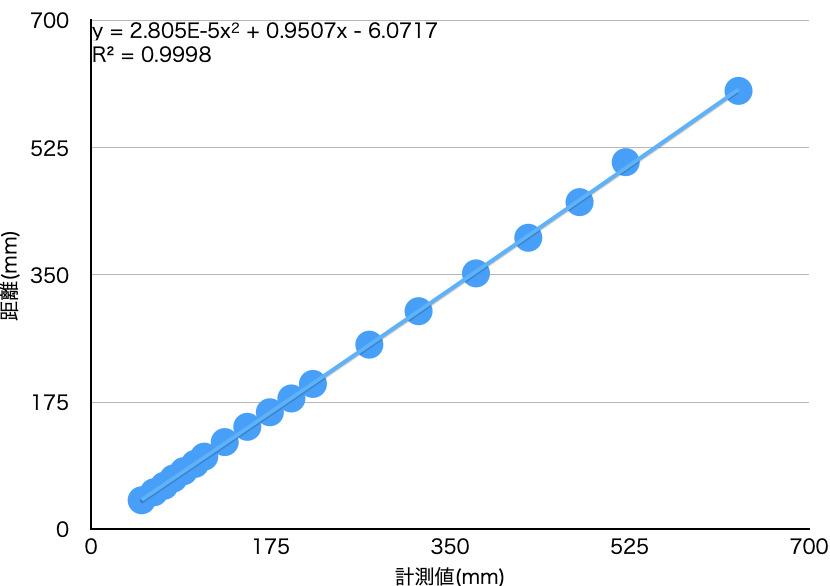
A polynomial approximation equation is required so that the correct distance can be calculated from the values measured by the VL53L0X using spreadsheet software. I used Numbers, but any spreadsheet software should be able to do this.
表計算ソフトでVL53L0Xが測定した値から正しい距離を算出できるように、多項式近似の式を求めます。私はNumbersを使いましたが、どの表計算ソフトでもできるはずです。
The approximation formula should be placed in line 138 of the file "VL53L0X.ino".
この様にして求めた近似式を"VL53L0X.ino"の138行目に記述してください。
BOM
| C1 | 1uF | 1608(0603) |
| C2 | 10uF | 1608(0603) |
| C3 | 22uF | 1608(0603) |
| C4 | 10uF | 1608(0603) |
| IC1 | Diodes AZ1117CH-3.3 SOT-223-3 | TabPin2(3.3V) |
| J1 | 2.54mm PinSocket 6pin RightAngle | |
| J2 | USB Connector 2.0 TypeA Female | |
| M1 | Espressif ESP32-C3-WROOM-02-N4 | |
| M2 | OLED | 0.96inch 128x64 |
| R1 | 10kOhm | 1608(0603) |
| R2 | 10kOhm | 1608(0603) |
| R3 | 10kOhm | 1608(0603) |
| SW1 | Push SPST | 3mmx4mm |
| SW2 | Push SPST | 3mmx4mm |