
Nametag with logo
We calculate the final price from your selected file. You review and accept it before payment.
Saved on this device.

A nametag with space for 3D printed logotype. Name on paper insert. Attached via safety pin.
- Rating
- 0 / 5
- Likes
- 4
- Downloads
- 48
- Makes
- 0
- Views
- 251
- Reviews
- 0
Updated at source:
Model information
- Source
- Printables
- Category
- Props
- License
- Creative Commons — Attribution — Noncommercial
A nametag/badge with the name on paper insert. The name tag provides space for a logo.
Print considerations
The name tag for the paper insert (the largest part) needs to be printed with supports from the build plate only.
None of the other parts needs support.
Adding a logo from an .svg file
- Open the All.3mf in PrusaSlicer.
- Zoom in to the nametag using the middle scroll wheel of the mouse and then press [1] on the keyboard to rotate to a straight top down view.
- Right click on the right portion of the nametag and select Add part:SVG from the context menu and then select the SVG file containing logo.
- Set the Depth of the picture to 0.7mm and the width to about 20mm

- If you lose the picture, click on the picture in the list of objects in the middle of the right side panel.
- When you are ready press the [Slice now] button.
- To set the color change, drag the upper layer slider down to 4.00 and then click the plus sign that appears next to the slider.

Name label
The name label should be 50mm x 35mm, a .pdf template is included.
Insert the name label as shown on the picture below:
Preparing safety pin holder
Place the safety pin on top of the slit on the safety pin holder.
Push the needle down into the slit.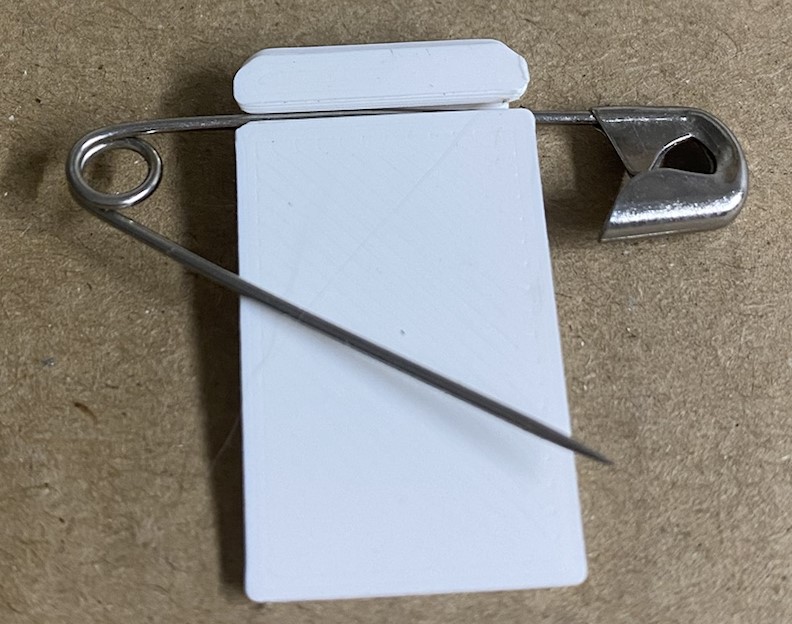
Insert the safety pin holder into the recess on the backside of the nametag.
Push the safety pin holder up as far as possible.