
Quickmill 0835 Timer and Temp Sensor
We calculate the final price from your selected file. You review and accept it before payment.
Saved on this device.
Model information
- Source
- Printables
- Category
- Kitchen
- License
- Creative Commons — Attribution — Noncommercial — Share Alike
Intro
I love my Espresso Machine. I got it from my Grandparrents and they had it for 26 Years and it still works flawlessy. The one thing I was missing is a build in Timer that automatically starts and stops with the extraction. Ive seen that modern machines have this build in so i thought I want to build that myself.
My restrictions were that I dont want to alter anything permanently on the machine and to have it fit into the overall aesthetics.
The project turned out more into a programming project then 3D-Printing project but i decided to upload it anyway. Since it may help somebody.
BOM
You will need:
- 1x Wemos D1 Mini or any Arduino IDE compatible Board
- 1x SSD1306 64x32 Oled Screen
- 1x NTC Temperatur Sensor (NTCM-10K-B3380)
- 1x 10K Resistor
- 1-2x mini Woodscrew D1,2-1,6mm 4mm long
- Wire
- 3D Printed Screen Housing
- 3D Printed Microcontroller Housing: https://www.printables.com/de/model/525719-wemos-d1-mini-wled-case-higher-version
Features
When the machine gets turned on it will show a short Boot Animation with the Quickmill Logo.
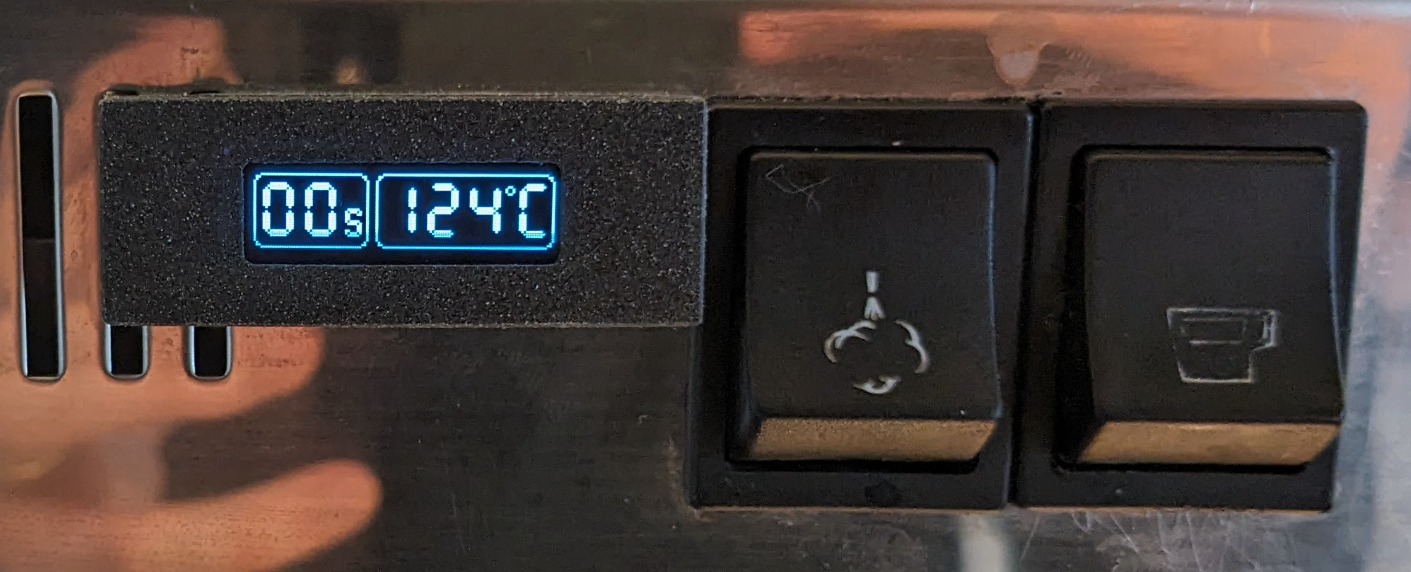
After that the Screen displays the timer on the left and the Temperatur readings on the right. Just like seen on the Image below.
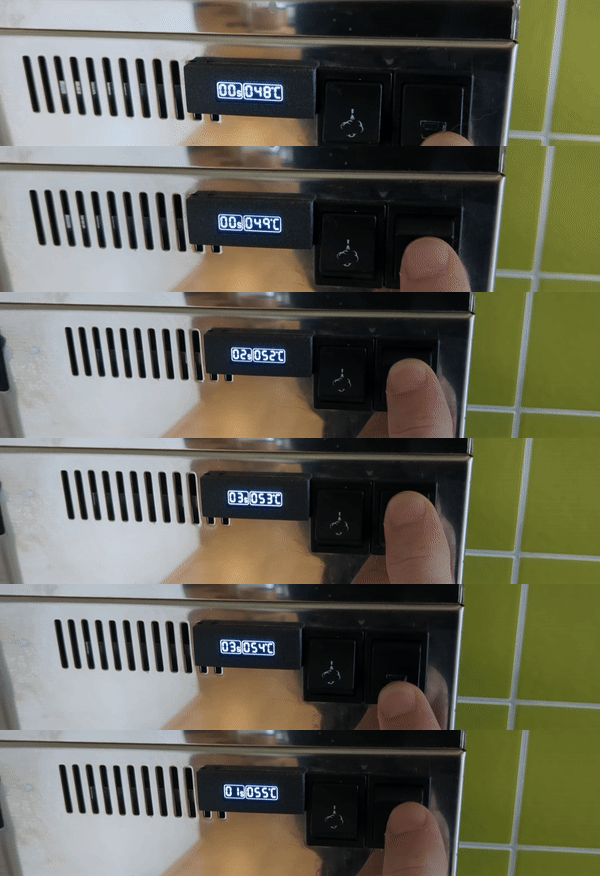
When the Button with the Coffee Cup Icon is pressed. The Timer will Start Counting Up. As long the the button is in the down Possition the Timer will keep counting up until the Switch is turned off again. The Elapsed time will stay on the screen. If the button gets pressed again. The timer will reset to Zero and Start counting up again.
Instructions
- Print all the housings
- Solder 4 wires to the screen and fit the screen into the housing. Close the housing with the provided backplate. It will clip in place.
- Thread the 4 wires through the first venting slit of the housing to the inside of the machine.
- Push the scree housing into the first and second slit of the vent and secure it with one or two of the mini screws. Make sure the wires are nicely guided into the machine.
- Inside the machine solder the wires to the microcontroller according to my wiring sheet or according to your microcontrollers documentation.
- Create a wire harnes for the Temperatiure sensor. Make sure you insulate all exposed wires with shrink tube well.
- Also solder the Temperatur Sensor to the Board.
- Fix the Temperatur Sensor with Heat conductive glue inside of one of the open holes of the heater element.
- The button of the Espresso Extraction has some extra teminals which can be used to trigger the start and stop of the timer. Create some Y-Cabels and attach the signal cable to the Board.
- Fit everything into the Housing and clip the lid close.
- Make sure no wire is exposed or without insulation.
- Take a look into the code and try to understand it. Make changes to your need (Pins/Outputs/..) Upload the code with the Arduino IDE
- Power the microcontroller with the usb connector from a suitable power supply
Wiring
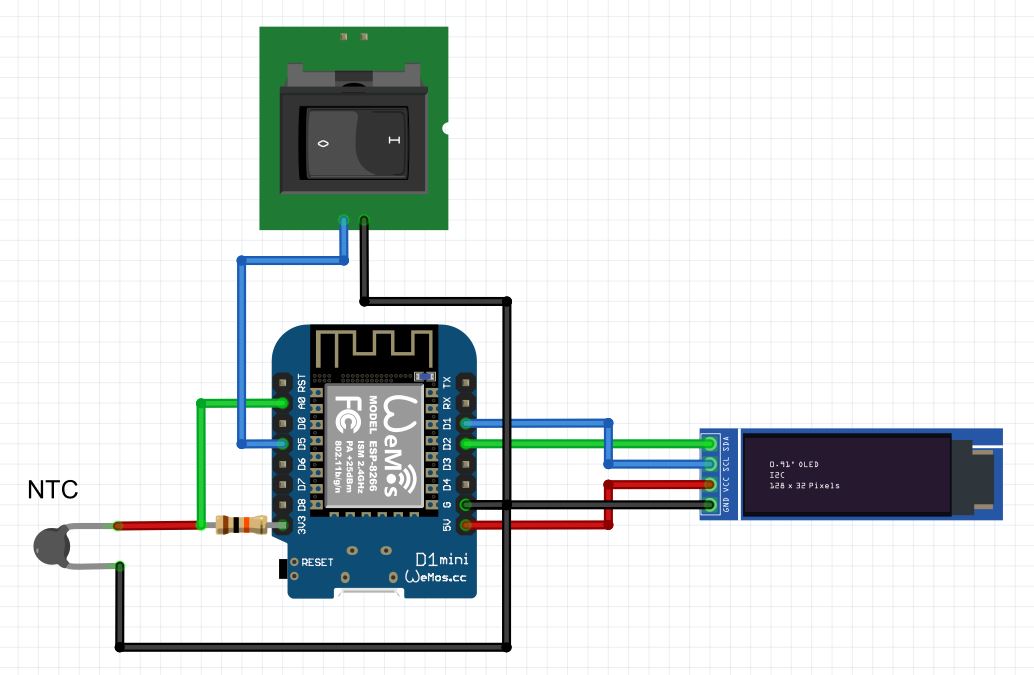
Warning
This Project is advanced I will not post pictures of the internal Wiring since the machine runs on mains Voltage and it is dangerous to work in there. Im left to only recoment to run this circuit outside of the machine and to not open the machine.