
A1 Mini - Handles
We calculate the final price from your selected file. You review and accept it before payment.
Saved on this device.

A1 Mini - Handles
- Rating
- 4.857 / 5
- Likes
- 162
- Downloads
- 1,403
- Makes
- 15
- Views
- 5,126
- Reviews
- 14
Updated at source:
Model information
- Source
- Printables
- Category
- Bambu Lab Parts & Upgrades
- License
- Standard Digital File License

BEFORE STARTING THE IMPLEMENTATION OF THE PROJECT, READ CAREFULLY THE ENTIRE DESCRIPTION AND VIEW THE PHOTO GALLERY !!!
Hello Everyone
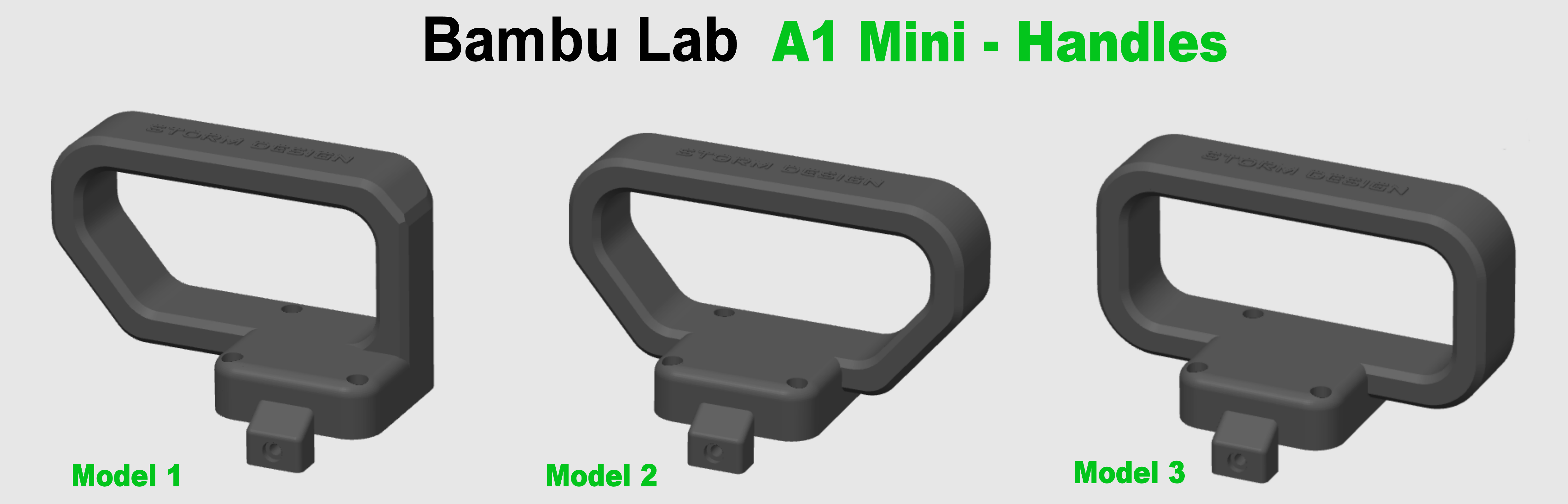
This is a handle for the Bambu Lab A1 mini printer mounted on the top of the Z axis. Two versions are published, differing only in the length of the screws used. The first version is intended for the original screws from the printer which are located under the Z axis cover. The second version is intended for M3 12-16mm screws - Cylindrical Head. You will need 3 pieces of screws. If you have such screws, I recommend using the second version because it is a more reliable solution. The original screws from the printer that you obtain when disassembling the X axis cover are quite short.
If you don't like my logo on the handle, write me a private message and I will provide you with the selected handle without the logo. You can also always remove it in the slicer by adding negative parts.
SIZE INSIDE FOR THE HAND :
- Model 1 - 90 x 40mm (length x height)
- Model 2 - 100 x 40mm (length x height)
- Model 3 - 95 x 40mm (length x height)
When you complete the project, please share a photo and a comment. Thank you and have a nice day.
UPDATE 07.07.2024 :
- I added two new types of handles. There are currently 3 models to choose from.
Here you will find all my modifications and accessories for Bambu Lab A1 Series printers : https://www.printables.com/pl/@Damian27/collections/1547024
For all modifications of my Bambu Lab A1-Mini printers, I used Fiberlogy Easy PLA and Fiberlogy Impact PLA filaments in Gray and Graphite colors. As you can see in the photos, the color is almost 100% consistent with the color of the printer, which makes the modifications look like factory parts.
What Should I Buy ? :
- Screws M3 12-16mm - Cylindrical Head - 3pcs - https://a.aliexpress.com/_EQBSTPJ
How to Print ? :
- Material : ANY
- Layer Height : 0.2mm
- Infill : 30-40%
- Wall Loops : 5
- Bottom Layers : 5
- Top Layers : 5
- Support : YES - Normal - Manual - See Photo Gallery
- Brim : No