
1 / 6
Ajustable Cascade sieve
Order a print of this model
We calculate the final price from your selected file. You review and accept it before payment.
Saved on this device.
Model information
- Source
- Printables
- Category
- Kitchen
- License
- Creative Commons — Attribution — Noncommercial
Settings in Cura. Make sure you set the top/bottom to 0.
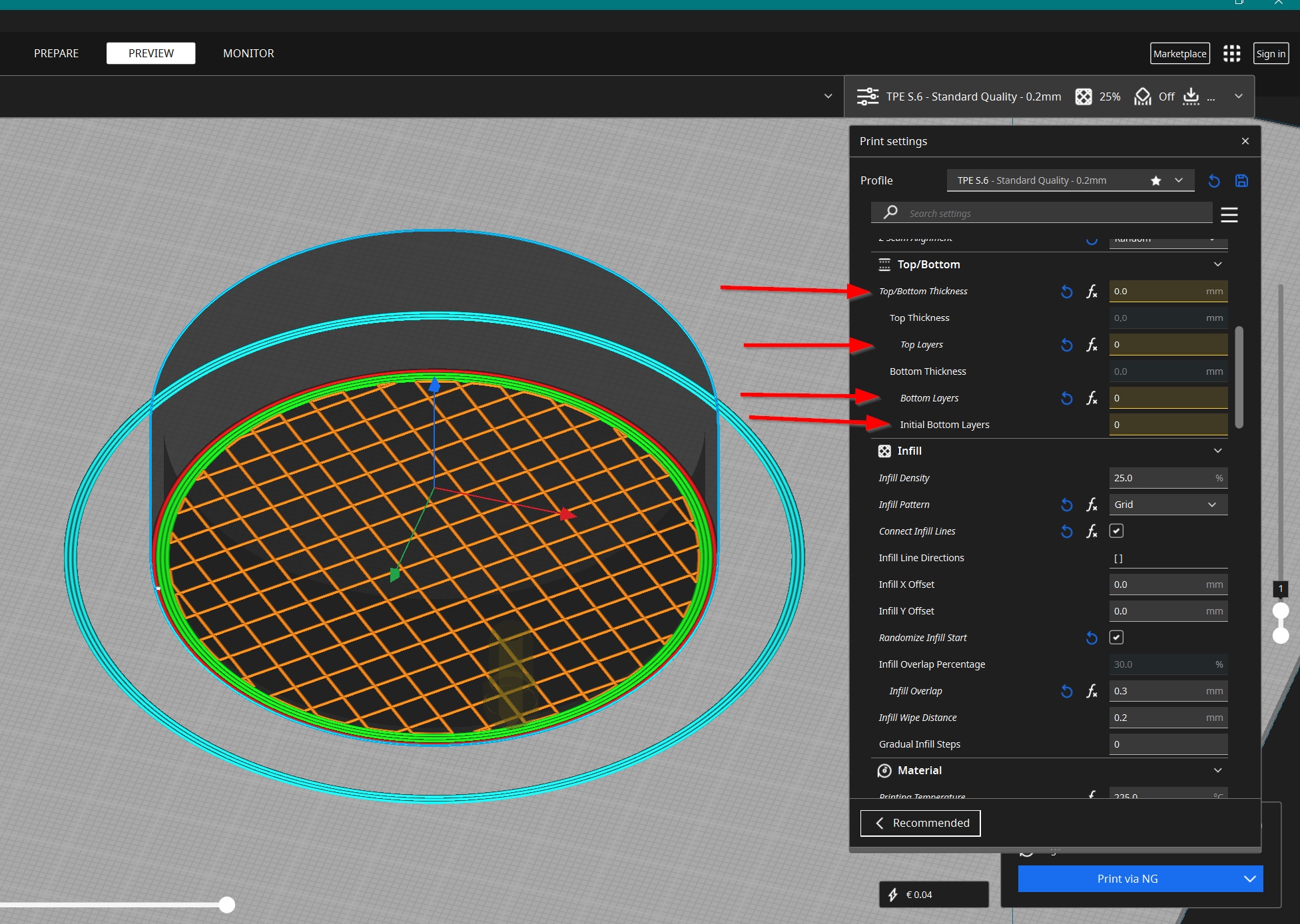
Now you can set the infill density. In the picture below it is set to 60. Above it is 25.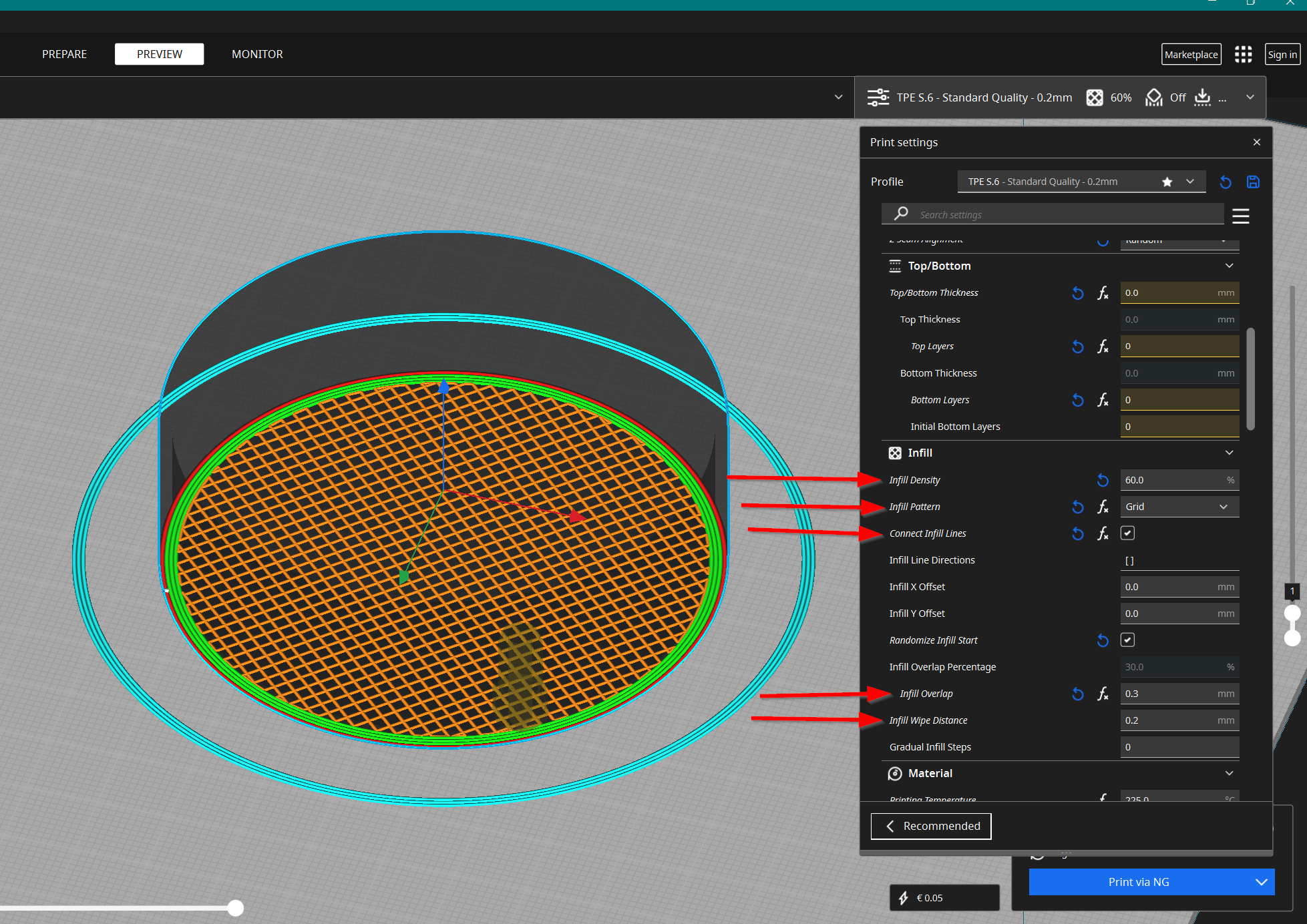
Print this 3 times in grid sizes you like. Make sure you use the settings above. The infill overlap should be about half of the nozzle-size. Like you can see, I print with 0.6mm. Do a .2mm wipe to make it stronger. Don't forget to connect infill lines!
The container comes in 2 versions. One is fat, the other straight. Pick the one you like most.
The lid should be printed from TPU, TPE or similar.
Happy printing!