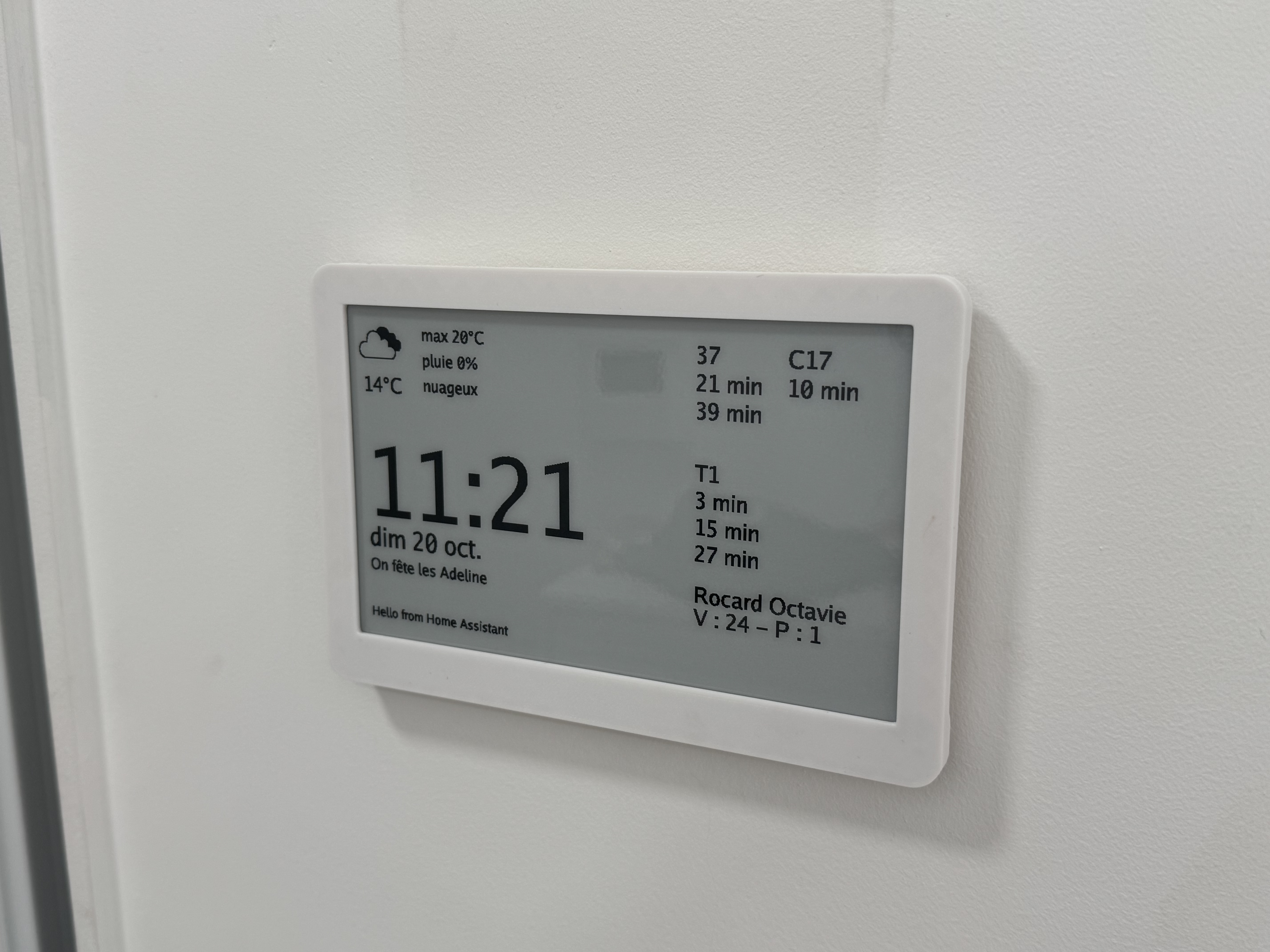
Waveshare 7.5inch wall mount
Obliczymy ostateczną cenę na podstawie wybranego pliku. Sprawdzisz ją i zaakceptujesz przed płatnością.
Wstępna wycena dla PETG
1,26 € – 1,54 € netto (bez VAT)
Dla pliku: back_0.4n_0.25mm_PETG_MK4S_51m.bgcode
To wstępna wycena jednego pliku. Dokładną cenę poznasz przed zamówieniem.
Plik i założenia wyceny
Plik użyty do wyceny
Średnia wycena orientacyjna: 1,40 € netto (środek widełek).
- Masa podana przez autora
- 31 g
- Czas druku podany przez autora
- 51 min
- Materiał u źródła
- PET
- Materiał wyceny
- PETG
- Drukarka wyceny
- Bambu Lab P1S - 0.4 nozzle
- Proces wyceny
- 0.20mm Standard
Orientacyjna wycena wyłącznie wybranego pliku, oparta na masie i czasie druku podanych przez autora. Warianty plików nie są sumowane. Ostateczna cena zostanie obliczona po analizie pliku.
Zapisane na tym urządzeniu.

Mount a 7.5inch e-paper display from waveshare to the wall in a thin package.
- Ocena
- 0 / 5
- Polubienia
- 18
- Pobrania
- 64
- Wydruki
- 0
- Wyświetlenia
- 1120
- Oceny
- 0
Aktualizacja u źródła:
Informacje o modelu
- Źródło
- Printables
- Kategoria
- Other Ideas
- Licencja
- Creative Commons — Public Domain
BOM
- 4x M2 threaded inserts
- 4x M2 screws
- 2x Mount points (I used wall plugs)
- 1x Waveshare 7.5inch E-Paper Hat Display Module
Modify model if necessary
The mounting holes are 117mm apart. If you want to change that, edit the Fusion 360 file and export the “back” component before printing it. There's a parameter to help you do that.
I printed the parts using PETG but any other filament should be fine.
The “back” part needs a bit of support just under the mounting holes. The 3mf and gcode files already contain these supports.
The other parts don't need support.
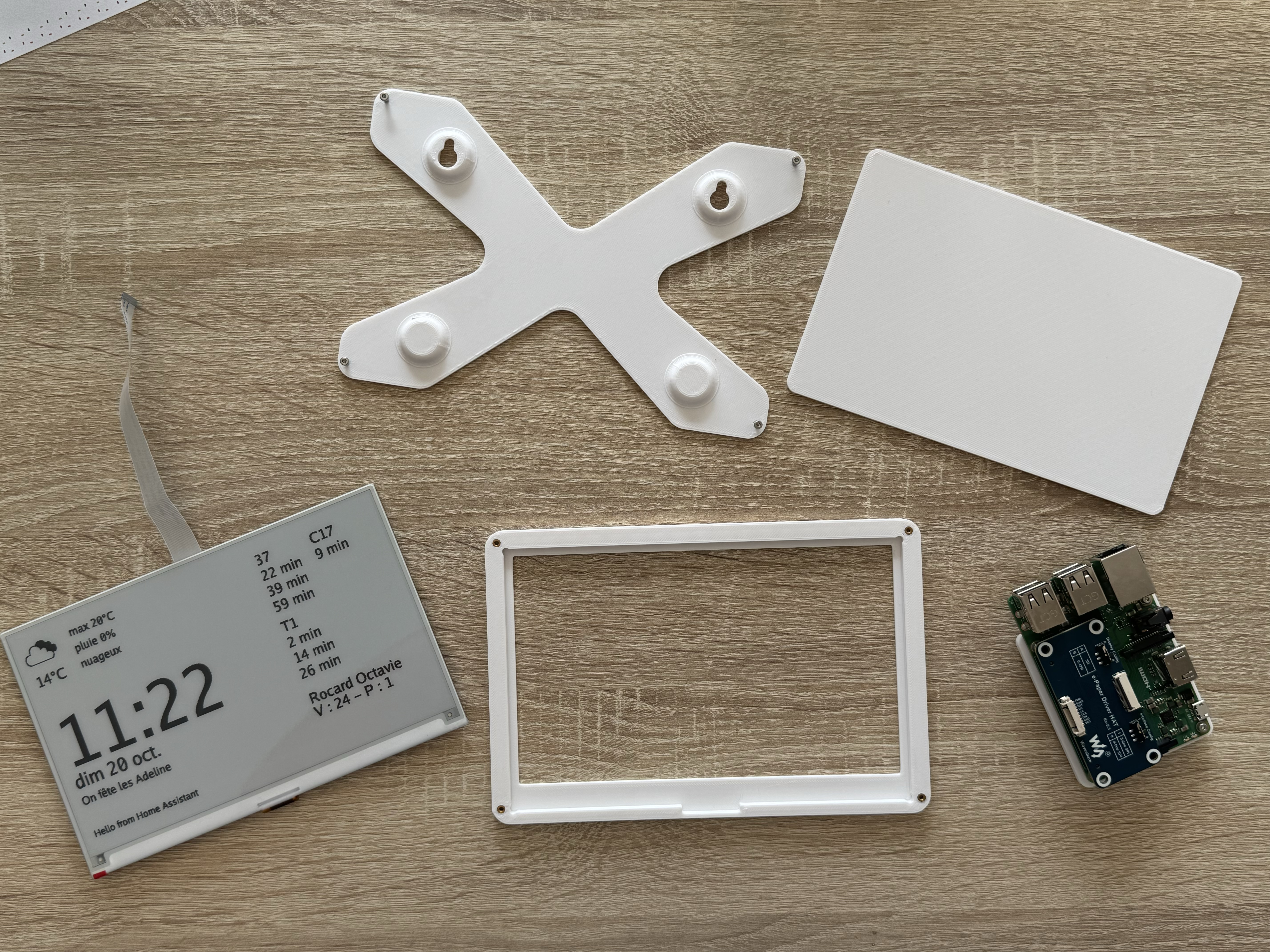
Code
The codebase I'm using (tailored to my specific needs): https://github.com/Crocmagnon/display-epaper. I'm using https://gokrazy.org.
Assemble
- Add M2 threaded inserts to the frame
- Put the display in the frame, face down, flat cable near the notch
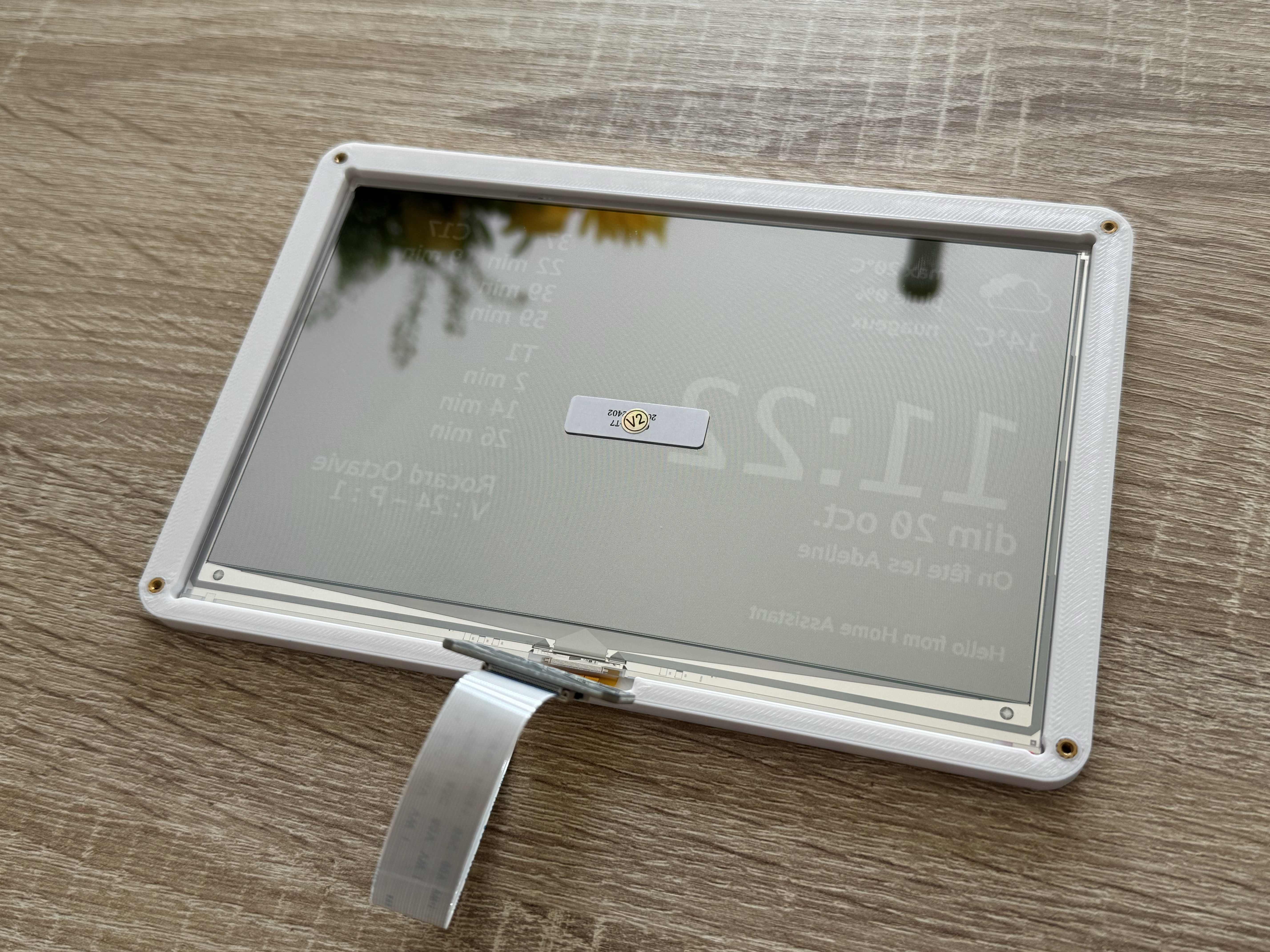
- Add the wedge on top of the display, to press it towards the frame
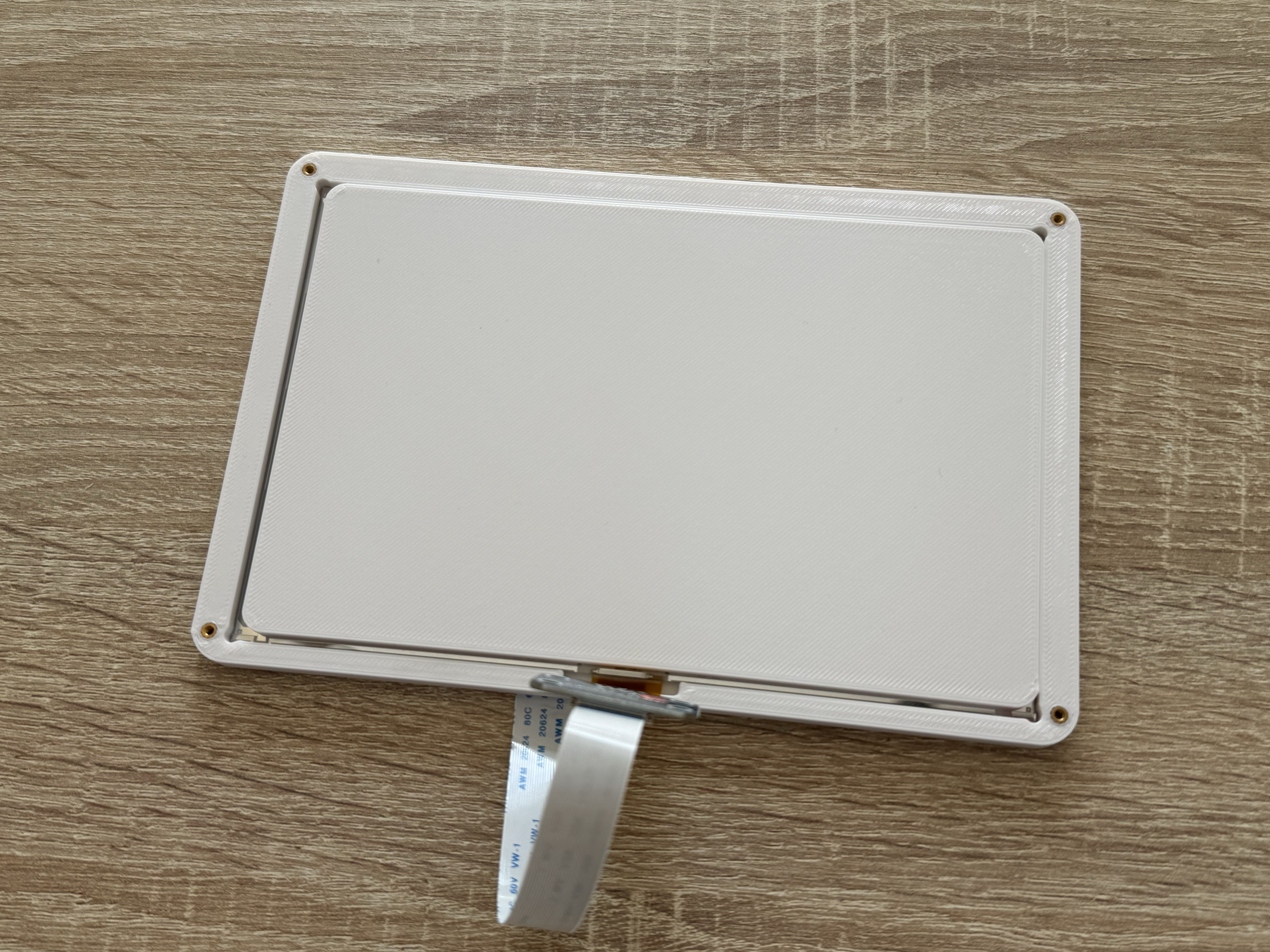
- Mount the back, mounting holes opposite to the flat cable.
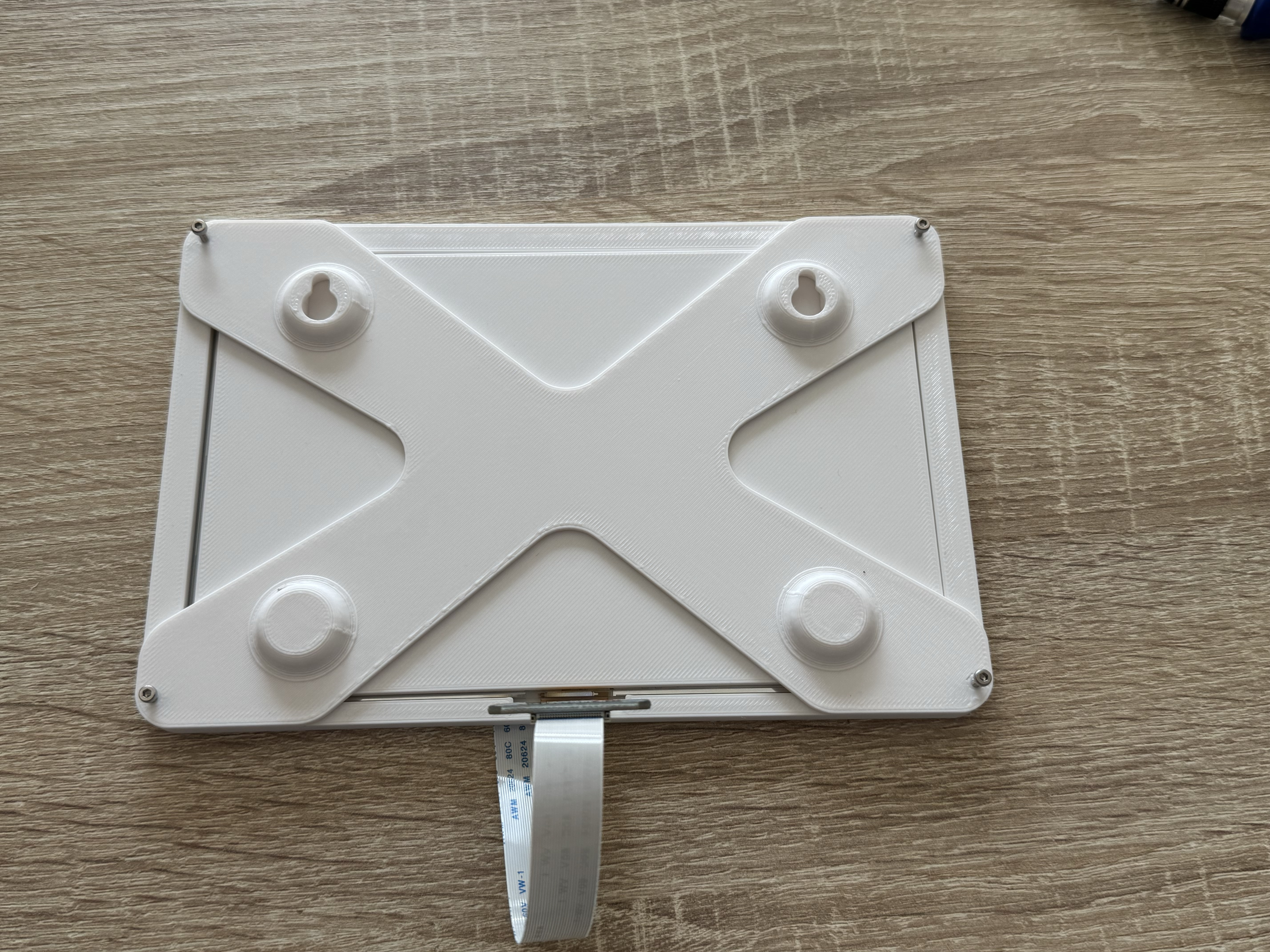
- Assemble using M2 screws
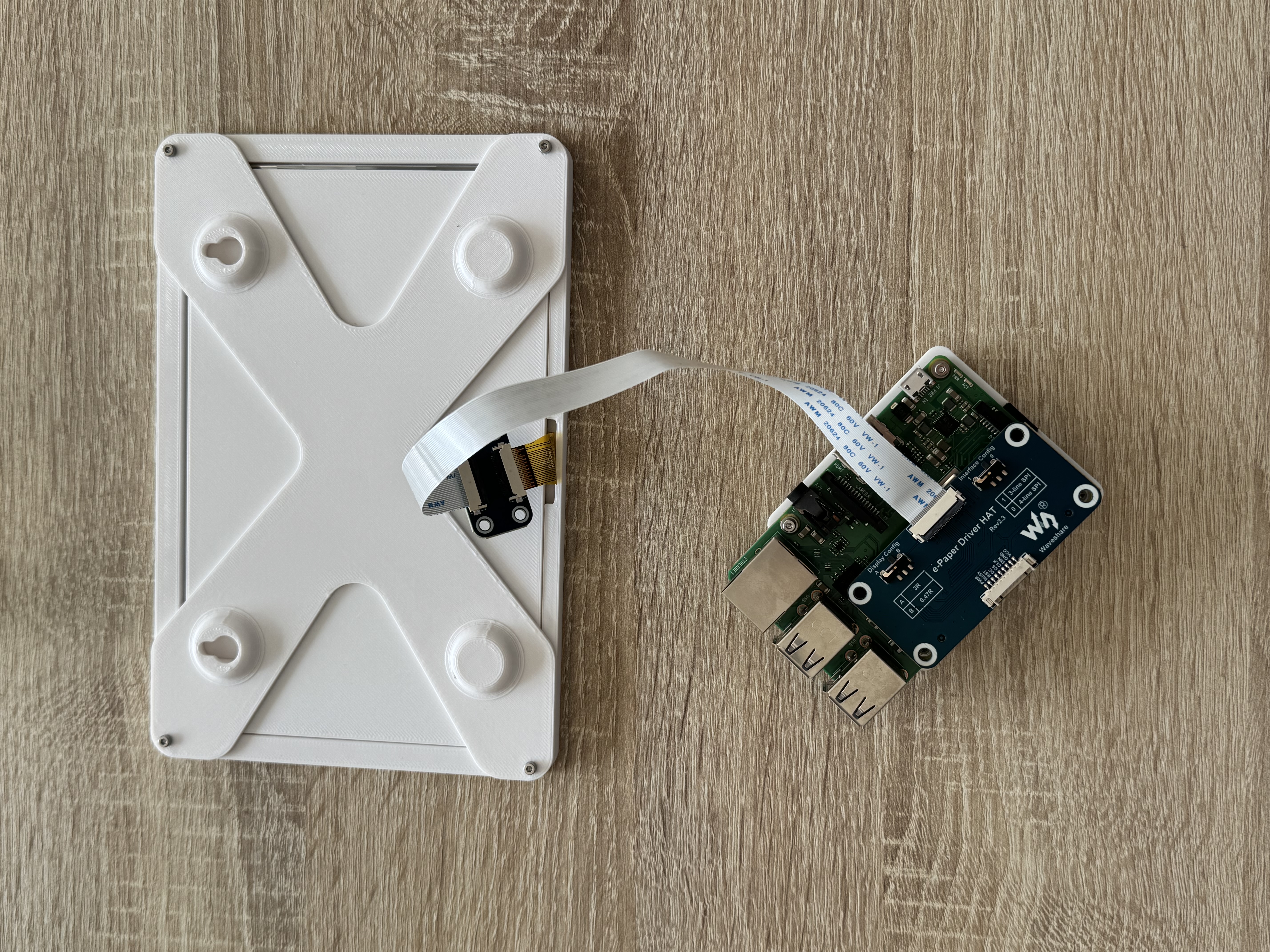
I drilled a hole in my wall to let the flat cable access the raspberry pi, mounted in a closet just behind. The hole is hidden by the display.