
Optotap Filament sensors
Obliczymy ostateczną cenę na podstawie wybranego pliku. Sprawdzisz ją i zaakceptujesz przed płatnością.
Zapisane na tym urządzeniu.

Upcycle an Optotap PCB in filament sensor
- Ocena
- 4,5 / 5
- Polubienia
- 38
- Pobrania
- 60
- Wydruki
- 1
- Wyświetlenia
- 867
- Oceny
- 2
Aktualizacja u źródła:
Informacje o modelu
- Źródło
- Printables
- Kategoria
- Accessories
- Licencja
- GNU General Public License v3.0
Optotap filament sensors
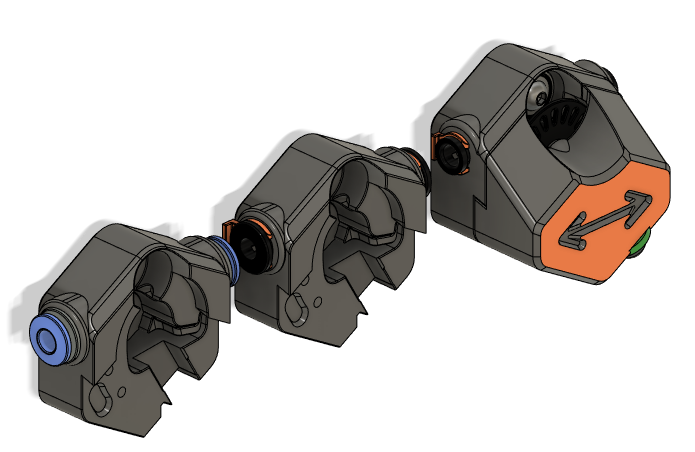
Upcycle your Optotap PCB building a 2 in 1 filament sensor. This mod combines a filament switch sensor and a filament motion sensor.
Bill of materials
| Hardware | qty | Notes |
|---|---|---|
| Optotap PCB 5v or 24 V | 1 | |
| pin D3 20mm | 1 | e.g : 3.0x20mm BMG kit shaft |
| 623zz bearing 3x10x4mm | 1 | Tx @S Mabar to remind me this |
| EPDM rubber O-ring #5 (5.7mm x 1.9mm) | 2 | Any OD10mm CS2mm should work, ! EPDM not Silicon |
| M3 x 8 BHCS | 2 | |
| M3 x 10 BHCS | 1 | M3 x 16 if you wan't to screw it to the frame |
| Pushfit collet | 2 | Bondtech, UM2 or ECAS04 |
| D2F microswith | 1 | |
| M2 x 10 self tapping screw | 2 | |
| JST-PH 2P header | 1 | |
| Isopropylic Alcohol (IPA) | ! Important : Clean o-rings with IPA to give enough grip |
Print parts
Parts are designed for ABS/ASA. Use Voron print settings (LW0.4, LH0.2, 40% infill, 4 perimeters, 5 top/bottom layers)
3 FMS_back are available. It depends of the collet used.
Nota : optotap_cover was designed for a V2.1 PCB, it is optional, if it doesn't fit your PCB, just do not use it and screw PBC with M3x8
Wiring
Switch must be be wired NO to an endstop pin of the board.

Switch GND and Optotap GND can be shared.
Assembly
Screw D2F microswitch in FMS_back.stl (Obviously, solder wires first. There's a room for JST-PH 2P header ).
Insert collets
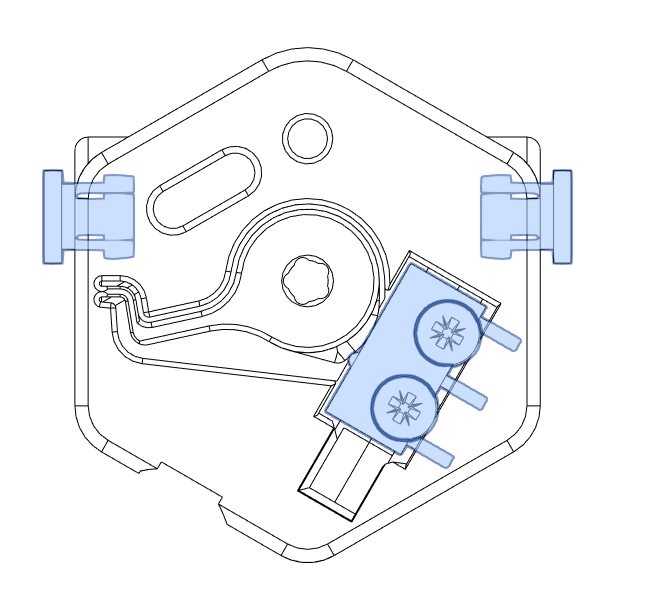
Insert the shaft (tigh fit) . Attach the ball bearing with an M3x10.
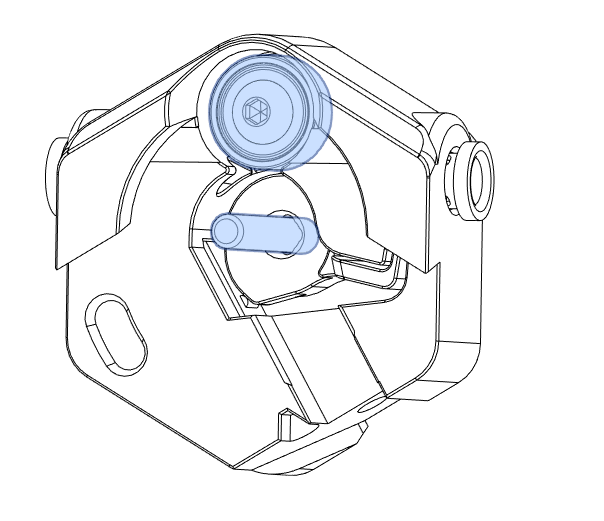
Clean the O-rings with IPA. Put O-rings on the Sensor_wheel.stl
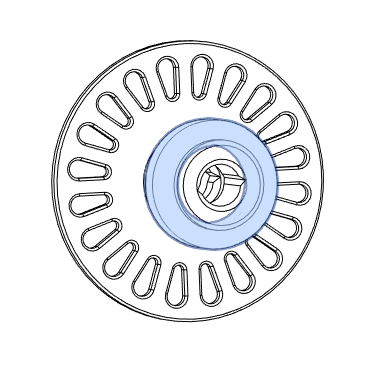
Sensor wheel must run smoothly. If not, clean hole with a 3mm drill bit.
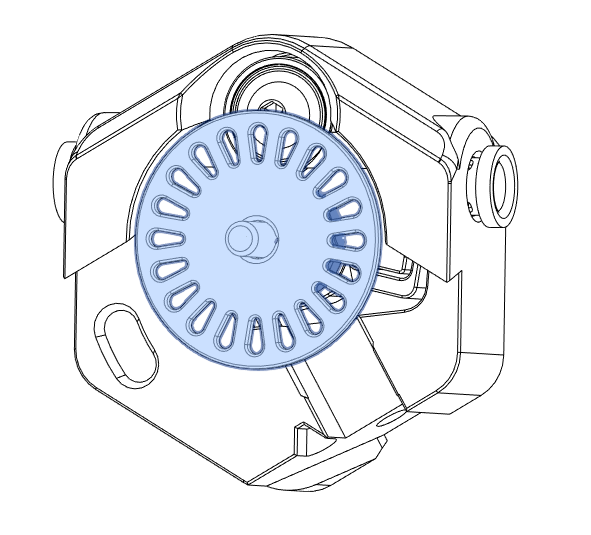
place FMS_front and screws the optotap + cover whith M3x8 screws.
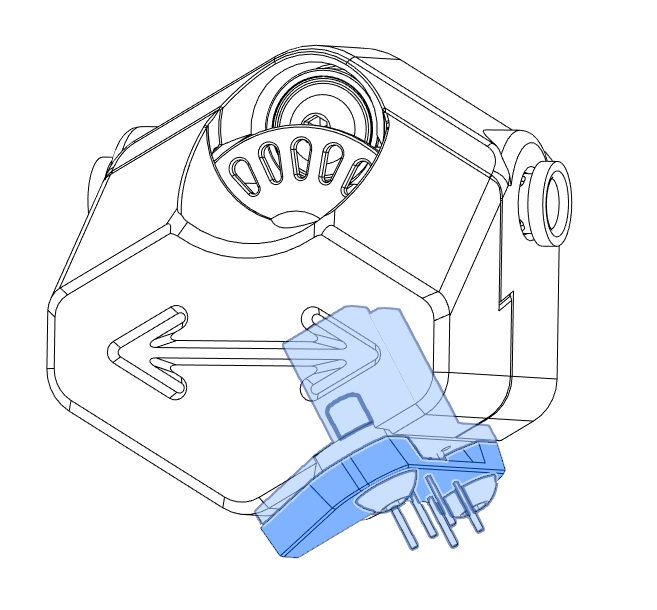
Check twice your wiring. Enjoy :)
Klipper configuration
Configure Microswitch as a filament_switch_sensor, Optotap as a filament_motion_sensor.
Tip : DangerKlipper offers some extra features for filament sensors. see Documentation
Configuration example, to adapt to your printer configuration :
###  OPTOTAP_FILAMENT_SENSOR  CONFIG  ###
#########################################[filament_switch_sensor optotap_fss]
switch_pin: !<switch_pin> # Use ! if revert ^ if pullup needed
runout_distance: 500 # Extra distance in mm after runout is detected.
Note : This feature works only in DK
[filament_motion_sensor optotap_fms]
switch_pin: <optotap_pin> # Set optotap_pin
detection_length: 4.0
[gcode_macro _ofs_variables]
variable_enable_at_startup: False  # Enable/disable filament sensor at Printer startup default is false
DO NOT EDIT BELOW
#########################
Useful variables
[gcode_macro _ofs_variables]
gcode:
filament sensor settings
[filament_switch_sensor optotap_fss]
pause_on_runout: False
immediate_runout_gcode: # DK only
    SET_FILAMENT_SENSOR SENSOR=optotap_fms ENABLE=0
    RESPOND TYPE=error MSG="End of filament detected !"
    RESPOND MSG="Printer will runout in {printer.configfile.settings['filament_switch_sensor optotap_fss'].runout_distance}mm"
runout_gcode:
    PAUSE
    RESPOND TYPE=error MSG="Differed filament runout occurs !"
    RESPOND TYPE=command MSG="Printer pause until filament inserted"
insert_gcode:
    SET_FILAMENT_SENSOR SENSOR=optotap_fss RESET=1
    SET_FILAMENT_SENSOR SENSOR=optotap_fms ENABLE=1
    RESPOND TYPE=command MSG="Filament inserted, be sure it reaches hotend before RESUME"
[filament_motion_sensor optotap_fms]
extruder: extruder
pause_on_runout: True
runout_gcode:
    RESPOND TYPE=error MSG="Clog or tangle detected !"
Optotap FS macros
[gcode_macro SET_OPTOTAP_FS]
description: Enable or disable Optotap_FS
gcode:
    {% if params.ENABLE is defined %}
        {% set enable=params.ENABLE|int %}
        SET_FILAMENT_SENSOR SENSOR=optotap_fss ENABLE={enable}
        SET_FILAMENT_SENSOR SENSOR=optotap_fms ENABLE={enable}
    {% endif %}
    {% if params.RUNOUT_DISTANCE is defined %}
        {% set dist = params.RUNOUT_DISTANCE|float %}
        SET_FILAMENT_SENSOR SENSOR=optotap_fss RUNOUT_DISTANCE={dist}
    {% endif %}
disable FS at startup
[delayed_gcode _ofs_startup]
initial_duration: 1
gcode:
    {% set _vars=printer['gcode_macro _optotap_fs'] %}
    {% if not _vars.enable_at_startup %}
        SET_OPTOTAP_FS ENABLE=0
    {% endif %}