
Replaceable cells 18650 Battery Pack
Obliczymy ostateczną cenę na podstawie wybranego pliku. Sprawdzisz ją i zaakceptujesz przed płatnością.
Zapisane na tym urządzeniu.
Informacje o modelu
- Źródło
- Printables
- Kategoria
- Other Gadgets
- Licencja
- Creative Commons — Attribution
⭐TLDR:
This is my attempt at creating the smallest footprint 18650 battery cell-based battery pack. 18650 Li-ion cells have a lifespan of approximately 300–500 cycles. Therefore, it is very important to me that they can be replaced easily, quickly, and without the need for tools like a soldering iron.
The foundation for this project is a power bank module I found on Aliexpress, which is available in 3S (65W max), 4S (100W max), or 5S (100W max) variants. Different 3D-printed versions for all three variants are available in the files tab.
This battery bank design is also featured as a component in another one of my projects: Ultimate Modular Speaker.
Disclaimer:
I am not an electrical engineer. Use and perform this project at your own risk!
Features and Design Considerations:
- Small footprint: Approximately half the size of a standard power tool battery.
- Easily replaceable battery cells: No tools, like a soldering iron, required.
- Charge balancer: Ensures proper charging of all cells.
- High-power capabilities: Supports 100W (20V 5A) charging and discharging via USB-C, suitable for both smartphones and laptops.
- Extra connectivity options:
- Outputs: 2x USB-A
- Inputs: Lightning, Micro USB, DC-Port
- Battery percentage indicator: Displays the charge level.
- Overheating protection: Includes a temperature probe for added safety.
⭐Parts:
3D Printed: (PETG/PLA etc.)
- Case (3S, 4S, or 5S versions)
- Cable cover (3S, 4S, or 5S versions)
- Cover (3S, 4S, or 5S versions)
Note: Support material is required for certain areas during 3D printing.
Electronic and Misc.:
- Dual Fast charging 6-Port Micro/Type-C USB Mobile Power Bank Module 3S 4S 5S PD 65W 100W 21700 Charging Board DIY USB Power Bank - AliExpress
- 20pcs/ Replacement Metal Batteries Spring Contact Plate Silver For AA AAA Batteries - AliExpress 13
- Electrical wire with sufficient gauge
- 3-5x 18650 battery Li-ion cells ideally with a high C rate (due to overheating issues)
- Soldering iron plus solder
⭐Assembly:
- Wiring diagram
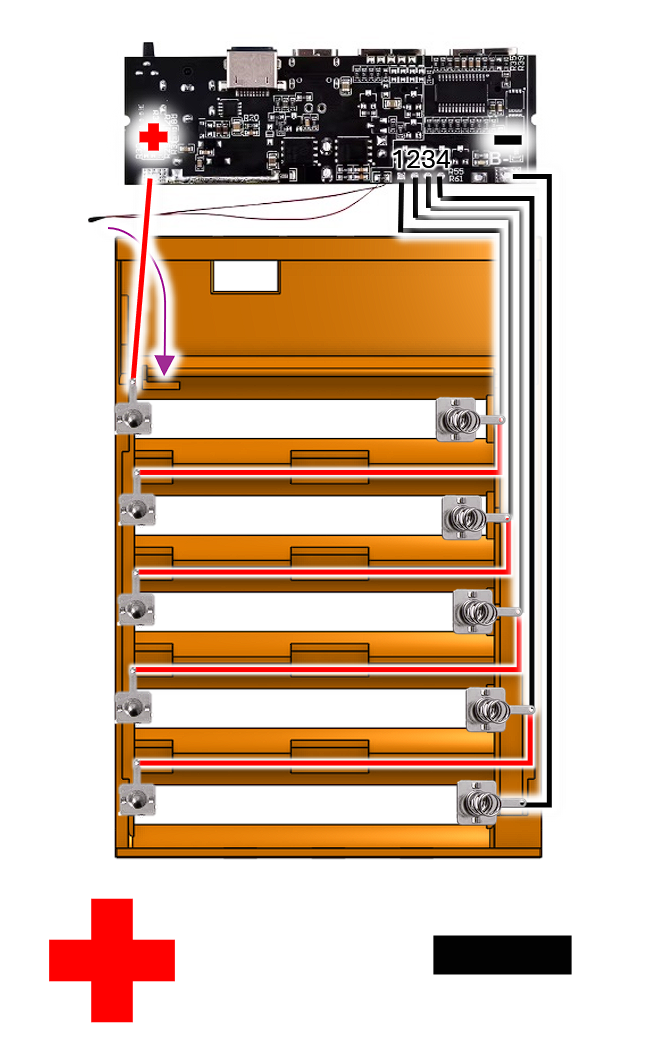
Soldering Step by Step:
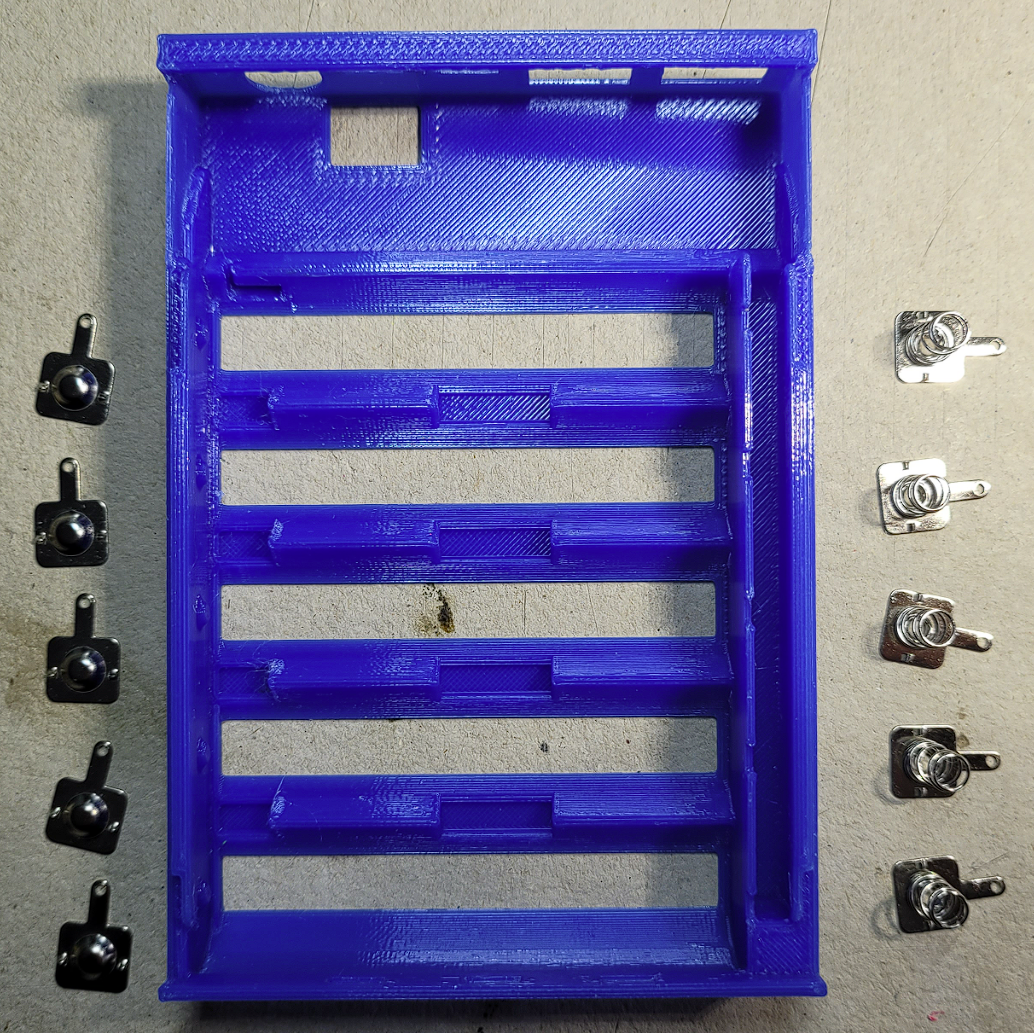
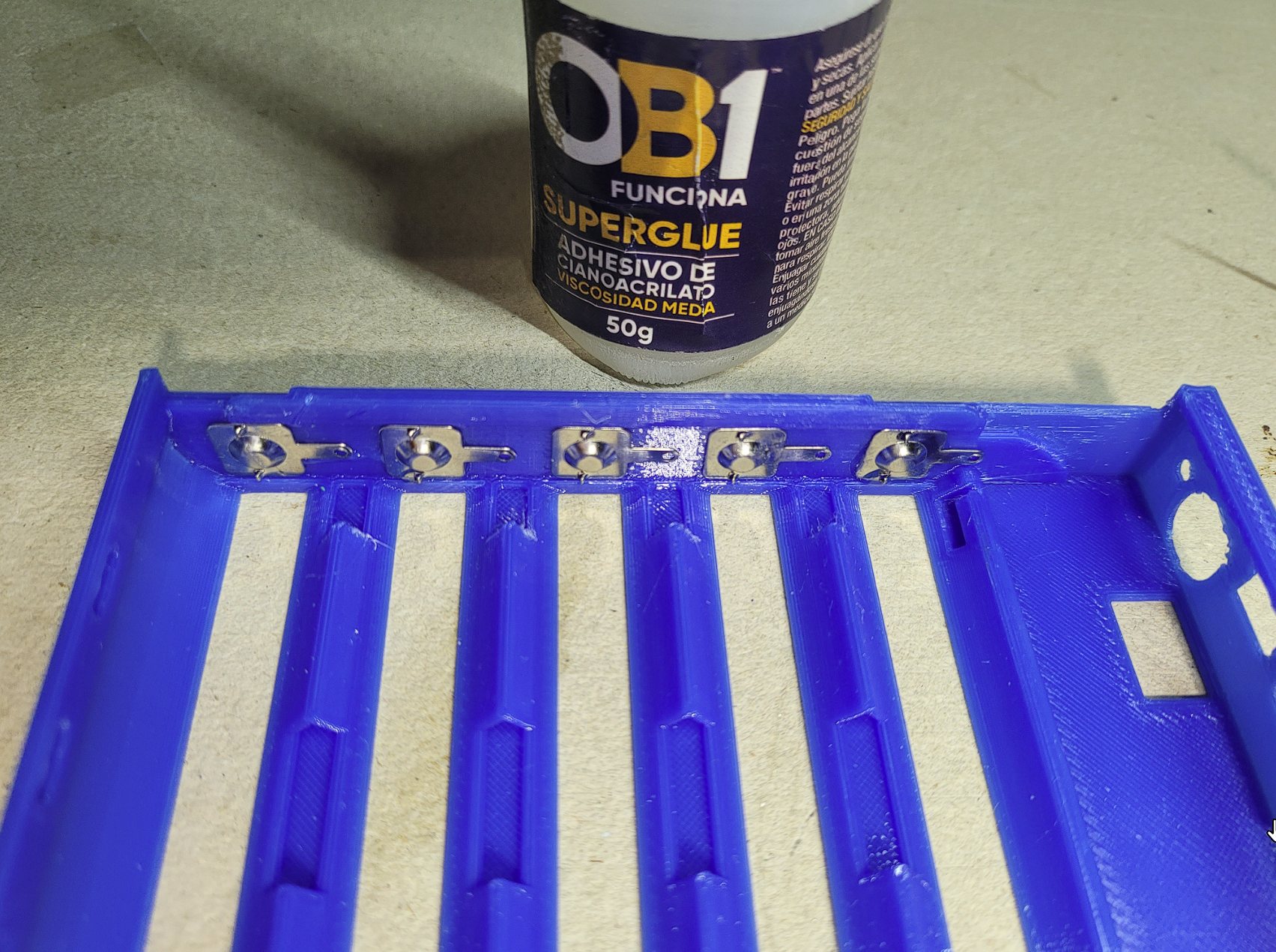
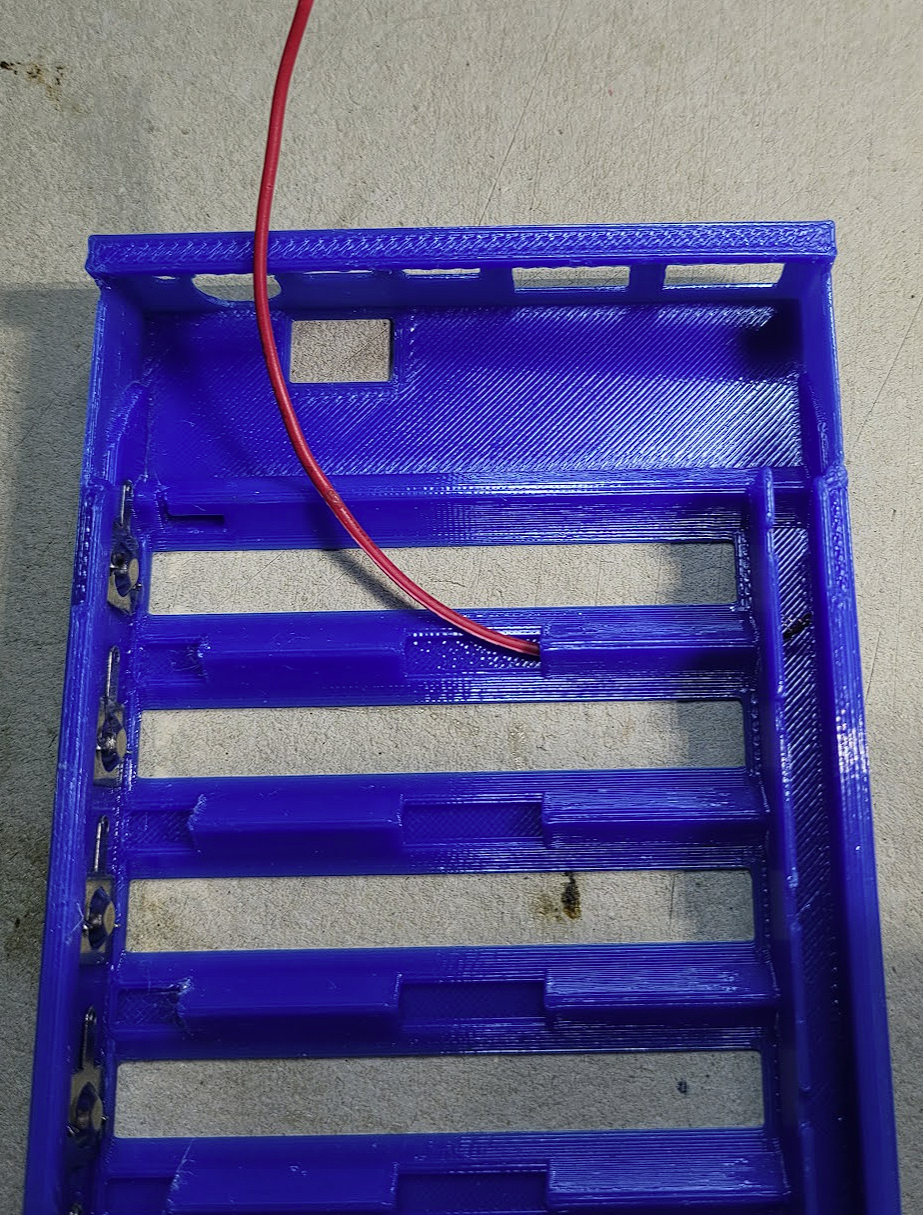
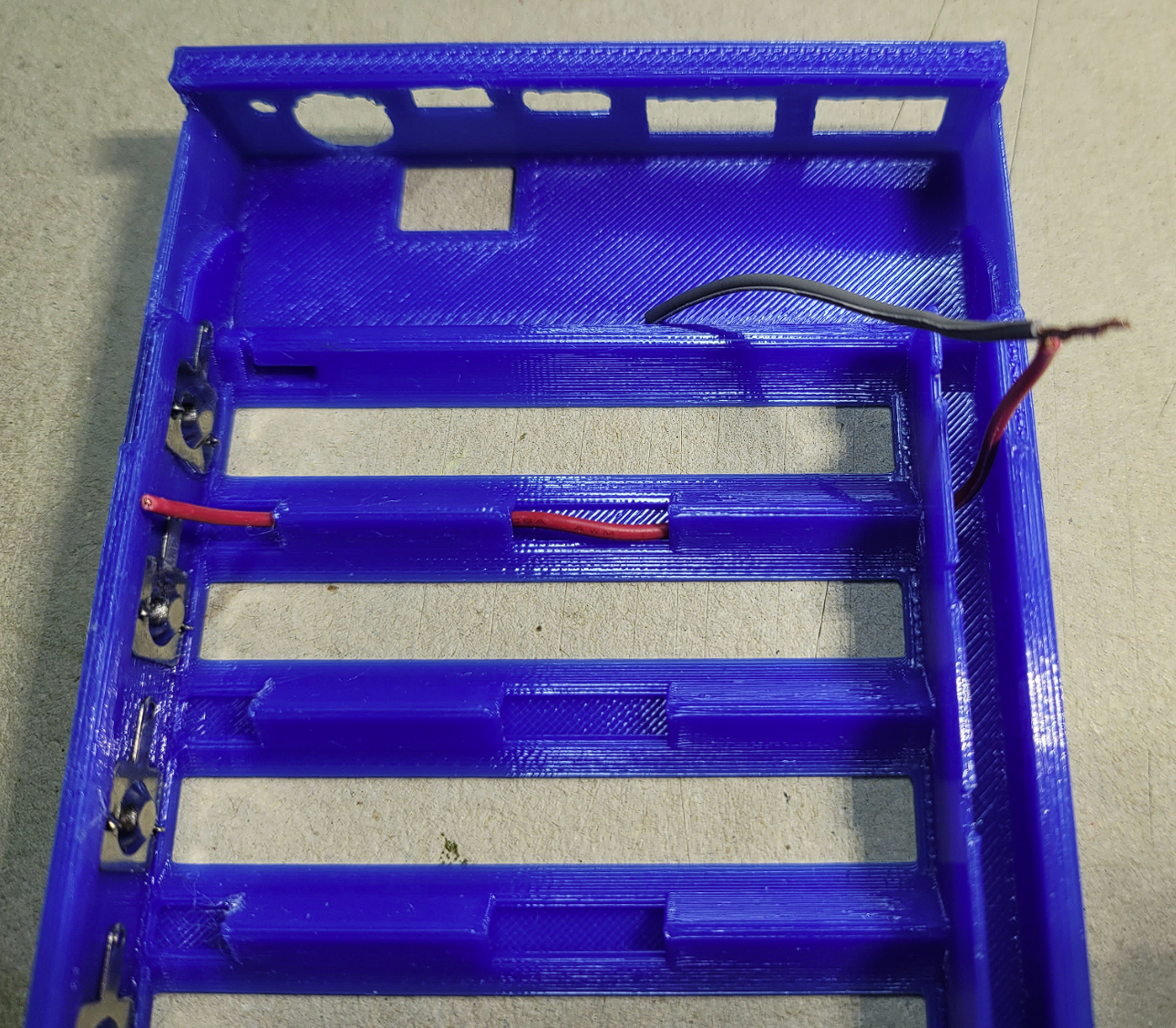
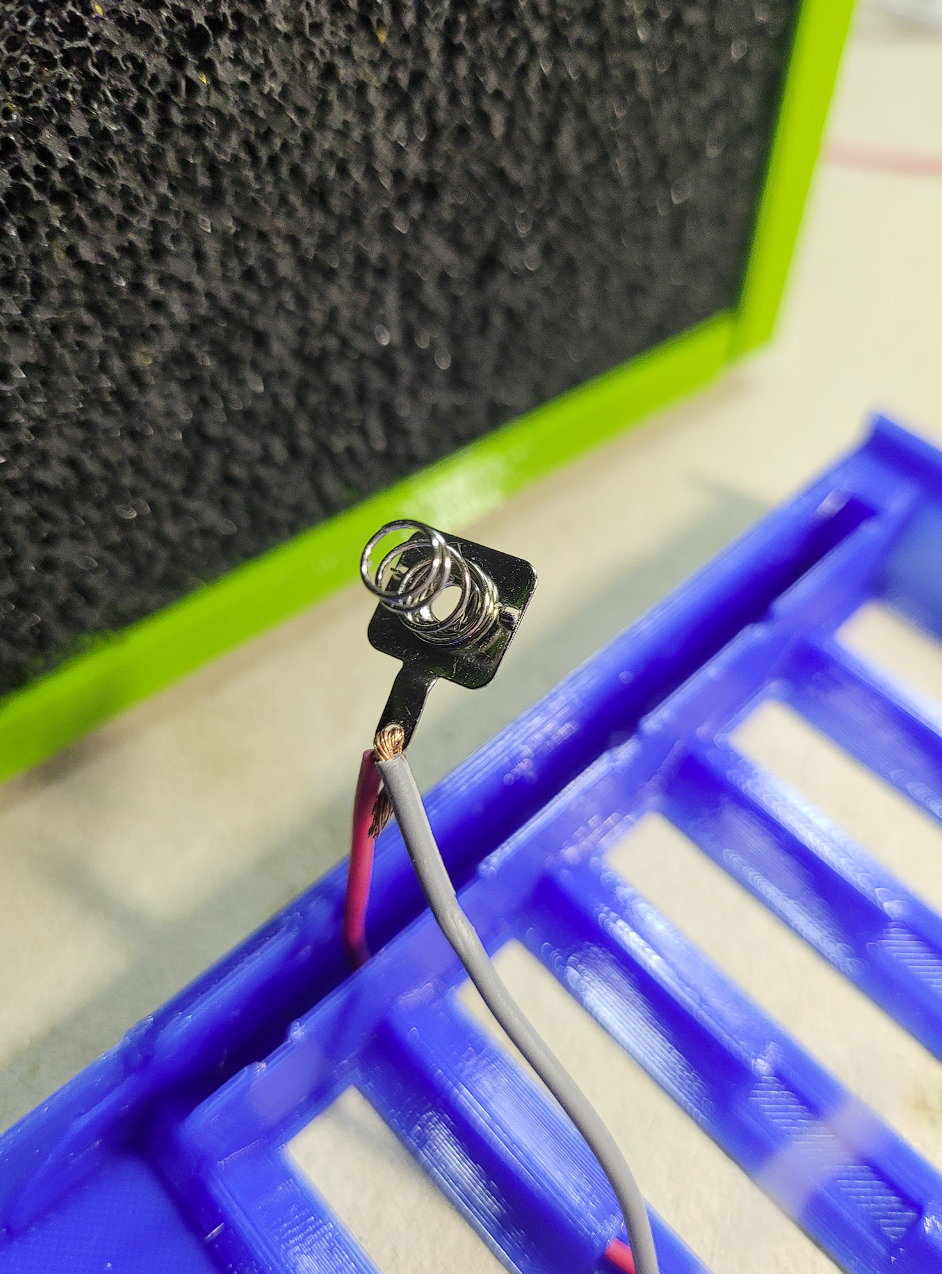
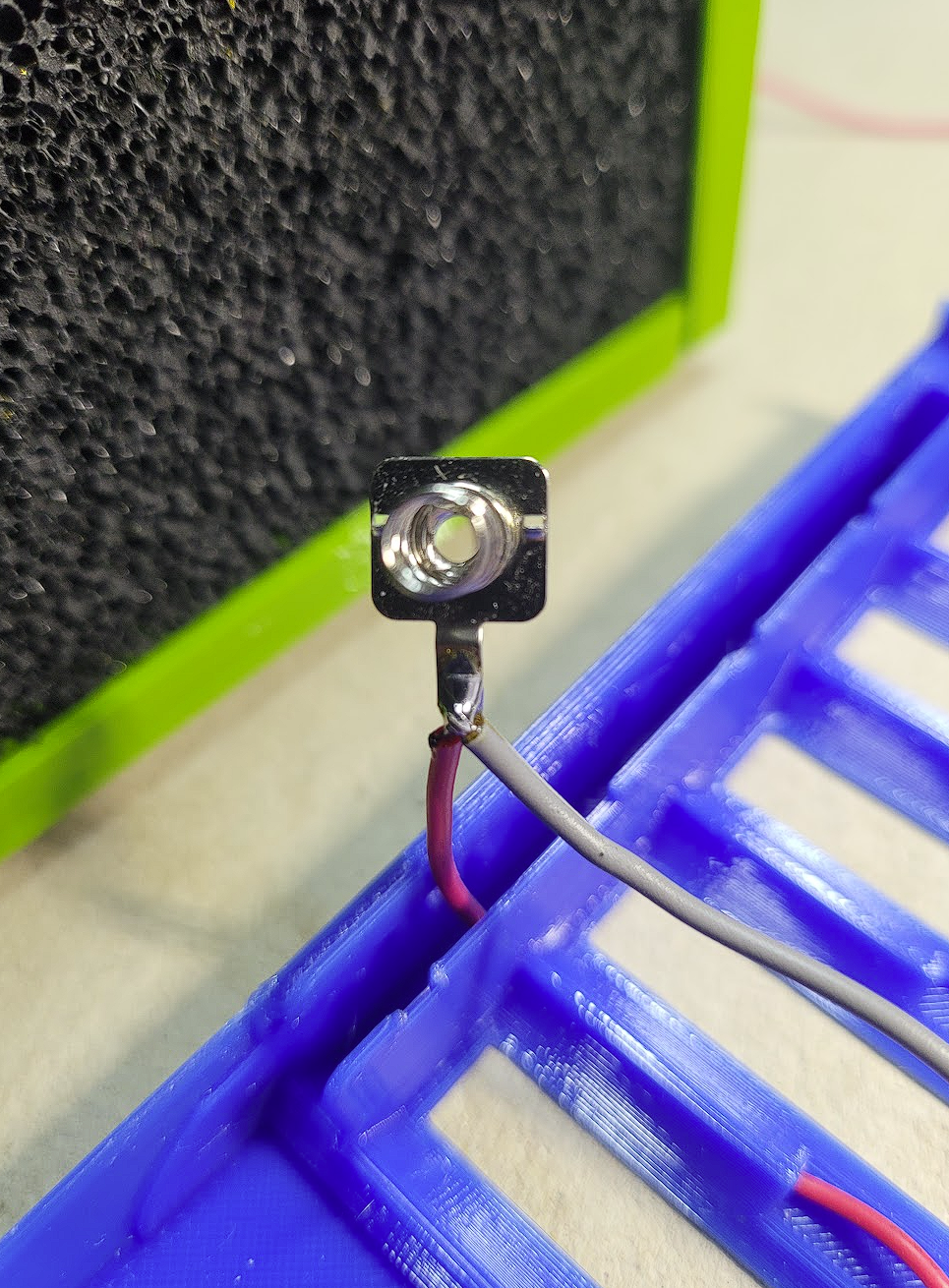
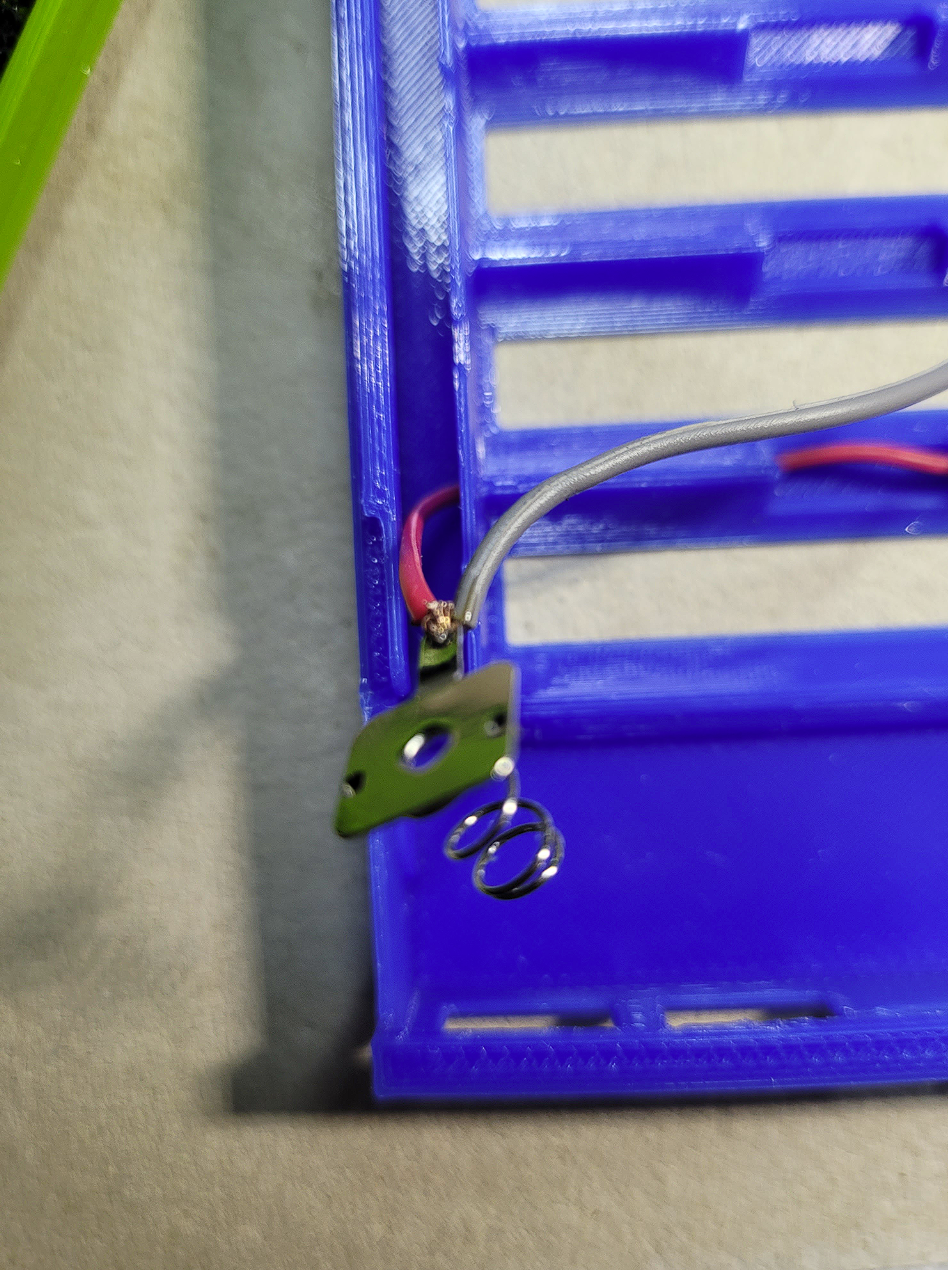
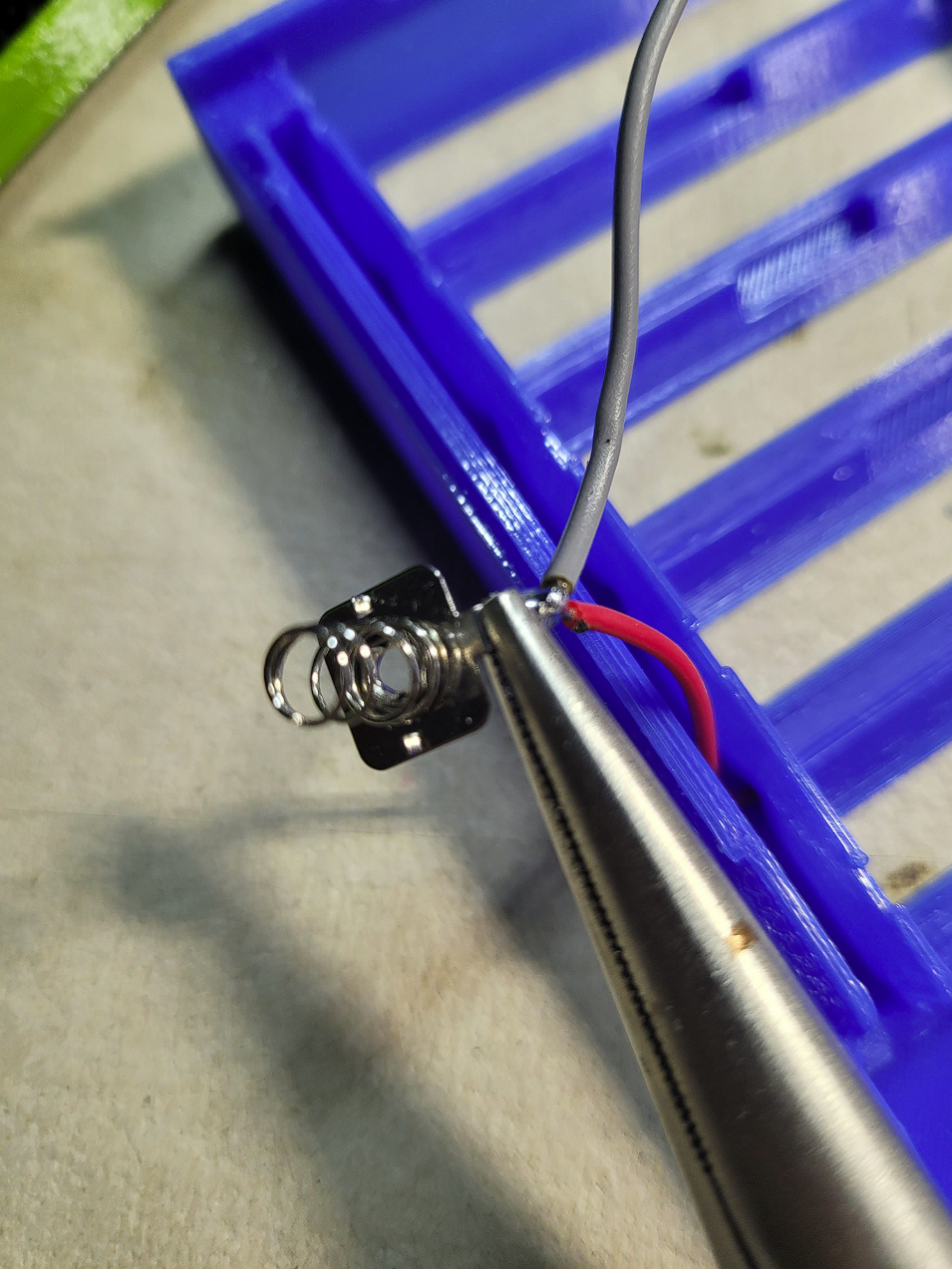
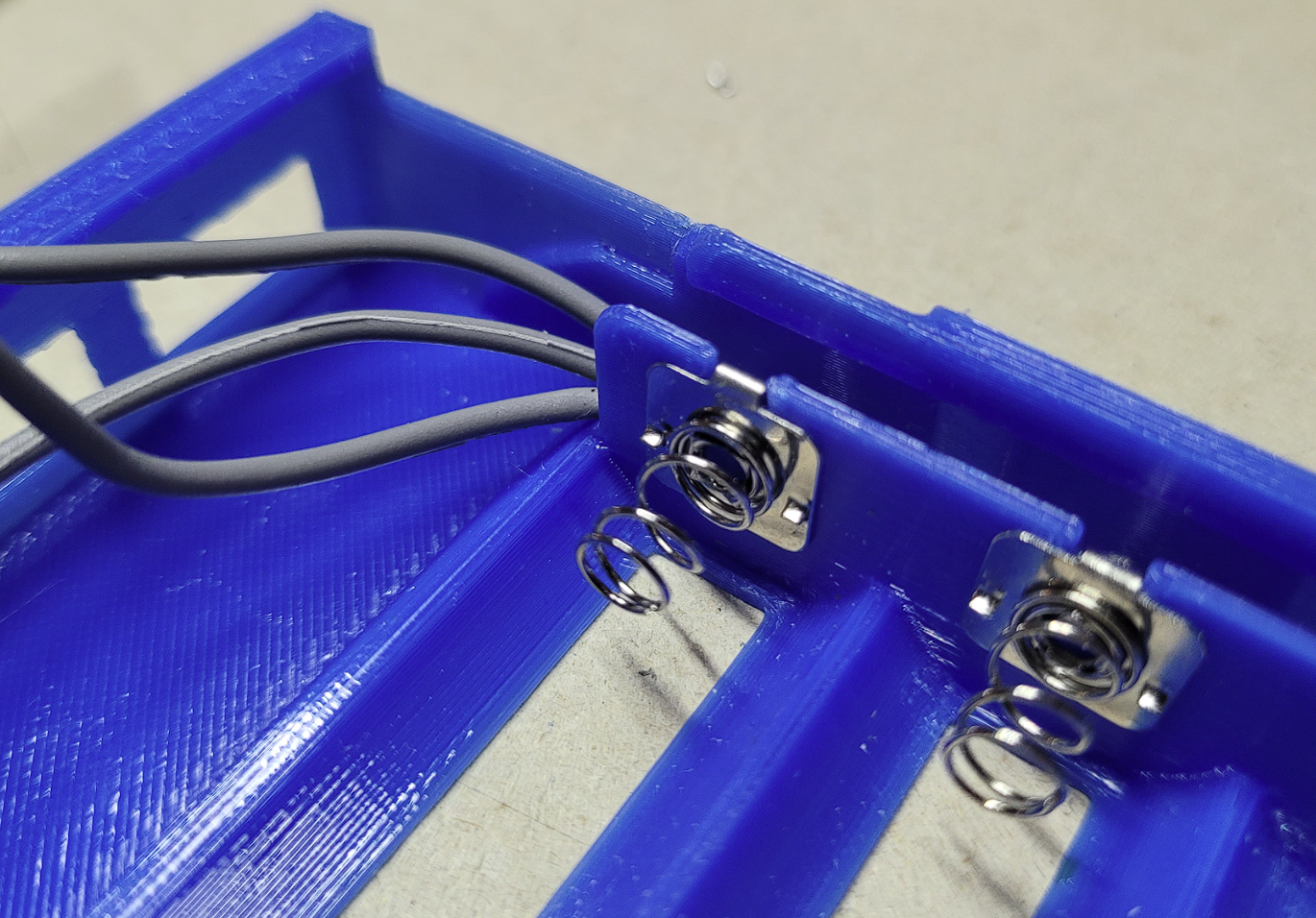
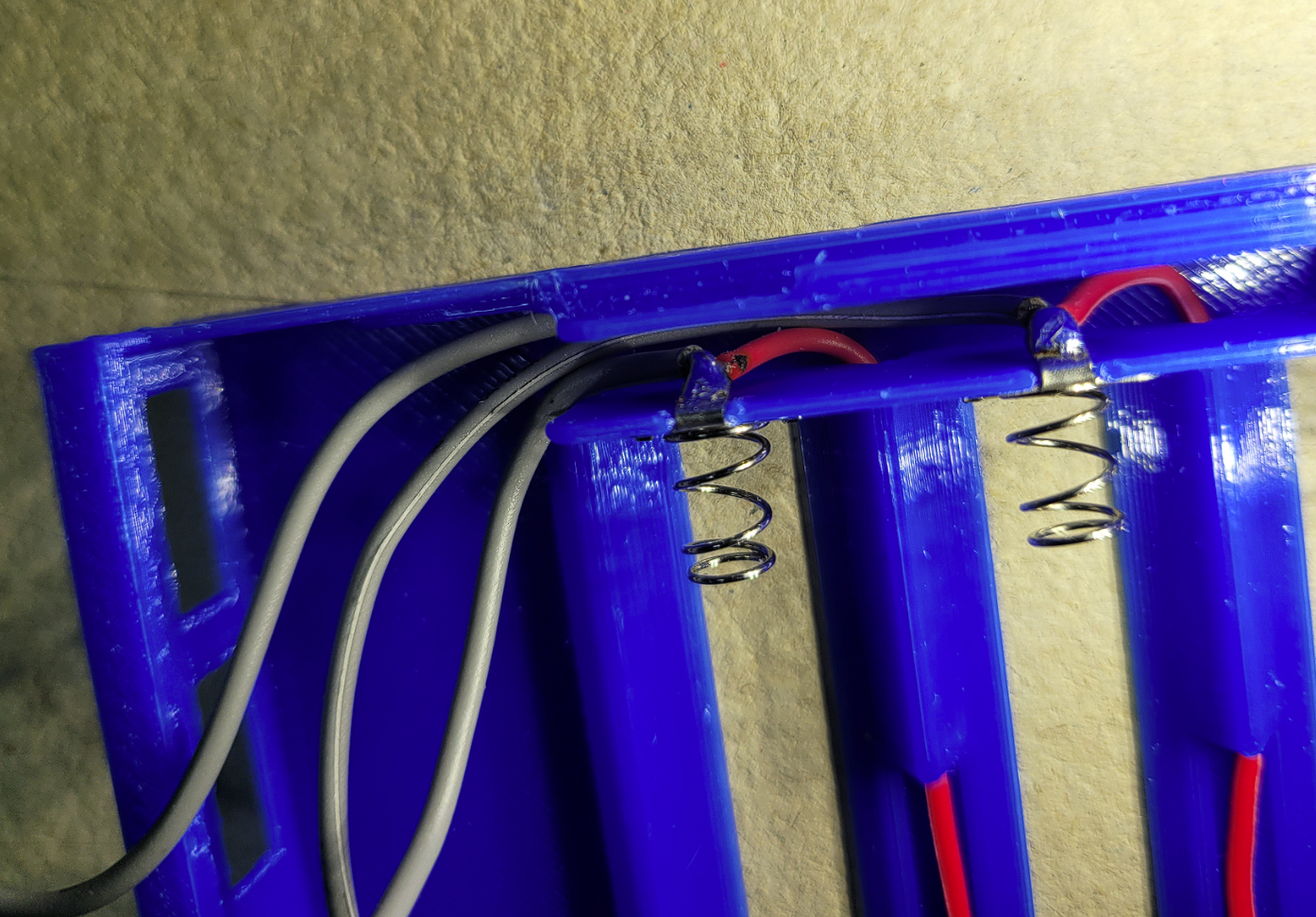
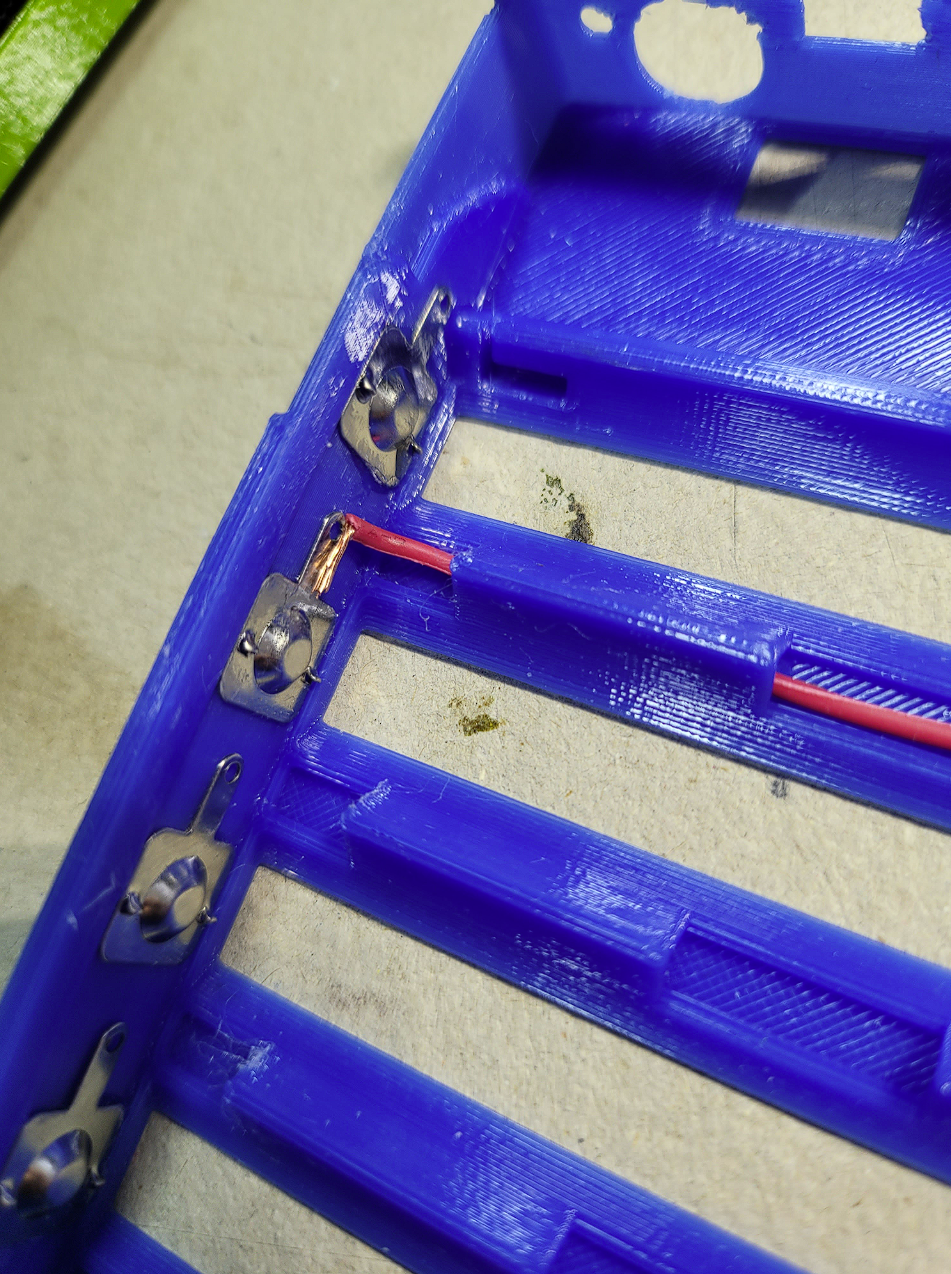
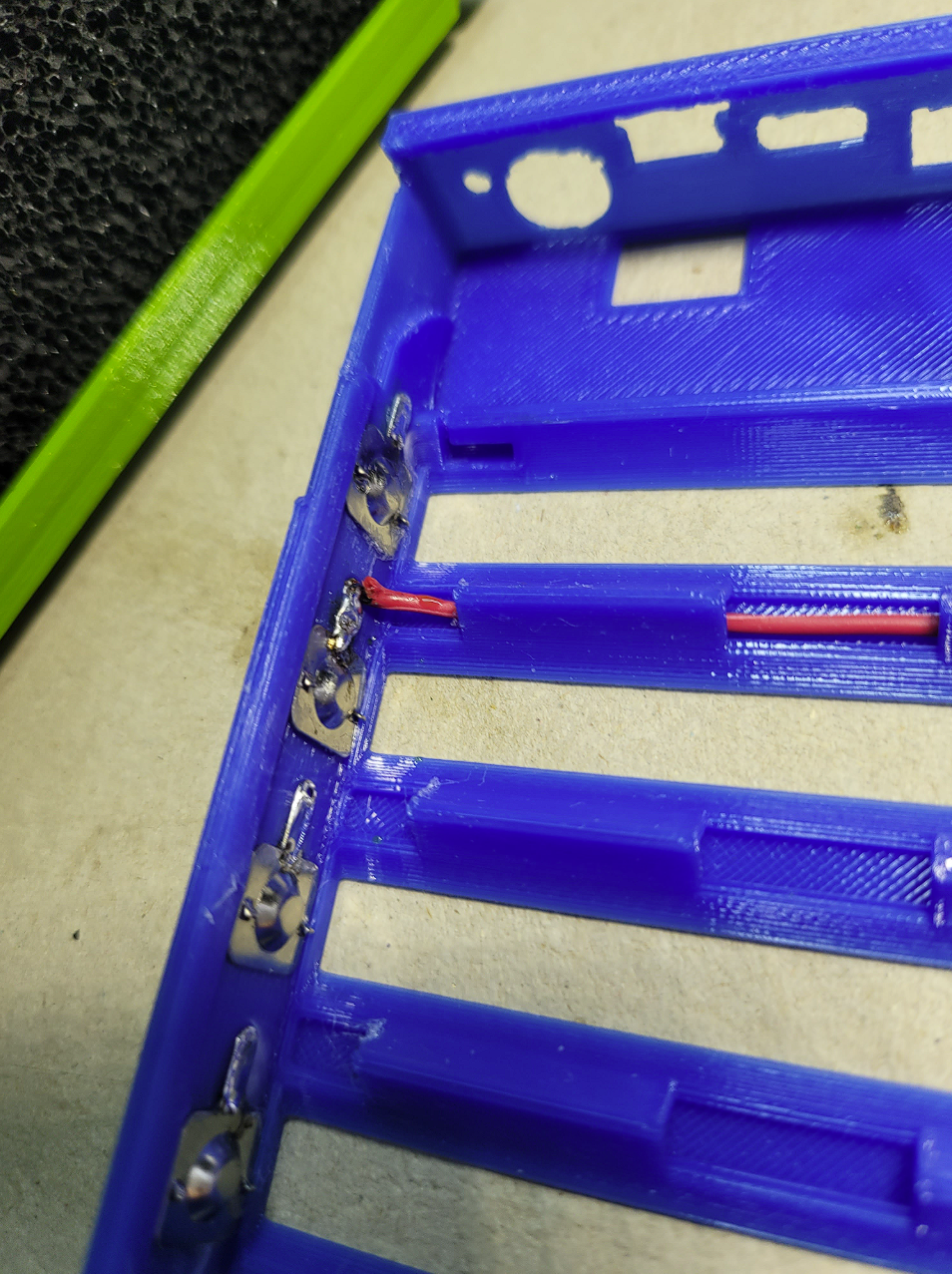


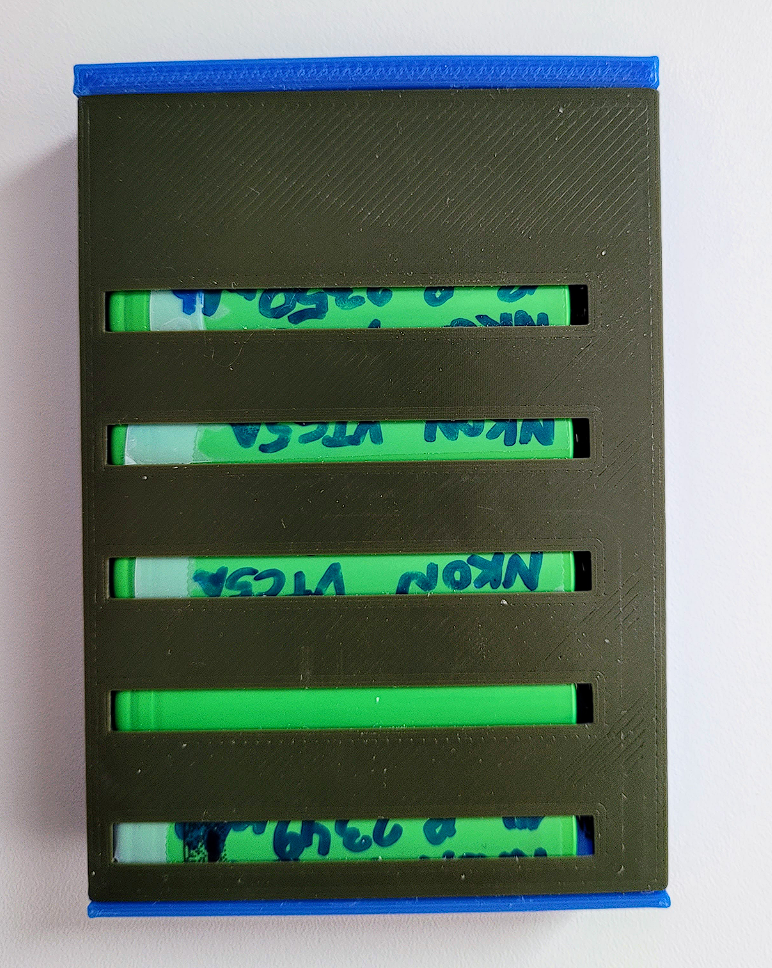
Tips:
- Battery alignment: All positive battery terminals should be on the left side, and all negative terminals on the right.
- Temperature probe: Secure the temperature probe in place using tape or another adhesive.
- Cable cover installation: Insert the cable cover last. It is designed to hold the cables in place when replacing the 18650 cells.
- Balancer cable connection: Connect the balancer cables in order: 4-3-2-1, followed by the minus cable, then the plus cable. This order isn't critical if no batteries are inserted.
- PCB placement: When inserting the PCB into its designated slot, ensure the button doesn’t get stuck.
- Cover fitting: Squeeze the case part slightly to ensure the cover fits snugly.
- Initialization: After everything is connected, the battery cells are inserted, and the lid is closed, the battery pack must be connected to a charger to initialize the board. This step is required every time the 18650 cells are replaced!
⭐Performance testing:
Overall, I believe I achieved my goal! This battery pack powers my old HP laptop with an i5-7200U for approximately 2.5 hours using four 3000 mAh cells, which is great.
- Discharging: No overheating observed during discharging.
- 65W charging: Rare overheating with a 65W charger.
- 100W charging: Fast overheating occurs when charging at 100W.
All files are free to use and available as STEP files. Feel free to remix them to suit your needs! 🙂