
Parametric section box, storage for resistors and other stuff (FreeCAD)
Obliczymy ostateczną cenę na podstawie wybranego pliku. Sprawdzisz ją i zaakceptujesz przed płatnością.
Zapisane na tym urządzeniu.
You can modify its dimensions easily to store any kinds of little things.
- Ocena
- 5 / 5
- Polubienia
- 12
- Pobrania
- 110
- Wydruki
- 2
- Wyświetlenia
- 460
- Oceny
- 3
Aktualizacja u źródła:
Informacje o modelu
- Źródło
- Printables
- Kategoria
- Organizers
- Licencja
- Creative Commons — Attribution — Share Alike
Initially the box was designed to sort out resistors, but I decided to make it parametric, so you can modify it easily to store any kinds of little things.
The default size has 10 sections, each section can store 20 resistors. 3 boxes are used to store standard 600-resistors set from Aliexpress (30 values 20 pcs each).

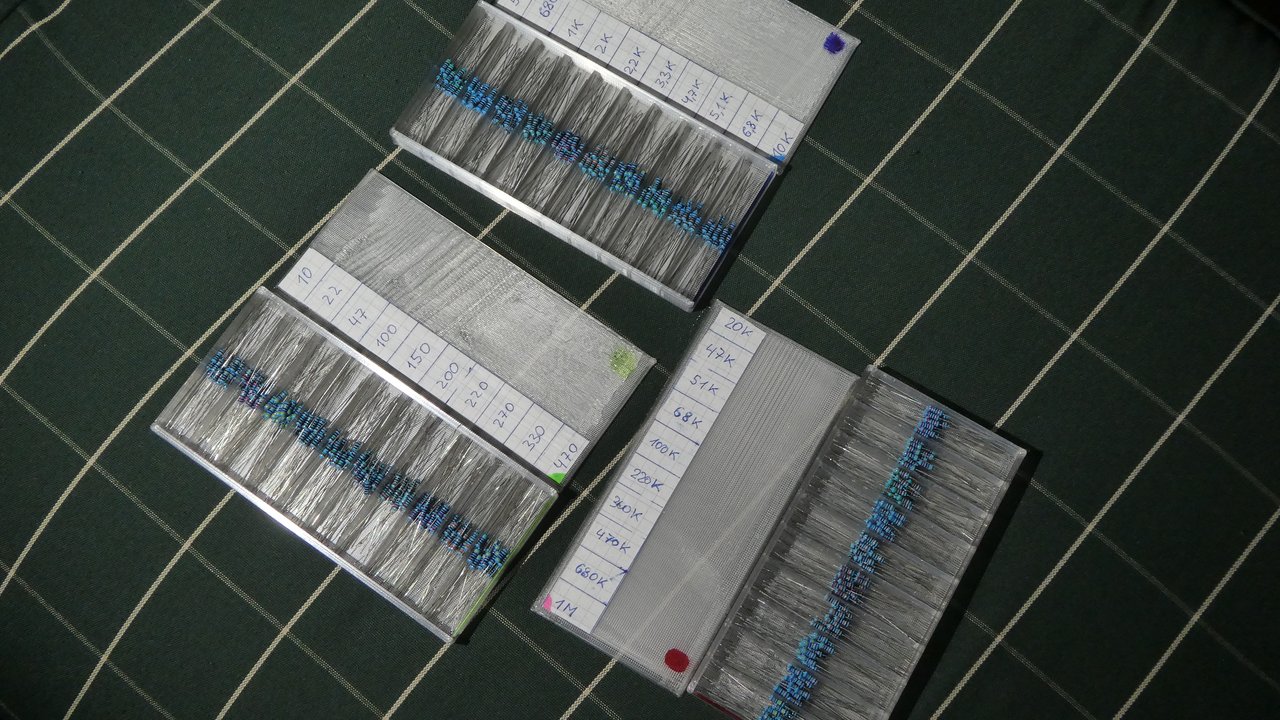
Please note that my photos show the boxes with 8 mm section height. I increased it to 10 mm in the final version to make it easier to close the lid without touching the resistors. If you don't care about plastic consumption, I suggest you to make the sections even bigger. The general rule is to make the sections as large as you can afford :) The bigger the sections are, the less chance is to mix the resistors up by careless touching.
Default print settings: nozzle 0.4, layer 0.28. I don't like the way OrcaSlicer slices this model, so I recommend Cura for better quality.
My model is plastic-saving. It's probably the most light-weight plastic resistor storage that ever existed :) My settings are good for minimal reliability (the box won't break in hands), but if you want a really strong box to walk upon it, I recommend to set walls_outer, bottom_z and lid_z no less than 2.0-2.4 mm.
The following settings can be changed in the spreadsheet (no need to edit the sketches). All the values in the spreadsheet are in millimeters. The settings are applied both to the box and to the lid. After changing them, select the part, export to STL/STEP and print.

- Nozzle and bottom_z should be the same as in the slicer settings to get correct tolerance.
- Walls should divide by nozzle.
- Bottom_z and lid_z should divide by layer.
- If the lid falls out by itself, set lid_tolerance to approx. 0.1 and reprint the lid (the box remains the same).
- If the lid is not easy to insert, set lid_tolerance to approx. 0.2 and reprint the lid (the box remains the same).
Test part can be used to check out your settings and slicing quality without wasting a lot of plastic to print the whole full-sized box.
Any problems with the model? write in comments and maybe I will be able to help you.