
3U Hard Drive Bay for 8x 3.5in HDDs for 10" Mini Rack
Obliczymy ostateczną cenę na podstawie wybranego pliku. Sprawdzisz ją i zaakceptujesz przed płatnością.
Zapisane na tym urządzeniu.
Put 8 3.5" hard drives in your 10" mini rack. This uses 3U of space.
- Ocena
- 5 / 5
- Polubienia
- 548
- Pobrania
- 1436
- Wydruki
- 4
- Wyświetlenia
- 17 838
- Oceny
- 4
Aktualizacja u źródła:
Informacje o modelu
- Źródło
- Printables
- Kategoria
- Computers
- Licencja
- Creative Commons — Attribution — Share Alike
BOM
Part | Qty | Image |
|---|---|---|
M4 Heatset | 12 |  |
M3 Heatset | 8 |  |
M4x5mm | 7 |
|
M4x10mm | 5 |
|
M3x10mm | 8 |
|
Jonsbo N3 Backplane I also designed a 7-drive version that doesn't use a backplane | 1 |   |
40x40x20 Case Fans | 4 |  |
3 Pin Fan Splitters | 2 |
|
Coolermaster Drive Sleds or printed parts (in files list) | As needed |  |
Printing
So far PLA is working fine but I'll update if I run into problems. PETG would be great.
I printed with 6 walls and 15% cubic infill and that seems plenty strong.
Neither part should require supports. Orient the drive mount with the rack ears on the build plate. Orient the backplane mount with the rebate for the fans and backplane facing up.

Assembly
Step | Photo |
|---|---|
Uses:
Install the heatset inserts into the drive mount printed part. |  |
Uses:
Install heatset inserts into the backplane mount printed part where the backplane will go. |  |
Uses
Install heatset inserts in diagonal pairs in the bolt holes of your fans, on the side of the fan that doesn't have a grill. |  |
Uses:
Bolt the backplane to the backplane mount. |  |
Feed the fan wires through the fan cutouts then slide the fans into the fan cutouts. Make sure that the fan wires end up in the rectangular part of the cutout. |  |
Uses:
Bolt the fans into position through the backplane mount and into the fans. | 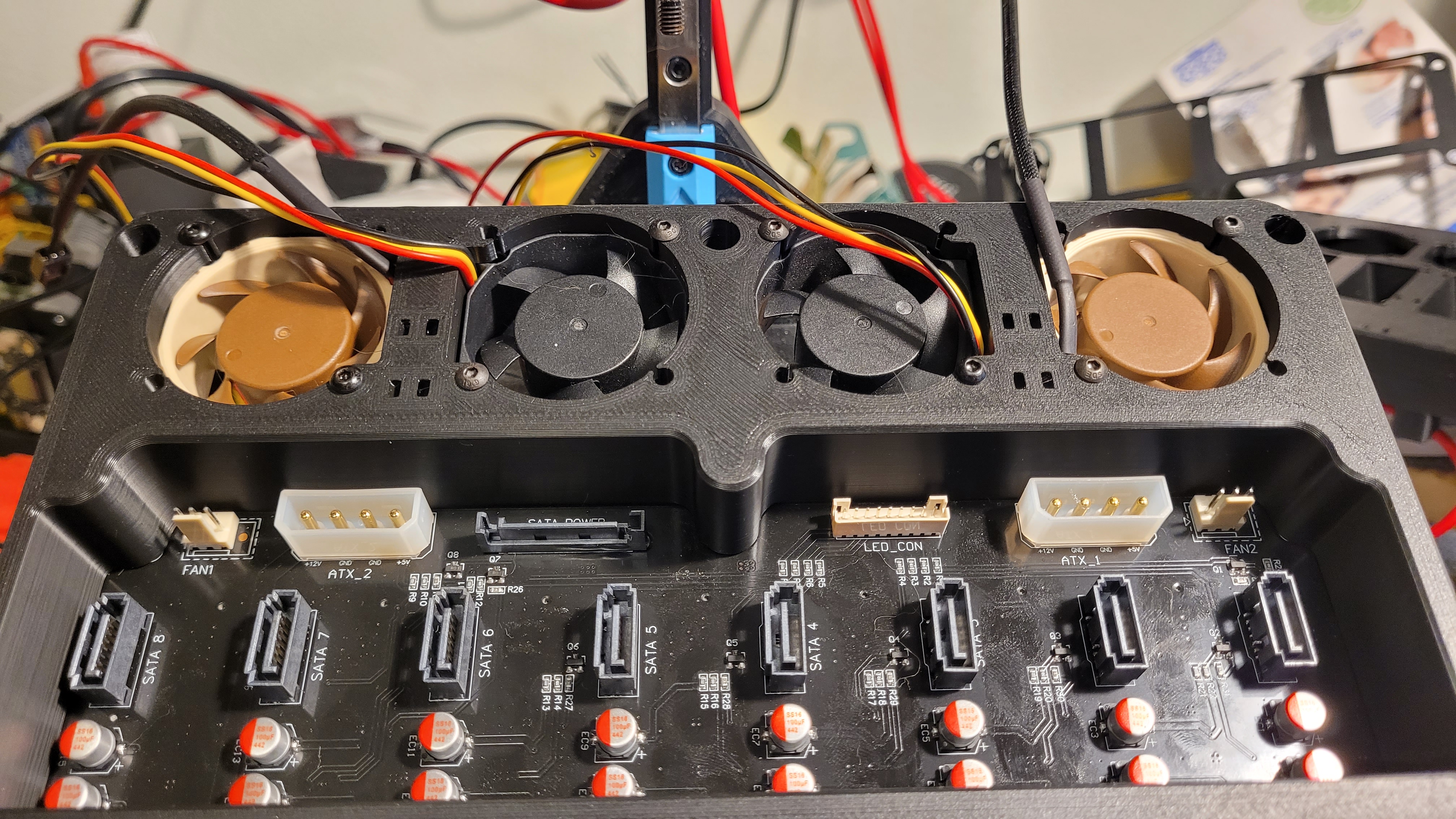 |
Uses:
Zip tie the pairs of fan wires using the zip tie pockets. |  |
Uses
Bolt the backplane mount onto the back of the drive mount. |
|
Install the bay into your mini rack. |
|
Wire up your drive bay |
|