
PANTHERv1 - Modular Arcade Stick
Obliczymy ostateczną cenę na podstawie wybranego pliku. Sprawdzisz ją i zaakceptujesz przed płatnością.
Zapisane na tym urządzeniu.
Informacje o modelu
- Źródło
- Printables
- Kategoria
- Video Games
- Licencja
- Creative Commons — Attribution
This model is now officially sunset, please see PANTHERv2!
While I am very happy with the way this model came out, I still had a few ideas for improvements. Once I implemented them, the case was different enough from the original to warrant another version.
Thank you all for the downloads and makes of PANTHERv1, I hope you’ll check out v2!
RAF
= OnShape Documents =
0.4 - Current version
CHAMv3 Panels - PANTHER uses these panels
Any provided OnShape links are to my working documents, are the most updated version of the project, and may differ from the files uploaded here.
= Future Changes =
May make variants with different locations for the Neutrik and/or AUX buttons
Possibly a slim variant but unlikely given the form factor
= Change Log =
Null
= Introduction =
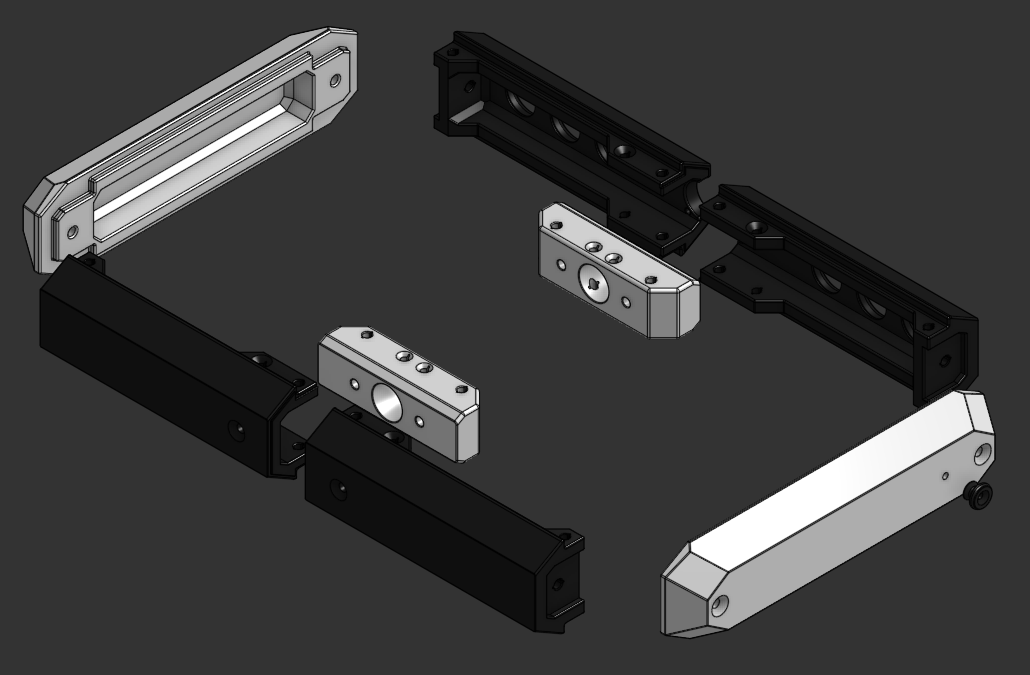
PANTHER. I made this enclosure to evoke a more traditional arcade stick look. The enclosure is very robust – in some ways more so than CHAMv3. But, it does away with all of the curves in favor of a more angular aesthetic familiar to those who grew up with arcade sticks from a certain company of angry, feline namesake.
OPTIONAL CARRY STRAP. Convenient for carrying to/from locals. There is a separate model for the ENDCAP with an extra hole to mount a custom guitar strap button, each secured with an M4 nut/bolt. Recommend using rubber strap blocks to really secure the strap.
PANEL COMPATIBILITY. PANTHER was designed for my growing library of CHAMv3 panels, but will accept v2 as well.
Please click HERE for the CHAMv3 Button Panels Printables page!
= Printing Suggestions =
WARNING: The completed build takes ~1kg of filament! Ensure your printer & slicer are well-tuned before attempting this project!
All PANTHER Parts:
4 Walls / 20-30% Cubic Infill / No Supports
Testing in PLA and PETG
ENDCAPs may need to be oriented diagonally in your slicer.
The corners of each part may lift from the build plate – ensure strong adhesion!
The JOINT should be oriented with the larger side facing the build plate
Guitar Strap Button:
4 Walls / 100% Rectilinear Infill / No Supports
The widest part should face the build plate
BUTTON PANELS (located HERE):
4 Walls / 20-30% Cubic Infill / No Supports
PLA preferred over PETG for rigidity (and prettier colors)
The exterior face of the panels should face the build plate.
= Materials Needed =
M6 Hardware:
x8 M6x50 Countersunk Bolts
x8 M6 Nuts and Washers
M4 Hardware:
x8 M4x16 Furniture Bolts (for top panels)
x16 M4x16 Countersunk Bolts (for bottom panels and joint)
x2 M4x25 Countersunk or Furniture bolt (if using guitar strap)
M3 Hardware:
x4 M3x6 Bolts
Controller Hardware:
Arcade Stick PCB - RP2040 Advanced Breakout Board or Brook
20-Pin Brook Wiring Harness
Arcade Stick Buttons and/or Joystick
Neutrik NAUSB (or similar)
Soldering Iron
For installing HSIs
= Assembly Guide =
PRINT ALL PARTS
- You will require x2 JOINTs, x2 ENDCAPs, and x1 of each other part.
- If you would like to use a carrying strap, use ENDCAP.strap instead of ENDCAP.plain, and print x2 STRAPBUTTONs.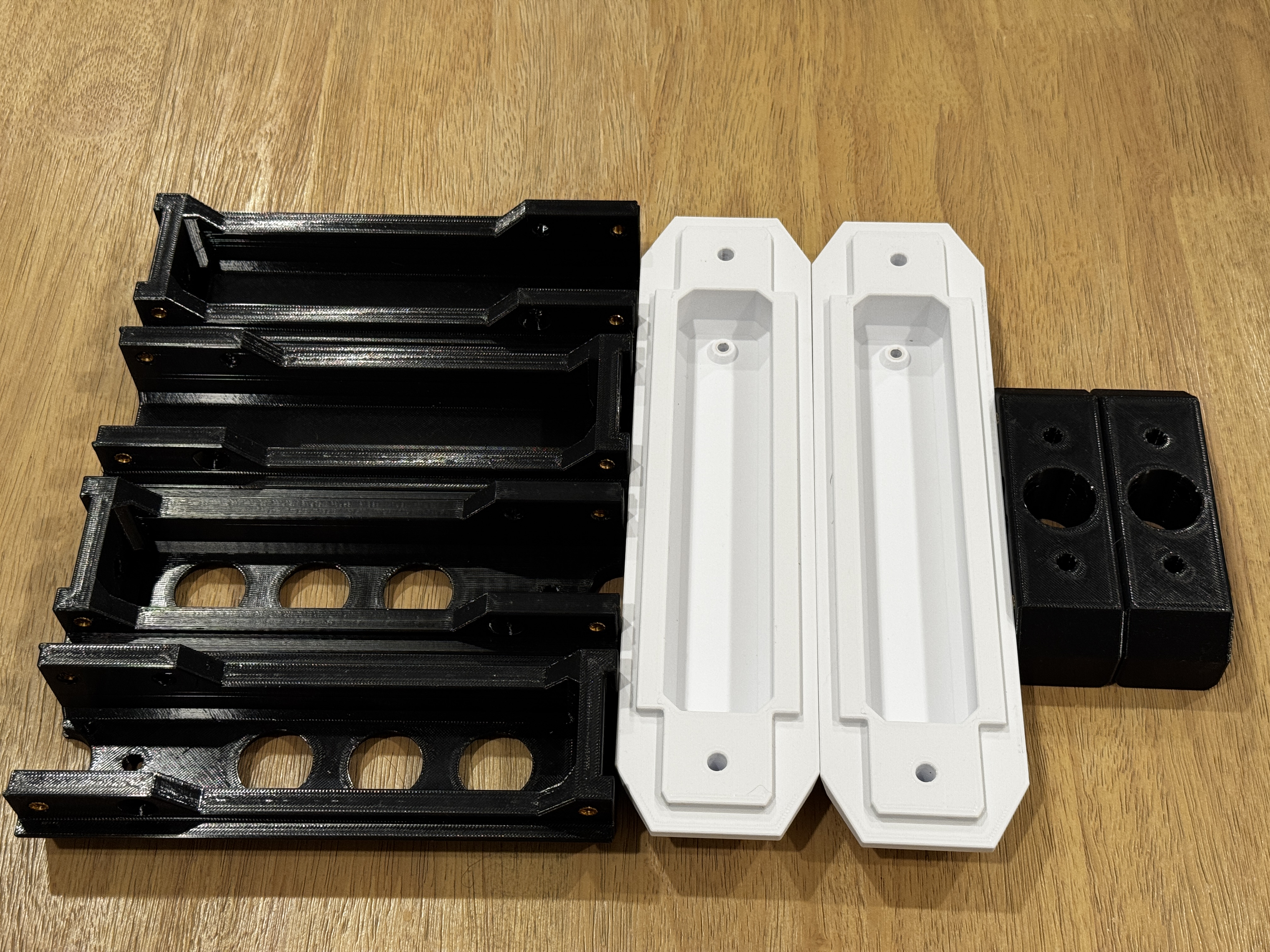
INSTALL BODY HEAT SET INSERTS (HSIs)
- HSIs are installed via soldering iron – this requires a steady hand. Install HSIs as straight as possible into the hole.
- Recommend watching some YouTube videos on HSI installation if this is your first time. I like to slowly insert until the final 1-2mm, then I use a flat metal object to push it flush with the hole and allow it to cool.
- The body requires x16 M4 HSIs in total.
- Each FRONT and BACK requires x4 M4 HSIs that align with the bolt holes in the upper and lower panels.
- The JOINTs require x8 M4 HSIs in total.
- Each JOINT requires x4 M4 HSIs that align the with the countersunk holes in the rails of the FRONT and BACK parts. They help secure the JOINT to the body in addition to the M6 bolts.DO NOT INSTALL HSIs INTO THE INNER HOLES OF THE JOINT!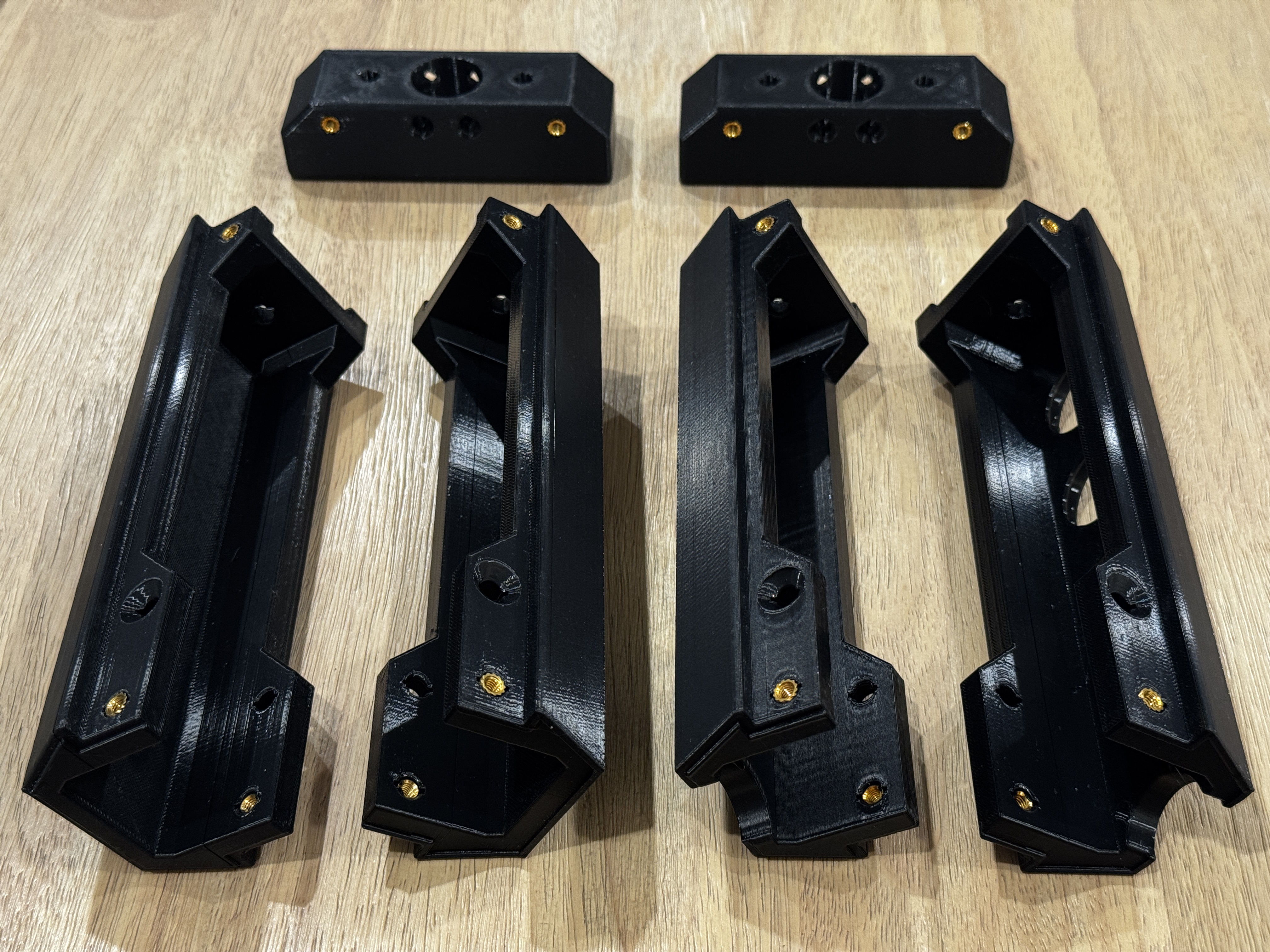
INSTALL M3 HSIs
- x2 M3 HSIs install into the Neutrik mount in the center of the 2 BACK pieces.
- Due to the its location, it is not possible to use M3 nuts/bolts to secure the neutrik.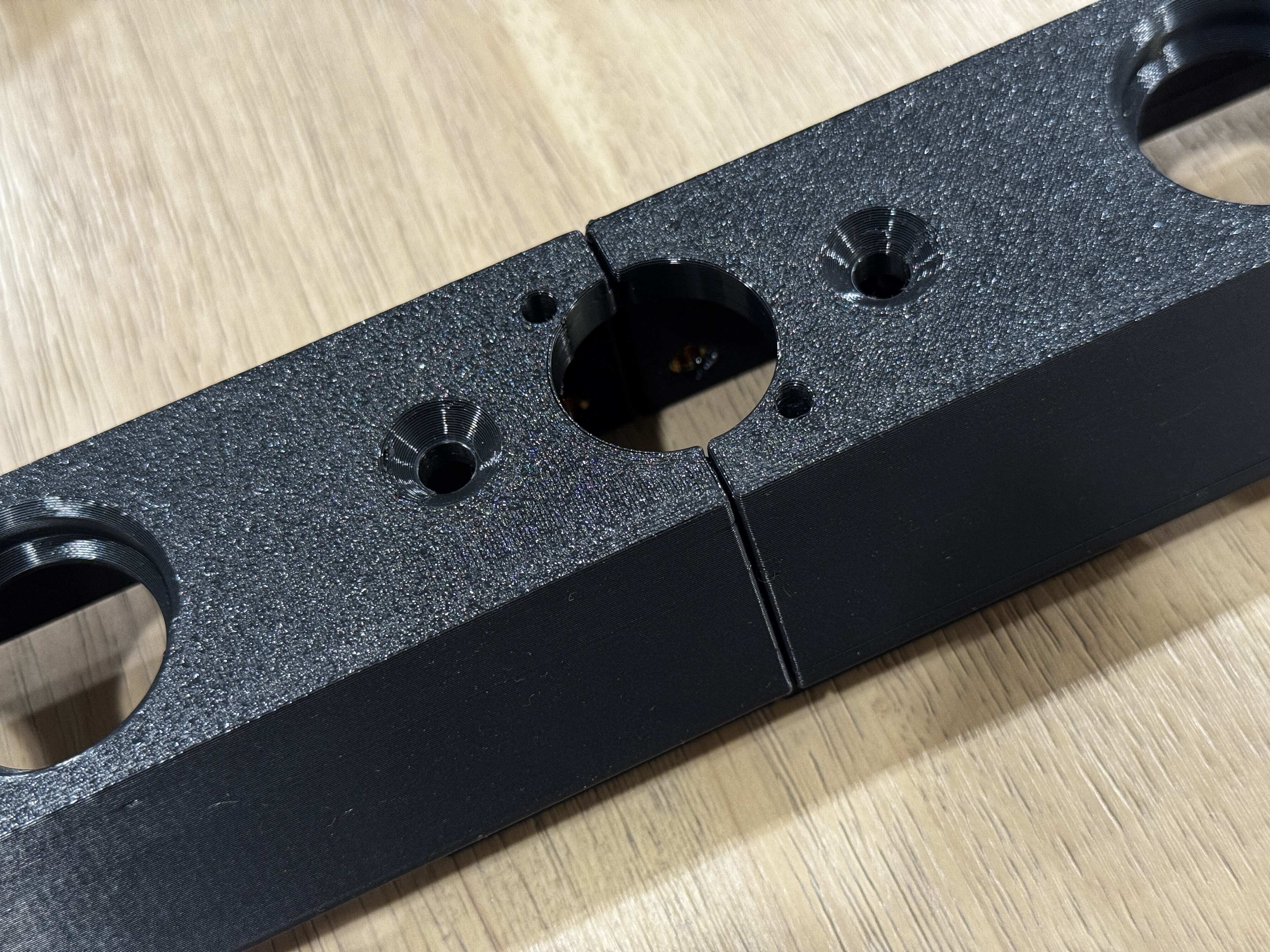
- x4 M3 HSIs install into a PCB mount on the upper or lower panels.
- There are several options—use the mount that works best for your layout.
- Honestly, I don't install these. I snip a bit of toothpick flush to the top of the mount and use a self-tapping screw.
ASSEMBLE JOINT AND BODY
- Insert x4 M6x50 bolts through the ENDCAPs into the FRONT and BACK pieces and fasten with nuts and washers.
- Repeat with the other side.
- Insert the 2 JOINTs between the assembled halves of the BODY, and fasten x8 countersunk M4 bolts through the BODY and into the JOINT M4 HSIs.
- Insert M6x50 bolts through the BODY, through the JOINT, and fasten with nuts/washers.
- Ensure everything is square, and all bolts are fully tightened.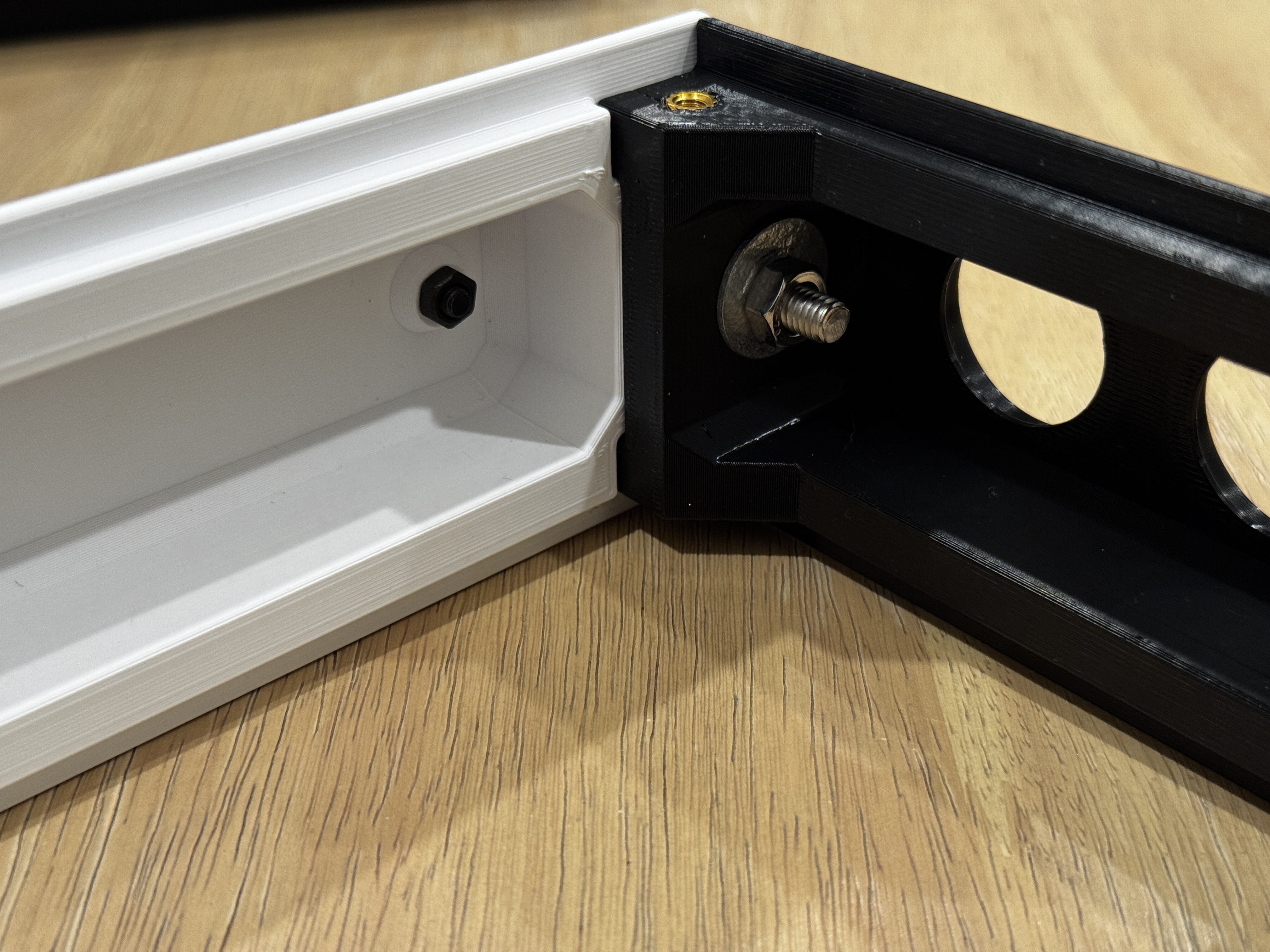
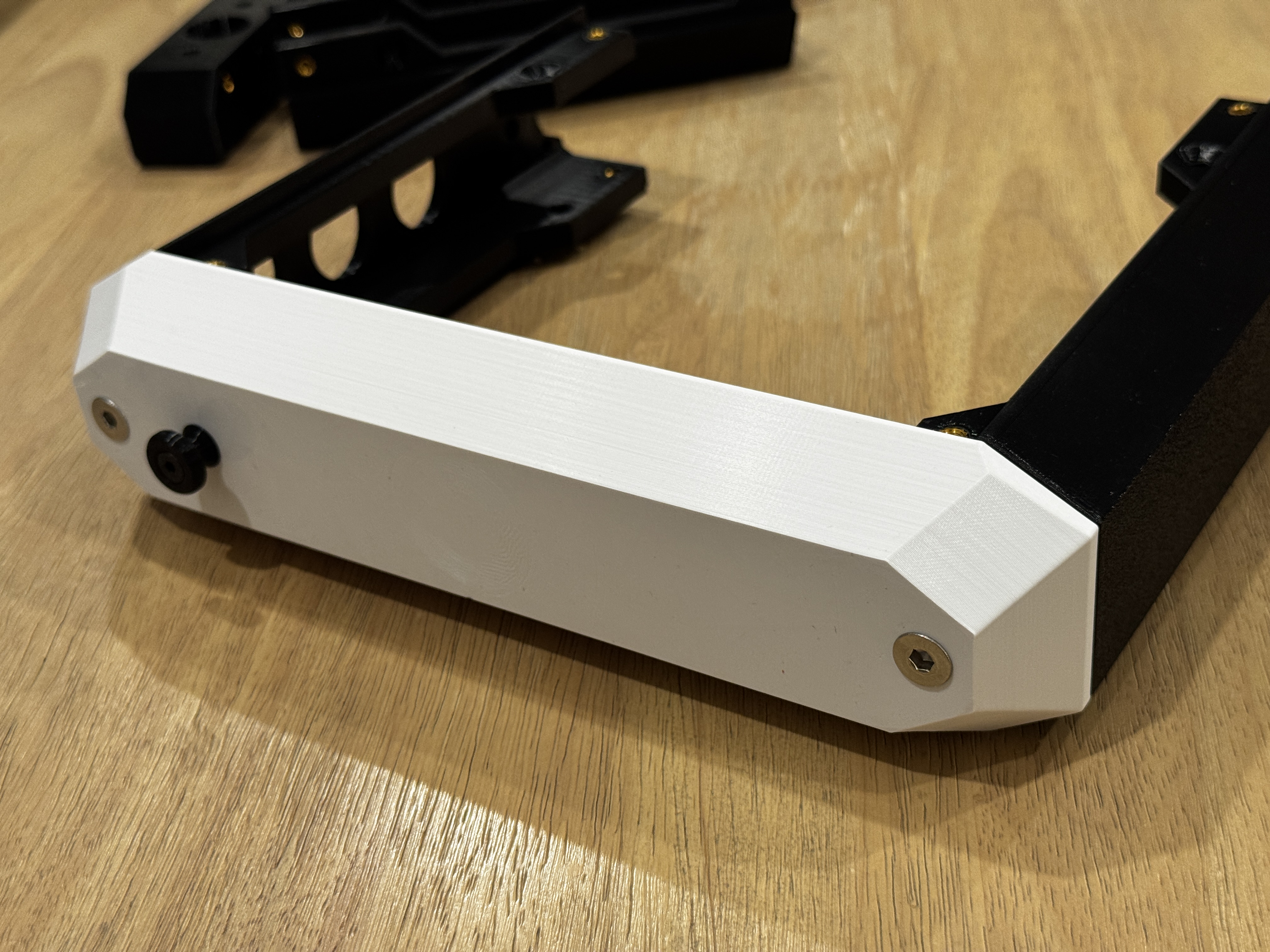
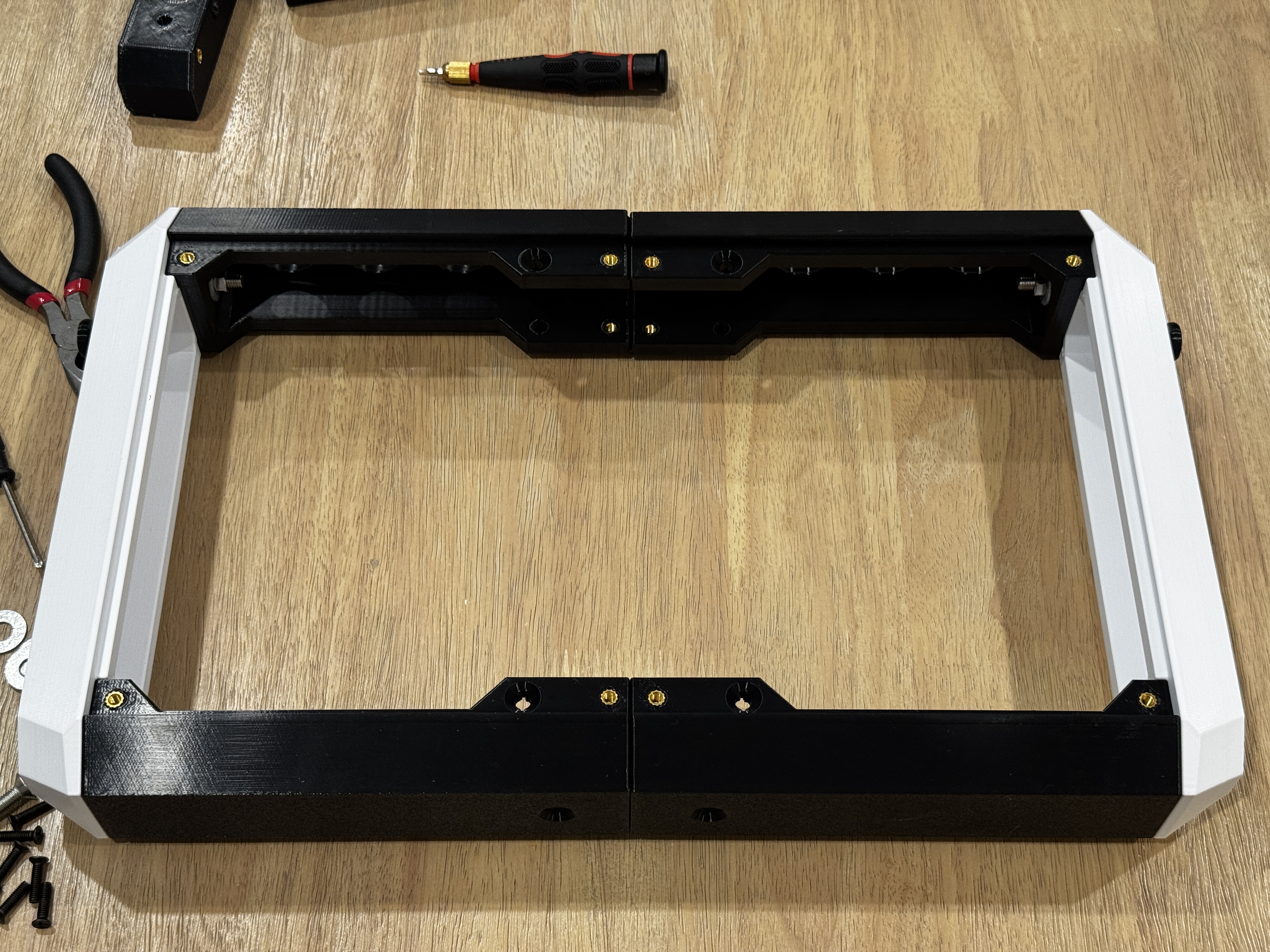
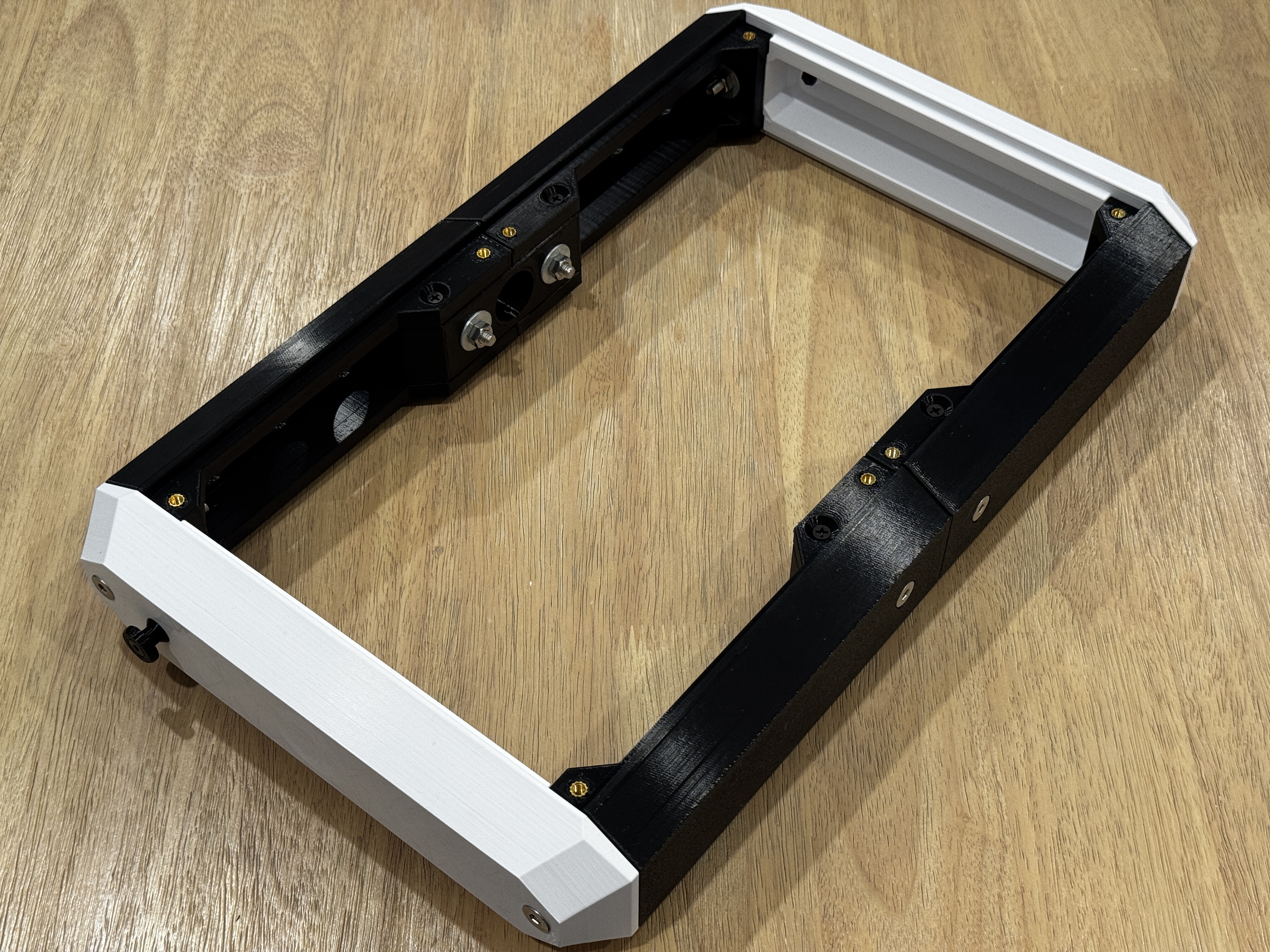
INSTALL PANELS AND CONTROLLER HARDWARE
- If you made it this far, then it's the home stretch!
- Install your controller hardware and wire everything up.
- Ensure all panel bolts are fully tightened and you're good to go!
- NOTE: If you find the panels are fitting a bit too tight, loosen the screws for the end caps, pull the frame outward, and retighten the endcaps.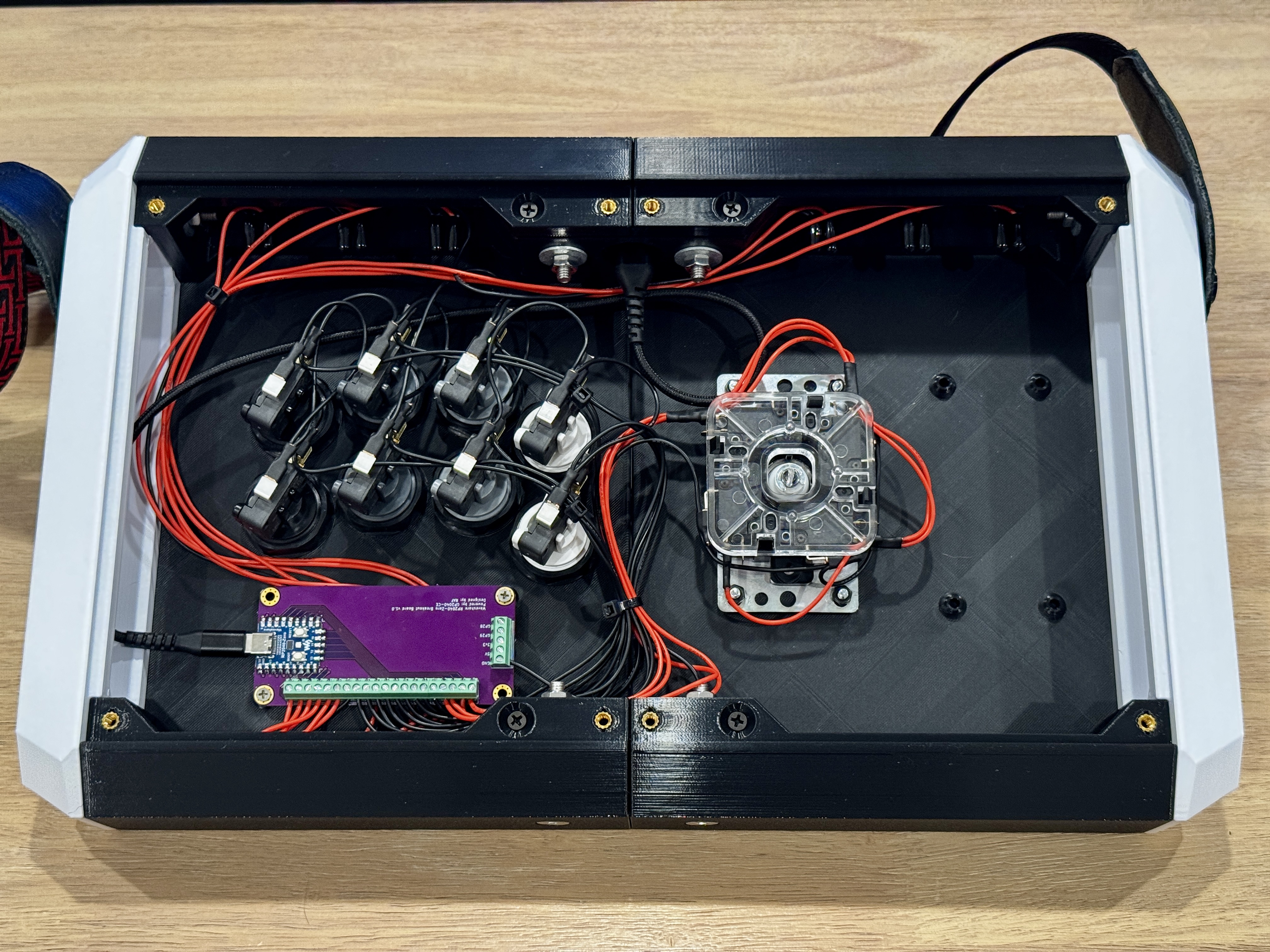
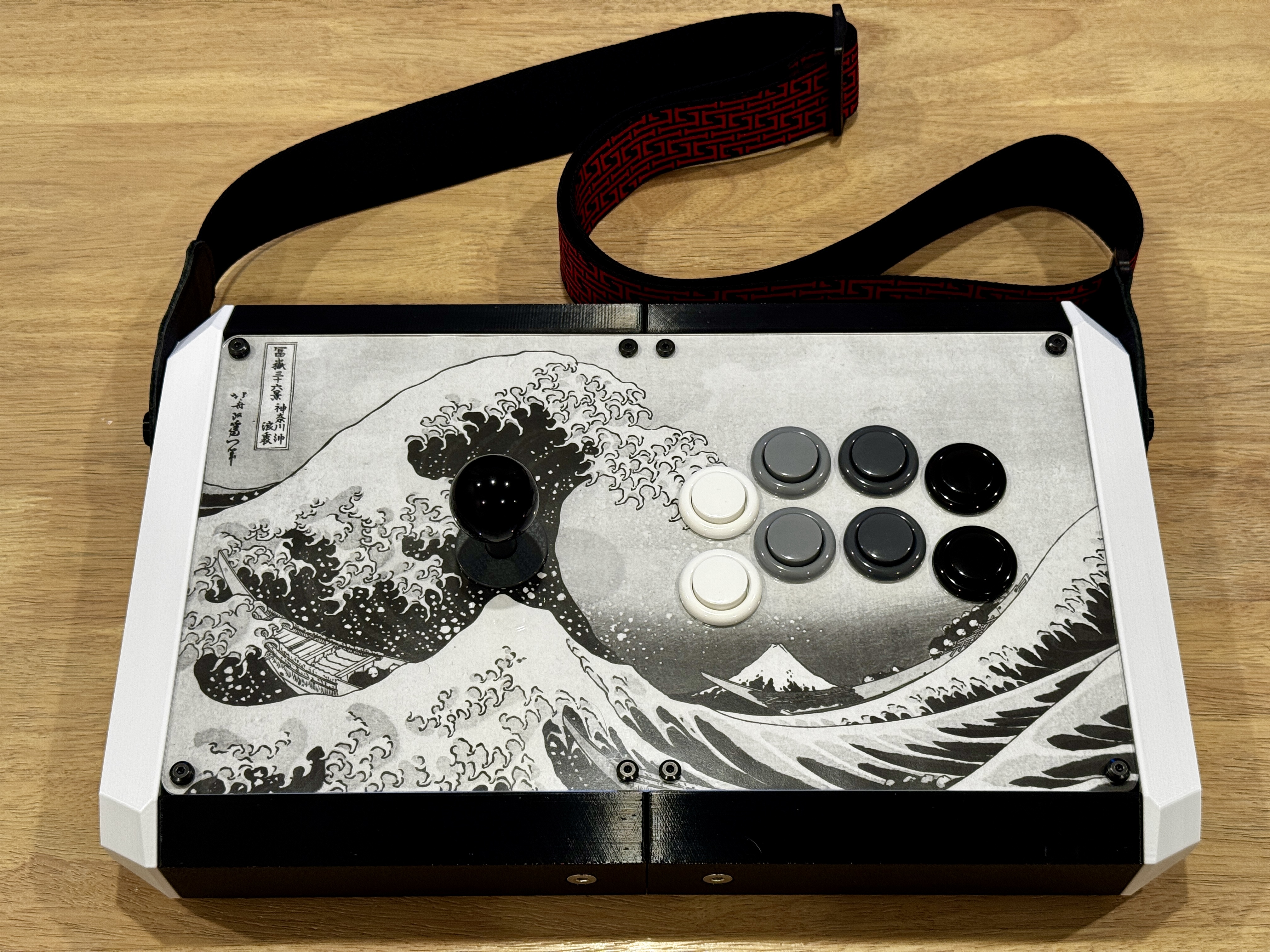
PLAY VIDEO GAMES
Happy Printing! If you would like to support my work, please visit my Ko-fi!
RAF