
NexGen3D: Home Assistant Control Panel - Surface Pro Wall Mount
Obliczymy ostateczną cenę na podstawie wybranego pliku. Sprawdzisz ją i zaakceptujesz przed płatnością.
Zapisane na tym urządzeniu.

Simple aesthetically pleasing wall panel
- Ocena
- 5 / 5
- Polubienia
- 25
- Pobrania
- 135
- Wydruki
- 1
- Wyświetlenia
- 1388
- Oceny
- 1
Aktualizacja u źródła:
Informacje o modelu
- Źródło
- Printables
- Kategoria
- Electronics
- Licencja
- Creative Commons — Attribution — Noncommercial
Please Note: This needs a printer with a 300mm x 220mm build area minimum, I designed it to take advatage of the K1 Max printer.
Simple wall mounting system for the Surface Pro Tablet.
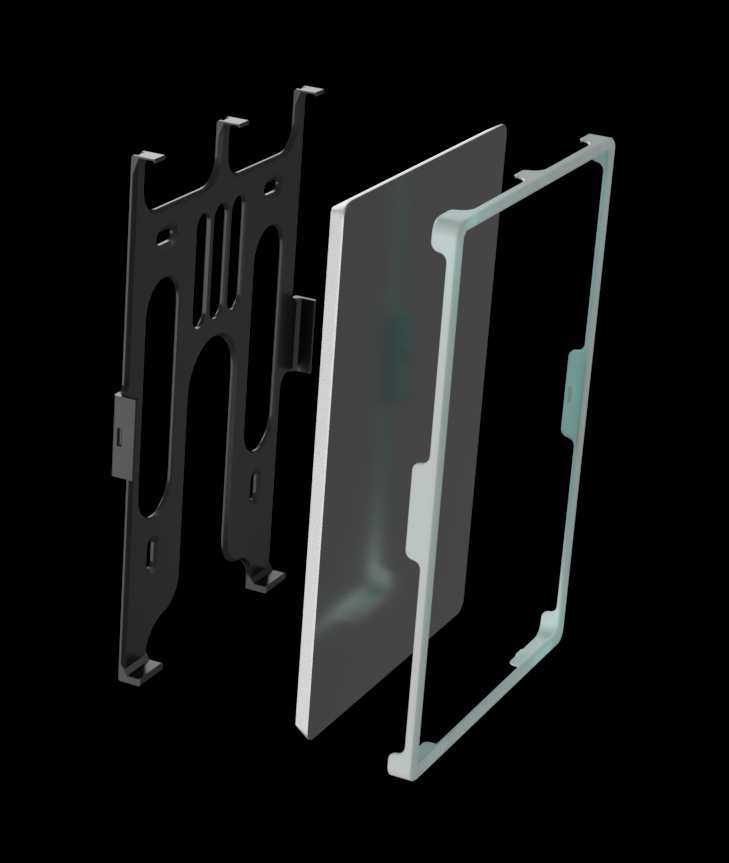
I have tested this with the following tablets:
- Surface Pro 3
- Surface Pro 5
I suspect others may fit, but I cant confirm as I do not have access to them.
You can mount vertical or horizontal, its easy to install and remove the tablet from the mount.
When using one of these as a Home Assistant control panel, I recommend enabling Kiosk mode in the BIOS, this will keep the battery at a maximum 50% SOC.
For the OS, I highly recommend Windows 10 or 11 IOT LTSC Enterprise, 11 is a little better for a touch device.
I also recommend using Firefox with the PWA addon, this will give you a better result than a Chrome based browser for local http only GUI's.
I recommend printing the wall mount in a PETG-CF for a little more stiffness, and the bezel from a standard PETG to give it flexibility, but you can also use PLA+ if you like, mine is printed in PETG-CF and the bezel is printed in a Matte White PETG-GF.