
3D Printer Reference Configurator
Obliczymy ostateczną cenę na podstawie wybranego pliku. Sprawdzisz ją i zaakceptujesz przed płatnością.
Zapisane na tym urządzeniu.
Informacje o modelu
- Źródło
- Printables
- Kategoria
- Accessories
- Licencja
- Creative Commons — Attribution
Klipper Hardware Wiki & Configurator Suite
A free, open, community-driven hardware reference and interactive toolset built for the Klipper 3D printing ecosystem.
What it does
Building a DIY 3D printer means navigating an overwhelming maze of parts, specs, pinouts, and firmware configs scattered across Discord threads, outdated spreadsheets, and half-finished GitHub READMEs. This site puts it all in one place. It combines a verified component wiki with a suite of interactive configurators that generate real, usable output — not just reference tables.
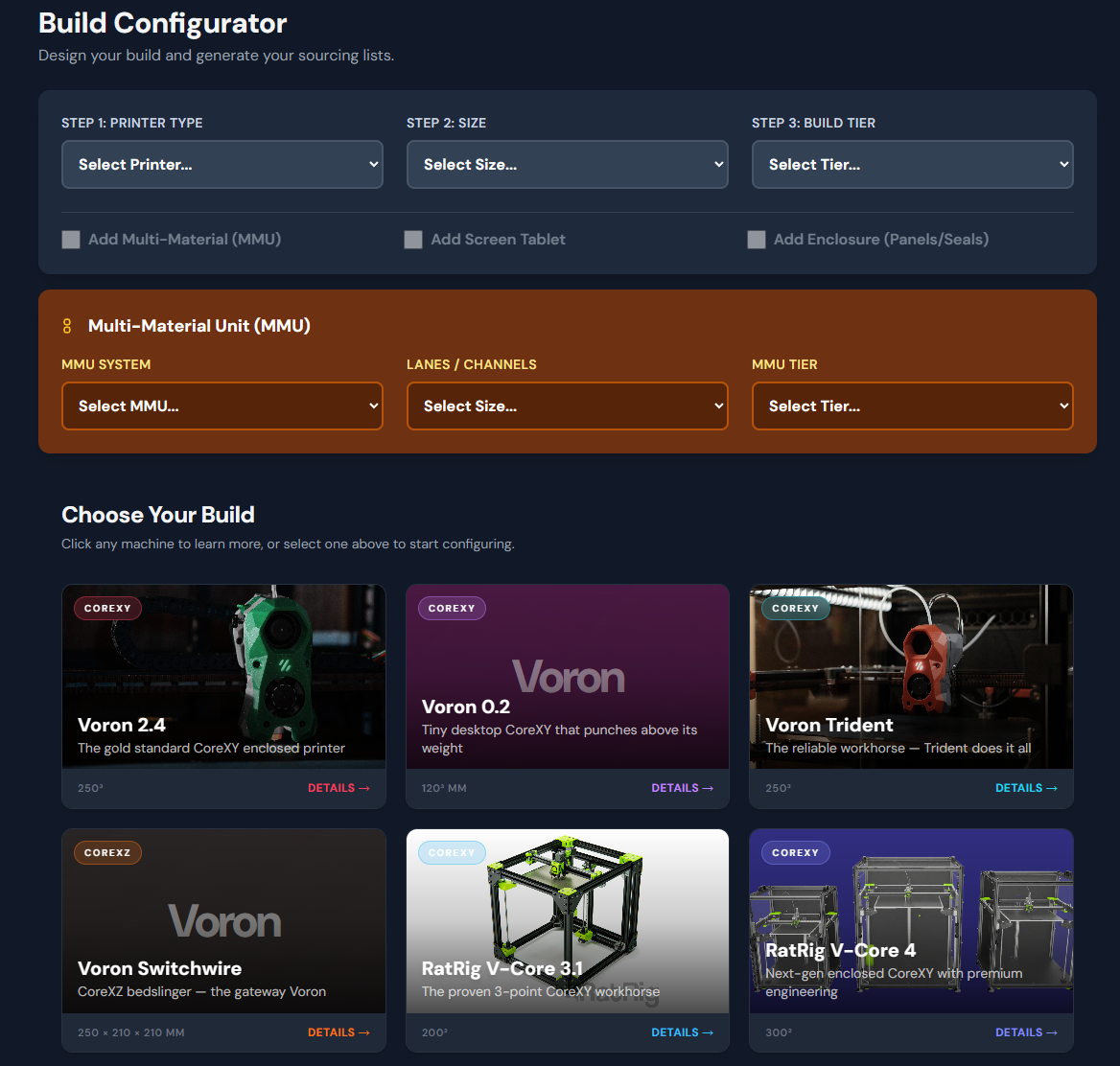
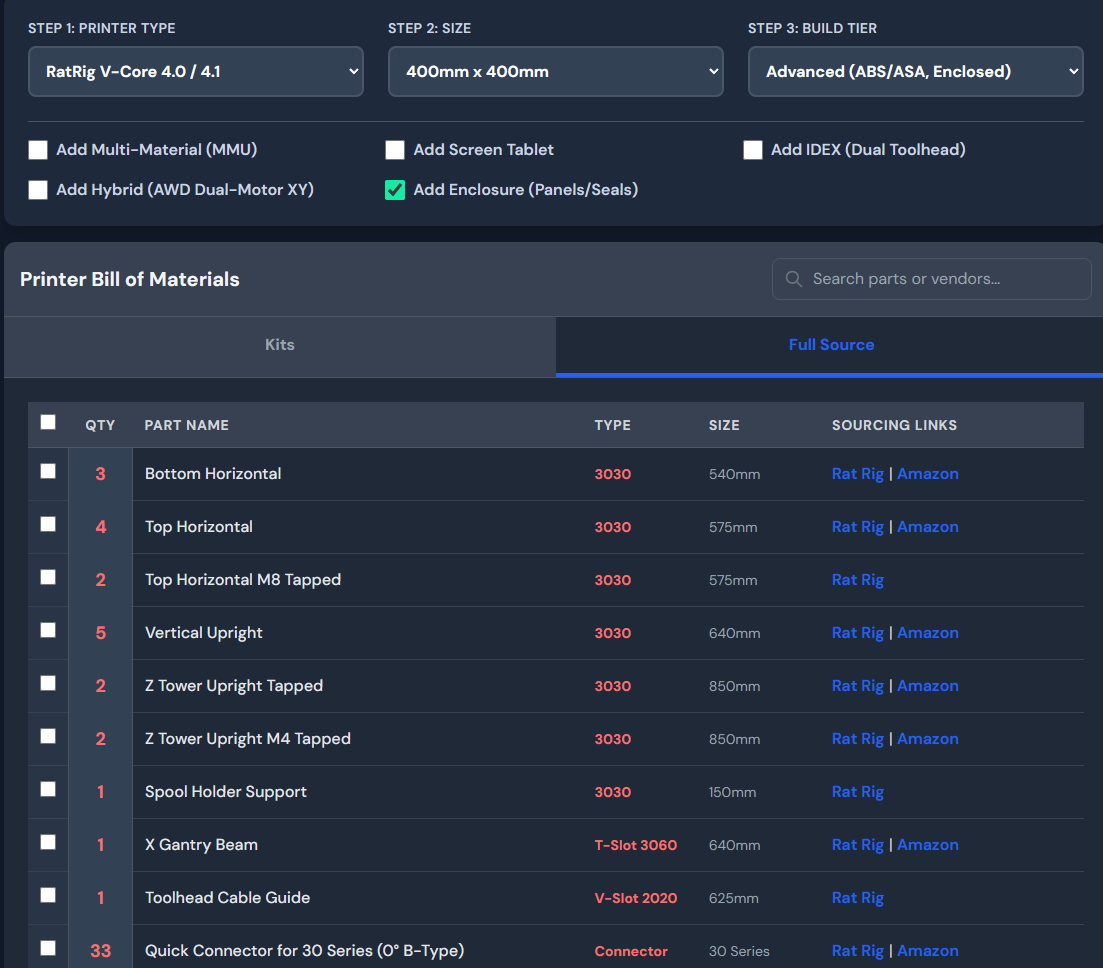
Build Configurator — Select a printer (Voron 2.4, Trident, RatRig V-Core, and more), choose a build volume and tier, then get a complete Bill of Materials with quantities, part names, and direct sourcing links. Add-ons like MMUs, enclosures, and screens slot in with a checkbox. There are separate tabs for kit buyers and self-sourcers.
Component Wiki — Searchable, filterable catalogs for hotends (51+), extruders (30+), MCU mainboards (20+), single-board computers (13+), toolhead boards (29+), and addressable LEDs. Every entry has specs, pros/cons, compatibility notes, and links to product pages or GitHub repos. Click any card to open a detail modal with the full breakdown.
Klipper Config Generator — Pick your MCU and printer, assign components to specific pins via dropdowns, configure stepper drivers (TMC2209, TMC5160, TMC2240, etc.), set endstop modes, and choose a probe type. A starter printer.cfg generates in real time as you make changes. Pin data is sourced directly from upstream Klipper configs.
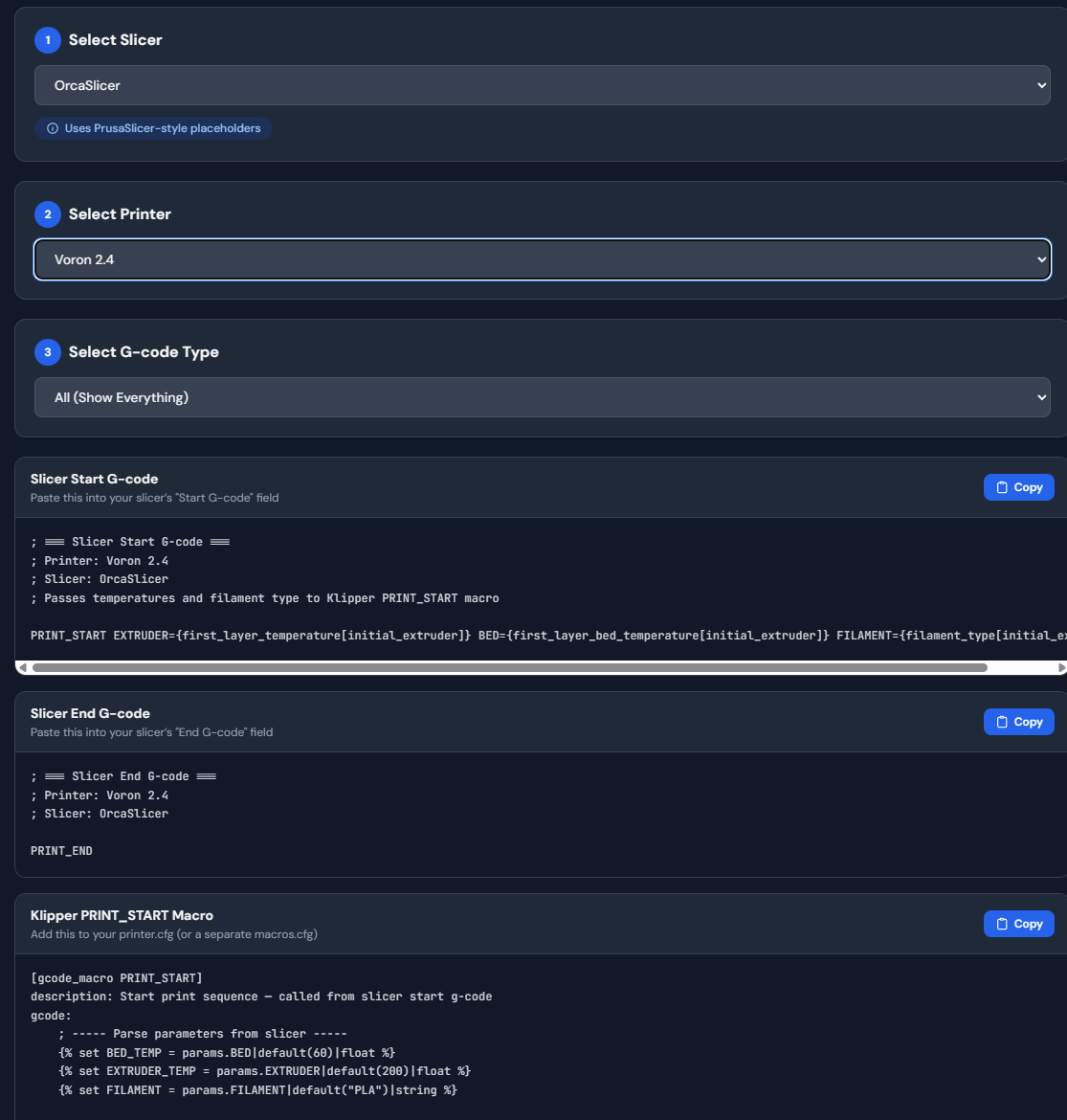
Slicer Config Generator — Select your slicer (OrcaSlicer, PrusaSlicer, Cura, SuperSlicer, Bambu Studio, Slic3r) and printer, then get ready-to-paste slicer start/end g-code and Klipper PRINT_START/PRINT_END macros. Voron printers use the community-standard jontek2 "A better print_start macro" with heatsoak logic, Stealthburner LED integration, and Beacon Contact hooks. Non-Voron printers get a clean generic macro adapted to their leveling method and kinematics.
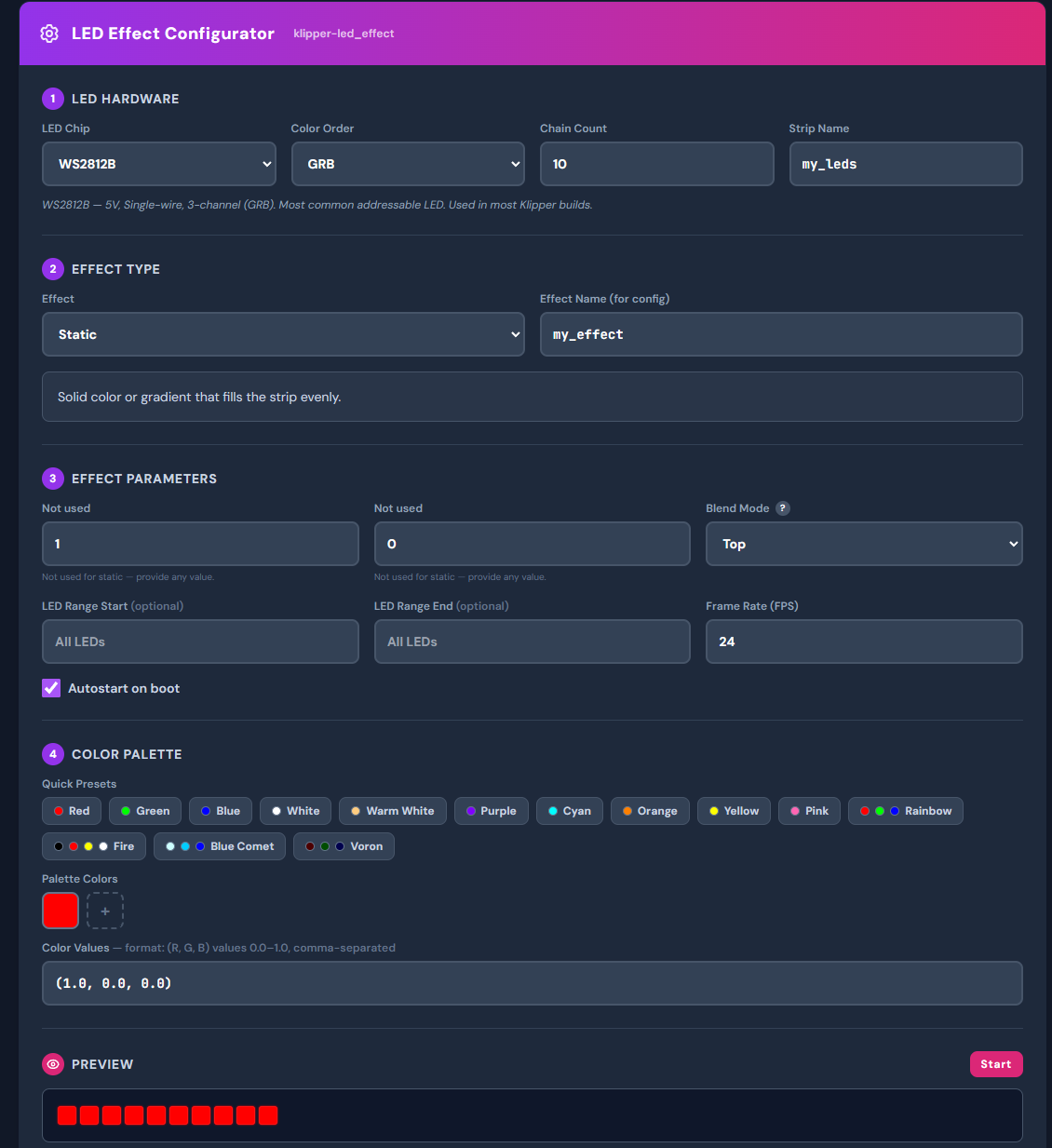
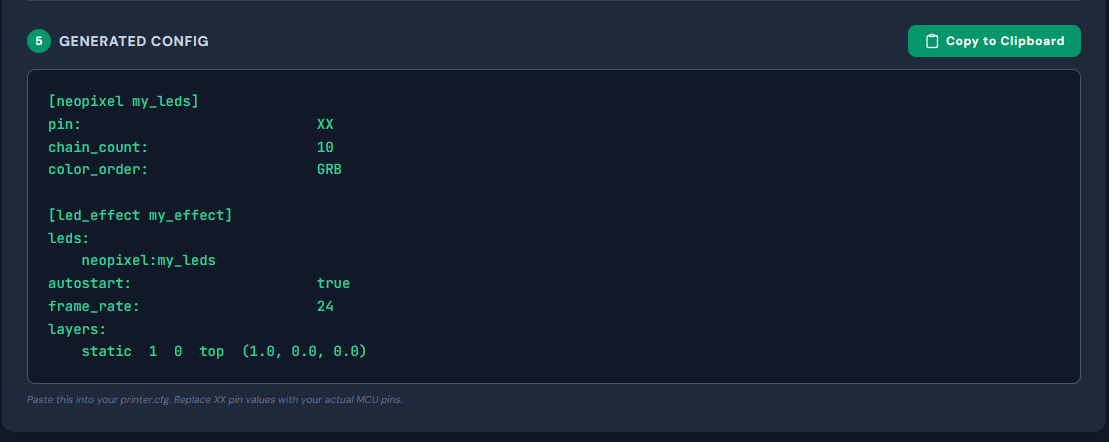
Neopixel Designer — Configure LED strips and effects with a live canvas preview. Supports multi-color palettes, blend modes, and FPS-throttled animation previews.
How it's built
The entire site is vanilla HTML, CSS, and JavaScript with Tailwind CSS. No frameworks, no build step, no server — it runs entirely in the browser. Component data lives in modular JS database files that are easy to update or extend. The architecture is a single-page app with hash-based routing, a shared modal system, and strict separation between data logic and DOM rendering.
Data integrity
Every data point — pinouts, specs, URLs, compatibility notes — is manually verified against manufacturer documentation and upstream Klipper source configs. If something can't be confirmed, it's flagged as "Requires Manual Verification" rather than guessed. No hallucinated URLs, no placeholder data.
Who it's for
Anyone building or maintaining a Klipper-based 3D printer. Whether you're planning your first Voron build, upgrading an extruder, choosing between MCU boards, or just need a working PRINT_START macro for your slicer, this is the reference you keep coming back to.