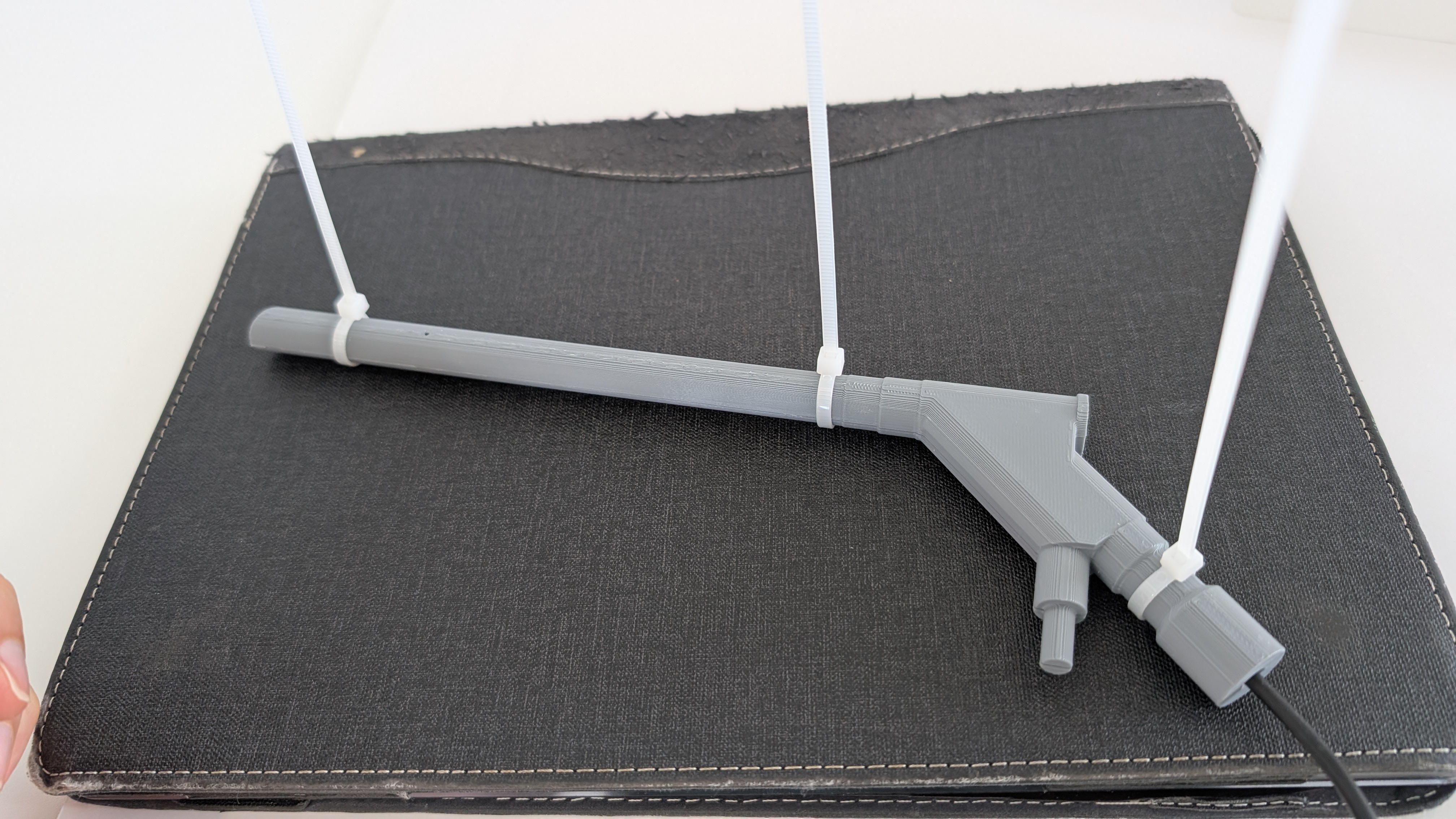
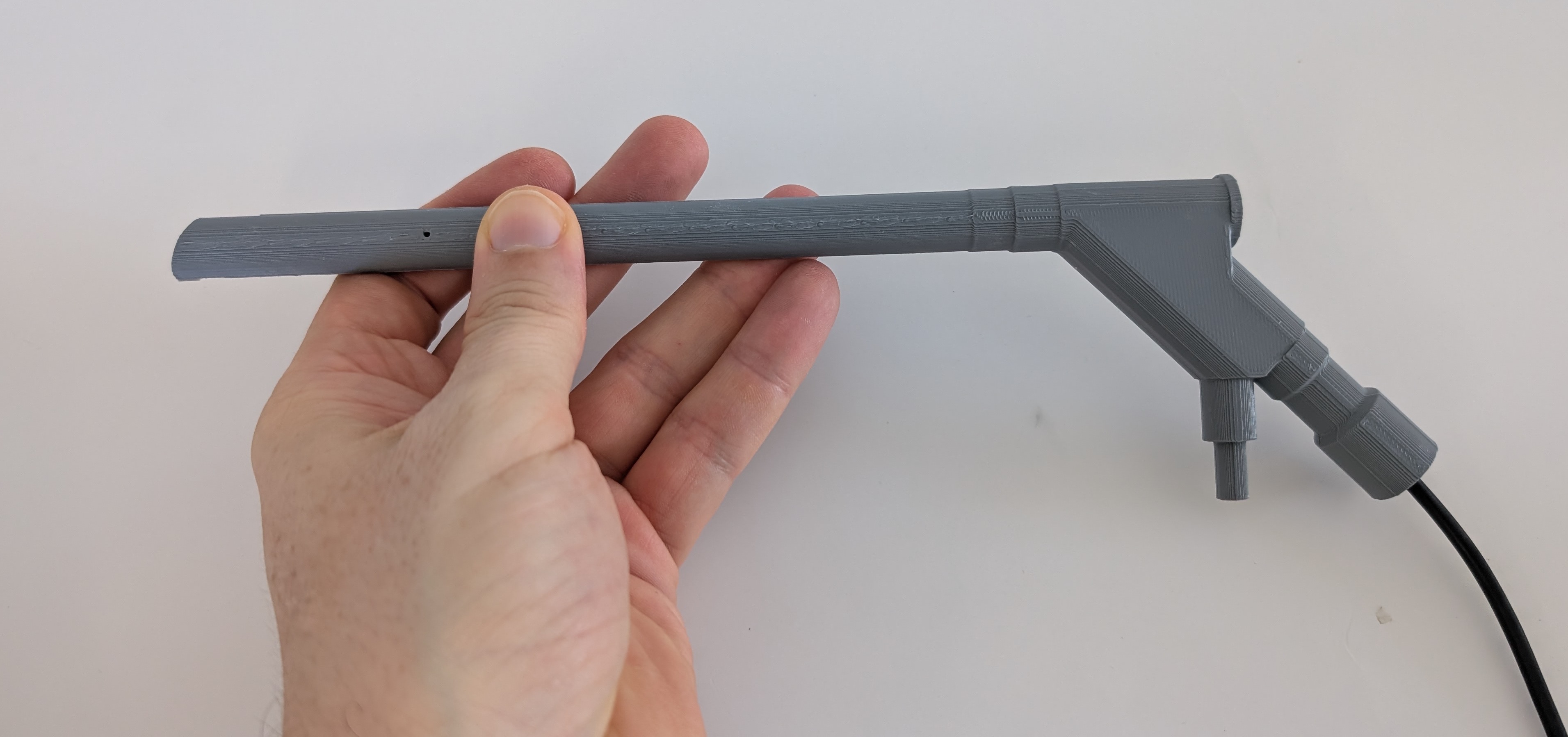
Spinal Endoscopic Training Camera
Obliczymy ostateczną cenę na podstawie wybranego pliku. Sprawdzisz ją i zaakceptujesz przed płatnością.
Zapisane na tym urządzeniu.
Informacje o modelu
- Źródło
- Printables
- Kategoria
- Medical Tools
- Licencja
- Creative Commons — Attribution — Share Alike
Design credits
The mechanical and structural design of the camera body was created by:
José Aguiomar Foggiatto, PhD
Mechanical Engineer
Professor at the Federal Technological University of Paraná (UTFPR), Brazil
He is the original designer responsible for the CAD development of the camera structure.
Clinical feedback and surgical workflow adaptation for realistic endoscopic ergonomics were provided by:
Álynson Larocca Kulcheski, MD
Orthopedist and Traumatologist
Professor at the Federal University of Paraná (UFPR), Brazil
Edmar Stieven Filho, MD, MSc, PhD
Orthopedist and Traumatologist
Professor at the Federal University of Paraná (UFPR), Brazil
Description
This 3D printed spinal endoscopic training camera was developed as part of a validated low-cost simulator for lumbar endoscopic flavectomy training.
Full Article:
https://www.scielo.br/j/coluna/a/fptyyFVbQSHLjpmJvh7MdDN/?format=pdf&lang=en
https://www.scielo.br/j/rcbc/a/MzfBPBwGZwwSgSKd4k5Mx7f/?format=pdf&lang=en
Validation of 3D Simulator for Spine Endoscopy Training
Coluna/Columna. 2026;25(1):e296314
DOI: 10.1590/S1808-185120262501296314
Authors (in publication order):
Letícia Hatori Miyamoto
Álynson Larocca Kulcheski
Lucas Santiago
Edmar Stieven Filho
Xavier Soller Graells
The camera model was designed to replicate the proportions and distal angulation of a conventional lumbar spine endoscope, enabling triangulation training, anatomical orientation, and basic instrument handling in a dry simulation environment.
Study summary:
The project aimed to create and validate a reproducible, low-cost simulator for lumbar endoscopic surgery training. The simulator included a 3D printed lumbar spine (L1–S1), EVA yellow ligament simulation, molded intervertebral disc, and this 3D printed endoscopic camera coupled to a USB inspection probe.
The model was face-validated by 10 experienced orthopedic spine surgeons using a Likert-scale questionnaire. Results demonstrated:
• 100% approval for usefulness in training novice surgeons
• 100% approval for training surgical maneuvers transferable to real surgery
• Strong agreement regarding anatomical recognition assistance
Technical specifications of the camera:
• Total length: 259.54 mm
• Outer diameter: 12.5 mm
• 25° angled distal tip
• Internal working channel: 4.2 mm
• Designed in two longitudinal halves
• Compatible with flexible USB inspection probe cameras with LED
⚠ This model is intended exclusively for educational and simulation purposes.
It is NOT a medical device and must not be used in clinical procedures.
Assembly Instructions (Step-by-step)
This model requires:
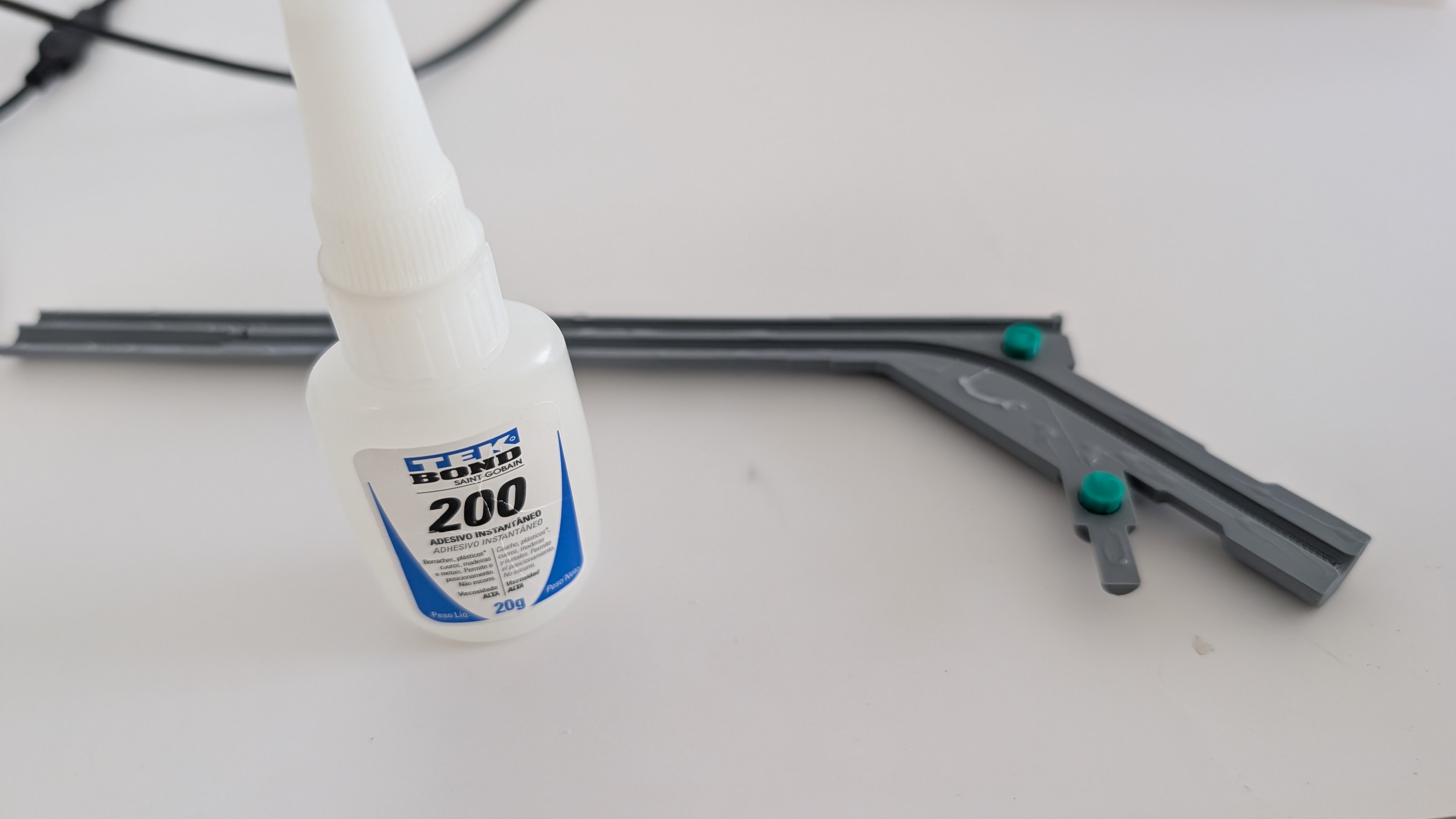
• 5 mm USB endoscopic inspection camera
• Cyanoacrylate glue or equivalent your favorite glue
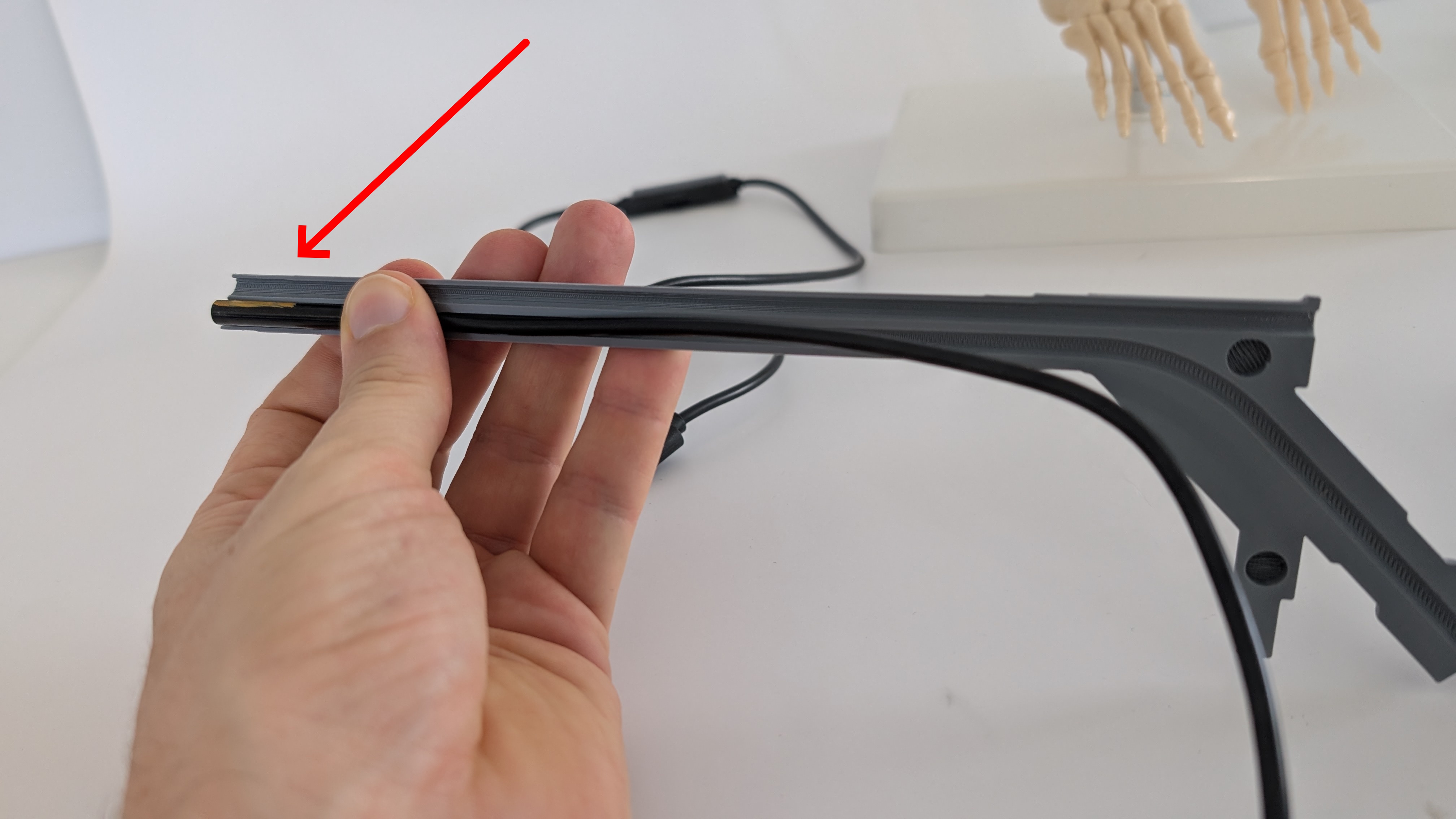
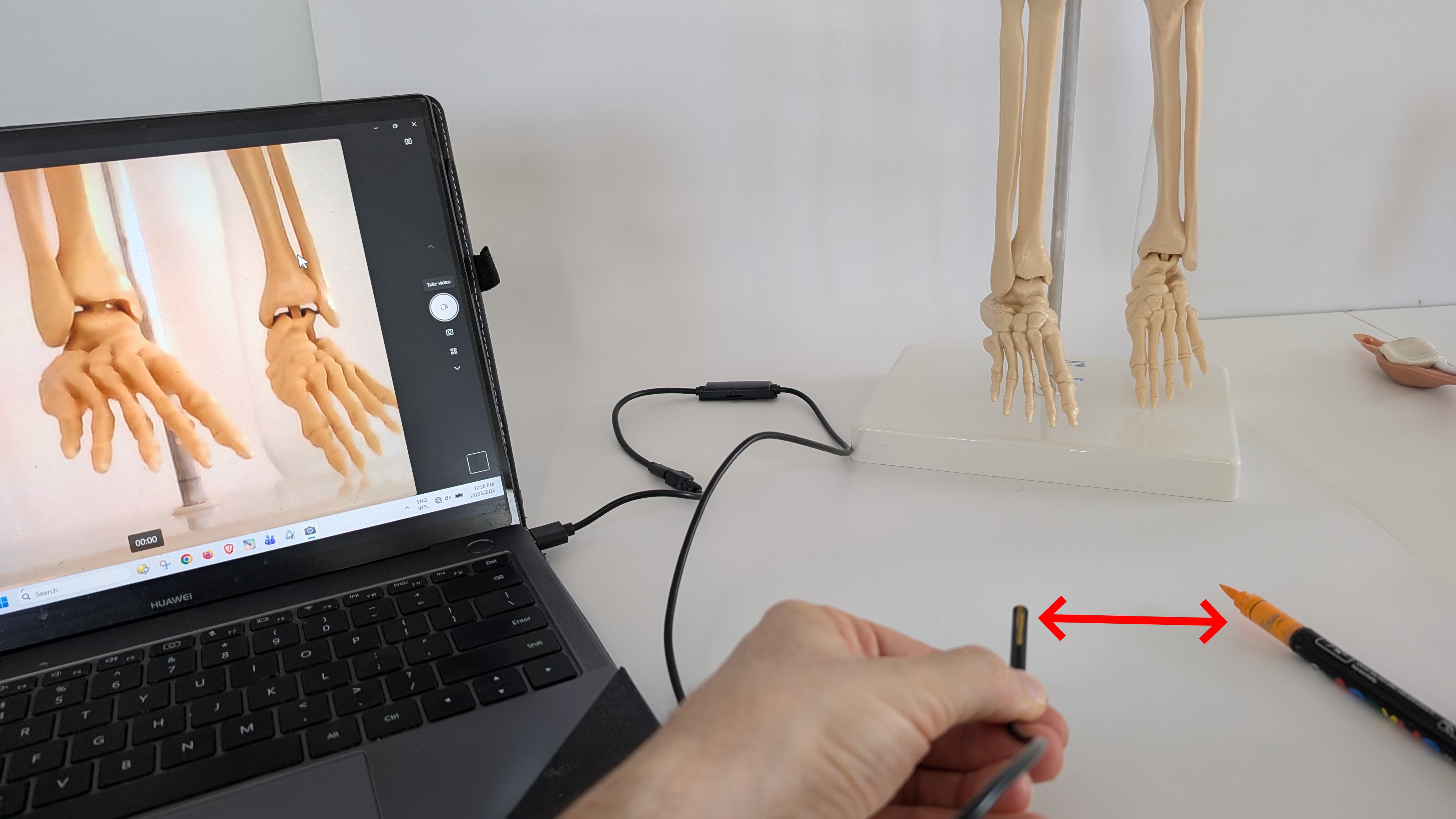
Step 1 — Identify camera orientation
Determine the top side of the camera image before assembly, as shown in photos.
This step is essential to ensure correct anatomical orientation during training.
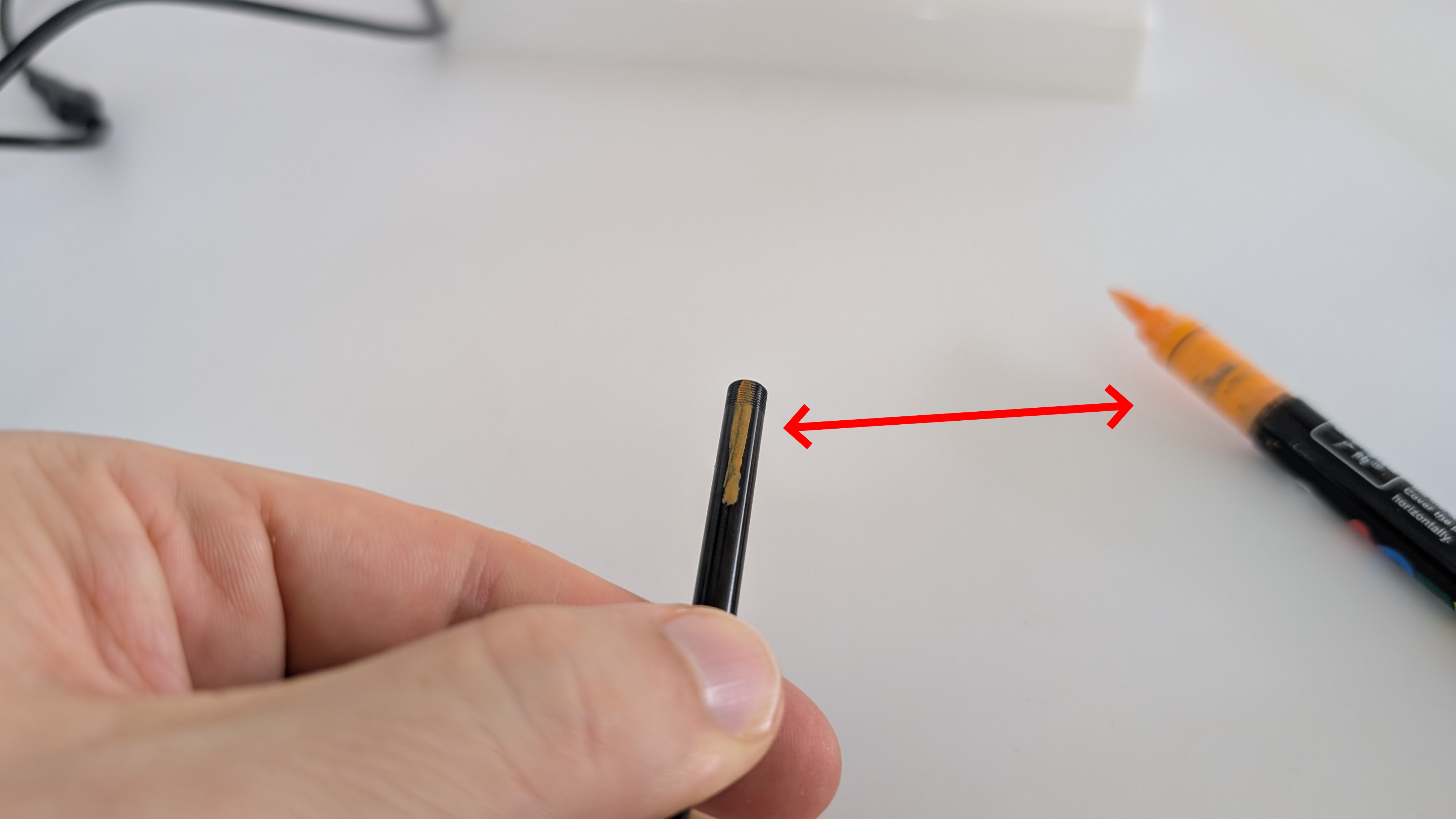
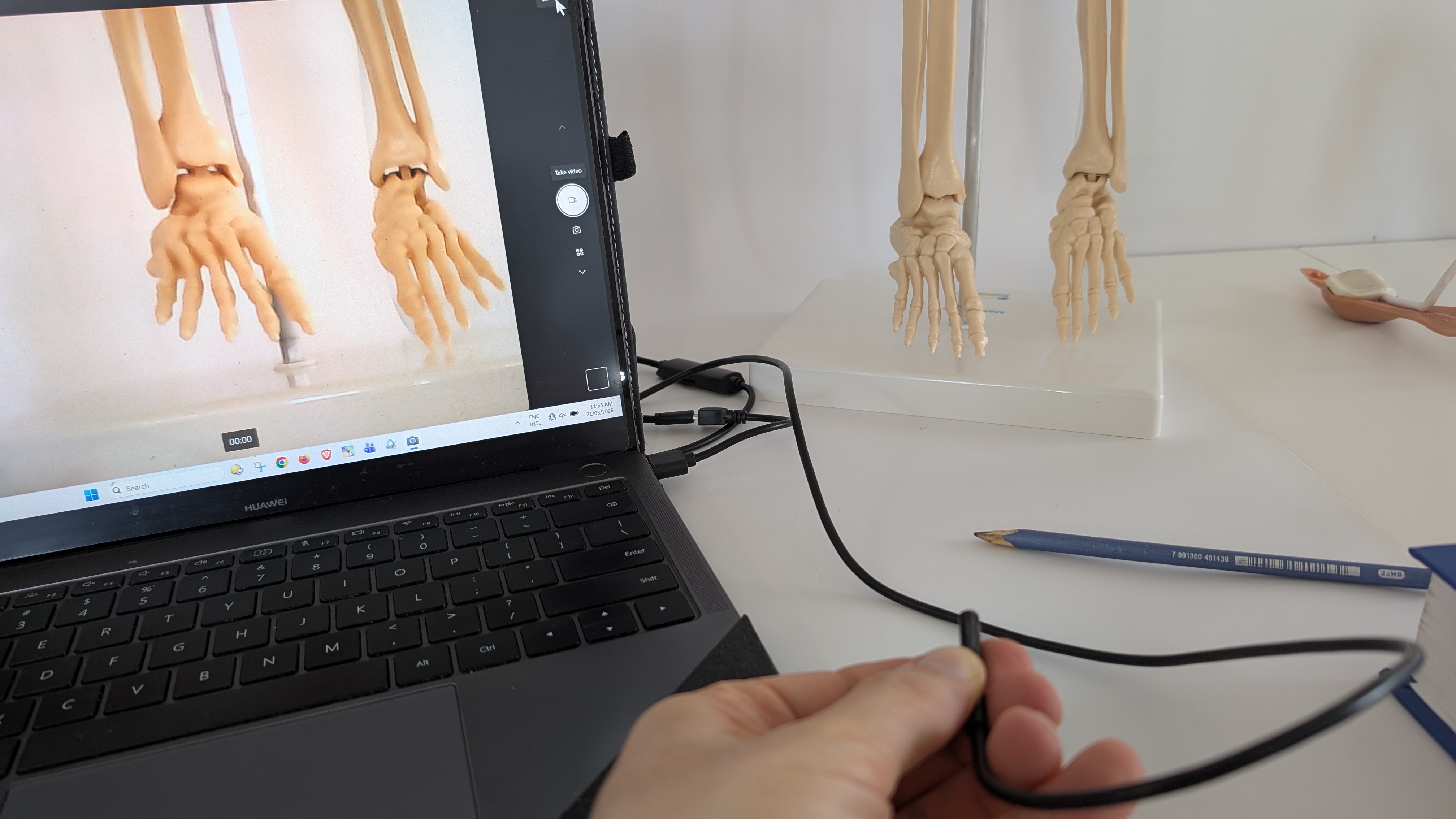
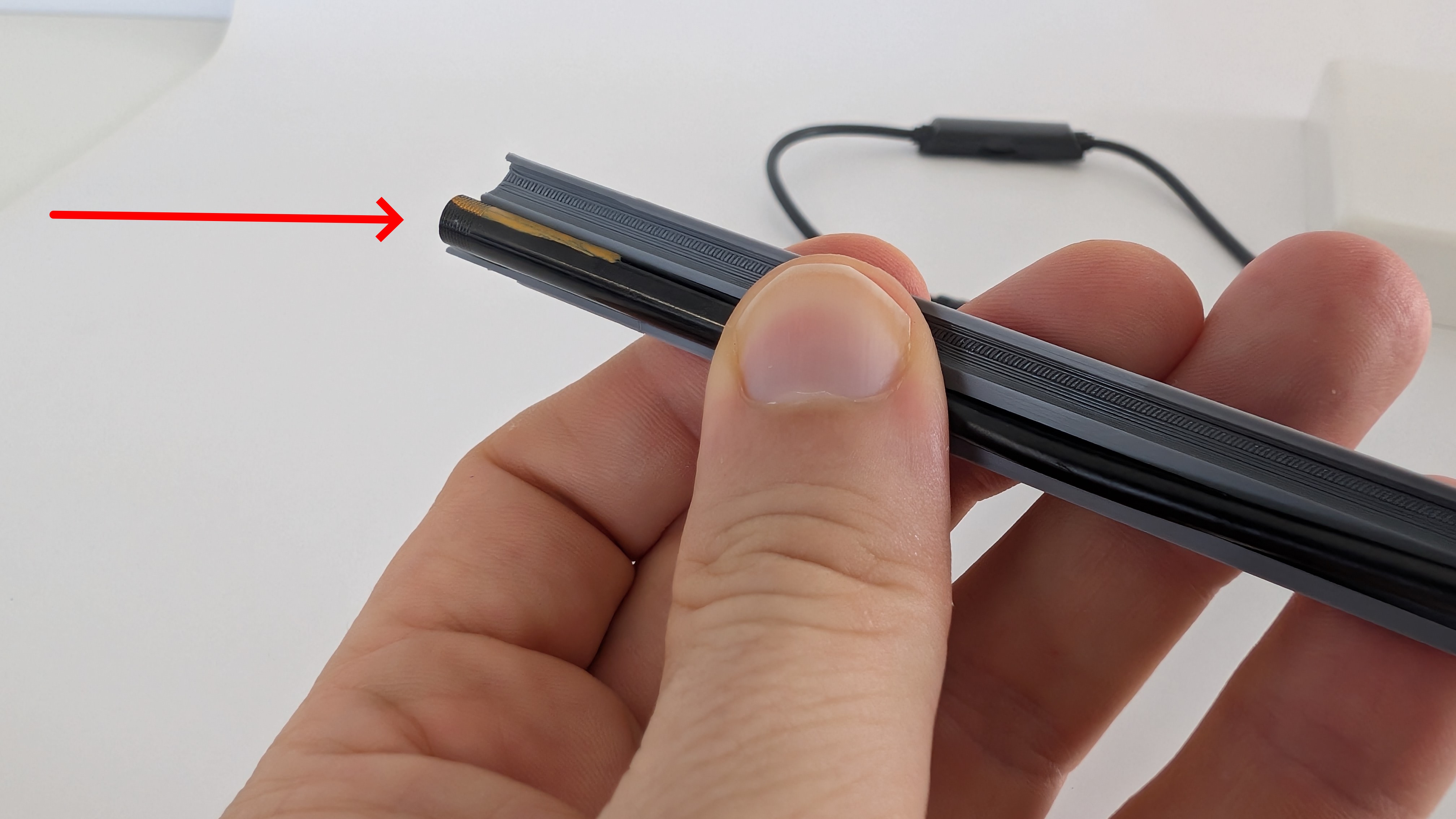
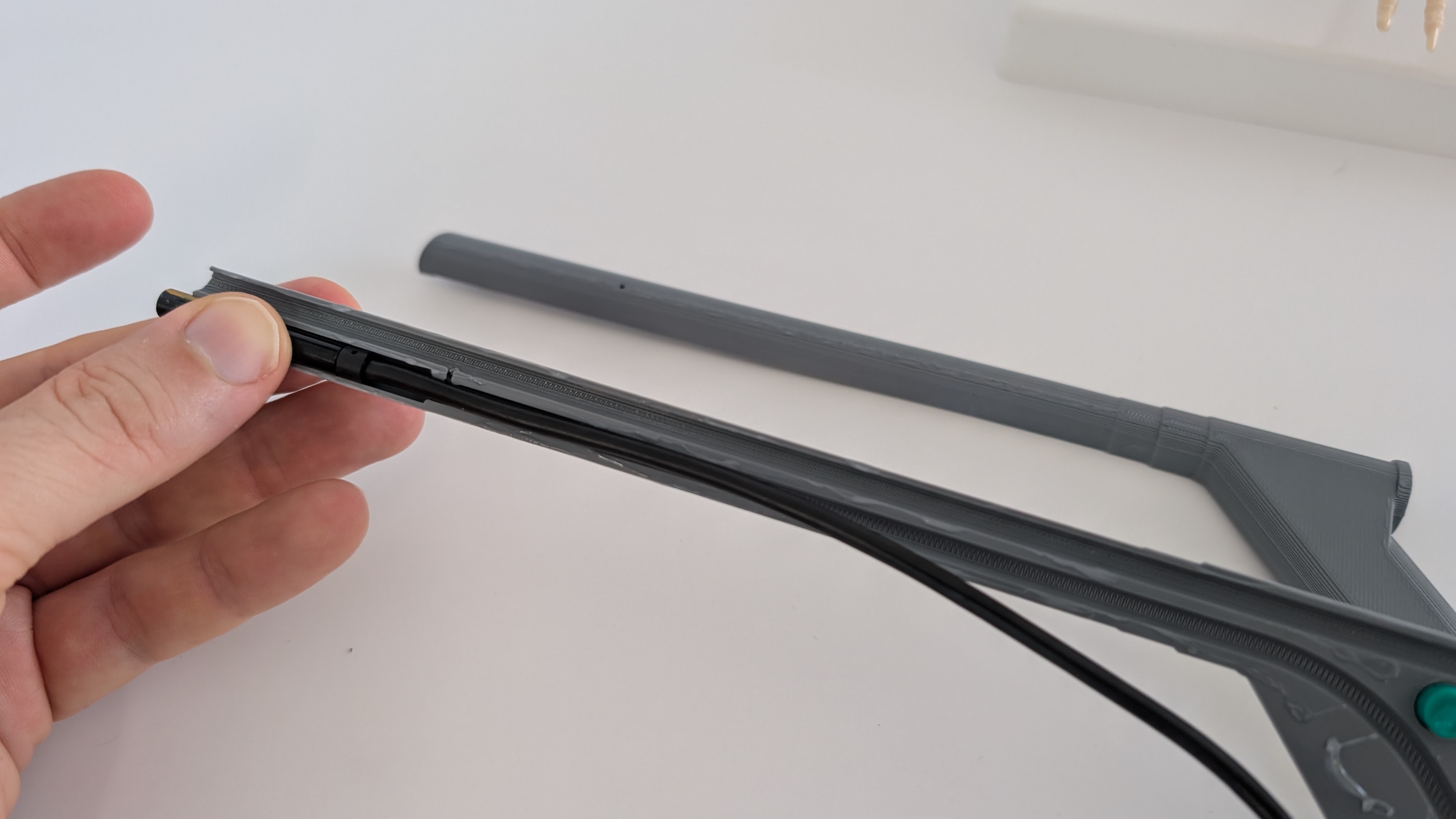
Step 2 — Position the camera and cable
Insert and adapt the 5 mm USB endoscopic camera and its cable into the 3D-printed housing, as demonstrated in photos.
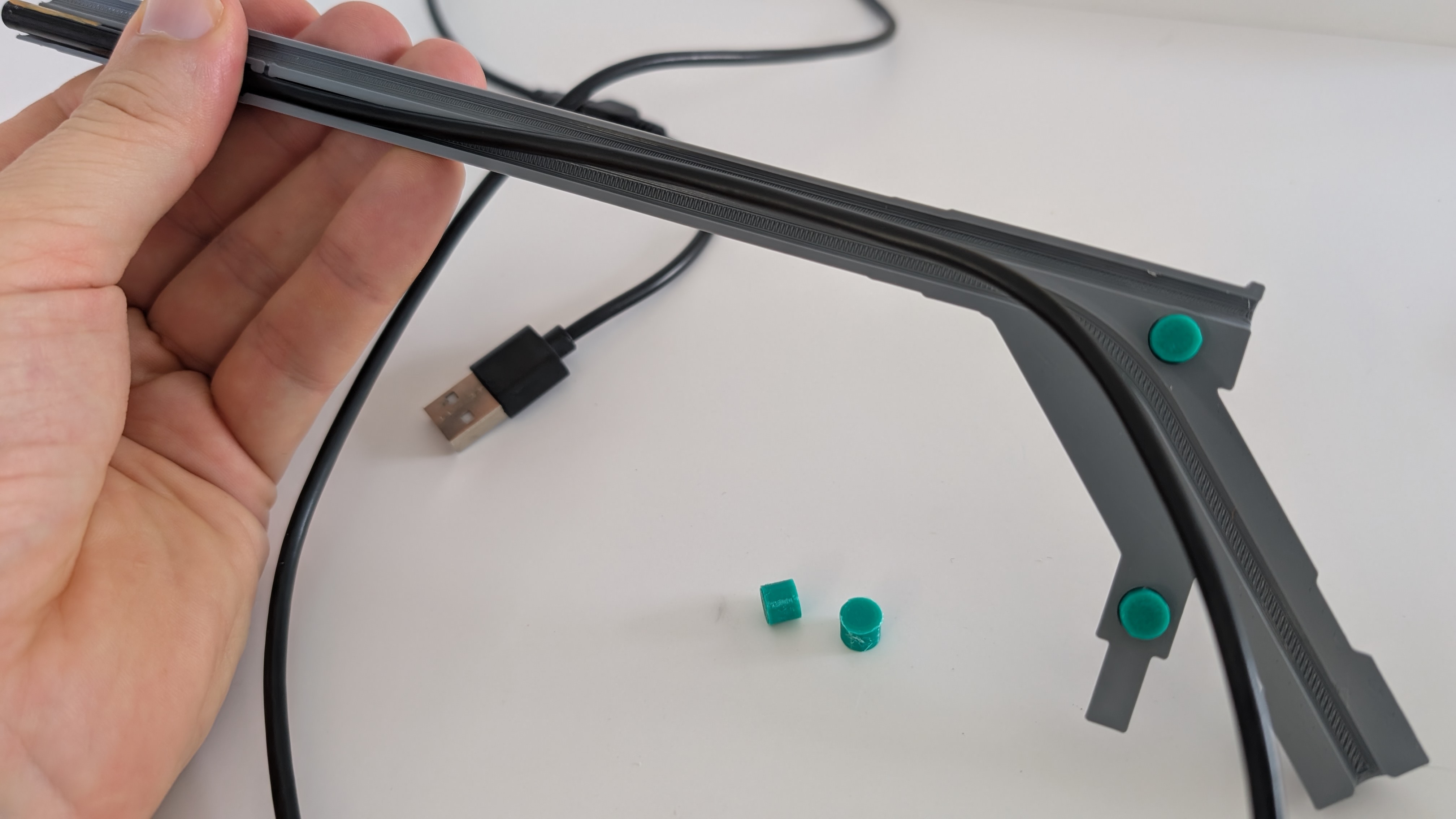
Step 3 — Apply adhesive and maintain orientation
Apply your preferred adhesive (e.g., cyanoacrylate glue) to secure the camera inside the housing, ensuring the correct top orientation is maintained throughout the process.
The printed alignment pins assist with proper positioning during assembly.
Step 4 — Close the housing
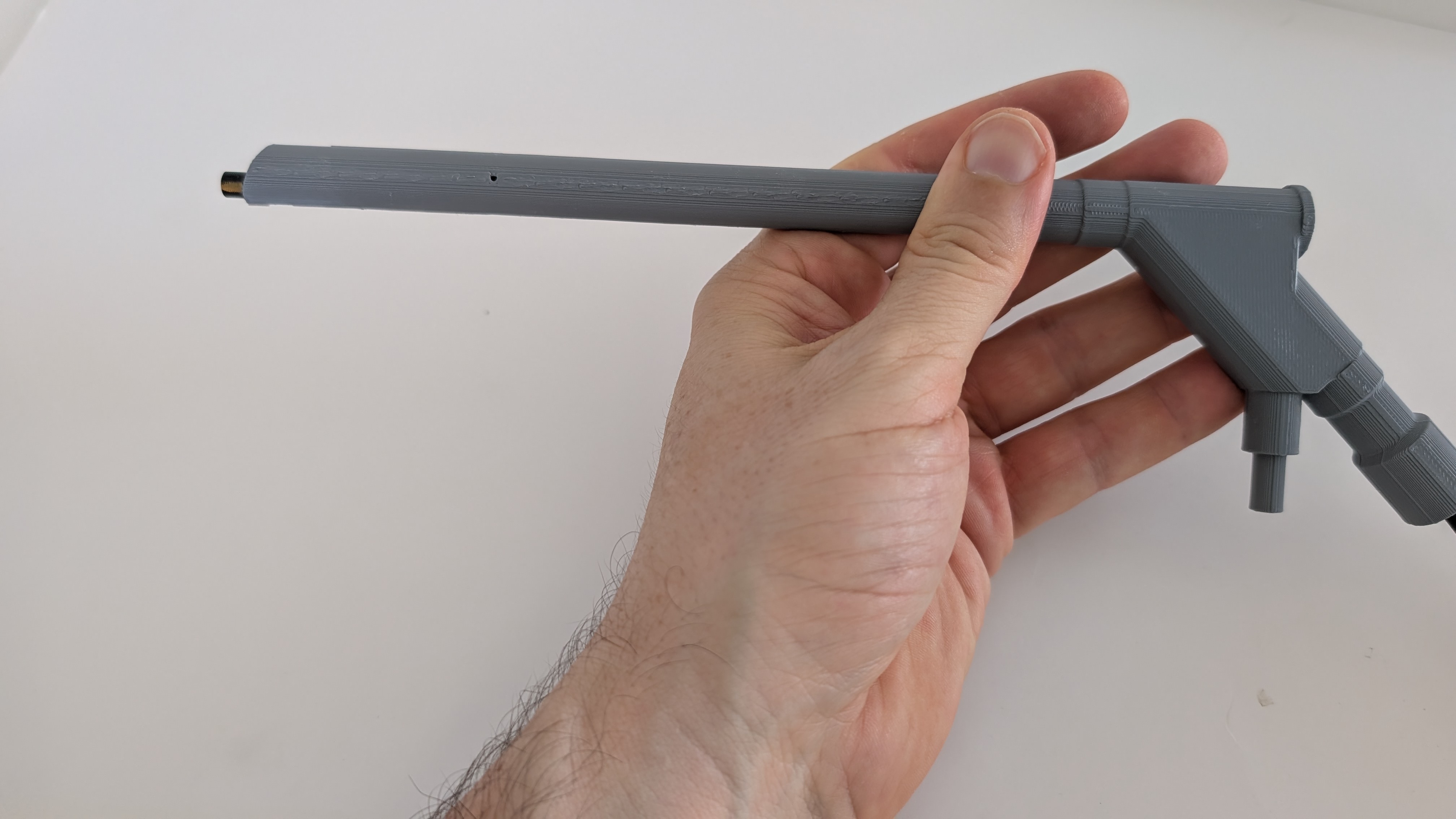
Attach the second half of the printed camera body to close the system.
Note that the camera tip should remain slightly protruded.
This intentional protrusion allows fine adjustment of the camera’s rotational alignment.
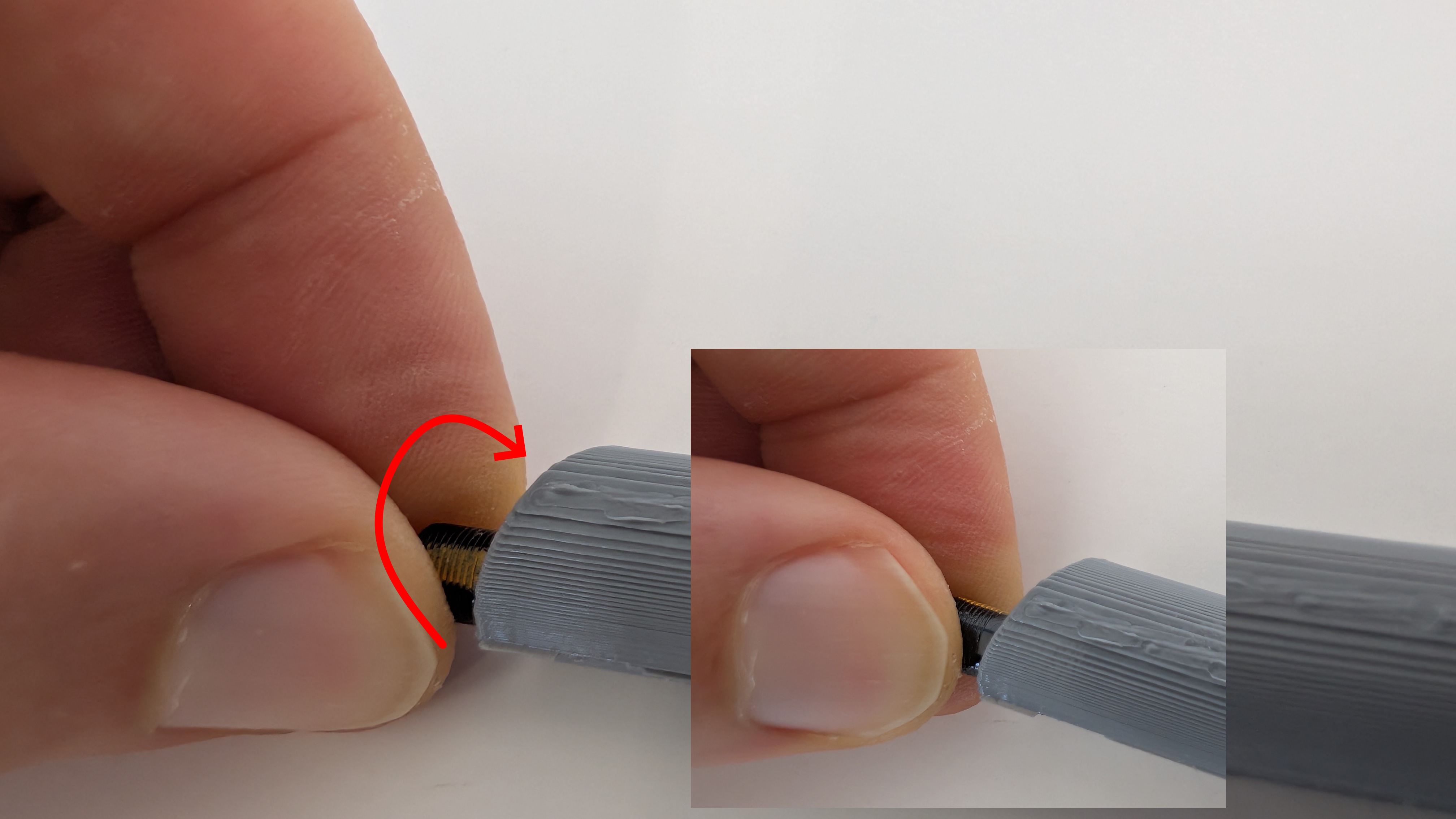
Step 5 — Adjust final orientation
Rotate the camera carefully until the correct orientation is achieved.
Once aligned, gently pull the cable to bring the camera tip flush with the housing.
Step 6 — Final fixation
Allow the adhesive to fully cure.
Optionally, you can use nylon cable ties to help maintain positioning during curing.