
MultiBoard: Parametric Angled Bottle Holders (Bolt-locked)
Obliczymy ostateczną cenę na podstawie wybranego pliku. Sprawdzisz ją i zaakceptujesz przed płatnością.
Zapisane na tym urządzeniu.

Fully parametric (in diameter, height, angle, and number of bolt-locked nubs) bottle holders
- Ocena
- 5 / 5
- Polubienia
- 2
- Pobrania
- 8
- Wydruki
- 1
- Wyświetlenia
- 68
- Oceny
- 1
Aktualizacja u źródła:
Informacje o modelu
- Źródło
- Printables
- Kategoria
- Organizers
- Licencja
- Creative Commons — Attribution — Noncommercial — Share Alike
Fully parametric, angled bottle holders, designed for MultiBoard via bolt-locking to snaps.
Quick guide: open in Autodesk Fusion, edit starred parameters, export either the odd or the even variant. Print as a single object (do NOT split to objects!).
Full guide:
To generate your desired holder:
Import the f3d file to Autodesk Fusion (other CAD software may not be supported).
In the parameters tab, adjust diameter, height, and angle as you desire. Note that small angles may not work (or may have warnings but work - I've tested 0 degrees for fully upright bottles and it works fine despite warnings!).
bottle_diameter: this is the diameter of your bottle (so the inner diameter of the holder); allow for some tolerancebottle_holder_height: this is the height of the wall around your bottle; I usually set to roughly half the diameter, +/- 5mmbottle_angle: this is the angle off being upright: 0 degrees is upright, 90 degrees has your bottles perpendicular to the wall. [Edit 26-06-21]: Note that there are now two additional models in the file; these are fixed to being vertical, and are cleaner models if that is your desired angle.
Once you've settled on a size, you can also adjust the number of bolt-locked interfaces: there is an even variant and an odd one, and each one is computed separately.
bolt_lock_count_odd: number of bolt-lock nubs, for the odd model.bolt_lock_count_even: number of bolt-lock nubs, for the even model.Advanced: you do not need to attach snaps to every bolt-locked nub, and you also may edit the rectangular pattern features to suppress if you so desire - note that the timeline is more complex for the even variant, so requires two feature edits!).
After editing all parameters, export your chosen model by selecting the component from the side, and export - it's important you select the component, as the bodies aren't combined.
For printing, I'd suggest using paint on supports and painting just this section (it's a single face). [Edit 2026-06-21]: For 45 degree holders, they export in the right orientation. For other custom angles, you may need to lay flat - either the base face or the angled one will be best, see below. Supports are not necessary for the vertical models - the nubs are now touching the bed.
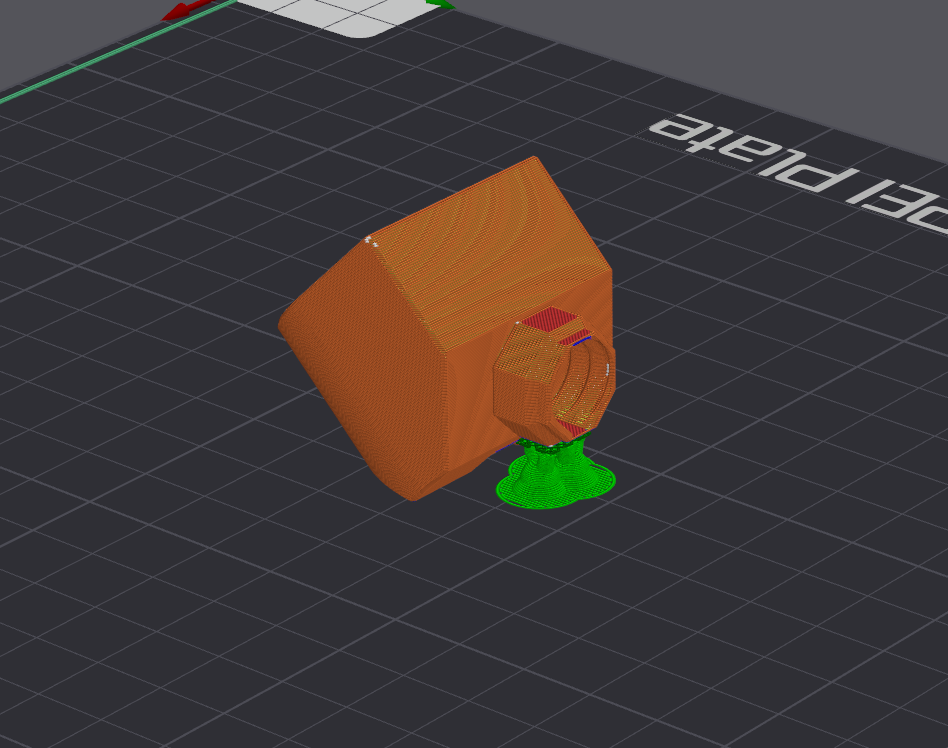
Quick bolt-locked guide: for each hook, print a Snap (I recommend the Moderate Weight-Bearing Snap, as the heavy variant is folded and not very suitable for bolt-locking, and the regular variant holds less weight), and a Locking Bolt (the T variant is the easiest to print and works great). Then, you fit the nub into the snap's front, and screw the locking bolt into the back side, before finally installing the snap, with the holder attached. Note that if you cannot get to a snap because it is a dual snap that is part of your installation, you can use this niche adapter on the end of a nub to fit it.
Files are licensed by the MultiBoard License, and check out MultiBuild for official parts.
Note: as noted in the remix section, this was modelled from scratch to allow for parameterising angles and number of connectors, but the design itself is heavily influenced by this model (and my first local attempts were direct edits), so thanks to https://www.printables.com/@quietsnow_176728 for porting the original design, and thanks to https://www.printables.com/@Shorco_133612 for the original!