
ExoBass - Extras - Over String Pickup Mount
Obliczymy ostateczną cenę na podstawie wybranego pliku. Sprawdzisz ją i zaakceptujesz przed płatnością.
Zapisane na tym urządzeniu.

3D printed bass part — full catalog, build planner, and assembly guides at https://exobass.com
- Ocena
- 0 / 5
- Polubienia
- 1
- Pobrania
- 5
- Wydruki
- 0
- Wyświetlenia
- 25
- Oceny
- 0
Aktualizacja u źródła:
Informacje o modelu
- Źródło
- Printables
- Kategoria
- Music
- Licencja
- Creative Commons — Attribution — Noncommercial — Share Alike
Part of the ExoBass project — full catalog, build planner, and assembly guides at https://exobass.com
Plan Your Build & Get Hardware
ExoBass can be confusing! Head over to our build planner to plan your entire build - it'll walk you through every available part and handle compatibility along the way, and it covers all ExoBass parts. It's also the best way to get hardware, since it lets you buy everything for a full build in one go, not just this part.
You can find this specific part, ExoBass - Extras - Over String Pickup Mount, on our site.
Step 1: Install Heat Set Inserts
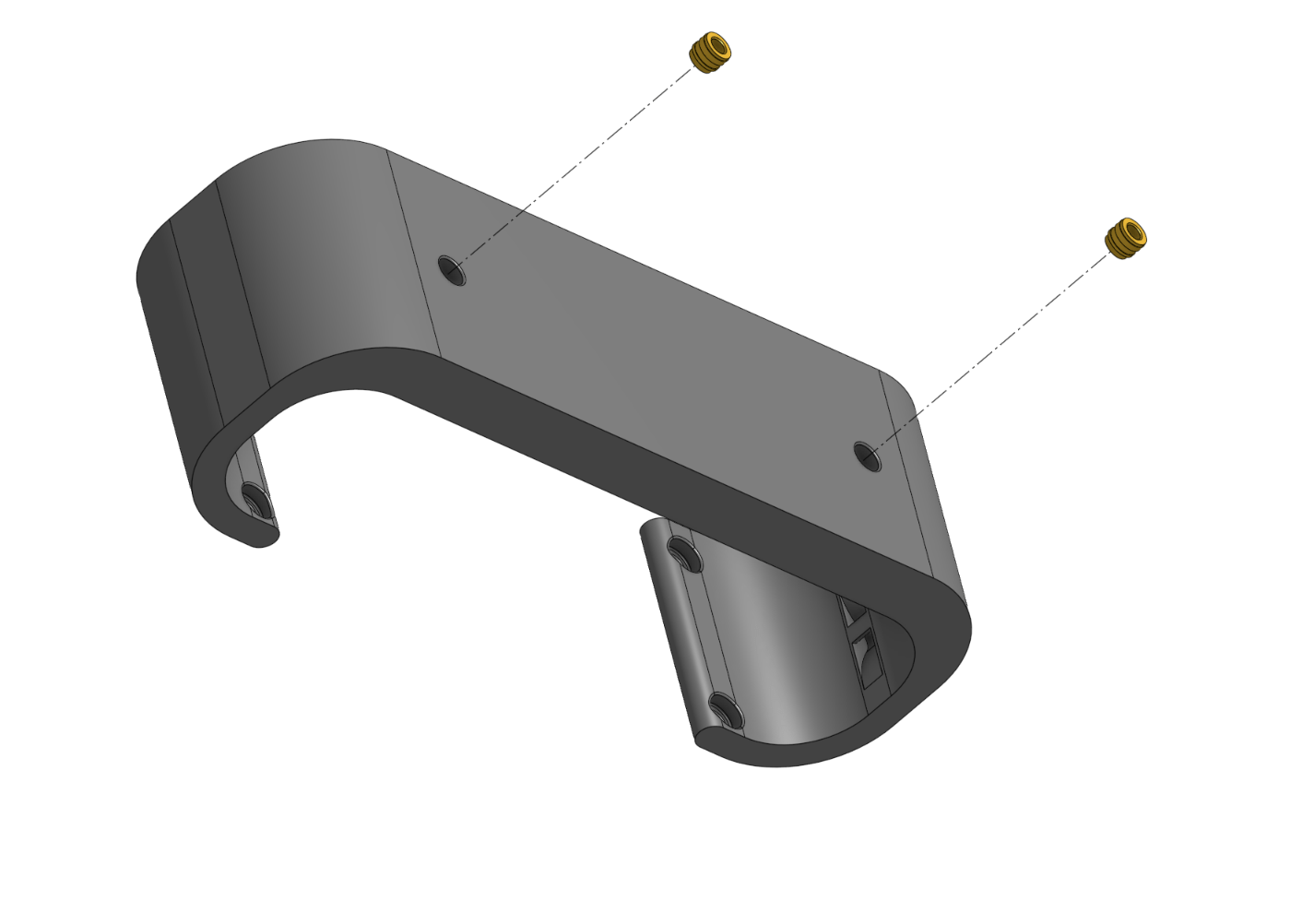
Step 2: Install Pickup

Make sure you attach the wires before you screw in the pickup. There are Zip Tie mount points inside the mount to prevent the wire from hitting the strings.
Step 3: Place Module

Step 4: Screw In Module

Important Note:
Once the strings are in place, you will need to check to make sure that the strings are not too close to the Pickup. If they are, remove the screws and insert washers below the Over String Pickup Mount until the strings are as close as they can be to the pickup without hitting it. You will likely need more washers on the side with the thicker strings.
Hardware
DIY Kit
You can order a DIY kit for your entire build from our build planner, the estimate for this part's kit is $0.97 plus shipping.
Self Source
If you want to order the parts yourself, here's a list. Estimated cost: $17.74.