
Pin Support Sphere Challenge G-code for Prusa MK3SMMU2S and MINI+
Obliczymy ostateczną cenę na podstawie wybranego pliku. Sprawdzisz ją i zaakceptujesz przed płatnością.
Orientacyjna cena wydruku pliku
0,17 € – 0,20 € netto (bez VAT)
Dla pliku: Pin-Support_Challenge_PLA_MK3SMMU2S_15m.gcode
To wstępna wycena jednego pliku. Dokładną cenę poznasz przed zamówieniem.
Plik i założenia wyceny
Plik użyty do wyceny
Średnia wycena orientacyjna: 0,19 € netto (środek widełek).
- Masa podana przez autora
- 1 g
- Czas druku podany przez autora
- 15 min
- Materiał u źródła
- PLA
- Materiał wyceny
- PLA
- Drukarka wyceny
- Bambu Lab P1S - 0.4 nozzle
- Proces wyceny
- 0.20mm Standard
Orientacyjna wycena wyłącznie wybranego pliku, oparta na masie i czasie druku podanych przez autora. Warianty plików nie są sumowane. Ostateczna cena zostanie obliczona po analizie pliku.
Zapisane na tym urządzeniu.

Pin Support Sphere Challenge G-code for Prusa MK3SMMU2S and MINI+. Great way to challenge your printer!
- Ocena
- 4,923 / 5
- Polubienia
- 89
- Pobrania
- 2581
- Wydruki
- 24
- Wyświetlenia
- 8425
- Oceny
- 13
Aktualizacja u źródła:
Informacje o modelu
- Źródło
- Printables
- Kategoria
- Test Models
- Licencja
- Creative Commons — Public Domain
Test the limits of your printer!
Pin Support Sphere ChallEnge is a way of testing your printer's capabilities. It is designed to be hard to print, so only well-calibrated printers with quality filaments will print out a nearly perfect sphere on a near-perfect pin support.
The print setup is easy - download G-codes from above, get them into your printer, load in a PLA filament and let the print begin!
Custom written G-code
Despite the model having unconventional nozzle movements, a custom G-code had to be generated. I have modified the original G-code from fullcontrol.xyz to be able to print on Prusa i3 MK3SMMU2S and Prusa MINI. That is a reason why you cannot just slice it yourself.
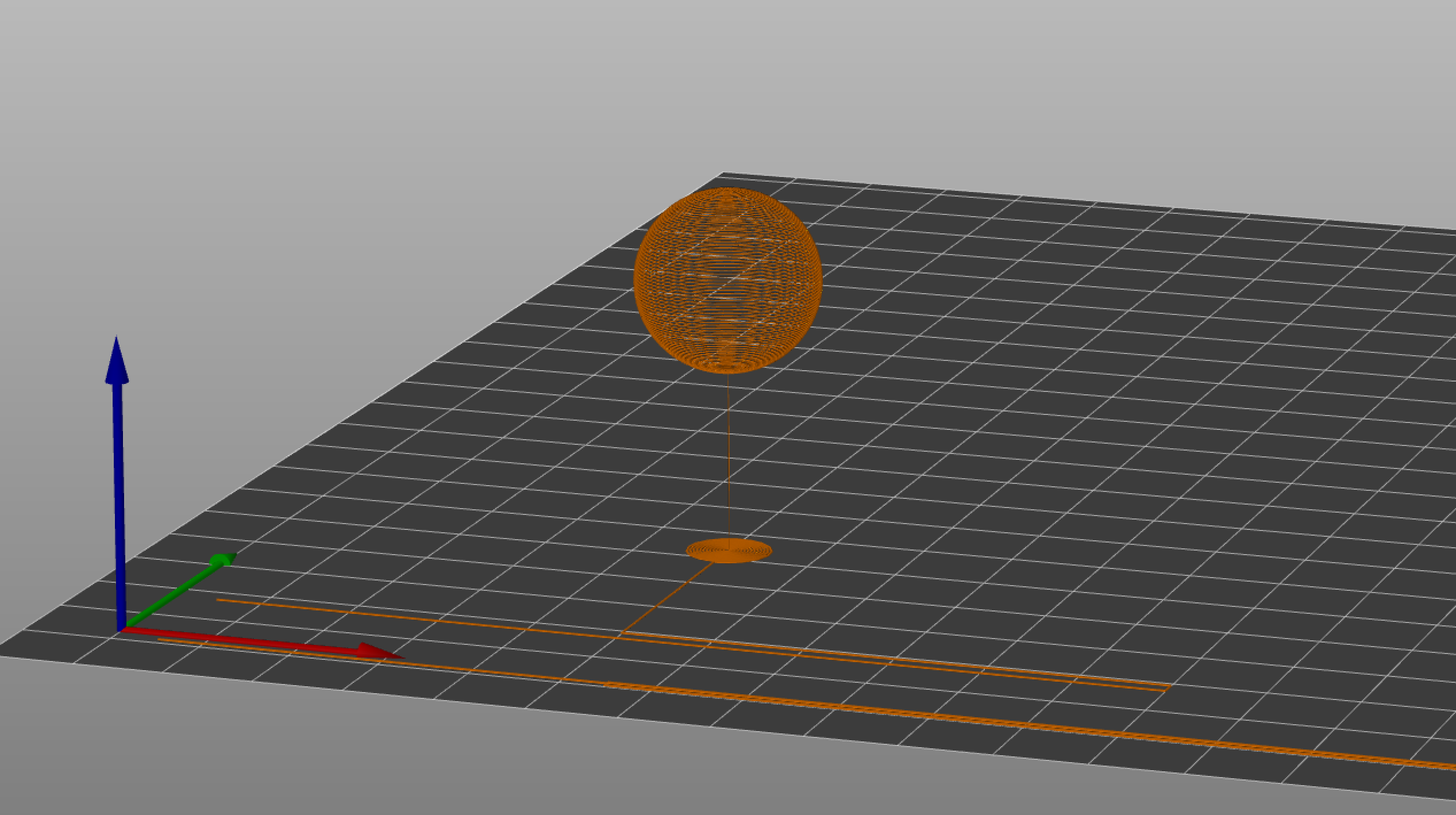
What to look for
This model has two crucial parts - the pin and the sphere. The pin should be as straight as possible and have a constant diameter; the sphere should be a near-perfect shape. If it is not the case, then you might have a problem with extrusion or with live z adjustment.
FAQ
Why don't I see any print info on my printer?
The print info (weight, time..) is calculated in the slicer and later written into G-code. Because this G-code did not go through the slicer, there is no info on that, and I have not added it manually yet.
Why is there no G-code for MK3S?
The reason is simple. I had to make a lot of testing and a lot of trial and error to get this G-code running on MK3SMMU2S and MINI. Unfortunately, I don't have access to stock Prusa MK3S. Because of that, I don't want to release something that does not work or, worse - can damage your printer.
Why is there only one version with PLA?
I have also done many tests with other filament types (mostly PETG) but never achieved a perfect print. I think that there is a problem with extrusion. Unfortunately, you can't just switch to a different type of filament with a press of one button. That is why I published only a PLA version. I might look into it later.
If you have any questions, problems or suggestions, write them in the comments or message me. I will be happy if you leave some feedback. And as Jo would say: Happy printing :D