
INFIDEL sensor filament winder
Obliczymy ostateczną cenę na podstawie wybranego pliku. Sprawdzisz ją i zaakceptujesz przed płatnością.
Zapisane na tym urządzeniu.
Informacje o modelu
- Źródło
- Printables
- Kategoria
- Tools
- Licencja
- Creative Commons — Attribution — Noncommercial — Share Alike
This is a modified version of toms INFIDEL filament diameter measurement sensor: InFiDEL - Inline Filament Diameter Estimator (lowcost) by Tom | Download free STL model | Printables.com
Meant to be used with: Bambu Lab P1 / X1 / X1C / X1CC Filament Spool Switcher & Winder if you use AMS by Miklos Kiszely | Download free STL model | Printables.com
Made to be used for homebrew filament production.
IMPORTANT
don't buy a PCB and waste $60 like I did!
Instead control the hall effect sensor using an Arduino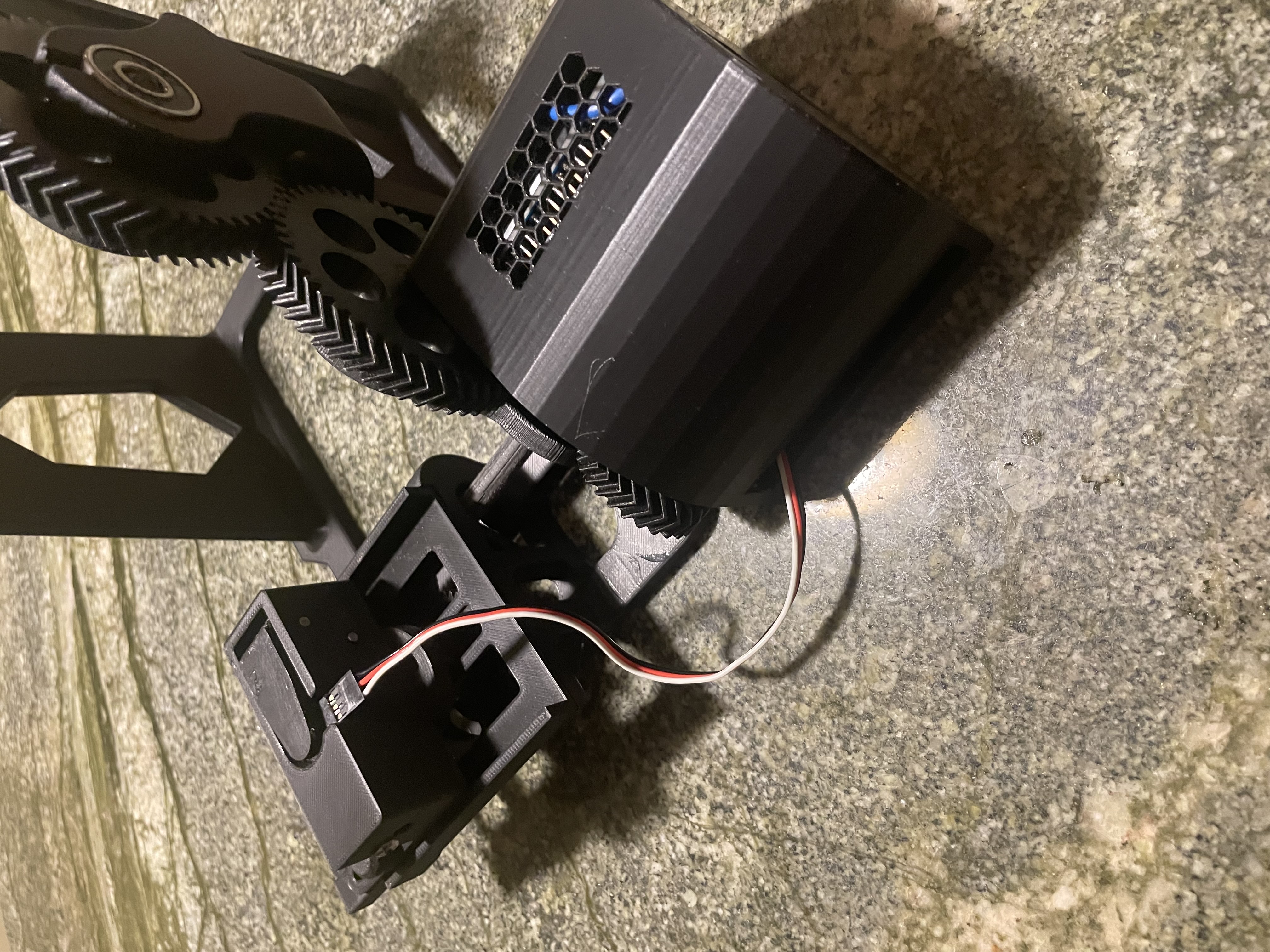
This is my Arduino + motor upgrade for the filament spooler: Arduino Filament Transfer Winder Motor Drive and Spool Adapter by Redpotato441 | Download free STL model | Printables.com
the goal is for the Arduino to read the filament diameter and then adjust the motor speed in order to increase or decrease the filament diameter in order to create filament with a consistent diameter.
here is my working Arduino code:
// Motor pins
const int motorChannel = 13; // Motor channel connected to pin 13
const int motorBrake = 8; // Motor brake connected to pin 8
const int pwmPinMotor = 11; // Assign PWM pin
int motorSpeed = 255; // Assign baseline motor speed
// Fan Pins
const int fanChannel = 12; // Fan channel connected to pin 12
const int pwmPinFan = 3; // Assign PWM pin
// Hall effect sensor pins
const int hallPin = A5;    // Hall effect sensor connected to analog pin A5
int magnetState = LOW;     // current state of the magnet
// Calibrations
const int baseReading = 750; // Reading of hall effect sensor without anything inserted
const int fillamentDiameter = 600; // Reading of hall effect sensor with 1.75mm fillament inserted
const int minimumSpeed = 75; // Minimum speed that the motor will rotate at
void setup() {
 digitalWrite(motorChannel, HIGH);  // Establishes backward direction of motor
 digitalWrite(motorBrake, LOW);   // Disengage the Brake for motor
 digitalWrite(fanChannel, HIGH); // Eastablishes forward direction of fans
 pinMode(hallPin, INPUT);  // Set the Hall effect sensor pin as input
 Serial.begin(9600);       // Initialize serial communication
}
void loop() {
 analogWrite(pwmPinFan, 255); // Engage fan
 int sensorValue = analogRead(hallPin);  // read the sensor value
 //Serial.println(sensorValue);
 if(sensorValue <= baseReading){
     if(sensorValue >= fillamentDiameter + 10){
       motorSpeed = motorSpeed * .975; // Make motor spin slower
     }
     else if(sensorValue <= fillamentDiameter - 10){
       if(motorSpeed < 255){
         if(motorSpeed < minimumSpeed){
           motorSpeed = minimumSpeed;
         }else{
           motorSpeed = motorSpeed + 5; // Make motor spin faster
         }
       }
     }
   Serial.println(motorSpeed);
   analogWrite(pwmPinMotor, motorSpeed);   //Spins the motor
   delay(10000);  // small delay between readings
 }
 else{
   analogWrite(pwmPinMotor, 0);   //Turns off motor
 }
}
Cheers