
5 inch Screen Case
Obliczymy ostateczną cenę na podstawie wybranego pliku. Sprawdzisz ją i zaakceptujesz przed płatnością.
Zapisane na tym urządzeniu.

5 inch screen case for the Cooler Master QUBE 500 case or to remix to your liking.
- Ocena
- 0 / 5
- Polubienia
- 6
- Pobrania
- 28
- Wydruki
- 0
- Wyświetlenia
- 383
- Oceny
- 0
Aktualizacja u źródła:
Informacje o modelu
- Źródło
- Printables
- Kategoria
- Computers
- Licencja
- Creative Commons — Attribution
Want to add a mini display to show PC resources and or add a rainmeter skin to show off. This is the way to do it with the 5 inch screen case mount for the Cooler Master QUBE 500 case. Vertical or landscape it is for you to choose.
Dimensions and parts
- The case is 169.3 x 105.2 x 24.3 mm
- 4x M3 screws for a minimum of 8 mm to a maximum of 14.5 mm.
- The screen size is 5 inch with hole distance of 115 x 84 mm (see more info in Notes).
- Hole for video cable and power cable 22 x 12 mm
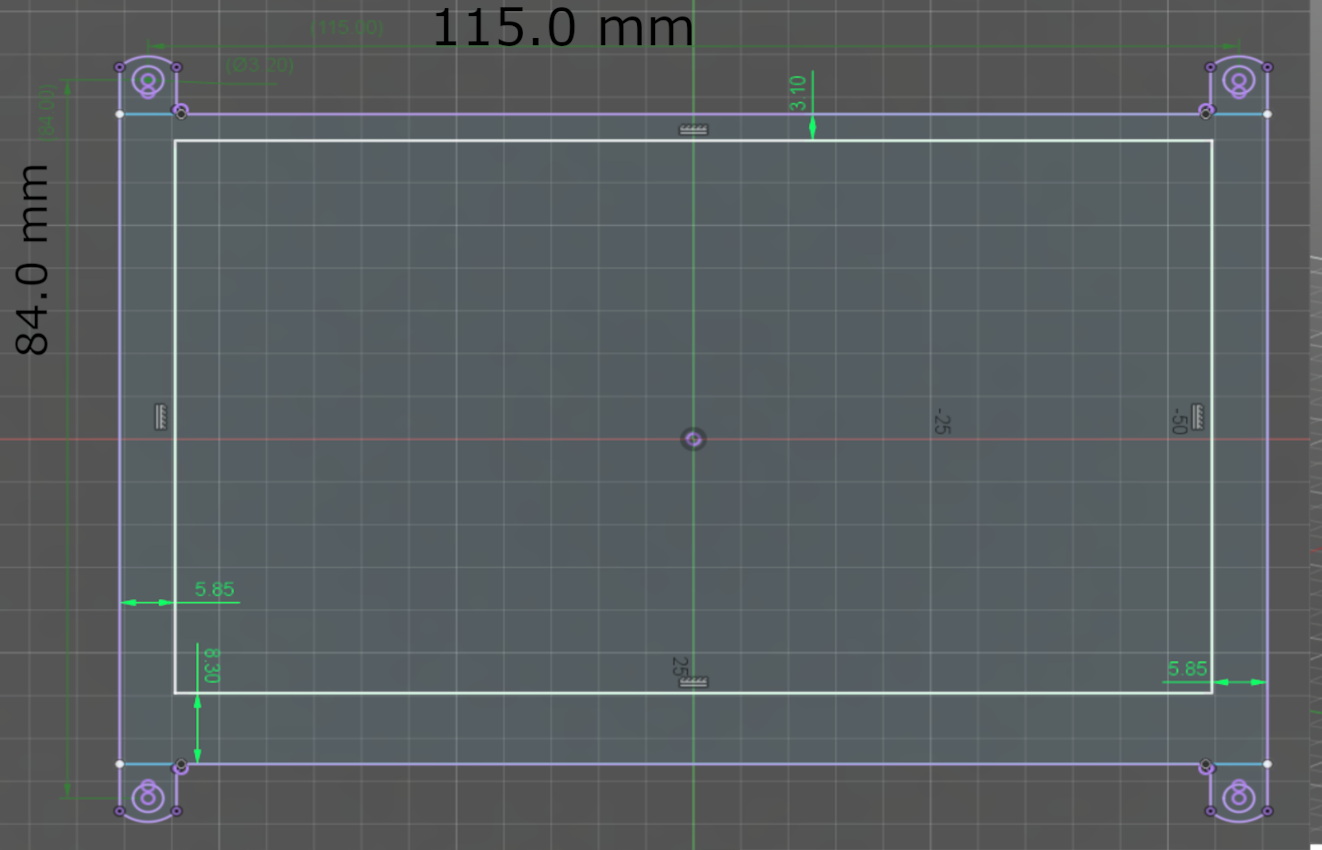
Instructions
A simple guide to choose the right pieces for the case.
- For the front piece you can either choose a complete flat face or a a piece with a chamfer around the screen. Print orientation should be with the most surface area to the bottom.
- Next is to choose a back piece with either a vertical or landscape (horizontal) mounting place. Both options comes with a whole piece or split part, depending on how you want to print with overhangs or not. The orientation for the one piece should be with the holes towards the bed and the holders upwards, and for the two piece should be with one of the flat sides towards the bed and be vertically printed or with the holes down, but be aware of overhangs.
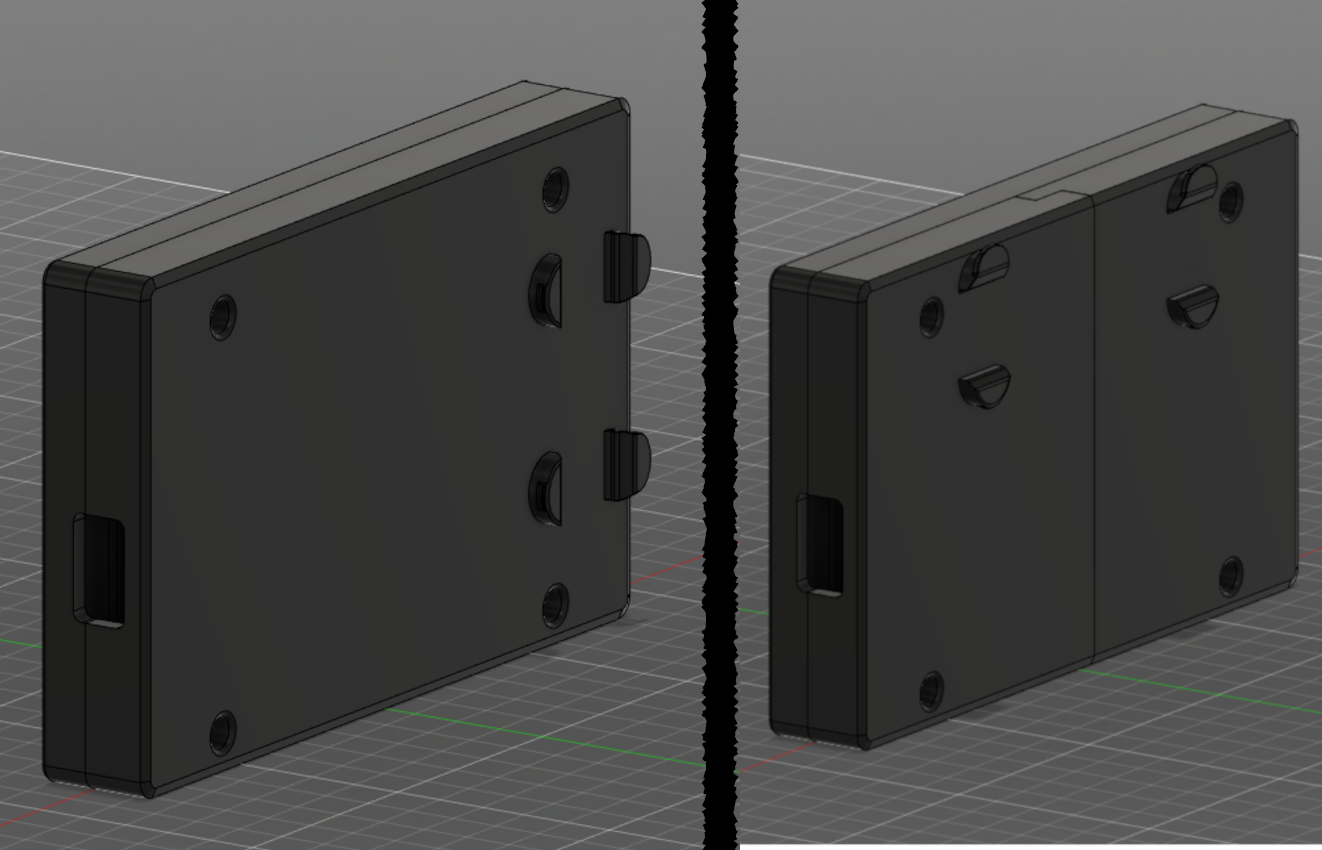
All the files can be downloaded separately or download the .3mf file and open in prusaslicer for all the parts. Click on the eye to select the parts you want to use and demerge to rotate the parts separately for better orientation or placement.
What I used for print settings where
- Layer height: 0.16 mm
- Wall perimeters: 3
- Solid layers (depending on orientation with flattest area with more layers)
- Top: 4
- Bottom: 3
- An infill of 10%
- Tree support on places the automatic painting put them
- A brim if you print on a vertical axis
- Bottom fill pattern on top case: Archimedean Chords
Info
The screen I used for this design is 5inch Capacitive touch screen LCD (H) by Waveshare, but I believe that similar displays with the same dimensions should work to.
The power cable and the video cable goes out from the same hole.
If there are small problems with the print like dimensions let me know and I will try to fix them, as I have neither the screen or the case on hand and I'm fairly new to 3D designing.
Feel free to remix this case with the provided step file. In the file contains only the flat top and bottom.
Just a small ramble
This idea comes from a old video from TechSource or JayzTwoCents where they put a small screen in his case to show system resources and other stuff, and I found a good pc case where one could put the screen in a easy mounting place.
A hard thing when designing this enclosure was to find a small screen from which I could design from and not make the case to thicc for esthetic.