
Grit Label for Simple Sanding Block
Obliczymy ostateczną cenę na podstawie wybranego pliku. Sprawdzisz ją i zaakceptujesz przed płatnością.
Zapisane na tym urządzeniu.

3MF for the sanding block with embossed text to note the paper grit. Layered color change is included (no MMU needed).
- Ocena
- 0 / 5
- Polubienia
- 53
- Pobrania
- 137
- Wydruki
- 0
- Wyświetlenia
- 896
- Oceny
- 0
Aktualizacja u źródła:
Informacje o modelu
- Źródło
- Printables
- Kategoria
- Tools
- Licencja
- BSD License
Open the 3MF file with PrusaSlic3r. I have not tested other slicers, your mileage my vary.
1. Change Label Text
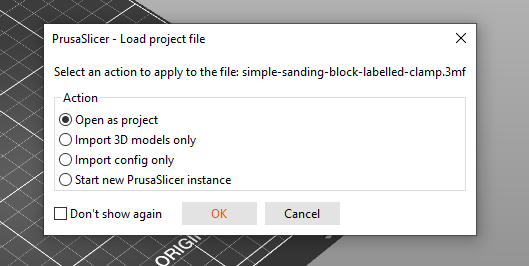
Choose “Open as project”
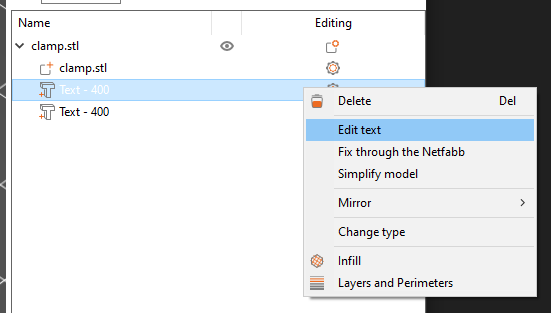
Right click on “Text - 400” in the sidebar, select “Edit text”
Use Emboss popout to change the label text. Change fonts if you want
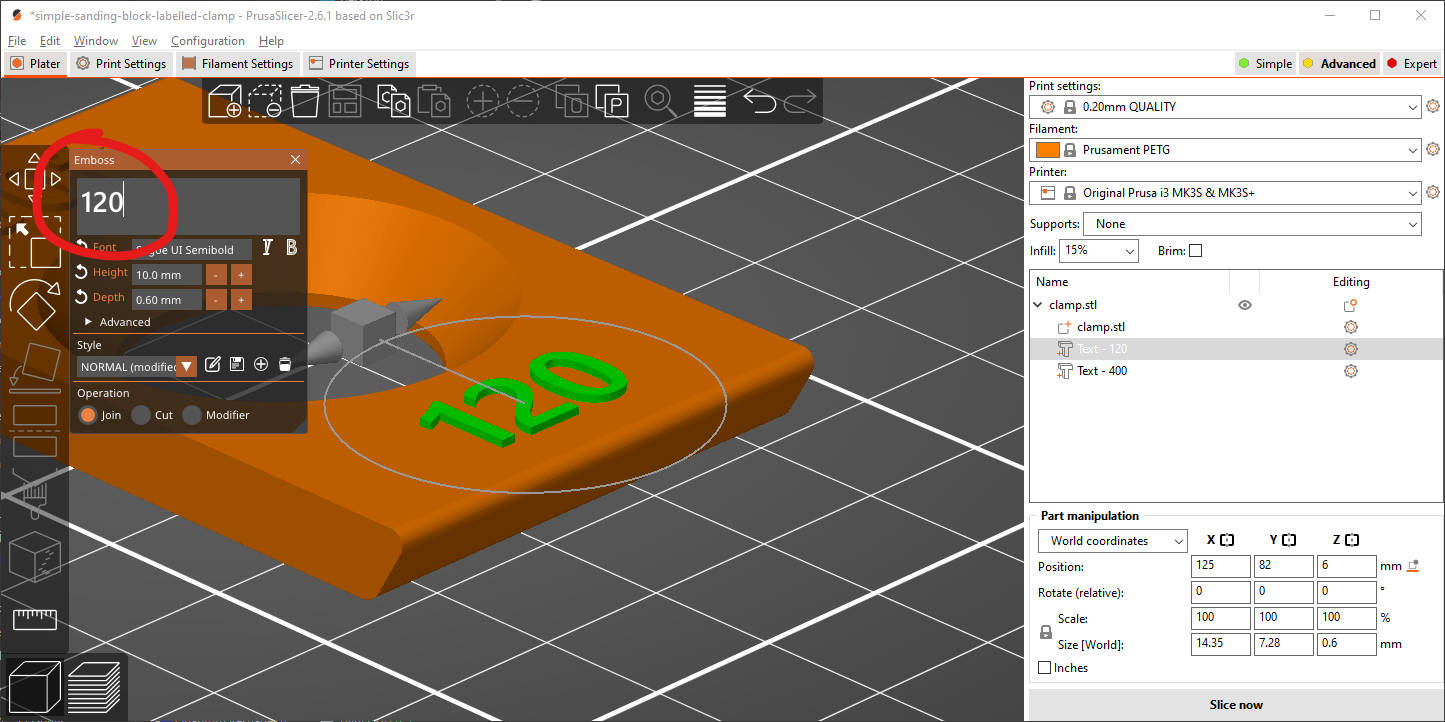
Don't forget to change the 2nd label as well

2. Check color change layer
If you slice the file with 0.20mm layer height you can probably skip this section.
Slice the file, and in the preview view drag the TOP handle (or mouse over and scroll)

Move the handle 1 layer BELOW the color change marker and make sure the text does NOT show in the preview:

Drag the marker ONTO the color change layer indicator. If the text shows up at this point you are good to print:
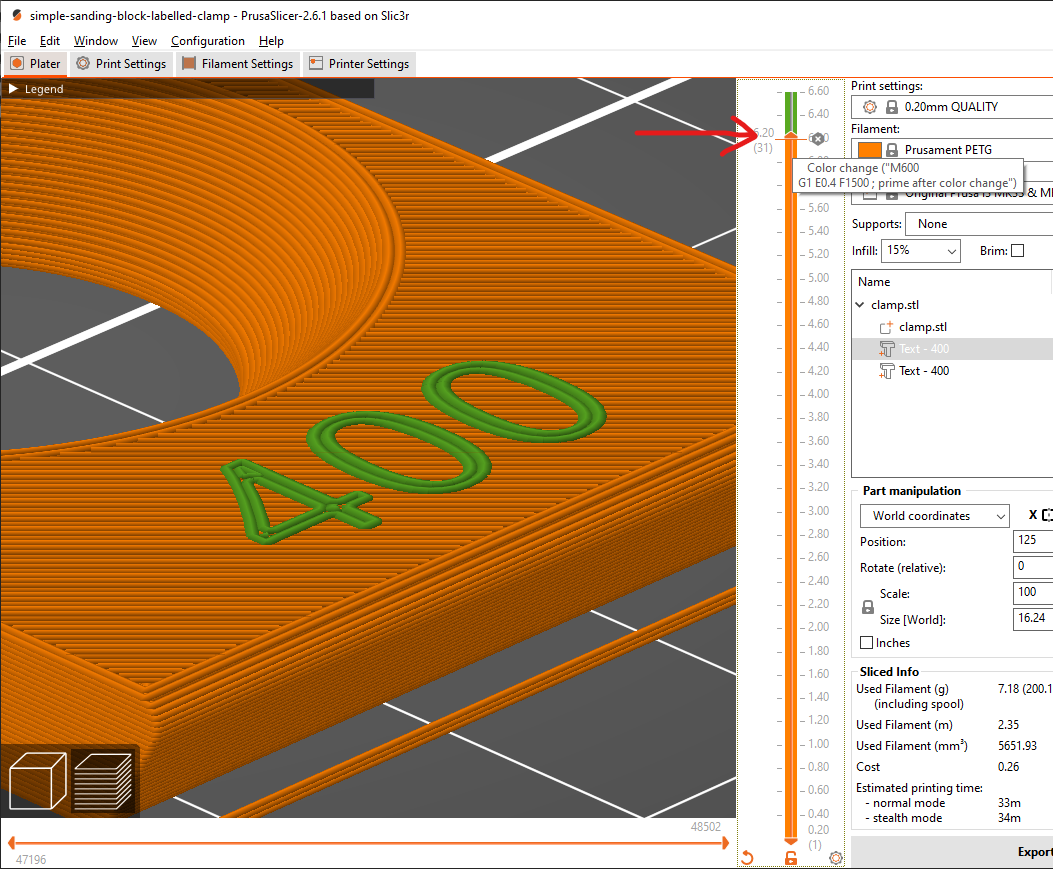
If you do not want to change colors select that layer and click the little “x” next to it.