
#0121 Button Guard for Logitech Headset (Model H390)
Obliczymy ostateczną cenę na podstawie wybranego pliku. Sprawdzisz ją i zaakceptujesz przed płatnością.
Zapisane na tym urządzeniu.

Accidentally pressing the volume or mute button is a common complaint. This button guard prevents these accidents!
- Ocena
- 5 / 5
- Polubienia
- 3
- Pobrania
- 31
- Wydruki
- 2
- Wyświetlenia
- 235
- Oceny
- 2
Aktualizacja u źródła:
Informacje o modelu
- Źródło
- Printables
- Kategoria
- Office
- Licencja
- Creative Commons — Attribution — Noncommercial — Share Alike
*** Thanks for checking out this model! ***
If you appreciate what I'm doing, consider buying me a coffee, and check out my other models for something else you might like!

**********
I have one of these popular headphones that our company uses for online conference meetings at our desks. All too often someone mutes themselves without knowing or they suddenly have to deal with VERY LOUD audio or not hear anyone at all. That's because the mute or volume buttons were accidentally pressed!
Fed up after multiple incidences of “you're muted again” and “can you hear me now?”, I came up with this button guard - you can now stop these accidents once and for all!! It snaps on securely - simple - and takes less than 10 minutes to print.
Print some for your coworkers as well - they will love you for it!
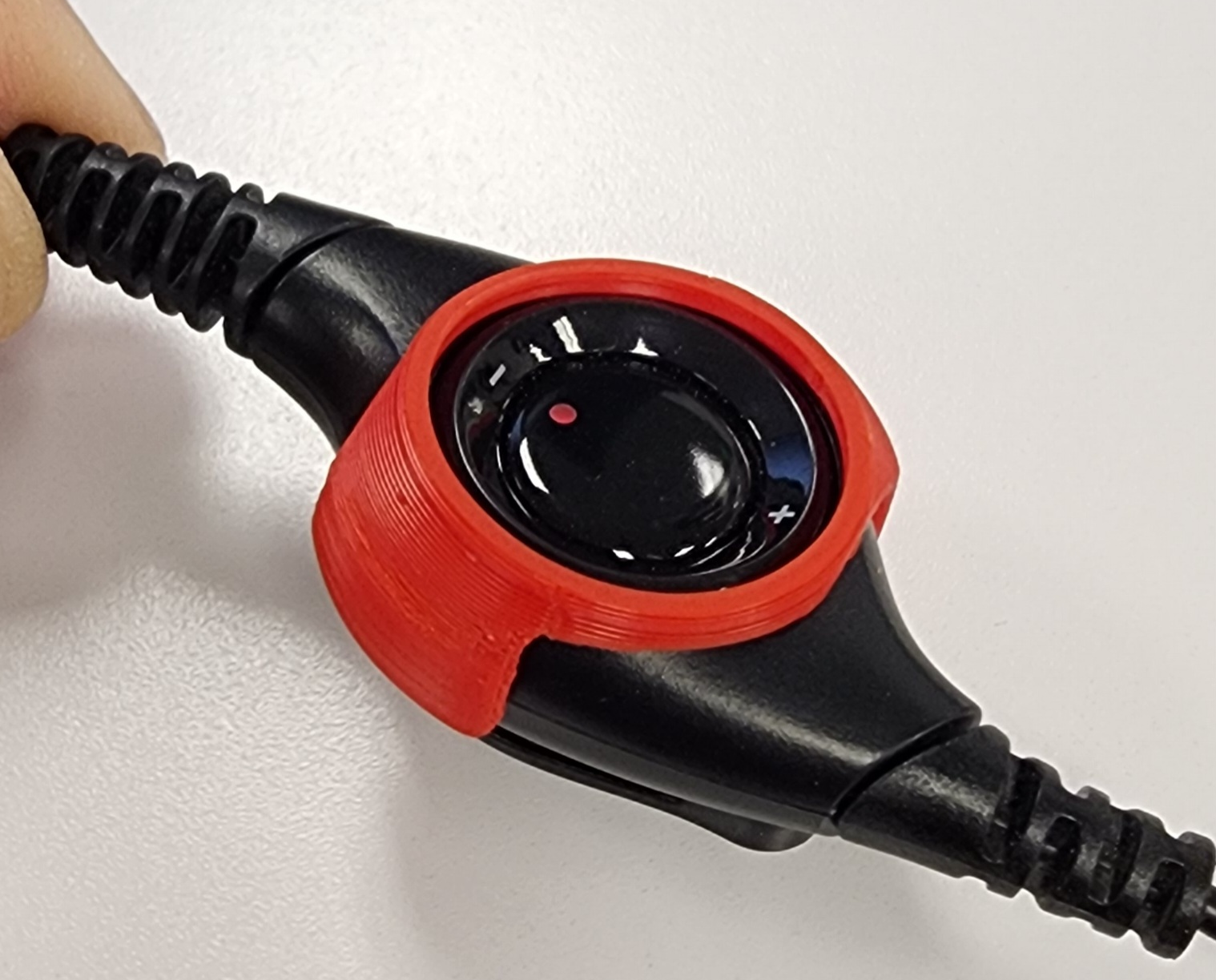
TIP: since it's a small part, print it using a bright color so it's easy to find.
It may also be compatible with other Logitech models that use the same button design. It's small and fast enough for you to simply test it out.
TIP: Print it out of a bright color in case it comes off (rarely) so you can find it easily. :-)
Recommendations:
- Print it out of PETG/ABS/ASA/PC to make it more durable.
- Nylon (PA) is ok to use but mine was a bit too flexible for my liking.
- PLA not recommended because it can't withstand much rough handling from regular use.
- Make sure your print bed is clean if you don't want to use a brim.
- Use a 2mm brim, if necessary, but it's kind of a hassle to remove, since the part is a bit small to handle.
- Use the .3mf file I provided with painted seams away from difficult-to-clean areas - highly recommended.
- Some minor de-stringing may be needed, depending on which materials you use. Just use a mini torch or lighter to quickly burn them off. My ABS printed beautifully but my ASA material showed a few strings.
If you add this to your collection and/or download the model, please click the LIKE button and give it some STARS!
Remember, you can earn some Prusameters if you post a pic of your make! Plus, it would make my day to see it. ;-D
Happy Printing!