
Ender 3 V3 SE - Base mount and ball joint for phone with KlipperScreen
Obliczymy ostateczną cenę na podstawie wybranego pliku. Sprawdzisz ją i zaakceptujesz przed płatnością.
Zapisane na tym urządzeniu.

Base mount for phone with KlipperScreen instead of the original screen. For use with the modular system from HeyVye
- Ocena
- 0 / 5
- Polubienia
- 43
- Pobrania
- 140
- Wydruki
- 1
- Wyświetlenia
- 2222
- Oceny
- 0
Aktualizacja u źródła:
Informacje o modelu
- Źródło
- Printables
- Kategoria
- Creality Parts & Upgrades
- Licencja
- Creative Commons — Attribution
Base mount for phone with KlipperScreen instead of the original screen. For use with the
Modular Mounting System from HeyVye
Printing Guidelines
All models must be printed in the orientation as is, without changing it, because the layers will not be printed vertically, but horizontally, thereby increasing the strength of the part. In a different orientation, parts of the fastening will come off
- Base.stl
Layer height - 0.2 mm
Infill- 30 %
Wall- 2 or more
Support - Tree

- Insert & Fastening.stl
Layer height - 0.2 mm
Infill- 30 %
Wall- 2 or more
Seam - back
Support - Tree
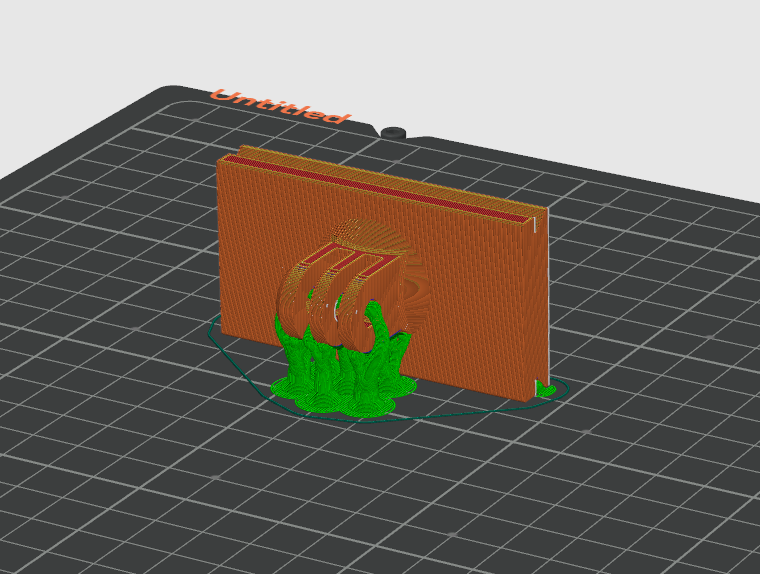
The additional mounting parts that are needed to mount the phone are not modified, they are simply oriented for greater strength. Files taken from here
- ball.stl
Layer height - 0.12 or less
Infill- 30 %
Wall- 2 or more
Seam - back
Support - Tree

- nut.stl
Layer height - 0.12 or less
Infill- 25 %
Wall- 2
Seam - back
- screw.stl
Layer height - 0.12 or less
Infill- 30 %
Wall- 2
Seam - back
Support - Normal(auto), only on build plate only
Brim - 3 mm, outer brim only
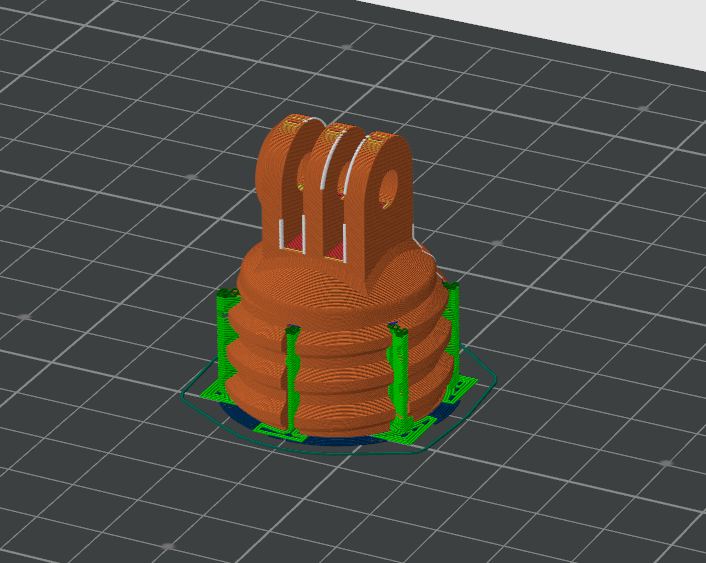
Since the rest of the phone mount is used from the Modular Mounting System and the files from there have not been modified, I will write a list of the necessary things that I personally used, you can choose and assemble the necessary mount for yourself. Print as stated in the description
List:
- Mount Phone Clamp A v6
- Mount Phone Clamp B with Tab v6
- Mount Phone Clamp Bolt v1
- Mount Phone Clamp Knob
- Knob for nut long v1 - 2 pcs
For assembly were used:
- M5 bolt - 35 mm - 2 pcs
- M5 nut - 2 pcs
- Also silicone lubricant for moving parts
Using old phone as a web camera for klipper
- Install IP Webcam on your android phone
- In the IP Webcam settings, give permission and set it to autostart when the phone boots up. Also set camera off for 10 second no activity if needed.
- On your router, set your phone to a static IP address and set it for the klipper in web Fluidd camera settings. 192.168.1.89 change to your IP adress
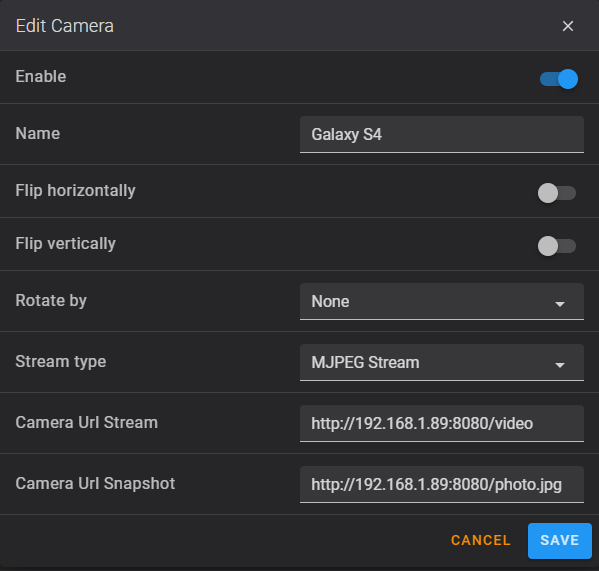
View of the phone camera in the Fluidd web interface
Using old phone as a KlipperScreen for klipper
In my case i used Samsung Galaxy S4 (I9505) with android 5.0.1
- Install KlipperScreen using KIAUH script
- Intall on phone XServer XSDL and set follow instructions from site KlipperScreen
In my case for I9505 version 1.20.51 XServer XSDL not connect to klipper, i uses older version 1.20.41 and disable autoupdate for apk
I attached this version to files - Add Xserver-XSDL to startup via any autostartup program from Google Play
For a visual and detailed installation, you can watch this video on YouTube. Thanks to the author
Phone power
I didn't damage the phone and soldered the battery to the contacts using a step-down converter. Instead, I use standard charging and battery, limiting the charge from 40 to 60% through the Battery Charge Limit program, but this requires root permission on the phone