
Tiny False Book Box
Obliczymy ostateczną cenę na podstawie wybranego pliku. Sprawdzisz ją i zaakceptujesz przed płatnością.
Zapisane na tym urządzeniu.
Informacje o modelu
- Źródło
- Printables
- Kategoria
- Other Toys & Games
- Licencja
- Standard Digital File License
It’s a tiny, print-in-place, false book that you (or perhaps a doll, or tabletop NPC) can hide tiny secrets in. It can be printed in PLA or PETG, and gently snaps closed. It needs some specific settings to print cleanly, so make sure to look at the instructions (or start with the settings in the .3mf file.)
Some ideas for things you could hide in it:
- a QR code
- a microSD card
- a QR code or microSD card that leads to or contains an ebook
- small treasures, e.g. a tiny seashell, a shark tooth, a pair of stud earrings
- 1-2 Skittles (untested)
- a tiny key
- the next step to a ttrpg puzzle
It’s 1:6 dollhouse scale (fashion dolls like Barbie) for a paperback-sized book, and 1:12 scale for an oversized hardback book.
There are two versions of the blank book—one with a crease line between the cover and spine, and one without—and several versions with a variety of pictograms for covers. I chose those over titles in order to be language-neutral.
I am also including several options for making your own custom covers, beyond simply painting the print. I wanted to provide flexibility for different mediums, and options for both ‘I want to make something super fancy’ and ‘this is basically a coloring page for tiny book covers’:
- a 3d printable stencil to outline the cover on paper
- A .png template for sticking in a paint program as the bottom layer or printing blank, with borders just outside the area of the book cover. Print at 100% scale.
- A PDF for printing 9 of the above at one time
- A pre-sized Inkscape SVG template with guide-lines
- The measurements for the cover:
- 4.85cm wide, 2.79cm tall, with the spine starting 1.9cm from either side
- 1.9” wide, 1.1” tall, with the spine starting 3/4 of an inch from either side
- You may want to add an extra mm or two, especially on the sides, for wrapping around the edges and/or later trimming.
How to Print
This design is ever so slightly over-engineered, and requires specific print settings to look its best. A .3mf file for PrusaSlicer with these settings is also available.
- 0.1 or 0.2mm layer height: 0.1mm for it to be nicer and more detailed, especially with the pictograms. 0.2mm works great for the blank ones.
- NO thick bridges for 0.2mm; YES thick bridges for 0.1mm; at least for PLA. Bridges may need more specific adjustment in PETG. (In PrusaSlicer: Print Settings > Layers and Perimeters > Quality > Thick bridges)
- 2 perimeters (Any more perimeters will mess up the bridging) (PrusaSlicer: Print Settings > Layers and Perimeters > Vertical shells > Perimeters)
- Classic slicing (NOT Arachne) (PrusaSlicer: Print Settings > Layers and Perimeters > Advanced > Perimeter generator)
- NO gap fill (PrusaSlicer: Print Settings > Layers and Perimeters > Advanced > Fill gaps)
- All line widths set to 0.4mm (PrusaSlicer: Print Settings > Advanced > Extrusion width (the entire section))
- You will need either glue stick or the custom bed anchor I’ve included, which minimizes contact with the book object and should come right off when you’re done. The latter was designed for PEI build surfaces. Your print is likely to fail without either that anchor or some sort of adhesive.
- NO supports, NO slicer-generated brim (the custom anchor is basically a brim designed to make post-processing easy)
- Turn OFF ‘avoid crossing perimeters’ if you usually use it. In the case of printing an object that consists mostly of external perimeters, this will cause the slicer to restrict travel to along those perimeters, which doesn’t look great. (PrusaSlicer: Print Settings > Layers and Perimeters > Quality > Avoid crossing perimeters)
- ~35% perimeter-infill overlap recommended, for good luck (PrusaSlicer: Print Settings > Advanced > Overlap > Infill/perimeters overlap)
- To make the ‘pages’ at the bottom and top of the book have their lines going in the right direction, there are two settings you want to change. (The angles listed assume you have the book positioned on the bed with the cover facing the front or back; rotations will mean you’ll want different angles.)
- Set infill angle to either 0 or 90; check to make sure the top infill on top is running in the right direction. (PrusaSlicer: Print Settings > Infill > Advanced > Fill angle)
- Set ‘bridging angle’ to 180. This is to make sure the bridges on the bottom look like the lines of stacked pages. (PrusaSlicer: Print Settings > Infill > Advanced > Bridging angle)
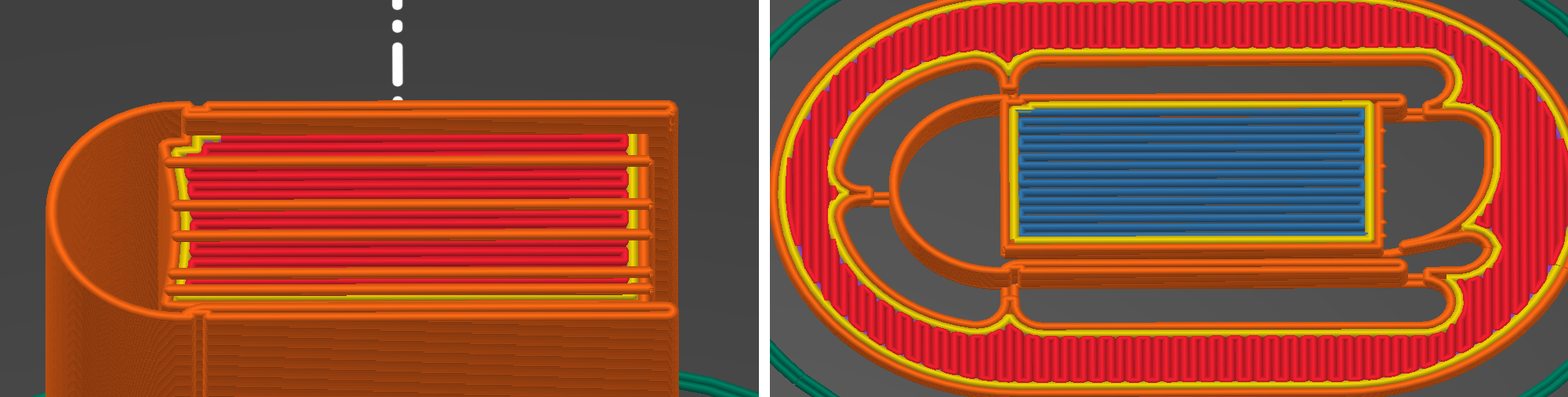
Post-processing should be pretty easy, but if you get a stray bit of filament sticking the parts together or are having trouble opening the book: gently press from the right edge of the cover, first applying pressure towards the spine, then out towards you.
Etc.
If you’re familiar with CAD programs and want to edit the blank model to have your own picture or title, I recommend subtraction-extruding to a depth of 0.2mm into the surface of the cover, which is what I did with the pictograms.
I did my custom paper covers with mod podge, which I think gives you an appearance of more depth when you’re using something you printed on printer paper. I would recommend doing it flat on a smooth plastic or silicone surface (brush a thin first layer onto the surface, place cover on that, brush second layer over top), waiting for it to dry, then peeling it off and using just a bit more mod podge to attach to the plastic book. Of course, you could also use glue stick, carefully brushed craft glue, glue dots or tape adhesive dispenser, etc.
I searched for book listings on ebay to find full book jacket photos to edit for my purposes.
The symbols are from Noto Emoji, except for the bird, which is from Webdings, and the biohazard symbol, which I did myself.
Filaments shown in the photos: Prusament Clear PETG, Printed Solid Jessie White PLA, Prusament Galaxy Silver PLA, Atomic Filament Pastel Lilac PLA, Atomic Filament Rose Gold Metallic Translucent PLA