
X-axis visualizer - AIRPLANE (Prusa MK4)
We calculate the final price from your selected file. You review and accept it before payment.
Saved on this device.

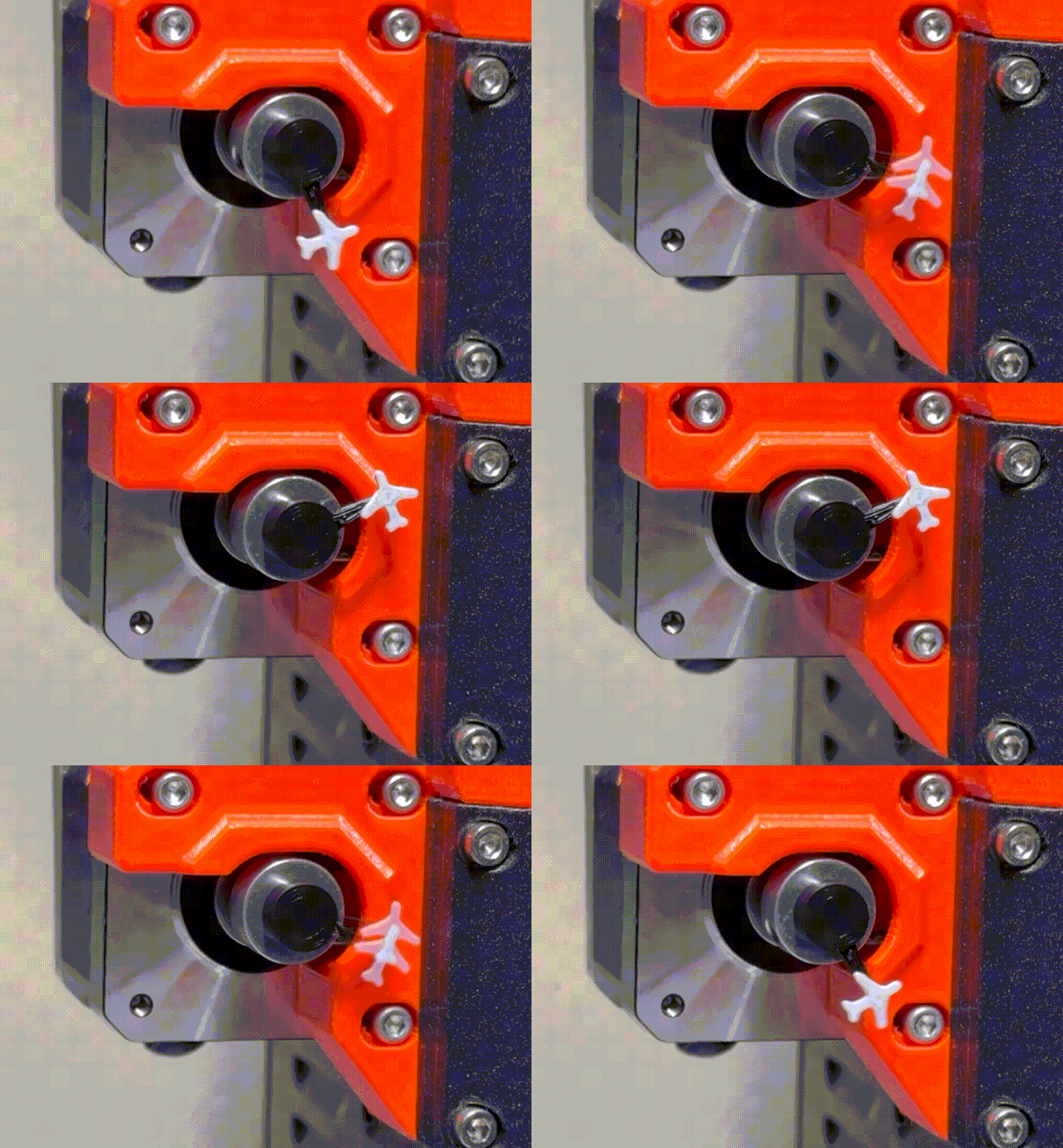
A simple and easy to print and install X axis visualiser for Prusa MK4. No magnets, no glue, just friction fit.
- Rating
- 0 / 5
- Likes
- 5
- Downloads
- 49
- Makes
- 0
- Views
- 195
- Reviews
- 0
Updated at source:
Model information
- Source
- Printables
- Category
- Prusa Parts & Upgrades
- License
- Creative Commons — Attribution — Noncommercial — Share Alike
I missed watching a plane flying circles around my MK3 extruder motor. Since on MK4 there is no way to install it to the extruder, I have decided to create a series of X-axis visualisers. This is the first one, but more to come. You can post requests in comments, I'll do my best. Because of the narrow space between the center of the motor to the Z axis rod, the models have to be pretty simple and small.
HOW TO PRINT: As of material - PLA is fine, layer height 0.2 mm, no supports needed, I have printed mine on a MMU3, but you can simply make a colour change when after a few first layers - just make sure the connecting stick is ideally printed black.
HOW TO INSTALL: Now this is very simple. There is only 1 way to install it because of the shape of the X motor center rod, there is a small cutout on one side, the connecting stick marks where the cutout is on my model for easy orientation. No need for glue or magnets, should fit like a glove. Have fun and don't forget to share your prints :)