
Ender 5 plus bed alignment blocks
We calculate the final price from your selected file. You review and accept it before payment.
Saved on this device.
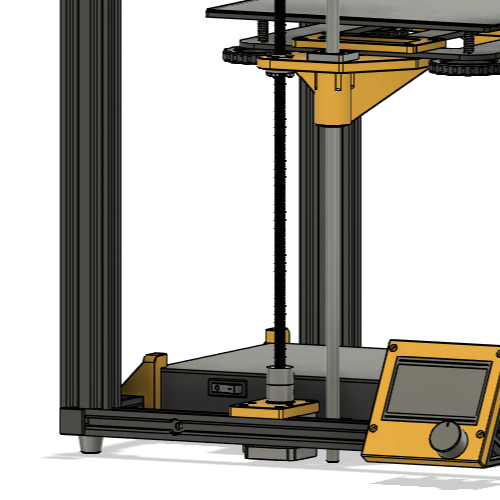
Utility to re-adjust bed level if Z motors go out of sync
- Rating
- 5 / 5
- Likes
- 8
- Downloads
- 67
- Makes
- 1
- Views
- 415
- Reviews
- 1
Updated at source:
Model information
- Source
- Printables
- Category
- Creality Parts & Upgrades
- License
- Creative Commons — Attribution — Noncommercial — Share Alike
Ender 5 plus comes without independent stepper motor drivers for the two Z motors, which means that when powered down they easily move a few steps and the bed will tilt a bit and cause an inconsistent first layer.
One or two of these blocks under the bearings on each side of the bed can be used to easily make sure that it is held in level.
How to use: Power on and home the printer, move the bed height approximately so the blocks fit, then fine-tune height on both sides by holding the coupler connecting the motor to the Z screw and rotating it so it skips a step at a time. Finally home once more.