
BTTEddy Creality K1 K1C & K1 Max mount.
We calculate the final price from your selected file. You review and accept it before payment.
Saved on this device.

This model for btt eddy usb, version 1.0
- Rating
- 5 / 5
- Likes
- 146
- Downloads
- 525
- Makes
- 1
- Views
- 7,000
- Reviews
- 2
Updated at source:
Model information
- Source
- Printables
- Category
- Creality Parts & Upgrades
- License
- Creative Commons — Attribution — Noncommercial
In version 2 the dimensions were optimized
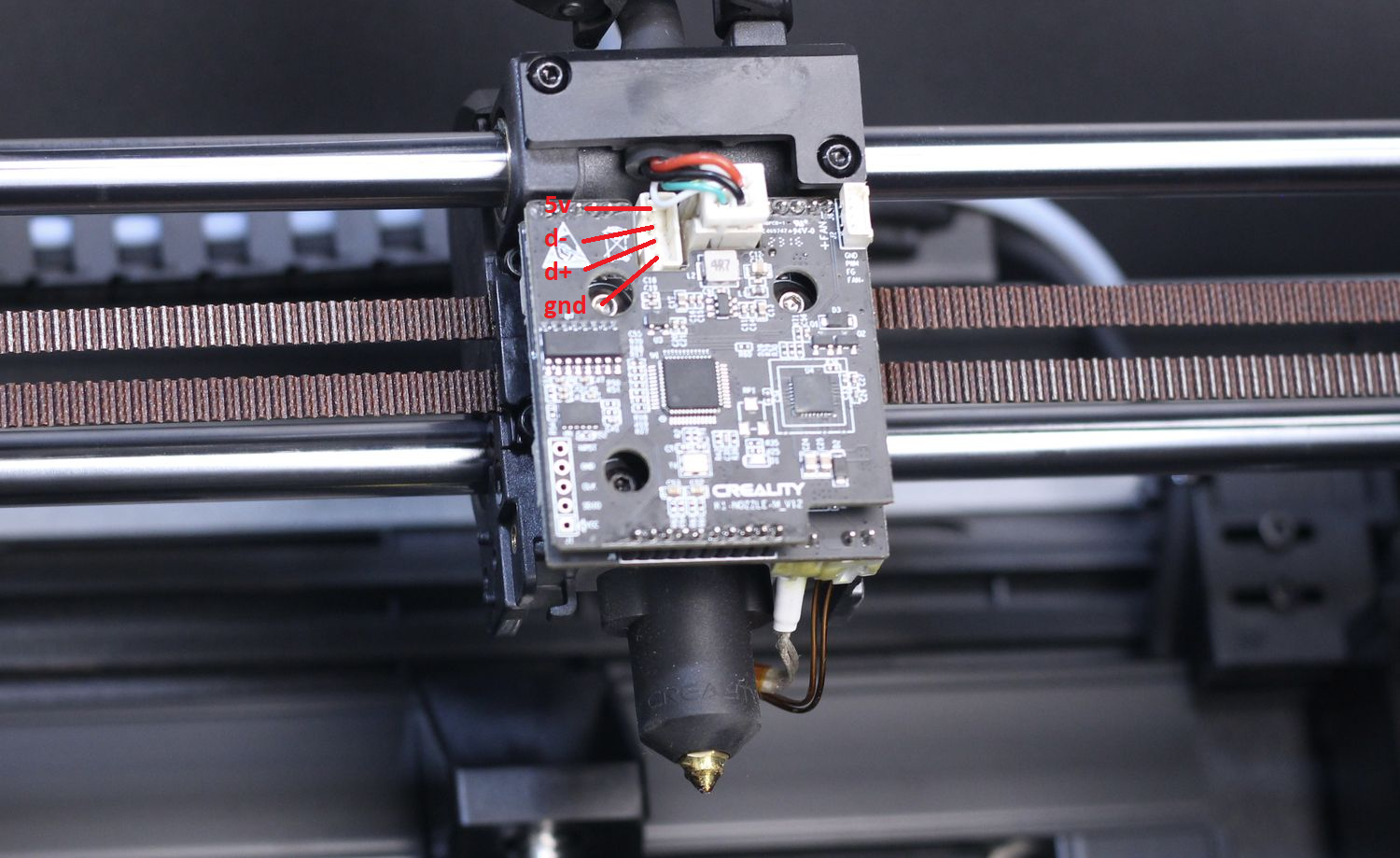
I liked the model from @ZeroDotCMD, but I decided to go further, I ran a cable from the USB connector on the motherboard to the printer head, and then connected the BTTEddy to the lidar port
mothreboard connectors jst ph2.0 4pin x2
lidar port connecotr jst 1.25 5pin x1
@ZeroDotCMD Thank you for your work!
Simple-AF-BTT-Eddy - repository thanks to which this model was created
Update frimware
Firmware Notes
This moves the eddy coil perfectly in line with the Y axis so no Y offset is needed. The X axis offset is -23.0
Use the model to calibrate the offsets!
In the bed mesh section for the BTTEddy You'll also need to make sure to set Your new min and max to these listed values.
mesh_min: 10, 10
mesh_max: 205, 210
You can additionally use M2X5 screws to secure the board

Motherboard pinout:

Motherboard→Head pinout:
Lidar port pinout:
